Language Reactor Not Working? Quick Fixes and Alternatives
 Equalang
In brief
Fix Language Reactor subtitle loading errors on Netflix and YouTube, adjust extension permissions, and explore verified dual-subtitle alternatives.
Keywords: language reactor not working; language reactor netflix stuck; language reactor alternatives; dual subtitles extension; netflix bilingual subtitles
If Language Reactor is not working, the fastest fix depends on your specific symptom:
- Stuck on "Loading subtitles..." on Netflix: Go to Netflix Account Settings > Security > turn off "Participate in testing". Official staff confirmed that Netflix player A/B updates frequently disrupt subtitle hooks. Open Netflix in Chrome Incognito mode to bypass corrupted cache.
- Extension button missing on YouTube or Netflix: Open
chrome://extensions> Language Reactor > Details, and ensure all site access permissions are toggled on. If you are on a school or corporate network, check whether an internal domain filter is blocking Language Reactor domains. - Extension becomes completely unclickable on Netflix: Check for conflicting extensions. Users reported conflicts with Nikflix, and official staff forwarded this to the team for review. Disable other video player extensions to isolate the issue.
- Cookie or login errors: Go to Chrome Settings > Privacy and security > Site settings > Cookies. Do not select "Block third-party cookies"; choose "Block third-party cookies in Incognito" instead.
- Using Firefox: The official extension is only available on the Chrome Web Store. The Firefox listing ("Language Reactor sacrosanctx" by colonelmd, v5.1.4) is an unofficial third-party upload and is not maintained by the official developer (Dioco).
If these steps do not restore playback, or if you need subtitles on platforms outside Netflix and YouTube, several alternative tools offer distinct trade-offs.
Step-by-Step Troubleshooting for Language Reactor
1. Resolving Netflix Subtitle Loading Loops
On the official Language Reactor support forum, staff confirmed that player updates tested by Netflix (A/B testing) regularly change player manifest formats and break subtitle synchronization.
- Disable Netflix test participation: In your browser, open Netflix, access your account settings, locate the Security section, and turn off "Participate in testing". This forces Netflix to serve the stable player layout.
- Verify in Incognito Mode: Extension cache can hold outdated manifest data. Open a new Incognito window (ensuring Language Reactor has "Allow in Incognito" enabled in extension settings) and test the video.
- Check Netflix native subtitle tracks: Free mode relies entirely on original subtitles provided by Netflix. If Netflix does not provide subtitles in your study language for that specific title or region, Language Reactor cannot display them unless you subscribe to Pro for machine translations.
2. Restoring the Missing Extension Icon on YouTube and Netflix
If the control toolbar or extension icon fails to mount on video pages:
- Open
chrome://extensionsin your browser address bar. - Find Language Reactor (verify version 6.0.1 or newer, offered by Dioco) and click Details.
- Check that "Site access" is set to permit access automatically, and verify all permission switches are active.
- Inspect network filtering: Language Reactor contacts external servers to load dictionaries and subtitle models. Certain ad-blockers and corporate firewalls block these requests.
3. Account Login and Pro Quotas
If machine translations stop generating mid-video:
- Check third-party cookie restrictions: Chrome's privacy settings may block the extension session token if third-party cookies are fully blocked.
- Daily Pro quota limits: Pro mode provides machine translation for roughly 5 hours of new, previously untranslated video content per day. Once reached, automatic translations pause until the quota resets.
Verified Alternatives for Dual Subtitles
When troubleshooting does not solve the issue, or when your workflow extends beyond Netflix and YouTube, consider these alternatives.
Trancy: Broad Streaming Platform and Browser Support
Trancy is designed for language learners across multiple streaming services and desktop/mobile browsers.
- Supported platforms: YouTube, Netflix, Disney+, HBO, Coursera, Udemy, and TED.
- Browser compatibility: Chrome, Edge, Firefox, Safari, Brave, Arc, Firefox Android, and iOS Safari.
- Pricing model: A permanent free tier covers basic features. Paid tiers (pricing during promotional periods includes Premium at $2.27/month or $27.30/year, and Premium + Advanced AI at $5.72/month) offer a 3-day free trial.
- Trade-offs: AI subtitle generation for videos without native subtitles is capped on paid tiers (40 videos per day for Premium, 60 per day for Premium + Advanced AI) and is unavailable on the free plan.
Dualsub: Lightweight YouTube English-to-Chinese Subtitles
Dualsub underwent significant architectural changes in November 2026 (v2.72.0 and v2.73.0):
- Platform focus: Current versions support YouTube only (
www.youtube.comandm.youtube.com). Support for Netflix, Viki, WeTV, iQIYI, Bilibili, and Coursera has been deprecated. Earlier features displaying two original subtitle tracks simultaneously were removed. - Language coverage: English-to-Simplified-Chinese translation is free using the Basic model. Translating English into other target languages requires the Pro model via prepaid credits (e.g., 200 credits for 14.90 CNY, 600 credits for 29.90 CNY; 1 credit translates approximately 1 minute).
- Trade-offs: It is lightweight for YouTube English content on Chrome, Edge, and Firefox, but cannot be used for Netflix or multi-platform streaming.
Equalang: Multi-Browser Bilingual Subtitles and Transcription
Below we demonstrate with Equalang (/extension), an extension built for side-by-side reading and dual subtitles across desktop Chrome, Edge, and Firefox (with a temporary package available for Safari on macOS).
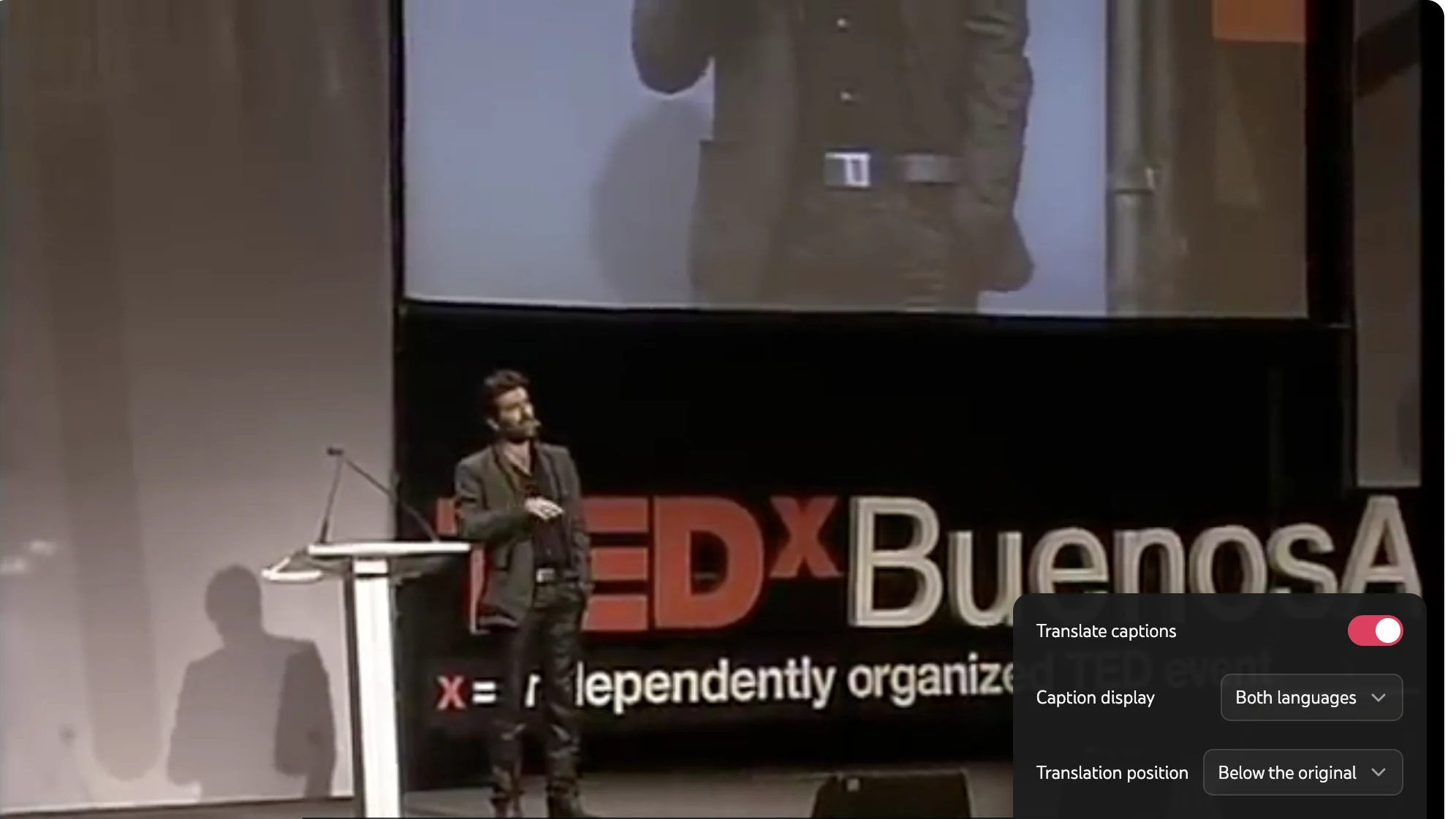
- Platform support: Works on recorded videos across YouTube, Netflix, TikTok, Bilibili, Crunchyroll, and other streaming catalogs.
- Bilingual display control: In Equalang, dual subtitles appear directly on the video player with original dialogue and translations aligned simultaneously. Viewers can toggle between dual subtitles and translation-only view, or adjust on-screen placement.
- Videos without original subtitles: For recorded videos lacking official subtitle tracks, when a video lacks captions, Equalang can generate bilingual subtitles via live listening. Note that audio with loud background music or heavy sound effects can affect transcription accuracy.
- Pricing model: Equalang provides 200 credits upon registration to test features. Additional usage uses pay-as-you-go credit packages (starting at $10 for 10,000 credits, where purchased credits do not expire), shared across the web workspace and browser extension.
Feature Comparison Summary
For more on video subtitle workflows, see our practical guides on Netflix dual subtitles, YouTube bilingual subtitles, and how to translate a video without a subtitle file.
Sources
- Language Reactor Official Site & FAQ: https://www.languagereactor.com/help/faq
- Language Reactor Pro Details: https://www.languagereactor.com/pro-mode
- Language Reactor Official Support Forum: https://forum.languagelearningwithnetflix.com/
- Language Reactor Chrome Web Store Listing: https://chromewebstore.google.com/detail/hoombieeljmmljlkjmnheibnpciblicm
- Trancy Official Site & Pricing: https://www.trancy.org/pricing
- Dualsub Official Documentation & Changelog: https://www.dualsub.xyz/en/docs/changelog.html
- Dualsub Chrome Web Store Listing: https://chromewebstore.google.com/detail/gnlibmlfpencglodjpgnalbdebfhpmfp
- Equalang Browser Extension: https://equalang.com/extension
- Equalang Pricing: https://equalang.com/pricing