
Documents
Translate documents with layout intact
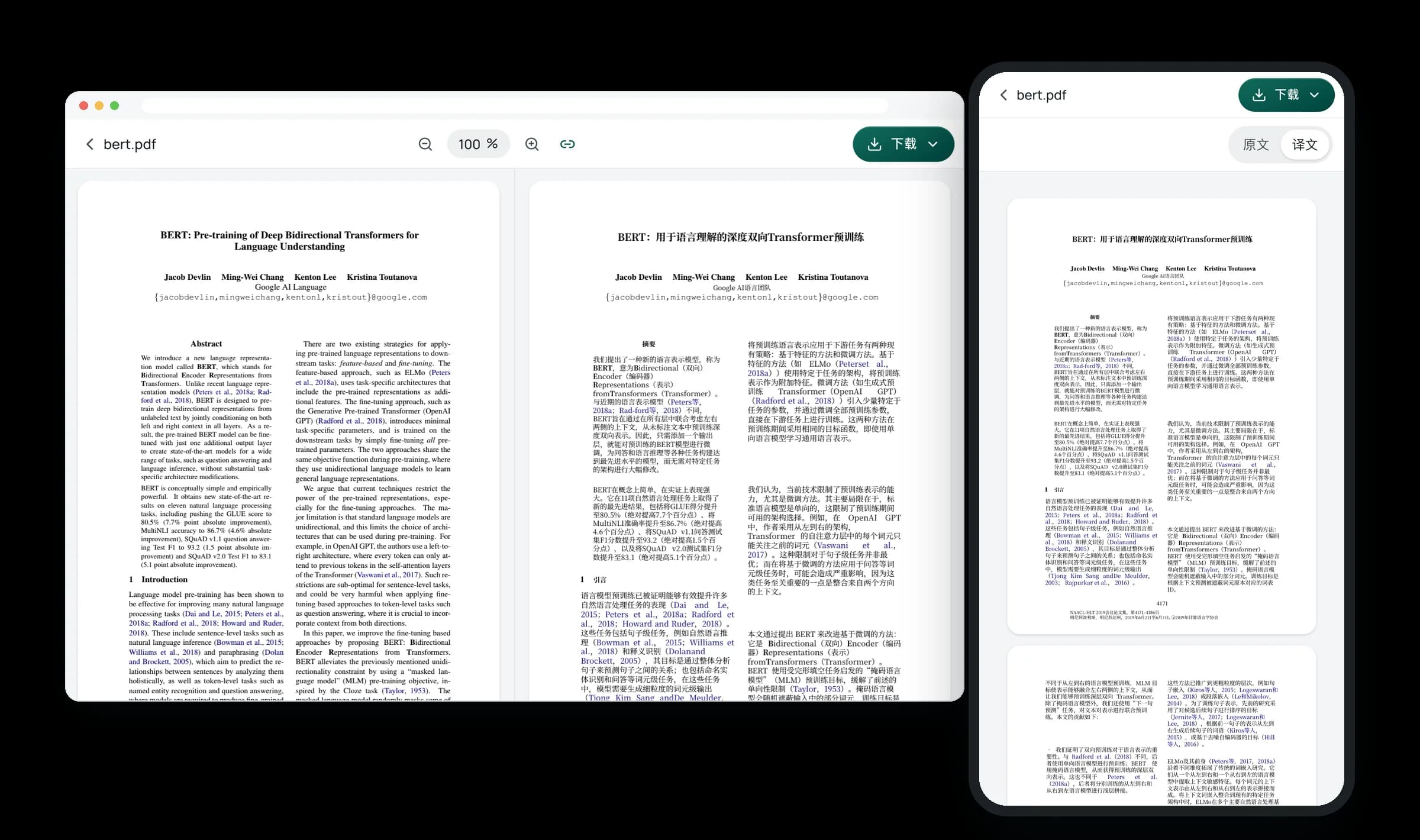
Side-by-side document translation with formatting intact
Upload PDF, Word, PowerPoint, Excel, EPUB, HTML, TXT, or subtitle files to translate them with structure intact and read the original and translation side by side.

Papers and technical PDFs
Upload multi-column papers or technical reports, keep columns, headers and footers, captions, and cross-reference links as far as possible, and read side by side in the workspace.

Office docs and spreadsheets
Translate Word, PowerPoint, and Excel files while keeping formatting as far as possible and leaving Excel numbers and formulas as they are.

E-books and video subtitles
Translate EPUB e-books with formatting kept as far as possible, or upload SRT and VTT subtitle files to get translated subtitles.
Translate a document in three steps
Upload file and pick language
Sign in, upload a PDF, DOCX, PPTX, XLSX, EPUB, HTML, TXT, SRT, or VTT file (up to 100 MB), and choose the target language.
Review estimate and options
Check the estimated credit cost before starting, and optionally turn on formula optimization for equation-heavy PDFs.
Read side by side or download
Read the original on the left and the translation on the right with synced scrolling in the translation workspace, or download the translated file and a bilingual PDF with the original pages and translated pages together.
What file formats, file sizes, and languages are supported?
You can upload PDF, DOCX, PPTX, XLSX, EPUB, HTML, TXT, and SRT or VTT subtitle files up to 100 MB per file. The source language can be auto-detected, and translation currently covers 152 target languages including Chinese, English, Japanese, Korean, Spanish, French, German, Arabic, Vietnamese, Thai, Indonesian, Turkish, Dutch, and Swedish.
How is my privacy protected and how long are uploaded files kept?
Uploaded files and translated results are kept for 14 days so you can view and download them, then removed from access, and you can request deletion of your submitted content and account data at any time. Equalang does not sell personal data or use your submitted or translated content to train AI models.
How well is formatting preserved, and what are the limitations?
Formatting is kept as far as possible: PDF translations keep columns, headers and footers, captions, and paragraph levels, bold text stays bold, links in the table of contents and cross-references still work, and sentences split across page breaks are rejoined before translating; Word, PowerPoint, and EPUB files keep their formatting as far as possible, and Excel numbers and formulas are left as they are. Font sizes and line breaks may adjust when translation length changes, and complex layouts, scanned PDFs, heavy watermarks, or language-dependent Excel text formulas should still be checked against the original in the side-by-side workspace.
What devices can I use, and do I need to install software?
You can use Document Translation directly in the browser on a laptop, desktop, tablet, or phone after signing in, with no software to install. On Windows or macOS, you can also use the Equalang Zotero plugin to translate attachments in your reference library using the same account balance.
How is document translation billed, and what if a job fails?
New accounts receive 200 credits to try it out, and purchased credits never expire and are shared across the website and extensions (the smallest pack is $10 for 10,000 credits). Before a job starts, you see the estimated credits: document translation costs 10 credits per 1,000 tokens (about 750 English words or 1,000 Chinese characters), optional PDF formula optimization adds 10 credits per page, and failed or cancelled jobs are not charged.
Upload a document and read the translation side by side with the original
Sign up to get 200 credits to try it out.