How to Watch Chinese Dramas with English and Chinese Subtitles
 Equalang
In brief
Display English and Chinese subtitles together on iQIYI, WeTV, Youku, and Netflix using a desktop browser extension, with honest device boundaries.
Keywords: chinese dramas; dual subtitles; c-drama english chinese subtitles; iqiyi subtitles; wetv dual subtitles; equalang extension
When streaming Chinese dramas on platforms like iQIYI, WeTV, Youku, or Netflix, viewers face a persistent trade-off: select English subtitles to follow the plot comfortably, or switch to Chinese subtitles to study dialogue and character usage. Because major streaming players only allow one active subtitle track at a time, watching with both languages simultaneously is not supported out of the box.
To work around this restriction, viewers often pause and rewind repeatedly just to toggle back and forth between subtitle tracks. Others search for older video rips that feature hardcoded Chinese subtitles on the video frame, then overlay a soft English subtitle track on top. This frequently results in overlapping lines, obscured text, and poor timing. When English subtitles translate dialogue loosely, language learners also lose the ability to verify what was originally spoken.
How to Display Both Subtitle Lines on Desktop
Video streaming platforms load subtitles as text cues inside the web player. A desktop browser extension can capture the active subtitle cue from the player, generate an immediate translation underneath it, and render both lines on screen together.
Below, we demonstrate this setup using Equalang, the browser extension for bilingual web reading and video subtitles. Alongside manual track-switching or searching for dual-language video files, the extension provides a direct way to view dual subtitles within supported web players, including iQIYI International (iq.com), WeTV, Youku International (youku.tv), Netflix, Bilibili, and Viki.
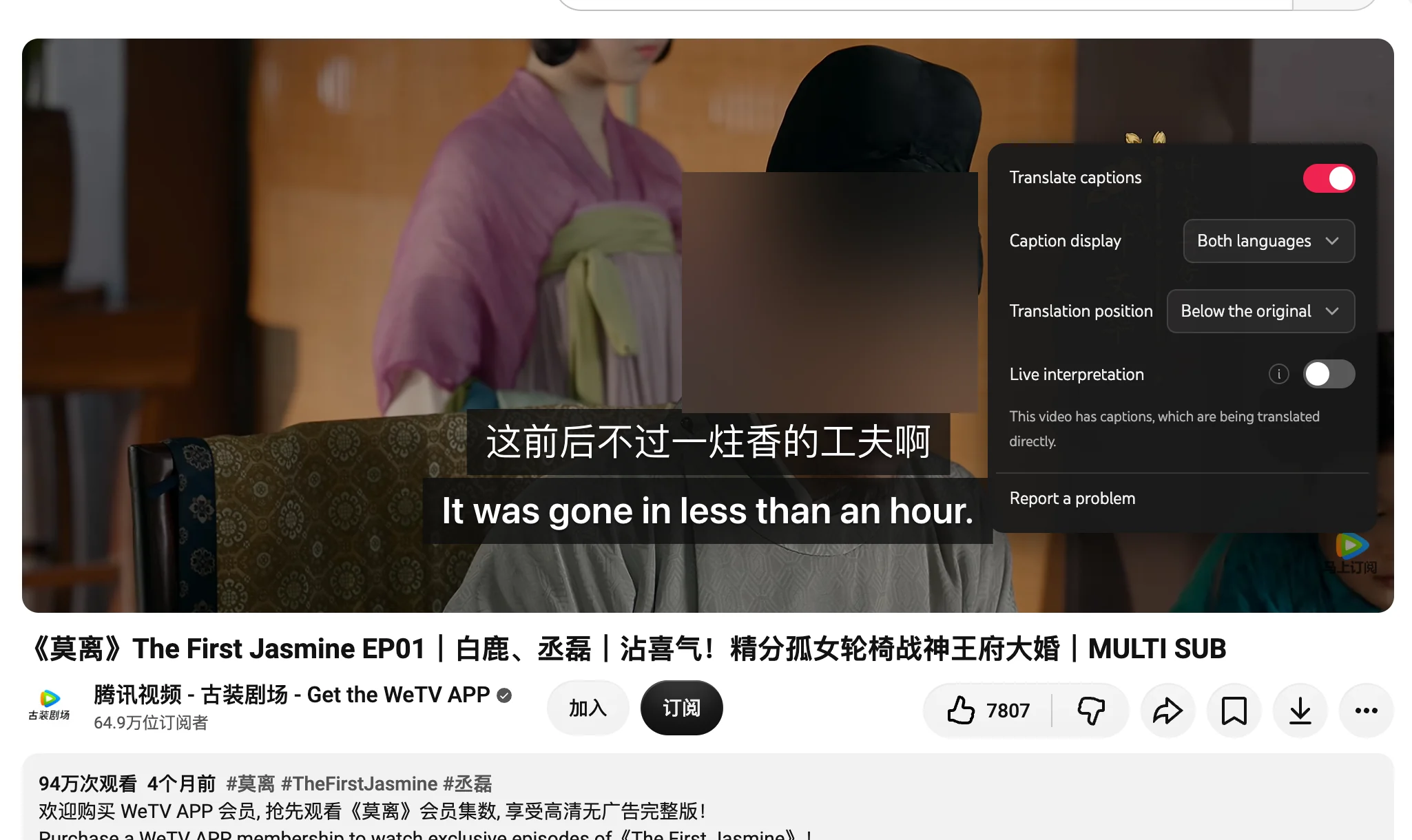
To set up dual subtitles on supported sites:
- Install the Equalang browser extension on a supported desktop browser.
- Open your drama on the streaming site and turn on the platform's native subtitles.
- Click the Equalang icon inside the video player controls to open the subtitle settings panel.
- Turn on subtitle translation, select bilingual display mode, and choose whether the translated line appears below or above the native subtitle.
Choosing Which Subtitle Line Serves as the Original
The extension translates the subtitle track currently selected in the streaming platform's own player. You can decide which language occupies the primary position depending on your focus:
- Chinese on top, English below: Select the drama's official Chinese subtitle track (Simplified or Traditional) in the streaming site's player menu. In the extension popup, set the target language to English. The actor's original Chinese lines remain in their standard position, with an English translation directly underneath.
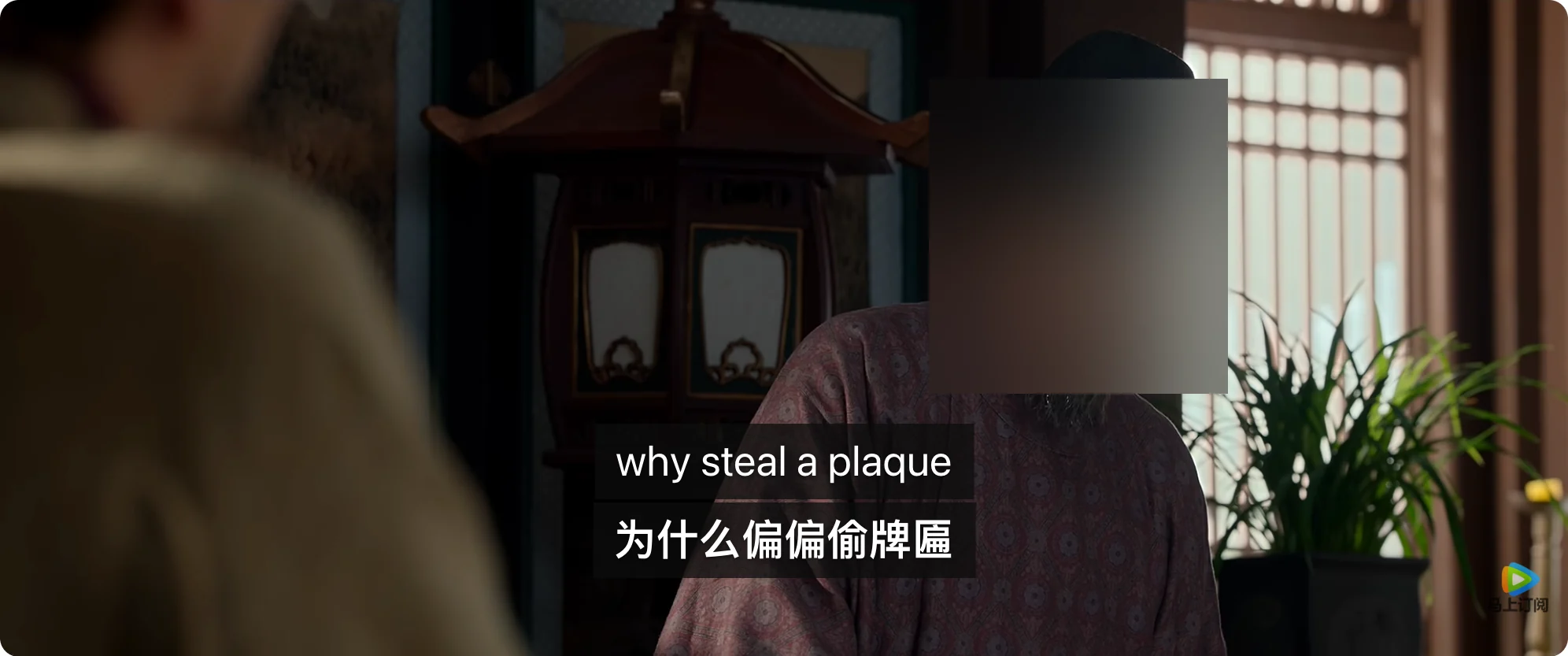
- English on top, Chinese below: If you prefer reading English as the primary line, select the platform's official English track and set the target language to Chinese in the extension popup.

In the Youku playback shown above, the streaming player displays the official Simplified Chinese subtitle line, with Equalang rendering the English translation directly underneath. This Chinese-on-top, English-below setup keeps the original Mandarin dialogue in view while providing immediate English context.
Similarly, selecting the official English subtitle track allows the extension to render a Chinese translation line beneath it:
What to Do When a Video Has No Subtitle Tracks
Some historical dramas, older catalog uploads, or clips on platforms like Bilibili lack soft subtitle tracks entirely. In those cases, there is no text track for a subtitle extension to read.
When no official subtitle track is present, Equalang offers a live interpretation feature in the browser. Instead of reading pre-timed text files, it captures the video audio and performs speech recognition and translation on the fly, generating floating bilingual dialogue lines as the video plays.
Keep in mind that live interpretation depends heavily on audio quality. Heavy background orchestration, martial arts sound effects, rapid-fire overlapping speech, and theatrical accents can reduce recognition accuracy compared to reading an official subtitle file provided by the production studio. For guidance on specific video platforms, see our guide on watching Bilibili and Xiaohongshu dramas and our overview of short dramas with dual subtitles.
Device Support and Limits: What About iPads and Phones?
A very common question from drama fans is whether dual subtitles work on an iPad or a smartphone.
The honest answer is that browser extensions do not integrate into mobile apps. The native iQIYI, WeTV, Youku, and Netflix apps on iPadOS, iOS, and Android use isolated native video players that cannot load desktop browser extensions. Mobile browsers on phones and tablets also do not support this video subtitle extension injection.
The Equalang browser extension runs on desktop operating systems (macOS, Windows, Linux, and ChromeOS) inside desktop browsers: Google Chrome, Microsoft Edge, and Mozilla Firefox. If studying Chinese drama dialogue with dual subtitles is your goal, streaming through a desktop browser on a laptop or desktop computer remains the reliable setup.