How Can Teachers Communicate with Parents Who Don’t Speak English?
 Equalang
In brief
Practical everyday strategies for teachers to connect with multilingual families: handling routine notes, newsletters, and quick drop-off conversations.
Keywords: teacher parent communication; multilingual families; translating school notices; language barriers in school; face-to-face translation
A permission slip comes back unsigned. A quick reminder about tomorrow's field trip goes unacknowledged. At dismissal, a parent smiles warmly at the classroom door, nods, but looks unsure about the reading update you just shared. When a student's family speaks another language, simple daily communication can easily break down.
In most schools, there is no interpreter available on five minutes' notice for a two-minute conversation. Without an immediate solution, notes home often go unread. In many classrooms, older siblings or the students themselves end up translating for their parents. Relying on children to interpret puts an unfair burden on them, forces them to filter sensitive adult information, and alters the family dynamic. Teachers need practical ways to connect with parents directly, without placing children in the middle.
When to Call an Interpreter vs. Using Everyday Tools
Before looking at daily tools, it is essential to draw a clear line between routine coordination and formal meetings.
For formal, high-stakes, or sensitive discussions—such as Individualized Education Program (IEP) reviews, special education evaluations, disciplinary hearings, or confidential medical and psychological discussions—the school's professional interpreter service is always the right choice. Machine translation is not designed to capture complex diagnostic nuances, legal distinctions, or high-stakes emotional subtleties.
However, professional interpreters rarely sit on standby for everyday logistics: confirming a forgotten lunch box, letting a family know about an upcoming dress-up day, or sharing a positive milestone at dismissal. For these daily touchpoints, machine translation provides an accessible, immediate bridge.
Routine Messages: Enabling Two-Way Replies
Short text messages and emails handle the bulk of day-to-day school communication. The challenge is that sending an English email often leads to silence if the recipient cannot easily read it or reply.
While standard email and browser translation tools can help parents read an incoming note, communication needs to go both ways. Below, we demonstrate how Equalang handles side-by-side text translation for routine exchanges.
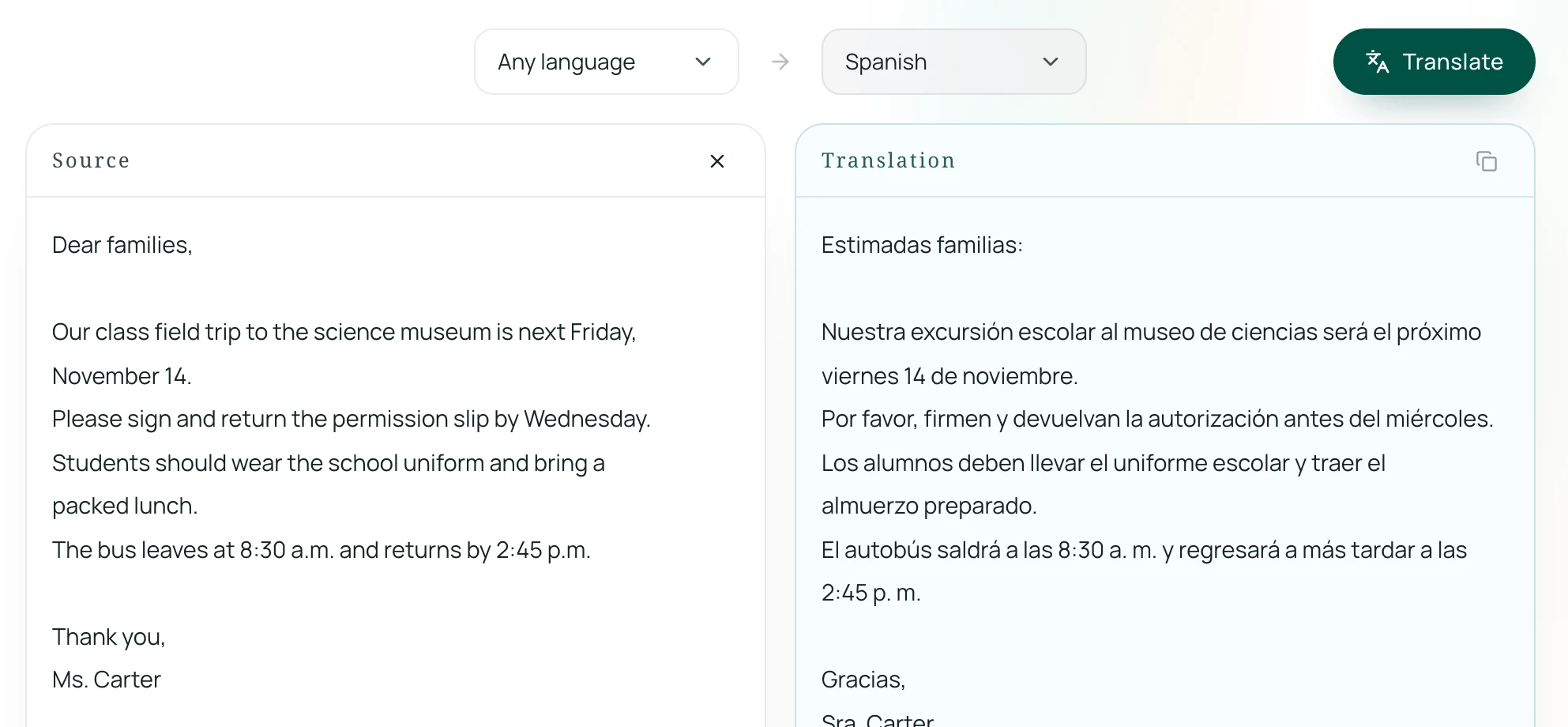
A teacher can paste an English update into the text translator and convert it into the family's language, such as Spanish.
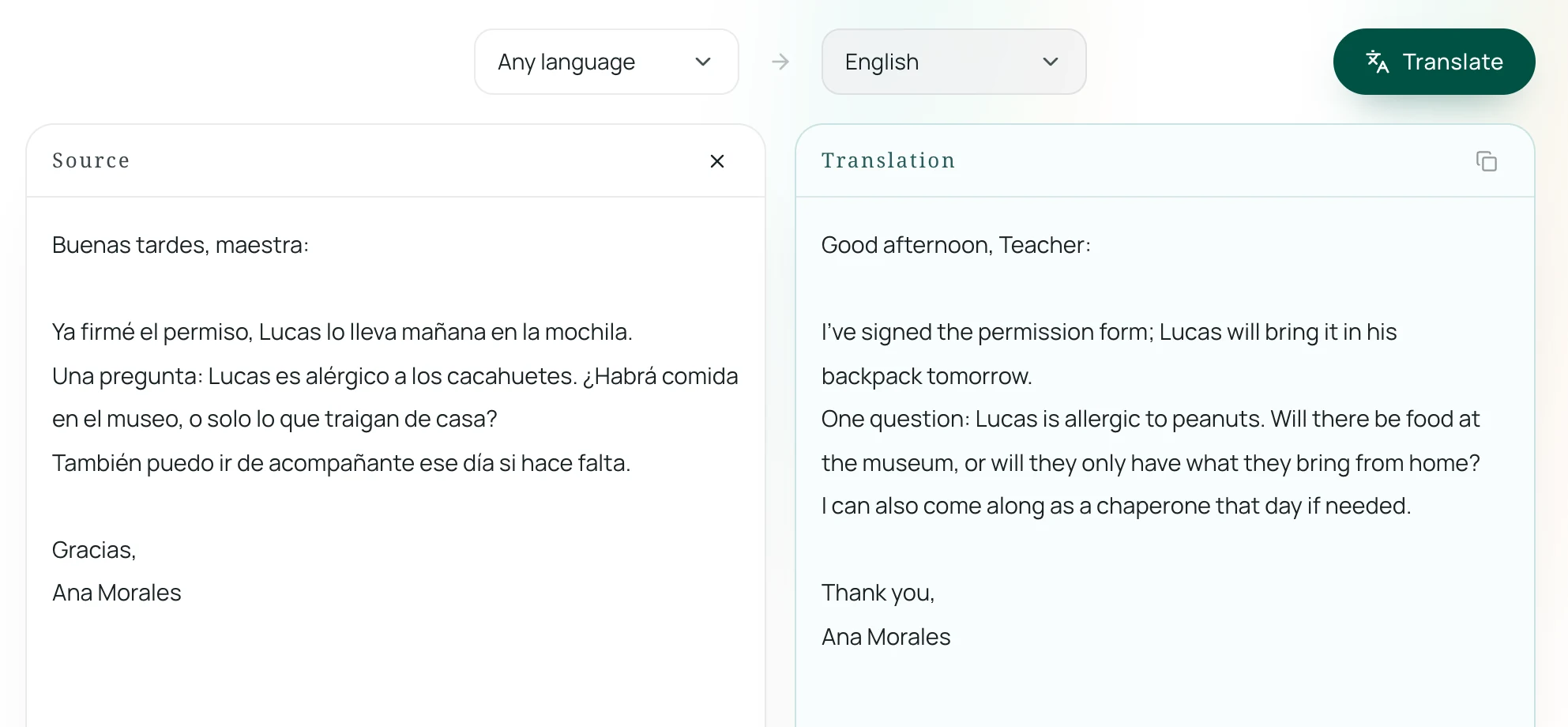
When the parent writes back in their own language, the teacher can paste that response, translate it into English, and continue the conversation.
For a deeper look at managing bilingual correspondence, see our guide on how to translate and reply to emails.
To get the best results from any text translator, write in short, declarative sentences. Avoid educational acronyms (such as "ELA" or "PBIS") and colloquial phrases that might confuse machine translation.
Newsletters and Forms: Keeping the Layout Intact
Classroom newsletters, permission slips, and event calendars present a different challenge. They frequently rely on tables, signature blocks, and multi-column layouts. Copying and pasting text into a standard translation box strips away the formatting, leaving a wall of text that teachers must spend hours rebuilding.
A document translator that preserves layout solves this problem. With Equalang's document translation, you can upload a PDF or Word document (DOCX) and receive a translated version that keeps tables, columns, and headers in place. For more details on preserving formatting in school handouts, see our walkthrough on how to translate Word documents and keep formatting.
There are practical limits to keep in mind. Translated text is often longer than the English original, so text inside tight table cells may automatically shrink to fit. Additionally, files uploaded to Equalang are retained for 14 days before being removed from our servers, so always keep your original classroom templates saved locally.
Quick Conversations at Drop-Off and Pickup
Dismissal time is often the only moment teachers see parents face-to-face. Calling an interpreter phone line for a two-minute update while thirty students head to the bus is usually impossible. Asking the student to translate can lead to awkward moments, especially if the teacher needs to discuss behavioral expectations or peer conflicts.
In these moments, a smartphone or tablet running a face-to-face translation screen can facilitate a quick, direct exchange. In addition to mobile translation apps like Google Translate, you can use Equalang's face-to-face translation directly in a mobile web browser without requiring the parent to download or install an application.
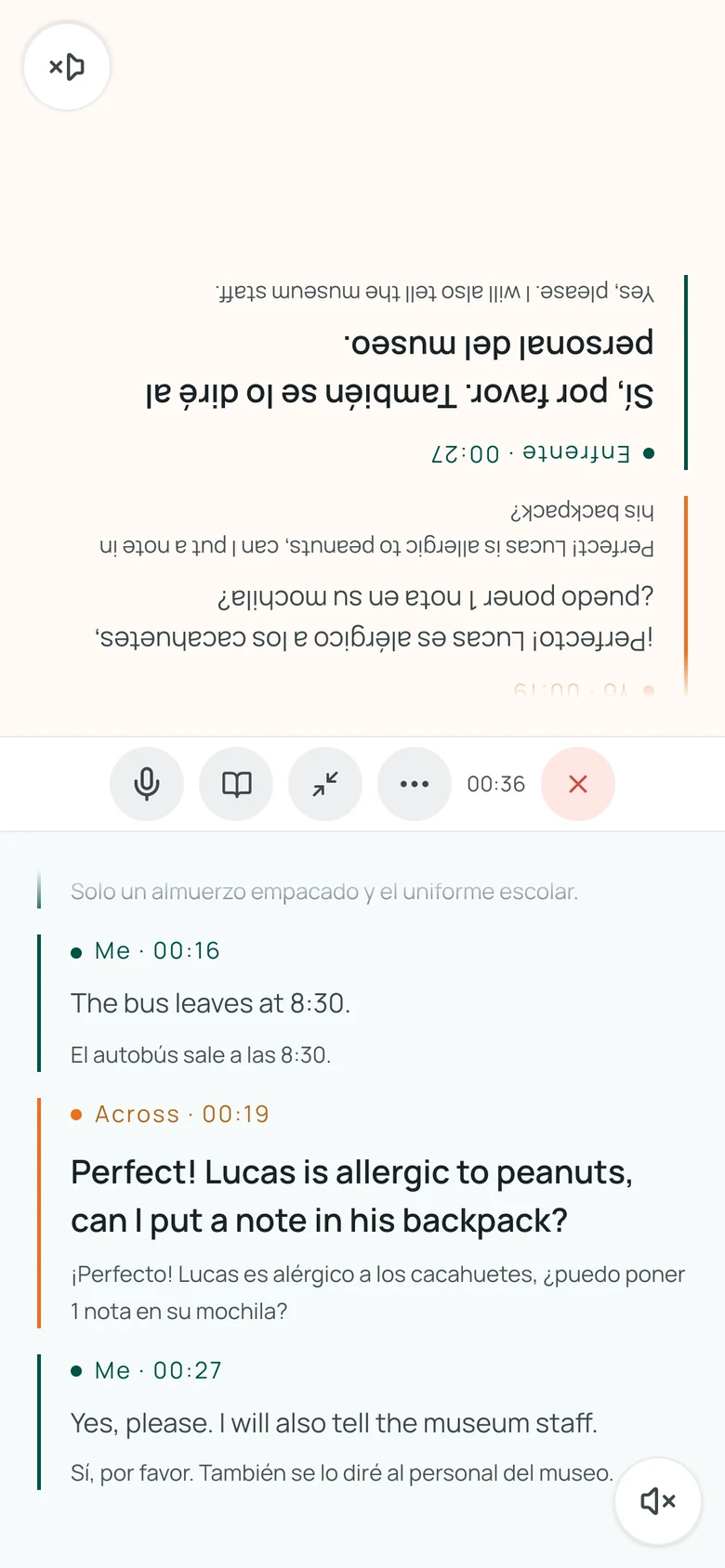
In the Facing layout, the device lies flat between you and the parent. The top half of the screen flips upside down so the parent can read the translated text and see speech recognition in real time from their side. You can also explore Equalang's live listening for broader speech translation features.
A key limitation is environment: microphone accuracy relies heavily on background noise levels. Busy school hallways or noisy bus loops can garble voice input. Stepping into a quiet corner of the classroom or an empty entryway ensures far clearer speech recognition.
Practical Steps for Everyday Communication
Bridging language gaps is as much about how you write as the tools you use:
- Simplify your language: Replace school-specific terminology with plain words. Say "reading and writing" instead of "ELA", or "classroom expectations" instead of "PBIS matrix".
- Encourage replies in any language: Add a short note at the bottom of newsletters or messages: "Please feel free to write back in your preferred language."
- Keep notes brief: Stick to one topic per note whenever possible. A two-sentence reminder about Picture Day is much easier to translate and act on than a two-page packet.
When schools provide accessible, everyday channels for communication, multilingual parents are empowered to participate fully in their children's education.