Translate a Chinese Word document with formatting kept
 Equalang
In brief
Read a Chinese supply confirmation without breaking its layout. See how Equalang translates Word to English, keeping tables and emphasis intact.
Keywords: Word translation; translate documents; keep formatting; DOCX translation; business contracts
When you receive a business document like a supply confirmation or a contract in Chinese, you need to quickly extract product quantities, deadlines, and payment terms. Copying and pasting the text into a standard web translator often breaks the alignment of tables, loses the bold text that highlights important dates, and strips away essential bullet points and headers. This makes it frustrating to read or share with your team.
Using a dedicated document translation tool allows you to keep the original structure intact. Let's see how Equalang Document Translation handles a team-created mock 1-page Chinese supply confirmation.
Translating complex formatting and text styles
This sample document features section headings, a product table, numbered and bulleted lists, and header/footer elements. Once you upload the file, you receive an English .docx document with the corresponding structure.
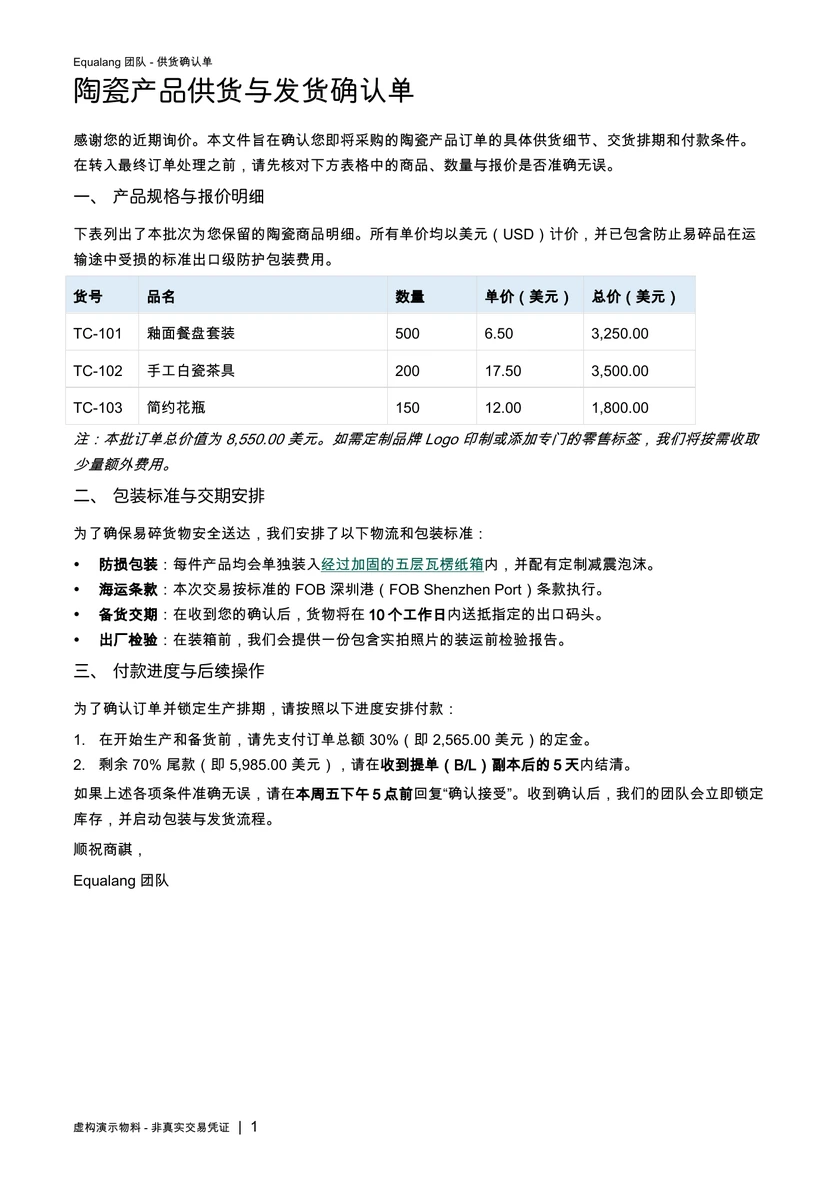
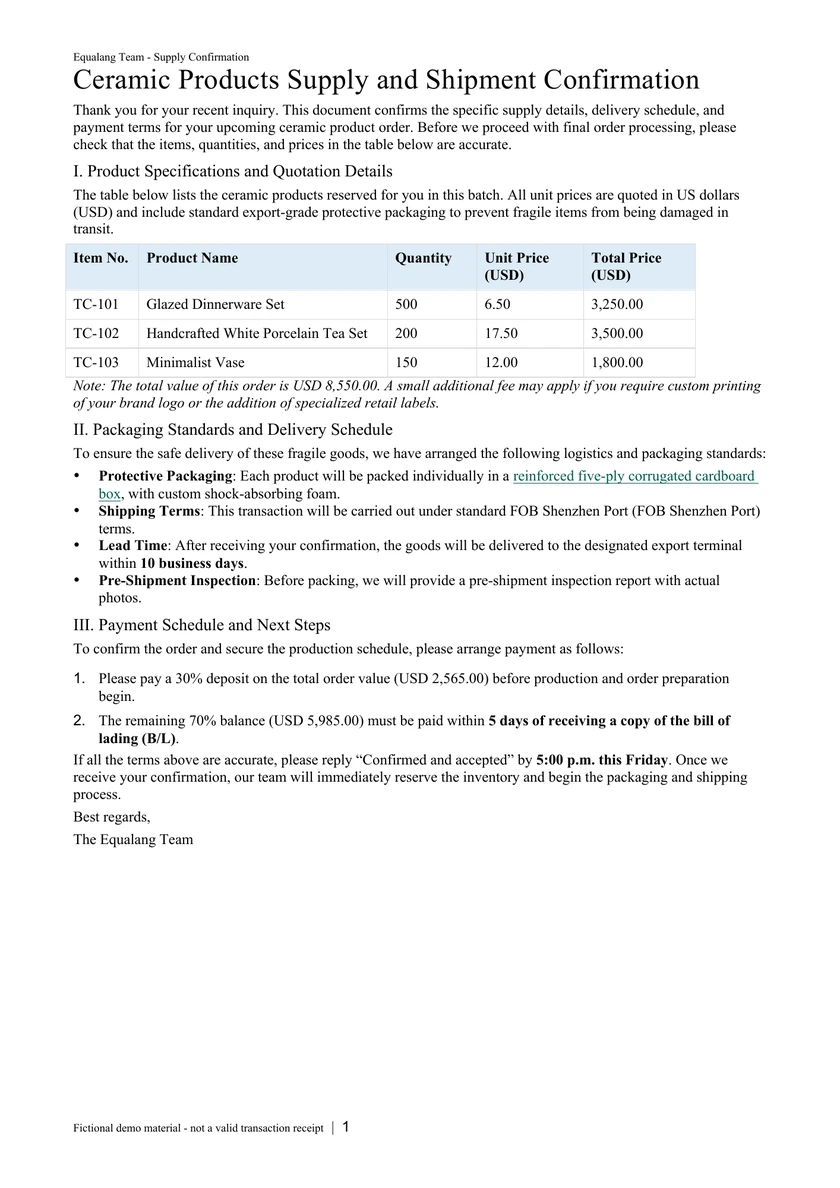
You can download both the Chinese original and the English translation to compare them directly. After translation, the core business details remain highly reliable:
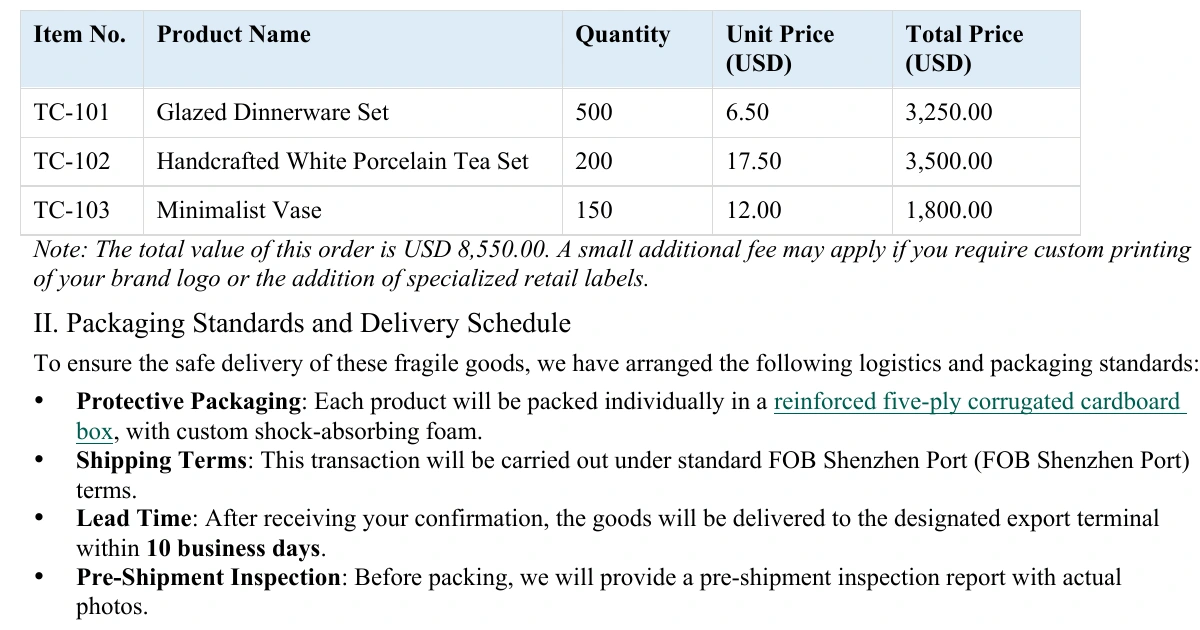
- Table Structure and Data Alignment The 3-row, 5-column product table remains perfectly aligned. The "Item No.", "Product Name", and their corresponding numerical data—like the 500, 200, and 150 quantities, and the 8,550.00 total price—are accurately presented without needing any manual re-formatting.
- Retaining Text Emphasis In translation, highlighted terms can easily lose their styling due to shifting word orders. Here, the bold formatting used for critical deadlines (such as "10 business days"), the italics for notes, and the special green underline are retained in the translated English phrases, allowing you to quickly spot essential details.
- Page Layout Elements Headers, footers, page numbers, section headings, and lists are preserved. This keeps the translated document looking like a proper business file, making it easy to review internally or reference alongside the original.
Translate for a smoother workflow
Whenever you have a foreign language Word document to read or file, you no longer have to jump between translation software and your document editor. You can go to Equalang, upload your .docx file, select your target language, and start the translation.
The translated file preserves the core business formatting and crucial text styles of the original document, helping you grasp the key points and continue with your workflow.
Sources
- Equalang Document Translation
- The images and files used in this article are from a fictional sample created by our team, not a real client transaction.