
Side-by-Side vs. Interlinear vs. Popup Dictionary Reading
In brief
Compare popup dictionaries, interlinear text, side-by-side columns, and alternating-page PDFs by CEFR level, screen size, and cognitive load.
Keywords: side by side vs interlinear vs popup dictionary; parallel text vs popup dictionary; bilingual reading methods compared; how to stop relying on translation when reading; alternating page bilingual pdf
Every foreign-language reader eventually hits one of two walls. Either you tap every third word in a popup dictionary—collecting ten individual definitions while the meaning of the whole sentence still refuses to click—or you open a bilingual edition and catch your eyes sliding straight to your native language before you even try to parse the original grammar.
Neither failure means you lack discipline. Usually, it means your reading layout is fighting your screen size, your current vocabulary coverage, or the physical mechanics of human eye movement.
Below is a direct comparison of the four main foreign-language reading formats—popup dictionaries, interlinear (stacked) text, side-by-side synchronized columns, and alternating-page bilingual PDFs—along with a concrete three-pass protocol to help you stop leaning on the translation as a crutch.
Quick Selection Matrix: Which Layout Fits Your Screen and Level?
Before diving into how each layout affects comprehension and recall, use this table to match your current reading material and device to the right format.
1. Popup Dictionaries: Built for the 95% Comprehension Zone
Hover and tap dictionaries—such as Yomitan for Japanese, ReadLang web overlays, or the built-in tap-to-define dictionary on a Kindle—are unmatched when you already understand 95% or more of the words on the page. At that threshold, your brain already grasps the grammatical skeleton of the sentence; you only need a quick gloss for a rare noun or concrete adjective.
Popup dictionaries also work well at the A2 level when you are deliberately drilling isolated vocabulary in simple, subject-verb-object sentences.
Where popup dictionaries fail:
When you step into classic literature, dense academic prose, or idiomatic dialogue at the B1–B2 transition, the hurdle is rarely an isolated noun. It is clause structure:
- Subjunctive inversions or nested relative clauses spanning four lines.
- Separable prefix verbs or phrasal idioms where five familiar words combine into an unexpected meaning.
- Elliptical sentences in older literary texts where the verb or subject is implied from the previous paragraph.
Tapping five words in a row inside a popup window fractures your working memory. By the time you close the fifth tooltip, you have forgotten how the clause began—and the dictionary still cannot tell you how those five words fit together.
2. Interlinear (Line-Under-Line): Mobile Convenience vs. Foveal Gravity
Interlinear reading places the translation directly underneath each original sentence or paragraph. On a smartphone screen or a narrow browser split-view, this solves an obvious geometry problem: there is simply not enough horizontal room for two readable columns.
Because your eyes only move vertically, stacked paragraphs are comfortable for reading foreign news, documentation, or blog posts via browser extensions such as the Equalang Browser Extension, which can render stacked bilingual paragraphs or selection popups directly on live web pages.
The hidden optical hazard: In normal reading, your sharp central vision (the fovea and parafovea) takes in a vertical radius of several millimeters around the line you are fixating on. When a native-language line sits just 4 mm below the foreign sentence:
- Your brain processes native script significantly faster than a second language.
- Before you consciously finish parsing a tough foreign verb tense, your parafoveal vision scoops up the translated line below.
- You experience an illusion of fluency—thinking you understood the original sentence, when in reality your brain pre-loaded the meaning from the bottom line.
How to fix it on mobile: If you use an interlinear or stacked layout, use your thumb, an index card on paper, or the bottom edge of your phone screen as a physical mask. Scroll just enough to reveal the original paragraph, keep the translated paragraph below the bottom bezel of the screen, and scroll up 1 centimeter only after you have formed a mental translation.
3. Side-by-Side Synchronized Columns: Peripheral Separation on Wide Screens
On a desktop or laptop display (>= 1024px), placing the original text in the left column and the translation in the right column changes how your eyes behave. Instead of sitting inside your vertical reading path, the translation is pushed 8 to 12 centimeters into your right peripheral vision.
That horizontal gap creates a healthy friction boundary:
- Natural left-column anchoring: While scanning down the left column, your eyes cannot accidentally read the English or Chinese words on the far right without making a conscious horizontal saccade.
- Clause-level verification: When a three-line sentence in a paper or novel fails to parse, a quick rightward glance gives you the full syntactic resolution in two seconds, without clicking five separate tooltips.
- Paragraph alignment: Synchronized scrolling keeps both columns locked at the paragraph level so you never lose your place in long chapters or multi-column academic papers.
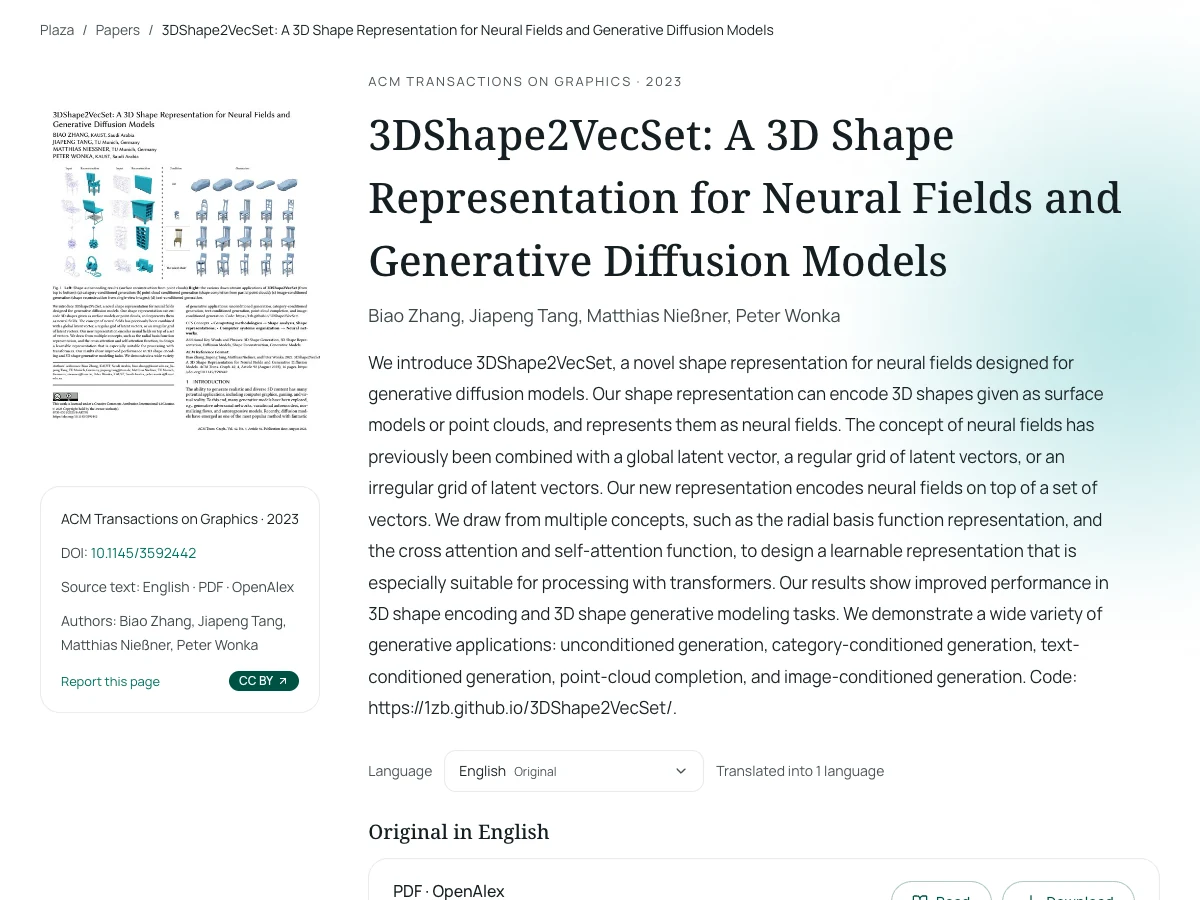
If you want to test how horizontal column separation feels on real books or research papers, you can sign in to Equalang Plaza, which hosts public-domain books (from sources such as Aozora Bunko, Wikisource, and Standard Ebooks) alongside open-access papers (CC BY, CC BY-SA, CC0). Once signed in, you can read and download the original works for 0 credits and sample the first 20% of any translated edition for free in a side-by-side reader with synchronized scrolling. For wider background on how parallel texts compare against flashcard-heavy web tools, see our breakdown of ReadLang vs. LingQ vs. bilingual parallel books.
4. Alternating-Page Bilingual PDFs: The Tablet & E-Reader Sweet Spot
Desktop monitors are great for side-by-side web readers, but many learners and researchers prefer reading long PDFs on an iPad, Kindle Scribe, or Boox e-ink tablet with a stylus in hand. On a 10- to 13-inch tablet screen, squeezing two columns onto a single portrait page makes the font uncomfortably small—especially on academic papers that already contain equations, figures, and footnotes.
An alternating-page bilingual PDF (where Page 1 is the original, Page 2 is the layout-matched translation, Page 3 is the original, and so on) adapts to two completely different study modes simply by rotating your tablet:
- Portrait Single-Page Mode (Active Recall Mode): You see only the original page filling the screen at full typographic scale. The translation is completely out of sight, eliminating foveal temptation. When a paragraph stumps you, a single swipe right reveals the translated page in the exact same visual layout; one swipe left puts you back in the original.
- Landscape Two-Page Spread Mode (Classic Parallel Book): Rotate the tablet horizontally and enable two-page view in your PDF reader (often with "Cover Page" offset enabled so odd and even pages face each other). You now have a clean left-original, right-translation book spread.
When you unlock a full PDF translation on Equalang Plaza (which costs 1/10 of the standard translation credits), the download package includes both a layout-preserved translated PDF and an alternating-page bilingual PDF so you can switch between single-page recall and two-page comparison on any tablet.
The 3-Pass Weaning Protocol: How to Stop Relying on the Translation
A bilingual layout only builds language proficiency if the translation acts as a temporary scaffold rather than a permanent subtitle track. If you want to understand the cognitive science behind when parallel texts accelerate acquisition and when they stall it, read our guide on whether bilingual reading is effective.
During your daily reading sessions, apply this 3-Pass Weaning Protocol to every paragraph where you hit a roadblock:
- Pass 1 — Blind Original Read (No Looking Right): Read the entire paragraph in the original language from start to finish without glancing at the translation or tapping a popup dictionary. Let your brain tolerate partial ambiguity; often the end of a paragraph clarifies a confusing clause at the beginning.
- Pass 2 — Targeted Clause Check: If a specific clause or idiom still makes no sense after finishing the paragraph, flick your eyes to the right column (or swipe once to the even page in an alternating PDF) and read only that matching sentence. Notice why you misread it—was it an inverted object, an idiom, or an unfamiliar connector?
- Pass 3 — Clean Re-Read Before Moving On: Immediately return to the original paragraph and read that sentence—and the sentence following it—one more time in the target language, watching the grammar lock into place without looking back at the translation.
Weekly Self-Audit Checklist
Use this 4-point checklist every Sunday to know when it is time to graduate from one layout to the next:
- The 1-in-5 Paragraph Rule: Am I checking the right-hand translation column on fewer than 1 out of every 5 paragraphs? If yes, switch from side-by-side columns to an alternating-page PDF in portrait mode (or a popup dictionary) to increase recall resistance.
- The Syntax vs. Vocab Test: When I get stuck, is it because of an unknown noun (switch to a popup dictionary) or because I lost track of who did what to whom in a 40-word sentence (stick with side-by-side or alternating pages)?
- The Masking Check (Mobile Readers): On stacked mobile paragraphs, did I catch my eyes reading the bottom native line before finishing the top line more than twice today? If yes, enforce the bottom-bezel thumb mask or move that text to a wide-screen side-by-side view.
- Pass 3 Completion: Did I re-read every checked sentence in the original language after looking at the translation, rather than scrolling straight to the next paragraph?
Frequently Asked Questions
Is side-by-side reading better than a popup dictionary for intermediate (B1–B2) learners?
For most B1–B2 readers tackling authentic literature or academic papers, yes. At the intermediate plateau, comprehension breaks down on multi-word idioms, nested clauses, and unfamiliar syntax rather than isolated nouns. A popup dictionary forces you to tap five or six words individually without explaining how the clause holds together, whereas a side-by-side column resolves the entire sentence structure in a single glance.
Why do I feel like I am not learning anything from interlinear (line-by-line) texts?
Because of foveal proximity. When a native-language translation sits directly underneath the foreign line (within 4 mm of your fixation point), your brain automatically reads your native language first. Without physical masking or horizontal separation, interlinear text often turns into passive native-language reading with foreign words acting as visual decoration.
How do I view an alternating-page bilingual PDF as a two-page spread on a tablet or laptop?
Open the alternating-page PDF in standard PDF software (such as Apple Books/Preview, Adobe Acrobat, Foxit, or your e-reader's native PDF app) and switch the view mode to Two-Page View (or Spread View). If Page 1 is the original and Page 2 is the translation, make sure Show Cover Page in Two-Page View is unchecked so Page 1 (left) and Page 2 (right) sit side by side on the same spread.
Sources
- Nation, I. S. P. (2006). How Large a Vocabulary Is Needed For Reading and Listening? The Canadian Modern Language Review, 63(1), 59–82. https://utpjournals.press/doi/10.3138/cmlr.63.1.59
- Rayner, K. (1998). Eye Movements in Reading and Information Processing: 20 Years of Research. Psychological Bulletin, 124(3), 372–422. https://psycnet.apa.org/record/1998-11174-004
- Equalang Plaza Public-Domain & Open-Access Bilingual Library: https://equalang.com/plaza
- Equalang Browser Extension for Web Stacked Paragraphs & Selection Lookup: https://equalang.com/extension