
ReadLang vs LingQ vs Parallel Text Books: Which Fits You?
In brief
Compare ReadLang, LingQ, and parallel text books for language learners. See when word-tapping works and when chapter-level side-by-side reading wins.
Keywords: readlang vs lingq vs parallel text books; readlang vs lingq; lingq alternatives for reading books; readlang free vs paid; parallel text ebooks for language learning
Choose LingQ if you are an A2–B1 learner who wants every word in a text color-coded by familiarity alongside structured audio lessons. Pick ReadLang if you want a clean, lightweight web and EPUB reader where single-word tap lookups stay free while multi-word phrase translations require a paid supporter tier. Switch to bilingual parallel text books on Equalang Plaza once you reach B1–C1 and find that tapping 15 idioms per page destroys the story—letting you glance across synchronized side-by-side paragraphs, sample the first 20% of any translation for free after signing in, and download full editions for 1/10 of standard translation credits.
Quick Comparison: ReadLang vs. LingQ vs. Equalang Plaza Parallel Books
Before committing your daily reading habit to one ecosystem, compare how each platform handles lookups, full-sentence context, file imports, and free tier boundaries:
Where LingQ Shines—and Where Its Color Coding Gets in the Way
Founded by polyglot Steve Kaufmann, LingQ built an entire philosophy around input tracking. The moment you open a lesson or import an EPUB into LingQ, the screen lights up in three colors: every unseen word is highlighted in blue, words you have tapped and saved for review turn yellow (called LingQs), and words you mark as mastered turn white.
For an A2 learner trying to push from 1,000 known words to 5,000, this visual feedback is genuinely motivating. You can watch a page shift from a sea of blue to mostly white over a few months, listen to synced audio recordings from the community library, and track exactly how many words you have encountered in Spanish, Japanese, or German.
However, two practical hurdles regularly send intermediate readers searching for LingQ alternatives for reading books:
- The free tier hits a wall almost immediately: LingQ caps free accounts at around 20 saved
LingQs. In practice, a beginner will tap 20 unfamiliar words within the first two pages of a short story, turning the free tier into a brief trial rather than a sustainable free reading tool. - Visual clutter during literary reading: Once you move into unadapted novels, pages remain peppered with blue and yellow highlights for rare adjectives, proper nouns, and inflected forms. Instead of sinking into a scene, your eyes are constantly nudged to manage word statuses—marking proper names as "known" or adjusting yellow highlights just to clean up the page.
ReadLang Free vs. Paid: The Lightweight Tap-to-Translate Reader
If LingQ feels too busy, ReadLang takes the opposite design approach. When you open an uploaded EPUB or trigger the ReadLang Web Reader bookmarklet on a foreign-language article, the page looks like clean, unadorned typography. No words are highlighted in advance. When you hit an unfamiliar word, you tap it once: the translation appears right above the word in the text, and ReadLang quietly saves that word—along with the surrounding sentence—into a spaced repetition (SRS) flashcard deck.
When weighing ReadLang free vs. paid, the split comes down to single words versus phrases:
- What you get for free: Unlike LingQ's ~20-word cap, ReadLang offers generous free single-word lookups, EPUB and plain-text uploads, and basic SRS flashcard reviews. If you only need an occasional dictionary nudge for individual nouns or verbs, the free tier goes a long way.
- What requires a supporter subscription: As soon as you drag your cursor across multiple words to translate an idiom, a separable German verb, or a tricky clause—or when you ask for AI context explanations—ReadLang requires its paid supporter plan.
ReadLang is a thoughtful tool for learners who love flashcards without visual noise. Yet it still shares one fundamental bottleneck with LingQ: the tap-and-stop loop.
Why Word-Tapping Breaks Flow at B1–C1 (and When Parallel Books Win)
Tapping individual words works well when your main obstacle is vocabulary volume. At A2 or early B1, if you do not know the word for "umbrella" or "train station," a one-word popup solves the problem in half a second.
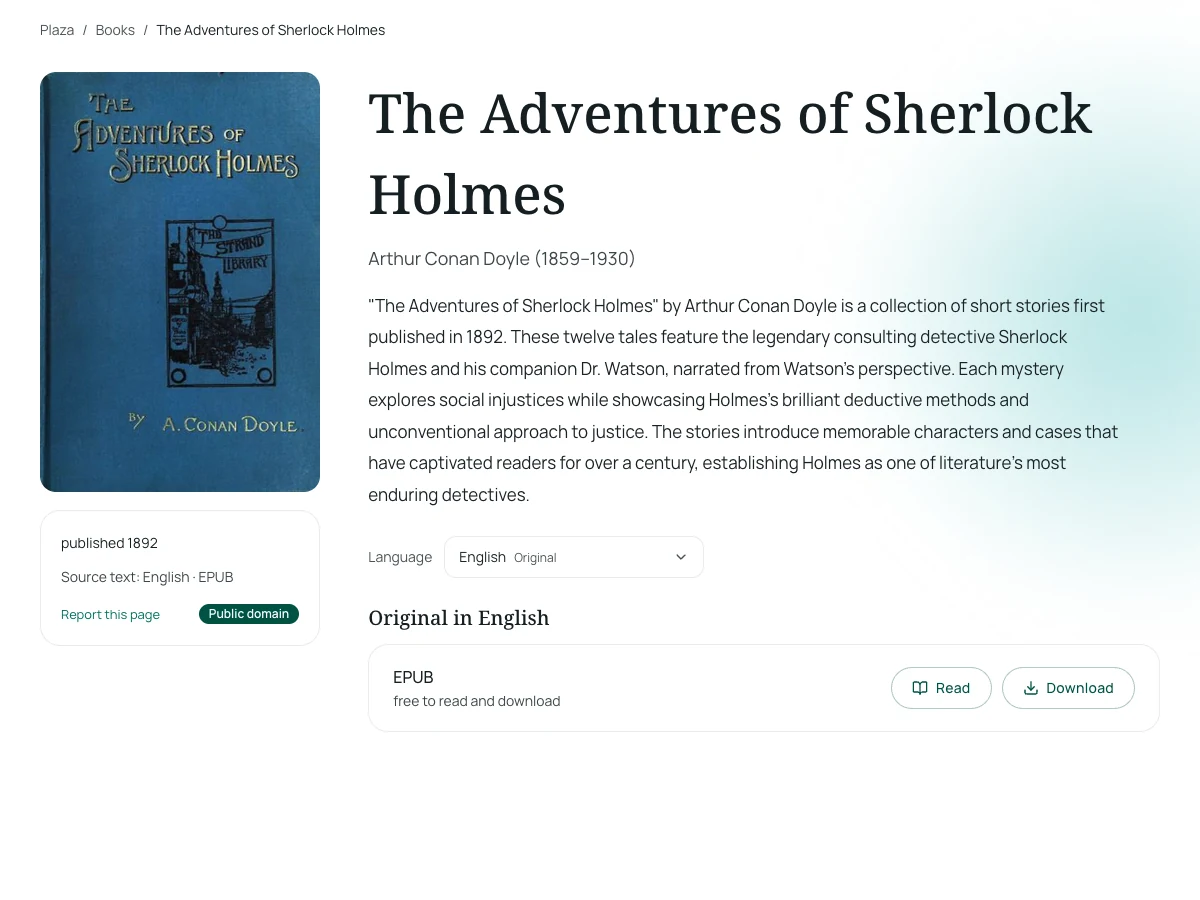
At upper-intermediate and advanced levels (B1–C1), your bottleneck changes. Consider what happens when you sit down with Arthur Conan Doyle's The Adventures of Sherlock Holmes, a Jane Austen novel, Franz Kafka's stories, or Natsume Soseki in Japanese. Often, you recognize every single word in a sentence, yet you still have no idea what the character actually meant. Literary irony, period idioms, nested relative clauses, and subtle shifts in register do not live inside single words.
If you try to decode a classic novel by tapping 12 to 15 phrases on every page:
- Your reading speed collapses: Stopping every three lines to drag-select a clause turns a thrilling detective story into a slow grammar worksheet.
- Narrative momentum evaporates: By the time you finish inspecting three pop-up definitions in a single paragraph, you have forgotten the emotional tension at the start of the scene.
- Pop-up dictionaries miss the literary arc: Machine snippets for isolated 4-word chunks frequently mistranslate metaphors that only make sense across a full paragraph.
This is why intermediate and advanced learners gravitate toward bilingual reading methods. With a side-by-side parallel book, your eyes stay in reading mode. When a complex clause in the original text slows you down, you flick your gaze horizontally to the aligned paragraph in your native language, grasp the exact nuance in two seconds, and jump straight back into the original prose without clicking a single button.
How Equalang Plaza and the Browser Extension Handle Parallel Reading
We built Equalang Plaza for readers who want to read real books and research papers in full flow rather than clicking through isolated vocabulary popups. Equalang Plaza hosts over 75,000 public-domain books (sourced from open collections such as Aozora Bunko, Wikisource, and Standard Ebooks) alongside 24,000+ open-access papers (under CC BY, CC BY-SA, and CC0 licenses from OpenAlex, PubMed Central, and arXiv).
Here is how the workflow operates in practice:
- 0-credit originals and 20% free side-by-side previews: Once you sign in, you can read or download any original book or paper in the catalog for 0 credits. Every available translation also lets signed-in readers sample the first 20% for free in a synchronized side-by-side reader—as you scroll the original chapter on the left, the translated paragraphs stay aligned on the right.
- Full book downloads at 1/10 of standard translation credits: If the 20% preview clicks with your learning level and you want the complete bilingual edition for your e-reader or tablet, downloading an existing Plaza translation costs 1/10 of the standard translation credits (rounded up and displayed clearly on the work's page). EPUB sources export as EPUB; PDF purchases bundle both a layout-preserved translated PDF and a page-by-page alternating bilingual PDF, plus permanent online full-text access.
- Requesting translations and
Share to the plazacredit payback: If a book in the catalog does not yet have a translation in your target language, you can click Translate now directly from the Plaza source file or hit Want this translation to vote it up the priority queue. If you upload your own public-domain book orCC BY/CC BY-SA/CC0open-access paper to translate, our workbench automatically alerts you if a translation already exists on the Plaza so you don't pay twice. After translating a new eligible work, you can click Share to the plaza at the top of the workbench (up to 3 submissions per day, published after copyright verification); each time another reader downloads your shared edition, you receive 1/10 of your original translation credit cost back until your initial spend is fully recovered. - Live web articles via the Browser Extension: When you are reading contemporary news, essays, or documentation outside the public-domain catalog, the Equalang Browser Extension bridges both worlds—giving you instant word/phrase selection lookups alongside optional side-by-side paragraph translations directly on the live webpage. If you are also comparing mobile-first story apps, see our breakdown of Beelinguapp alternatives for bilingual books online.
Honest Boundaries: What Equalang Plaza Does Not Do
To pick the right tool, you should also know what Equalang Plaza intentionally leaves out:
- No per-word SRS flashcards or known-word counters: Equalang Plaza does not color-code words blue or yellow, track whether you know 4,200 or 4,500 headwords, or drill you with flashcard decks. If gamified vocabulary tracking is what keeps you consistent at A2, LingQ or ReadLang will serve that specific habit better.
- Strict copyright boundaries: Equalang Plaza only hosts and accepts shares for works in the public domain and open-access papers licensed under
CC BY,CC BY-SA, orCC0. Modern commercial bestsellers under active copyright, or papers carryingNC(Non-Commercial) orND(No Derivatives) restrictions, cannot be shared to the Plaza. (You can still translate your own private files in the private document workbench, which processes one uploaded file at a time with up to 3 documents running concurrently per account while queuing the rest.)
Decision Checklist: How to Pick Your Reading Stack Today
Many serious learners combine two of these tools rather than forcing one app to do everything:
- Stay with LingQ if you want an all-in-one A1–B1 ecosystem with community audio transcripts and you are happy to pay a monthly subscription to track every known word.
- Use ReadLang if you want a free or low-cost browser reader for quick single-word dictionary taps and automatic SRS flashcards while reading short articles.
- Move to Equalang Plaza when you are ready to read full chapters of Arthur Conan Doyle, Soseki, or academic preprints without breaking narrative immersion—using the free 20% side-by-side preview after signing in to test your comprehension speed before grabbing the full EPUB or alternating PDF for 1/10 of standard translation credits.
Frequently Asked Questions
Is ReadLang better than LingQ for reading full books?
If you dislike visual clutter, ReadLang is often more comfortable for full books than LingQ because it leaves the page clean until you tap a word, and its free tier does not stop you after ~20 saved words. However, once you reach B1–C1 literature full of idioms and complex clauses, both tap-based readers can feel slow compared to glancing across synchronized paragraphs in a bilingual parallel book on Equalang Plaza.
Can I read parallel text books for free on Equalang Plaza?
Yes. After signing in to Equalang Plaza, you can read and download the original text of over 75,000 public-domain books and 24,000+ open-access papers for 0 credits, and you can read the first 20% of any available translation side by side with synchronized scrolling for free. Downloading a complete translated book or alternating bilingual PDF costs 1/10 of standard document translation credits.
Can I upload any EPUB book and share it to Equalang Plaza to earn back credits?
Only if the work is in the public domain or carries a permissive open-access license that allows adaptations and commercial reuse (CC BY, CC BY-SA, or CC0). After translating an eligible file, you can submit it via Share to the plaza (up to 3 times daily, subject to copyright review) and receive 1/10 of your translation credits back per download until your original translation cost is recovered. Copyrighted modern books and NC/ND papers cannot be shared publicly.