
Google Scholar vs. Semantic Scholar vs. Consensus (2026)
In brief
Compare Google Scholar, Semantic Scholar, and Consensus AI for literature reviews, citation graphs, claim synthesis, and bilingual full-text reading.
Keywords: google scholar vs semantic scholar vs consensus; consensus vs semantic scholar; google scholar vs semantic scholar; consensus ai academic search; academic search engines comparison
Use Consensus when you want an instant evidence breakdown on a yes/no research question, Semantic Scholar when you need to trace citation influence and skim one-sentence TLDR summaries across 200M+ papers, and Google Scholar when you cannot afford to miss books, theses, patents, or niche conference proceedings. None of the three replaces the others: Consensus and Semantic Scholar accelerate triage, while Google Scholar remains the widest net for formal bibliographic lookup. Once you narrow fifty tabs down to the three papers you actually need to cite, moving the full PDF into Equalang Plaza bridges the gap between a single-sentence English snippet and full-text bilingual verification of methodology and equations.
At-a-Glance Comparison: Google Scholar vs. Semantic Scholar vs. Consensus
Google Scholar: Broadest Recall for Comprehensive Literature Audits
When you are writing a thesis introduction, responding to Reviewer 2, or checking whether a specific term has ever appeared in print, Google Scholar is still the default starting point. Because its crawlers index university repositories, regional journals, doctoral dissertations, technical reports, patents, and US case law alongside major publishers, it surfaces works that curated API databases frequently miss.
Where Google Scholar Excels in Daily Practice
- Instant PDF Discovery: Whenever a repository, author homepage, or preprint server hosts a readable copy, Google Scholar surfaces a direct
[PDF]or[HTML]link in the right-hand column—often saving you a trip through university library proxy menus. - Automated Citation Alerts: You can set email alerts for any specific paper or keyword string so new preprints citing your baseline model arrive in your inbox automatically.
- All Versions Grouping: It clusters preprints (such as arXiv drafts) with final peer-reviewed journal versions under ”All X versions,“ letting you grab the open-access draft even if the publisher version sits behind a paywall.
Limitations to Watch Out For
Google Scholar offers zero built-in AI summarization, no filter for open-access licenses (CC BY vs. closed access), and no distinction between a passing background mention and a paper that directly builds on a method. A seminal paper with 15,000 citations gives you an unsorted wall of results unless you manually filter by year and search within citing articles.
Semantic Scholar: Triage Citation Graphs and Methodological Lineage
Built by the Allen Institute for AI (Ai2), Semantic Scholar indexes over 200 million papers and applies machine learning to the structure of academic citations. Instead of treating every citation equally, it analyzes how and why one paper cites another.
Where Semantic Scholar Excels in Daily Practice
- One-Sentence
TLDRSummaries: In computer science, biomedical engineering, and physics, search results display an AI-generated single sentence summarizing the paper's core contribution—letting you rule out irrelevant hits in seconds. - Highly Influential Citations: Semantic Scholar filters a paper's citation graph by whether the citing work used the target paper's Methods or compared against its Results, rather than merely listing it in the Background section.
- Semantic Reader: For supported open-access papers, its web reader turns inline citations like
[14]into clickable pop-up cards with the cited paper's abstract andTLDR, eliminating constant scrolling to the bibliography.
Limitations to Watch Out For
Semantic Scholar does not synthesize an overarching answer across twenty papers at once; it still expects you to read paper by paper. And while its 200M+ paper index is massive, books, monographs, and non-English regional theses are sparser than in Google Scholar. (If you want to compare how Semantic Scholar's open metadata stacks up against other public repositories, see our guide on OpenAlex vs. Semantic Scholar vs. PubMed Central.)
Consensus: Direct Evidence Synthesis for Hypothesis Testing
Consensus runs on top of the 200M+ paper Semantic Scholar database, but flips the interface from keyword lookup to empirical question answering. Instead of typing creatine cognition meta-analysis, you ask: Does creatine supplementation improve cognitive performance in sleep-deprived adults?
Where Consensus Excels in Daily Practice
- The
Consensus Meter: For yes/no or directional research questions, Consensus classifies the top relevant papers into Yes, Possibly, and No, showing you immediately whether the literature agrees or remains split. - Study-Design Badges: Each extracted claim card tags whether the underlying paper is a Randomized Controlled Trial (RCT), Systematic Review, Meta-Analysis, or Observational Study, along with sample size and population notes where available.
- Domain Strength in Empirical Sciences: It works exceptionally well in medicine, nutrition, psychology, public health, and economics—fields where papers test explicit interventions against measurable outcomes.
Limitations to Watch Out For
If you ask Consensus an architectural engineering question like How does 3D Gaussian Splatting optimize spherical harmonics during rasterization?, a yes/no meter is not helpful. In addition, the free account limits how many AI syntheses and ”Pro“ deep analyses you can run each month, and Consensus links you back out to external hosts when you need to read the full PDF.
Why AI Search Snippets Cannot Replace Full-Text Verification
Both Consensus claim cards and Semantic Scholar TLDR lines compress a twelve-page paper into its headline conclusion. That is a huge time-saver during discovery, but a dangerous trap if you cite a paper directly from the snippet.
Headline summaries routinely strip out:
- Boundary conditions and cohort exclusions: A nutrition or clinical finding may apply only to a narrow age bracket or specific dosage window.
- Ablation tables and hyperparameter sensitivity: In machine learning and robotics, the abstract tells you a model beat the baseline, while Table 4 on page 7 reveals that performance collapses without a specific auxiliary loss or camera calibration step.
- Mathematical derivations and notation definitions: Equations and proofs never appear inside search engine snippets.
For researchers, graduate students, and engineers whose first language is not English—or English readers inspecting non-English scholarship—this creates a bottleneck right after search. You can find five promising papers in three minutes on Semantic Scholar or Consensus, and then spend three afternoons decoding dense English prose, two-column tables, and inline math.
Moving from Search Snippets to Bilingual Full-Text Reading on Equalang Plaza
Once you use Consensus, Semantic Scholar, or Google Scholar to identify the exact papers worth reading in full, you can move directly into Equalang Plaza to inspect the complete text side by side in your preferred language.
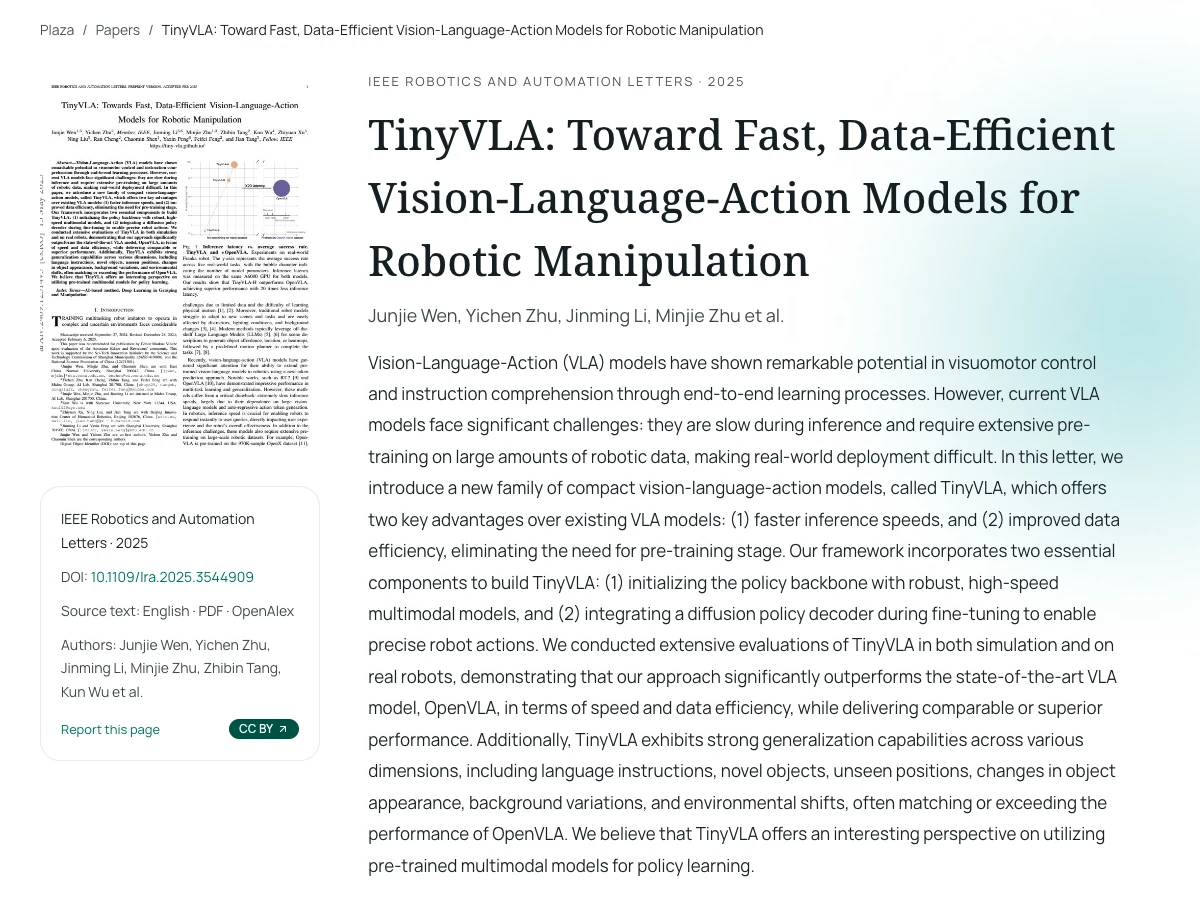
Equalang Plaza collects open-access academic papers (CC BY, CC BY-SA, and CC0 works sourced from OpenAlex, PubMed Central, and arXiv) alongside public-domain books (from sources such as Aozora Bunko, Wikisource, and Standard Ebooks). You can search the catalog in any language by paper title, author name, or DOI, and filter specifically by Papers and your target language.
How to Verify an Open-Access Paper on Equalang Plaza
- Search by DOI or Title: Copy the DOI or title from Semantic Scholar, Consensus, or Google Scholar—for example, the robotics paper TinyVLA: Toward Fast, Data-Efficient Vision-Language-Action Models for Robotic Manipulation or 3D Gaussian Splatting for Real-Time Radiance Field Rendering—and paste it into Equalang Plaza.
- Sign In for 0-Credit Originals and Free 20% Bilingual Previews: Once signed in, you can read and download the original PDF for free (0 credits). You can also open any available translation and sample the first 20% for free with the original and translation displayed side by side and synchronized scrolling—enough to verify the abstract, introduction, and problem formulation before spending a single credit.
- Download Full Dual-Format PDFs at 1/10 Credit Cost: If the paper holds up, downloading the complete translation from the Plaza costs 1/10 of the standard translation rate (rounded up and displayed on the page; for instance, downloading the Simplified Chinese AI translation of the OpenAlex open-access paper 3D Gaussian Splatting for Real-Time Radiance Field Rendering costs 24 credits). Every PDF translation purchase includes two downloadable files at once: a layout-preserved translated PDF (retaining multi-column structure, headers, figure captions, cross-reference links, and reconstructed tables and formulas) and a page-by-page alternating bilingual PDF for rapid cross-checking.
- Translate On Demand or Request a Language: If an open-access paper in the Plaza does not have your target language yet, you can click Translate now directly from the Plaza source file, or click Want this translation to register demand (high-demand works are prioritized for translation).
Translating Your Own PDFs and Sharing Back to the Plaza
What if the paper you found via Google Scholar [PDF] is not in the Plaza catalog yet? You can upload the PDF directly on the Document Translation page (which accepts files one by one with no total count limit, processing up to 3 documents simultaneously per account while queuing the rest; see our walkthrough on translating AI papers with formulas intact). If the Plaza already has a translation of that file in your target language, the workspace will prompt you so you can sample or download the Plaza edition at 1/10 cost instead of paying for a duplicate translation.
If you translate an eligible open-access paper (CC BY, CC BY-SA, or CC0) or public-domain book that is not yet in the Plaza, you can click Share to the plaza at the top of the workspace after translation (up to 3 submissions per day, published after copyright verification). Each time another reader downloads your shared edition, you receive 1/10 of your original translation credit cost back, until your full translation cost for that document is recouped.
Honest Boundaries You Should Know
- License and Copyright Limits: Equalang Plaza only hosts and accepts public-domain books and open-access papers under
CC BY,CC BY-SA, orCC0licenses that permit adaptation and commercial reuse. Papers carryingNC(Non-Commercial) orND(No Derivatives) restrictions, as well as paywalled journal articles and modern copyrighted books, cannot be shared to or hosted in the Plaza (though you can still translate your own legally obtained personal copies privately in/documents). - Sign-In Required: You must be signed in to read or download 0-credit originals or access the free 20% side-by-side translation preview.
- Layout Fidelity vs. Pixel Identity: Translated PDFs preserve two-column structures, bold emphasis, inline and display formulas, and complex table headers, and re-join sentences split across page breaks before translating. However, font faces, text size, and line breaks naturally adjust when the target language is longer or shorter than the original; if you spot a mistranslation, omitted line, or layout glitch in a Plaza edition, you can flag it directly in the reader—heavily flagged editions are queued for re-translation.
Recommended Workflow: Combine All Four Tools
Rather than picking a single winner in google scholar vs semantic scholar vs consensus, run them as a four-step pipeline:
- Test empirical claims in Consensus to see the
Consensus Meterand identify which RCTs or meta-analyses drive the debate. - Pivot to Semantic Scholar on the top 2–3 papers to inspect
Highly Influential Citationsand readTLDRsummaries of follow-up methods. - Cross-check in Google Scholar to catch recent preprints, doctoral theses, or
[PDF]links from institutional repositories. - Verify full methods and equations in Equalang Plaza (or upload via Document Translation) to read the first 20% side by side for free and download the alternating bilingual PDF for 1/10 of standard translation credits.
Frequently Asked Questions
Do Consensus and Semantic Scholar search the exact same papers?
Consensus uses Semantic Scholar's 200M+ paper corpus as its underlying data source, so their base literature coverage overlaps heavily. The difference is how they process your query: Semantic Scholar returns paper-level search results with citation graphs and one-sentence TLDR abstracts, whereas Consensus extracts claim-level findings across multiple papers and tallies agreement with its Consensus Meter.
Which academic search engine is most effective for finding free full-text PDFs?
Google Scholar typically surfaces the widest variety of free full-text copies because its right-hand [PDF] links pull from institutional repositories, personal faculty pages, and preprint servers across all versions of a work. For open-access papers under CC BY, CC BY-SA, or CC0 licenses, you can also search the DOI or title on Equalang Plaza after signing in to download the original PDF for 0 credits and preview the first 20% of its bilingual translation for free.
Can I share any paper I download from Google Scholar to Equalang Plaza?
No. You can privately translate personal PDFs in your own Document Translation workspace, but Share to the plaza is strictly limited to public-domain works and open-access papers licensed under CC BY, CC BY-SA, or CC0 (up to 3 submissions per day, subject to copyright review). Works with NC (Non-Commercial) or ND (No Derivatives) clauses or traditional publisher copyright cannot be published to the Plaza.