
Unpaywall vs Open Access Button vs CORE: Free OA PDFs
In brief
Compare Unpaywall, Open Access Button, and CORE to find free legal research PDFs, check open licenses, and read or share bilingual translations.
Keywords: unpaywall vs open access button vs core; unpaywall alternatives; open access button vs unpaywall; core open access papers; find free legal pdf of research paper
When you hit a journal paywall and need a free, legal full-text PDF, Unpaywall, Open Access Button, and CORE solve different stages of the search rather than competing as identical clones. Unpaywall is a single-click browser extension that checks 50,000+ publisher sites and repositories the moment you land on a DOI page; Open Access Button (built by OA.Works) searches repositories by DOI, URL, or title and helps trigger author self-archiving requests or interlibrary loan workflows when no free copy exists; and CORE is a global search engine aggregating hundreds of millions of open-access metadata records and full texts from institutional repositories. Once you unlock an English paper—or if you want to skip manual PDF hunting for permissive open-access works—Equalang Plaza lets you search 24,000+ CC BY, CC BY-SA, and CC0 papers by DOI or title to read the original and a synchronized bilingual translation side by side.
At-a-Glance Comparison: Unpaywall vs. Open Access Button vs. CORE vs. Equalang Plaza
1. Unpaywall: Zero-Friction Legal PDFs When You Already Have a DOI
Operated by the nonprofit OurResearch, Unpaywall is the fastest first line of defense when you are already browsing a publisher abstract page, PubMed record, or citation link that exposes a DOI. Instead of asking you to copy and paste identifiers into a separate search bar, its browser extension quietly checks the page's DOI against an open index harvested from more than 50,000 publisher websites, preprint servers, and university institutional repositories.
When a legal full text exists, a floating green padlock appears on the side of your browser tab. Clicking it takes you straight to the free PDF. Under the hood, Unpaywall surfaces four distinct legal categories:
- Gold Open Access: Published immediately under an open license in a fully OA journal.
- Hybrid Open Access: Individual open-access articles inside subscription journals where authors paid an article processing charge (APC).
- Bronze Open Access: Free to read on the publisher's website, but lacking a formal open-redistribution or derivative license.
- Green Open Access: Author-accepted manuscripts or preprints legally deposited in an institutional repository (such as a university archive) or subject repository (such as Europe PMC or arXiv).
Where Unpaywall stops: Unpaywall relies entirely on a recognized DOI. If you are looking at an older Humanities article without a DOI, or if the padlock stays gray because neither the publisher nor the author has uploaded a public copy, Unpaywall offers no next step. And once the PDF opens in your browser, you still have to read a dense, two-column English manuscript on your own.
2. Open Access Button (OA.Works): Turning Dead Ends into Author Requests
When readers search for open access button vs unpaywall, they often assume both browser extensions do the exact same lookup. In practice, Open Access Button—maintained by OA.Works—shines precisely when Unpaywall's padlock turns gray or when you only have an article title or citation rather than a clean DOI.
You can query Open Access Button directly on its website or via its browser extension using a DOI, a paywalled URL, a paper title, or a full bibliographic citation. It aggregates open-access copies across repositories (including data sources shared with Unpaywall and CORE), but its standout feature is its fallback workflow when no free version exists anywhere online:
- Automated author self-archiving requests: Instead of encouraging questionable file-sharing sites (see our breakdown of legal Sci-Hub alternatives for open-access papers), Open Access Button helps initiate a polite, structured request asking the corresponding author to deposit their accepted manuscript into a public repository so everyone can benefit legally.
- Library & Interlibrary Loan (ILL) integration: Many academic libraries embed OA.Works tools so that when an open copy cannot be found, the interface immediately routes your citation into your institution's interlibrary loan request form.
Where Open Access Button stops: It is built for single-item verification and access fulfillment, not exploratory topic browsing. If you want to survey fifty open-access papers on solid-state battery electrolytes without knowing their titles in advance, you need a full-text aggregator.
3. CORE: Full-Text Discovery Across Global University Repositories
Based at The Open University in the UK, CORE (core.ac.uk) tackles open access from the repository end rather than the publisher paywall end. By harvesting directly from thousands of institutional repositories, university thesis archives, and preprint servers around the world via the OAI-PMH protocol, CORE indexes hundreds of millions of open-access metadata records and tens of millions of hosted full texts.
Choose CORE over Unpaywall or Open Access Button when:
- You are running a thematic literature search: You want to search across full-text repository PDFs by keyword rather than checking one known DOI at a time.
- You need gray literature, theses, or non-DOI working papers: University dissertations, technical reports, and regional policy papers frequently live in campus DSpace or EPrints repositories without commercial publisher DOIs.
- You need bulk academic data: Like Unpaywall, CORE provides researcher APIs and dataset access for text and data mining.
Where CORE stops: Because CORE harvests from thousands of decentralized university servers with varying metadata hygiene, search results sometimes include duplicate preprint versions, metadata-only stubs whose external repository link has moved, or unformatted author drafts.
4. What Happens After You Download the PDF? License Rules and Bilingual Reading
For millions of researchers and students whose first language is not English, unlocking a 25-page PDF via Unpaywall, Open Access Button, or CORE is only half the job. Skimming complex methodology sections, dense tables, and multi-page equations in a second language slows literature review to a crawl.
Just as importantly, not every free PDF carries the same legal rights for translation and sharing. Understanding the license printed on the paper determines whether you can read a community-shared bilingual edition on Equalang Plaza or translate the file privately in Document Translation.
Searching 24,000+ Permissive Open-Access Papers on Equalang Plaza
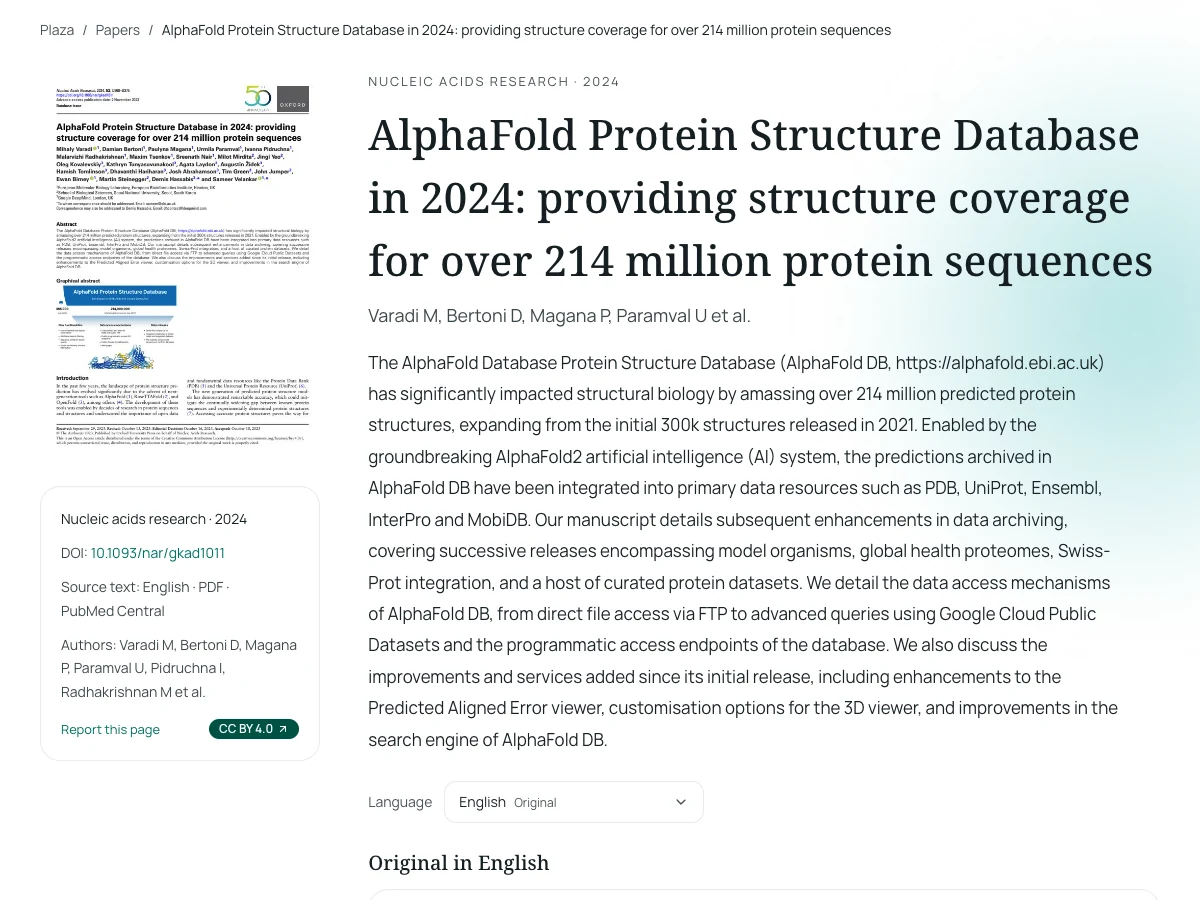
Equalang Plaza collects public-domain books (from sources such as Aozora Bunko, Wikisource, and Standard Ebooks) alongside more than 24,000 permissively licensed open-access papers (CC BY, CC BY-SA, and CC0 works from OpenAlex, PubMed Central, and arXiv). Every entry displays its verified source, DOI, and license metadata—such as AlphaFold Protein Structure Database in 2024 (sourced from Europe PMC / Nucleic Acids Research under CC BY 4.0).
Before spending credits to translate an English paper you found through Unpaywall or CORE, paste its DOI, title, or author into Equalang Plaza (or simply upload the file in /documents, which automatically notifies you if a matching translation already exists on Plaza):
- Free originals & 20% bilingual preview (sign-in required): Once signed in, you can read and download the original paper for free (0 credits) and sample the first 20% of any available translation side by side with synchronized scrolling.
- 1/10-credit full downloads with dual PDF output: Downloading the full translated edition costs just 1/10 of the standard translation cost (rounded up and displayed on the page—for example, downloading the Simplified Chinese AI translation of the OpenAlex open-access paper 3D Gaussian Splatting for Real-Time Radiance Field Rendering costs 24 credits). Every PDF translation purchase includes both a layout-preserved translated PDF and a page-by-page alternating bilingual PDF, and you can read the full text online or re-download it anytime.
- Request or translate missing target languages: If a Plaza paper does not yet have a translation in your target language, you can click Translate now using the Plaza source file or click Want this translation to register demand (high-demand works are prioritized). While reading any translation, you can also report omitted lines, mistranslations, or layout glitches so heavily flagged editions can be re-translated.
Private Translation vs. Sharing Back to Plaza to Recover Credits
What if you unlock a brand-new paper via Unpaywall, Open Access Button, or CORE that is not yet in Equalang Plaza? Check the license line at the bottom of the first page:
- Permissive Open Access (
CC BY,CC BY-SA,CC0): Because these licenses explicitly permit derivatives and commercial reuse with proper attribution, you can upload the PDF to Document Translation (which reconstructs two-column layouts, section headers, tables, equations, and cross-page sentences; see our guide on how to translate an academic paper PDF). Once the job finishes, click Share to the plaza at the top of the workspace (up to 3 submissions per day, published after copyright verification). Each time another reader downloads your shared translation, you receive 1/10 of your original translation credit spend back, up to the full amount you spent. - Bronze OA, Green OA with
NC/NDrestrictions, or Library ILL copies: Many PDFs unlocked by Unpaywall are Bronze OA (free to read on the publisher site without an open license) or carry Creative Commons NonCommercial (CC BY-NC) or NoDerivatives (CC BY-ND) restrictions. You can still upload these files to Document Translation (one file per upload, with up to 3 documents processing concurrently per account and additional uploads queued automatically) or organize them alongside our Zotero workflow guide for your own private study—but works withNCorNDrestrictions, or copyrighted manuscripts without an open license, cannot be shared or published on Equalang Plaza.
Recommended Workflow: Combine All Four in 60 Seconds
To get from a paywalled citation to a clear bilingual reading experience without breaking copyright rules:
- Keep Unpaywall installed in your browser for automatic green-padlock detection whenever you browse journal DOI pages.
- Paste the DOI or title into Equalang Plaza whenever the paper carries a
CC BY,CC BY-SA, orCC0license—sign in to read the original for 0 credits, preview the first 20% side by side for free, and grab both the layout-preserved PDF and alternating bilingual PDF for 1/10 of standard translation credits. - Use Open Access Button if Unpaywall shows a gray padlock so you can check additional repositories or send an automated self-archiving request to the author, and use CORE when you need keyword searches across global university dissertations and institutional archives.
- Translate unindexed PDFs in Document Translation, and click Share to the plaza on eligible
CC BY/CC BY-SA/CC0papers so subsequent reader downloads refund your translation credits 1/10 at a time.
Frequently Asked Questions
Do I need to install both Unpaywall and Open Access Button?
Installing Unpaywall covers daily passive browsing on DOI pages with zero clicks. You do not necessarily need the Open Access Button extension running simultaneously if you prefer a minimal browser bar—simply bookmark openaccessbutton.org and paste the DOI or citation there whenever Unpaywall's padlock turns gray and you want to request an author self-archived copy or trigger an interlibrary loan.
Why can some Unpaywall PDFs be shared on Equalang Plaza while others cannot?
Unpaywall surfaces any legal free-to-read copy, including Bronze OA articles (free on the publisher site but all rights reserved) and manuscripts under CC BY-NC or CC BY-ND licenses. Equalang Plaza strictly hosts and accepts community shares for public-domain books and open-access papers licensed under CC BY, CC BY-SA, or CC0, which legally permit translated derivatives. Papers with NC (NonCommercial) or ND (NoDerivatives) terms can only be translated privately in your own Document Translation workspace.
Is it free to read open-access papers on Equalang Plaza?
Yes, once you sign in, reading and downloading the original open-access paper on Equalang Plaza costs 0 credits, and you can preview the first 20% of any available translation for free with synchronized side-by-side scrolling. Downloading the full translated edition costs 1/10 of the standard translation credit price and includes both the layout-preserved translated PDF and the alternating-page bilingual PDF.
Sources
- Unpaywall Official Site & FAQ (OurResearch): https://unpaywall.org/
- Open Access Button (OA.Works): https://openaccessbutton.org/
- CORE Open Access Aggregator (The Open University): https://core.ac.uk/
- Equalang Plaza Open-Access Papers & Public-Domain Books: https://equalang.com/plaza
- Equalang Document Translation Workspace: https://equalang.com/documents