Is There an Extension to Translate Words You Select Online?
 Equalang
In brief
Look up unfamiliar words with an in-page translation popup, switch to bilingual mode for complex text, and keep your reading flow without switching tabs.
Keywords: selection translation; browser extension; bilingual reading; inline dictionary; reading foreign websites
When reading an article, technical documentation, or news in a foreign language, you can usually follow eighty or ninety percent of the text without trouble. But every few paragraphs, an unfamiliar term, specialized noun, or idiom stops you in your tracks.
At that point, your reading rhythm breaks. Opening another tab to look up a dictionary pulls your attention away and makes you lose your spot on the page. Translating the entire page with a built-in browser translator solves the vocabulary gap, but it replaces all the original phrasing—stripping away the language nuance you actually wanted to read. What you need is something much lighter: a way to translate just the word or phrase under your cursor, right where it sits.
Translating Selected Words Without Leaving the Page
Many readers rely on standalone dictionary tabs or full-page translations to bridge this gap. As an alternative designed for inline reading, selection translation is built into Equalang.
Once you enable selection translation in the extension settings, inspecting an unfamiliar word takes a simple gesture: highlight the word or phrase, click the translation icon that appears next to it, and read the meaning in a compact floating popup.
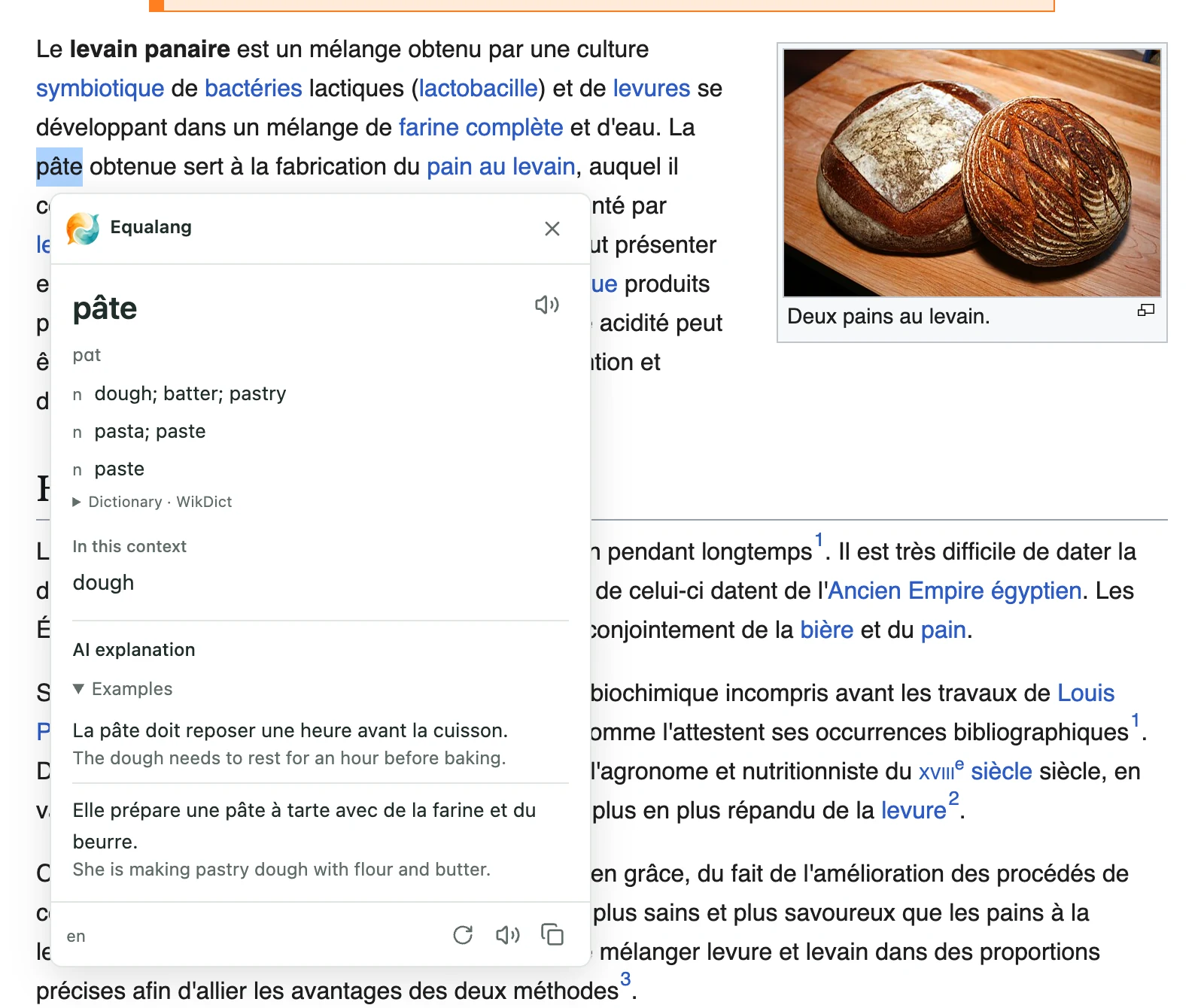
The popup keeps interactions minimal:
- Instant definition: You see the translated word or phrase without shifting your reading position.
- Pronunciation audio: A read-aloud button lets you hear how the word sounds in context.
- Copy and retry: Copy the translated text if you need to paste it elsewhere, or trigger a retry if network conditions interrupt the request.
Because it does not replace the surrounding text, your eyes remain anchored to the original sentence. When you are done, clicking anywhere else dismisses the popup and lets you continue reading.
When Single-Word Lookups Aren't Enough: Bilingual Mode
Sometimes you run into an article where the difficulty spikes—complex syntax, dense academic prose, or unfamiliar subject matter. Highlighting every third word quickly becomes exhausting.
In those situations, translating single words is the wrong tool. Instead of toggling word popups repeatedly, you can switch the page to bilingual display mode.
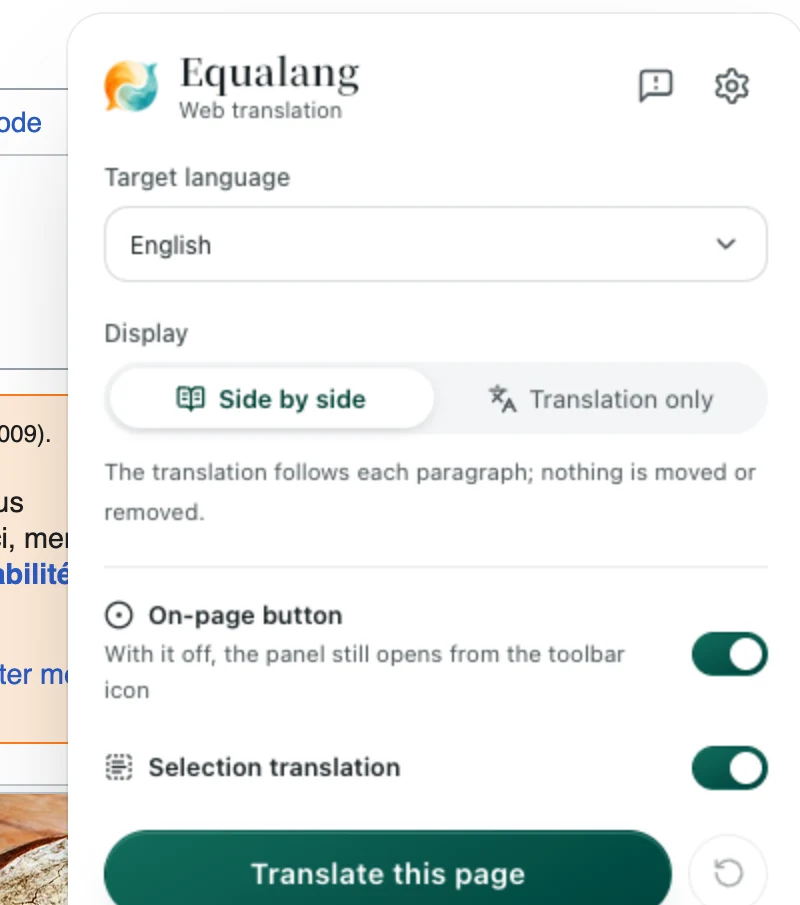
In bilingual mode, Equalang places the translated text directly below each original paragraph rather than replacing it.
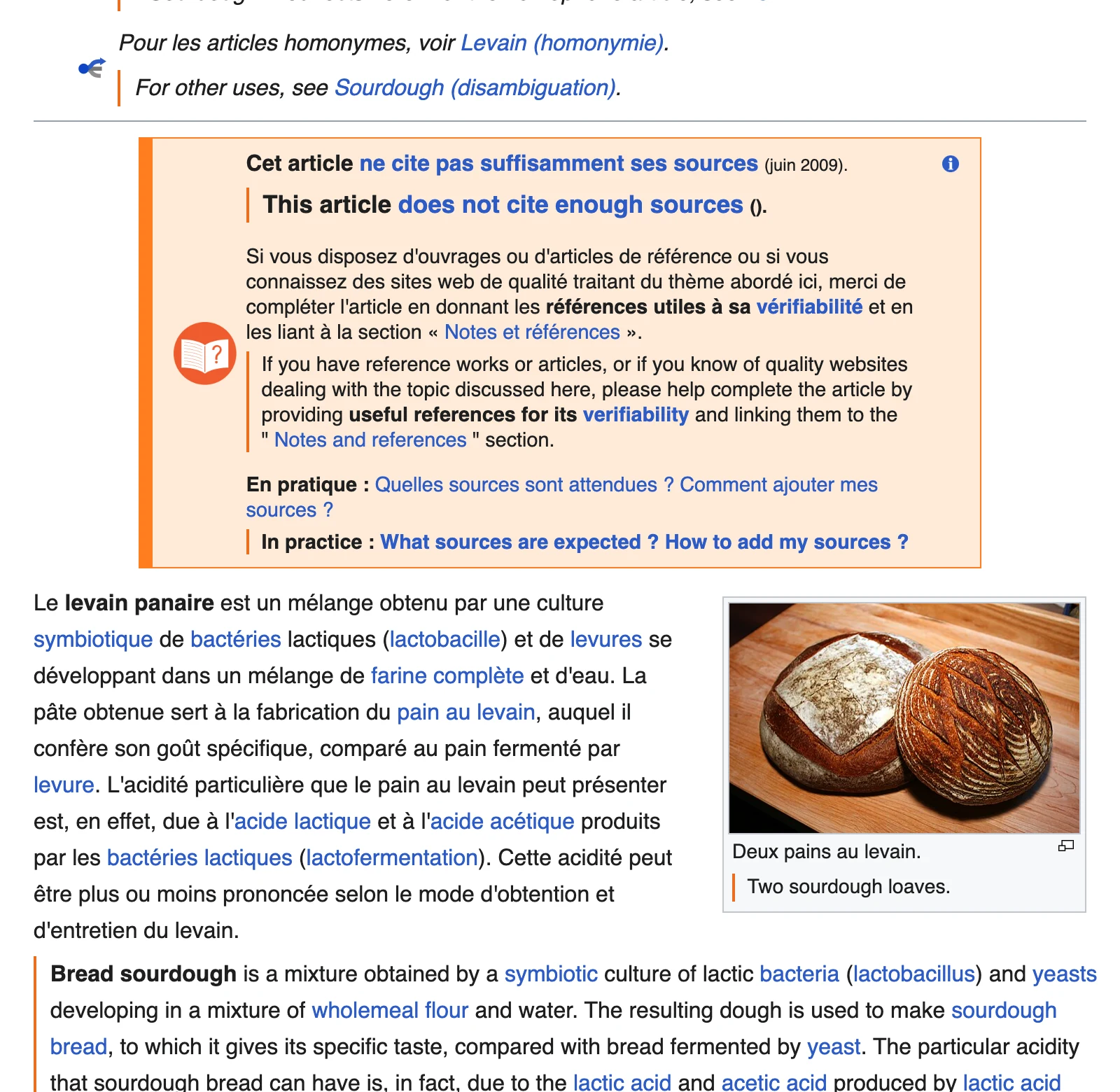
Original hyperlinks and paragraph formatting stay intact. You can read the original text sentence by sentence, glancing down at the translation only when a passage feels ambiguous. For a broader look at this workflow, see our guide on reading foreign websites bilingually.
Practical Habits for Reading with Selection Translation
Having translations a click away can be liberating, but over-relying on popups can slow down your language acquisition. Here are a few practical habits to keep your reading fluid:
- Guess from the sentence first: Give yourself three to five seconds to deduce the meaning from the surrounding clause before highlighting the word.
- Select meaningful chunks: Idioms, phrasal verbs, and technical compounds rarely make sense when translated word-for-word. Selecting the entire phrase gives you a far more accurate translation than looking up isolated words.
- Keep reading momentum: If a word isn't essential to the overall point of the paragraph, consider moving forward. If it turns up two or three more times, highlight it then.
- Know the limits: The popup is built for quick comprehension during live reading. It does not include built-in vocabulary notebooks, flashcards, or saved word lists, so if you want to memorize terminology long-term, consider noting key items in your preferred study tool.
Choosing between selection translation and bilingual reading gives you the flexibility to adapt to whatever page you encounter—getting just enough support to stay in flow without letting language hurdles get in your way.