How to Translate a JSON File Without Breaking Keys
 Equalang
In brief
Translate JSON string values while keeping object keys, numbers, and placeholders intact using an XLSX workflow or a recursive Python script.
Keywords: translate json file; translate json file online; translate json file to english; translate json file free; json localization
Pasting a raw .json file into a standard text translator almost always breaks your application. Because JSON uses identical double-quote syntax for both object keys and string values, plain-text translators rewrite property names ("checkout_button" becomes "bouton_paiement"), swap straight quotes for curly quotes (“ ”), and corrupt dynamic placeholders like {count} or {{name}}. To translate a JSON file safely, you need to isolate the string values from the structure—either by flattening your JSON into a two-column .xlsx spreadsheet for side-by-side translation and review, or by running a recursive script that walks the JSON tree and translates only string leaves.
Before choosing a workflow, we want to state our format boundary clearly: Equalang's document translator accepts PDF, DOCX, PPTX, XLSX, EPUB, HTML, and TXT files—it does not accept .json files directly (though audio and video transcription jobs can export .json transcripts). Below are two reliable methods we use to translate JSON values without ever touching a single key or comma.
Why Raw JSON Breaks in Plain-Text Translators
Under the official JSON specification (RFC 8259), a JSON object is a strict collection of name/value pairs where every key is a double-quoted string separated from its value by a colon. A general-purpose translation box has no schema parser to tell which quoted string is a code identifier and which is user-facing copy.
When you paste raw JSON into a web text box, three failure modes show up immediately:
- Translated object keys: Your frontend code expects
data.checkout_button, but the translator outputsdata.boton_de_pago, causingundefinedUI labels or runtime crashes. - Broken syntax and unescaped quotes: RFC 8259 requires double quotes inside strings to be escaped as
\"and forbids trailing commas. Translators frequently introduce unescaped inner quotes in languages like French or German, or replace ASCII quotes with typographical quotes that failJSON.parse(). - Corrupted interpolation variables: Localization frameworks rely on tokens such as
{username},{{total}}, or%s. If a translator alters{username}to{nombre_de_usuario}or inserts spaces inside the braces, dynamic values fail to render in production.
Method 1: Flatten JSON to XLSX, Translate Values, and Rebuild
If you are localizing an app locale file (like en.json) or a product catalog and want a human reviewer to inspect the translations before deployment, converting the JSON into an .xlsx workbook is the cleanest route.
Why route JSON through an Excel .xlsx file instead of translating raw text? When you upload an .xlsx sheet to Equalang's document translator, three spreadsheet behaviors work in your favor:
- Repeated strings are translated and billed only once: UI files often repeat labels like
Save,Cancel, orBackacross dozens of nested component keys. Equalang deduplicates identical cell text automatically. - Pure numbers stay untouched: Numeric IDs, prices, and sort orders in your spreadsheet never enter the translation engine and are written back as-is.
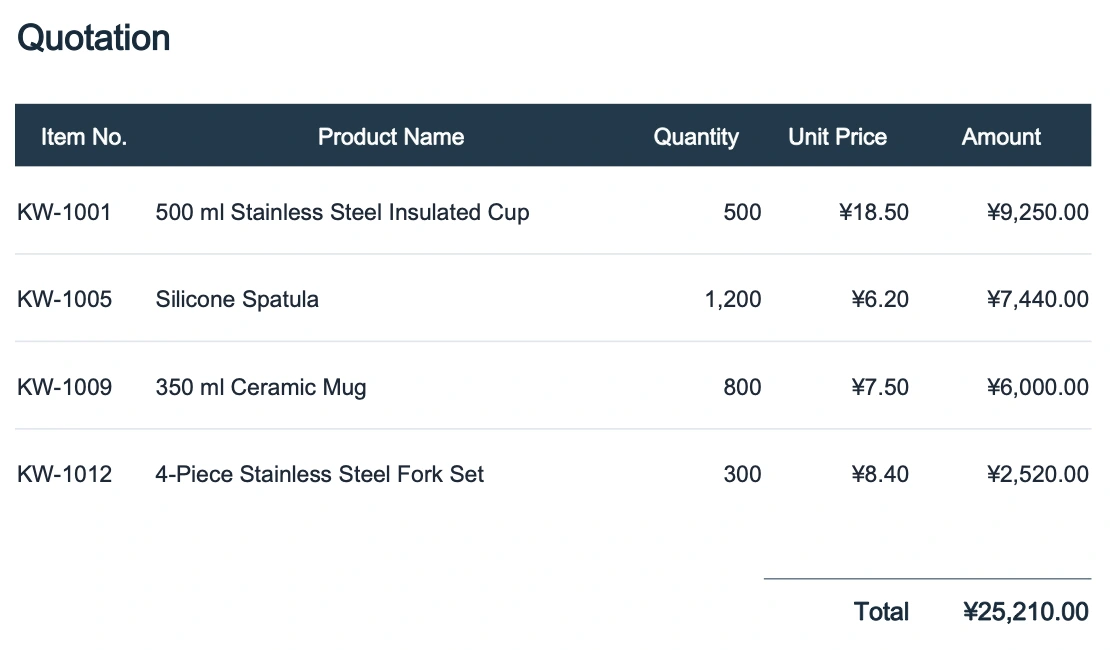
- Side-by-side workspace review: Once the job finishes, you can open the file in the translation workspace to compare source and target cells side by side with synced scrolling.
Step 1: Extract Translatable Strings to a Single-Column XLSX
To prevent the translator from touching your JSON keys, keep a local mapping file (keys_map.json) that stores every key path and non-string value (booleans, numbers, null), and export only the translatable string values into a single-column .xlsx file (to_translate.xlsx) with a numeric row index.
Run this short Python script (using openpyxl) to split your nested en.json:
import json
import openpyxl

def flatten_json(node, prefix="", rows=None):
    if rows is None:
        rows = []
    if isinstance(node, dict):
        for k, v in node.items():
            path = f"{prefix}.{k}" if prefix else k
            flatten_json(v, path, rows)
    elif isinstance(node, list):
        for idx, v in enumerate(node):
            flatten_json(v, f"{prefix}[{idx}]", rows)
    else:
        rows.append({"path": prefix, "value": node, "is_str": isinstance(node, str)})
    return rows

with open("en.json", "r", encoding="utf-8") as f:
    source_data = json.load(f)

flat_rows = flatten_json(source_data)
with open("keys_map.json", "w", encoding="utf-8") as f:
    json.dump(flat_rows, f, ensure_ascii=False, indent=2)

wb = openpyxl.Workbook()
ws = wb.active
ws.title = "Strings"
for idx, item in enumerate(flat_rows, start=1):
    if item["is_str"]:
        ws.append([idx, item["value"]])

wb.save("to_translate.xlsx")
Because Column A contains only pure numbers (1, 2, 3...) and Column B contains only the user-facing text, your JSON key paths never leave your machine.
Step 2: Translate the XLSX on Equalang
Upload to_translate.xlsx on the Equalang Documents page and choose your target language. Document translation currently covers Chinese, English, Japanese, Korean, Spanish, French and other languages, with automatic source language detection. If you are translating into multiple languages, you can upload files one after another—each account processes up to 3 documents simultaneously and queues the rest automatically. New accounts receive 200 credits on sign-up (see pricing and credit rates), so you can test a typical locale workbook right away.
If you prefer working with comma-separated exports from databases, check our guide on how to translate a CSV file for delimiter and encoding tips.
Step 3: Verify Placeholders and Rebuild Valid RFC 8259 JSON
After downloading the translated workbook (translated.xlsx), run a quick rebuild script. This script pairs the translated strings back with keys_map.json, checks that every {placeholder} from the original string still exists in the translation, and serializes the structure with json.dump() so all quotes and special characters obey RFC 8259.
import json
import re
import openpyxl

PLACEHOLDER_RE = re.compile(r"\{\{?[a-zA-Z0-9_]+\}?\}|%[sd]")

with open("keys_map.json", "r", encoding="utf-8") as f:
    flat_rows = json.load(f)

wb = openpyxl.load_workbook("translated.xlsx")
ws = wb["Strings"]
translated_by_id = {int(row[0]): str(row[1]) for row in ws.iter_rows(values_only=True) if row[0] is not None}

for idx, item in enumerate(flat_rows, start=1):
    if item["is_str"] and idx in translated_by_id:
        src_tokens = set(PLACEHOLDER_RE.findall(item["value"]))
        tgt_text = translated_by_id[idx]
        tgt_tokens = set(PLACEHOLDER_RE.findall(tgt_text))
        if src_tokens != tgt_tokens:
            print(f"Warning at {item['path']}: placeholders changed {src_tokens} -> {tgt_tokens}")
        item["value"] = tgt_text
Once verified, unflatten the path list back into your target .json file. Because Python's json.dump() handles all string escaping automatically, you will never hit a syntax error from stray double quotes.
Method 2: Recursive Python Script with Placeholder Locking
If you are running an automated CI/CD localization step and don't need spreadsheet review, you can walk the parsed JSON object directly in Python. The golden rule is simple: parse first, walk the tree in memory, and serialize last—never run regex or translation over a raw JSON text string.
Before sending a leaf string to any translation endpoint (or integrating via Equalang's developer tools), mask variables like {count} or {{user}} with neutral tokens (__VAR_0__) and restore them afterward:
import json
import re

TOKEN_PATTERN = re.compile(r"(\{\{?[a-zA-Z0-9_]+\}?\})")

def translate_with_locked_vars(text, translate_fn):
    tokens = TOKEN_PATTERN.findall(text)
    masked = text
    for i, token in enumerate(tokens):
        masked = masked.replace(token, f"__VAR_{i}__", 1)
    translated = translate_fn(masked)
    for i, token in enumerate(tokens):
        translated = translated.replace(f"__VAR_{i}__", token)
    return translated

def walk_and_translate(node, translate_fn):
    if isinstance(node, dict):
        return {k: walk_and_translate(v, translate_fn) for k, v in node.items()}
    if isinstance(node, list):
        return [walk_and_translate(item, translate_fn) for item in node]
    if isinstance(node, str):
        return translate_with_locked_vars(node, translate_fn)
    return node  # Booleans, integers, floats, and None stay untouched
Practical Edge Cases to Watch Out For
Even when your JSON structure and keys are 100% protected, three content-level edge cases deserve a manual check:
- Enum strings vs. display text: Some JSON files mix human text (
"title": "Order Confirmed") with machine constants ("status": "PENDING_PAYMENT"). Add an ignore list of keys (such asid,status,slug,type,url) in your script so internal constants are skipped. - Embedded HTML tags: If your JSON values contain inline HTML like
"Click <a href='/login'>here</a>", make sure your placeholder regex or review step verifies that tag attributes remain intact. - Pluralization syntax: ICU MessageFormat strings (such as
{count, plural, one {# item} other {# items}}) contain structural keywords (plural,one,other) inside braces. Never translate the ICU keywords themselves—only translate the inner display phrases.
Frequently Asked Questions
Can I upload a .json file directly to Equalang Documents?
No. Equalang's document translation page supports PDF, DOCX, PPTX, XLSX, EPUB, HTML, and TXT files (plus subtitle, image, and audio/video formats). To translate a JSON file with Equalang, convert your string values into an .xlsx workbook first, translate the .xlsx file, and export the translated column back to JSON.
How can I test translating a JSON file for free?
You can use the open-source Python scripts above at no cost, and when you sign up for an Equalang account, you receive 200 credits free to test translating your converted .xlsx string tables before deciding whether to purchase a credit pack. If a document job ever fails or is cancelled, reserved credits are released back to your balance.
How do I stop JSON numbers, booleans, and null values from turning into strings?
Never translate raw JSON as plain text. When you parse the file with json.load() in Python, booleans (true/false), numbers, and null are loaded as native types. By filtering strictly for isinstance(node, str)—or by storing non-string types in your local keys_map.json during an .xlsx round-trip—every number and boolean is written back with its exact original data type.