
Standard Ebooks vs Wikisource vs Internet Archive (2026)
In brief
Compare Standard Ebooks, Wikisource, and Internet Archive on EPUB typography, OCR cleanliness, language coverage, and bilingual reading.
Keywords: standard ebooks vs wikisource vs internet archive; standard ebooks vs internet archive; wikisource epub download; clean public domain epubs; multilingual public domain books
Choosing between Standard Ebooks, Wikisource, and the Internet Archive comes down to a trade-off between typographic polish, multilingual proofreading, and raw archival volume. Standard Ebooks delivers hand-crafted English EPUB editions with fine-art covers and zero OCR artifacts across roughly 1,000+ classics. Wikisource spans 70+ languages with volunteer transcriptions proofread directly against page scans and exported via WS Export. The Internet Archive Text Archive holds tens of millions of digitized library books and rare historical periodicals—making it unmatched for page-facsimile PDF scans, even though its auto-generated EPUB files frequently suffer from raw OCR noise. When you want to read those public-domain classics across languages, Equalang Plaza aggregates 75,000+ clean editions (including books from Standard Ebooks, Wikisource, and Aozora Bunko) so signed-in readers can download originals for 0 credits, preview the first 20% side by side for free, and download full translated editions for 1/10 of standard translation credits.
At-a-Glance Comparison: Public-Domain Ebook Repositories
Before diving into each platform's workflow, use this table to match your reading device and language requirements to the right catalog.
1. Standard Ebooks: Hand-Crafted Typography for English Classics
Anyone who has opened a free public-domain EPUB only to find straight typewriter quotes, missing italics, broken chapter headers, and stray scanner characters immediately understands why Standard Ebooks (https://standardebooks.org/) exists. Rather than running automated batch conversions, volunteer producers take public-domain transcriptions, verify them against historical print scans, and apply a strict, open-source typography manual.
What Standard Ebooks Does Well
- Modern E-Reader Optimization: Every release is built with clean, semantic
HTML5andCSS. You get proper curly quotation marks, real em-dashes, semantic footnotes that trigger native pop-up panels on Kobo and Apple Books, and high-resolution covers curated from public-domain fine art. - Device-Specific Downloads: Instead of offering a single generic file, each book page provides dedicated
EPUB, KindleAZW3, KoboKepub, and advancedEPUB3downloads with zero registration or DRM. - Consistent Metadata: Author sorting, series tags, and subject classifications follow uniform rules, so side-loaded files drop neatly into Calibre or your e-reader library without manual cleanup.
Honest Boundaries
- English Only: Standard Ebooks publishes exclusively in English. If you want Madame Bovary in Flaubert's original French or Natsume Sōseki in Japanese, you will not find them here.
- Curated Volume (~1,000+ Titles): Because every book undergoes manual production and peer review, the catalog focuses on canonical fiction, philosophy, poetry, and drama rather than obscure regional histories or nineteenth-century pamphlets.
2. Wikisource: Volunteer-Proofread Classics Across 70+ Languages
Operated by the Wikimedia Foundation, Wikisource (https://wikisource.org/) solves the two biggest gaps left by English-centric repositories: multilingual coverage and verifiable source provenance. Spanning more than 70 language editions—including expansive catalogs in French (fr.wikisource.org), German (de.wikisource.org), Russian, Chinese (zh.wikisource.org), Japanese, Spanish, Arabic, and English—Wikisource connects digital text directly to underlying archival page scans.
How the Wikisource Workflow Works
- Page-by-Page Proofreading (
ProofreadPage): When a scanned book (often hosted on Wikimedia Commons or the Internet Archive) is imported into Wikisource, contributors transcribe and proofread each page side by side with the original facsimile image. Progress bars show whether a text is incomplete, proofread by one editor, or validated by two or more editors. - Clean E-Book Exports via WS Export: On almost every Wikisource book page, clicking Download (or calling the Wikimedia WS Export tool at
https://ws-export.wmcloud.org/) compiles the wiki chapters on the fly into a clean, reflowableEPUB,PDF, orMOBIfile with a proper table of contents. - Classical & Non-Latin Scripts: For Chinese classical texts (such as pre-modern historical annals and poetry) or French and Russian nineteenth-century editions, Wikisource often hosts the cleanest structured plain-text and
EPUBversions on the web.
Honest Boundaries
- Variable Completion Rates: While flagship novels and major historical texts are fully validated, obscure multi-volume works may be only partially transcribed. Always check the proofread status indicator before exporting a long book.
- Utilitarian Cover Design: WS Export generates functional, readable
EPUBfiles, but the default covers and CSS styling are plain compared to Standard Ebooks' museum-grade presentation.
3. Internet Archive Text Archive: Unrivaled Scale, Raw Auto-OCR EPUBs
With tens of millions of digitized books, microfilms, and historical periodicals contributed by university and national libraries worldwide, the Internet Archive Text Archive (https://archive.org/details/texts) is the backbone of digital preservation. In fact, both Standard Ebooks and Wikisource regularly rely on page scans digitized by the Internet Archive to verify their own editions.
When to Choose the Internet Archive
- Primary Source Facsimiles (
PDFandDjVu): If you are citing page numbers from an 1848 Paris printing, inspecting nineteenth-century botanical illustrations, or reading out-of-print academic monographs, downloading the original page-scanPDFor viewing it in the browser BookReader gives you an exact photographic record of the physical book. - Rare & Multilingual Depth: No curated collection matches the Internet Archive's long tail of local gazetteers, historical newspapers, genealogical registers, and early printed books across hundreds of languages.
Why Its Auto-Generated EPUB Files Frustrate E-Reader Users
- Unchecked OCR Conversion: To make tens of millions of scans searchable, the Internet Archive runs automated optical character recognition (OCR) across page images and automatically packages that raw text into downloadable
EPUBandTXTfiles. - Broken Reflow on Small Screens: Because no human removes running page headers, page numbers, hyphenated line breaks, or smudged ink misreads (
mread asrn, or French accents turned into stray symbols), reading an auto-generated Internet ArchiveEPUBon an e-ink screen can be jarring. For a broader look at how catalog front-ends handle these files, see our guide to Open Library alternatives for public-domain ebooks.
4. Bridging the Multilingual Gap with Equalang Plaza
Standard Ebooks, Wikisource, and the Internet Archive are built primarily for monolingual retrieval: you download a French classic from fr.wikisource.org or an English edition from Standard Ebooks, and if you want to compare the original text against a translation—or read a public-domain work that has never been translated into your native language—you are left juggling two separate windows.
Equalang Plaza connects these worlds by aggregating 75,000+ public-domain books from clean repositories including Standard Ebooks, Wikisource, and Aozora Bunko, alongside permissively licensed open-access research papers (CC BY, CC BY-SA, and CC0 from OpenAlex, PubMed Central, and arXiv).
How Equalang Plaza Extends Clean Public-Domain Repositories
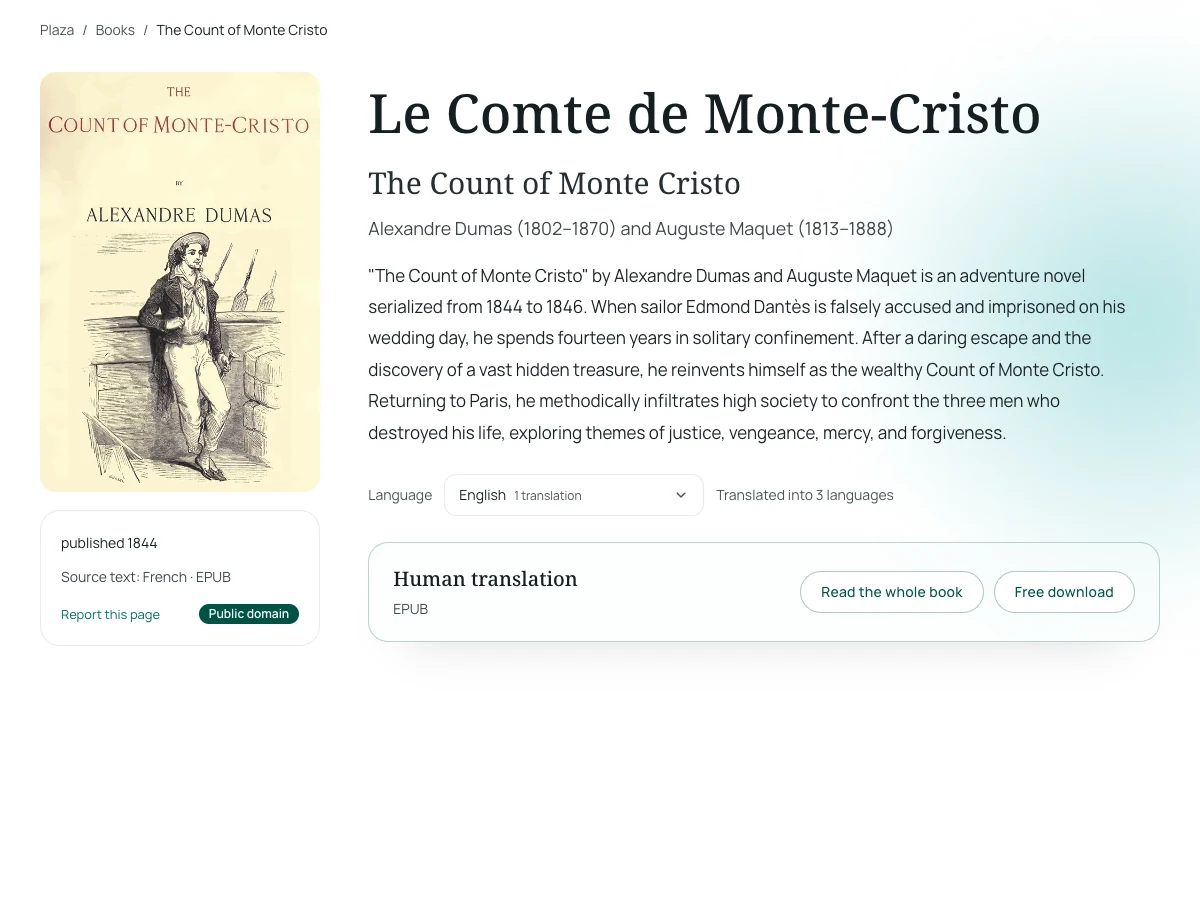
- Search Across Languages & Read Originals for 0 Credits: You can search by title, author, or DOI in any language and filter by All / Books / Papers and your target language. Once signed in, you can read or download any original public-domain book—such as Alexandre Dumas's French original Le Comte de Monte-Cristo—for 0 credits.
- Free 20% Side-by-Side Preview with Synchronized Scrolling: Every translated edition on Equalang Plaza lets signed-in readers preview the first 20% for free in a dual-pane reader where the original text and translation scroll in sync paragraph by paragraph.
- Full Translated Downloads at 1/10 of Standard Cost: If you want the complete translated book for offline reading, downloading an existing Plaza translation costs 1/10 of the standard translation credits (rounded up and displayed on the page). Downloads keep the source format: an
EPUBbase produces a cleanEPUB, while aPDFtranslation download includes both a layout-preserved translatedPDFand an alternating-page bilingualPDF. - Translate Missing Languages or Share Clean EPUBs to Earn Back Credits: If a book in the Plaza does not yet have a translation in your target language, you can click Request translation to vote it up the priority queue or click Translate now directly from the Plaza base text. And if you export a newly proofread
EPUBfrom Wikisource or Standard Ebooks that is not yet in the Plaza, you can translate it via Document Translation (see our walkthrough on how to translate EPUB ebooks while keeping formatting) and click Share to the plaza at the top of the workspace (up to 3 submissions per day, published after copyright verification). Each time another reader downloads your shared translation, you receive 1/10 of your original translation cost back in credits until your initial translation spend is fully recovered.
Honest Boundaries to Keep in Mind
- Sign-In Required: You must sign in to read or download 0-credit originals and to open the 20% free side-by-side preview.
- Strict Public-Domain & Open-License Scope: Equalang Plaza only hosts and accepts shares for verified public-domain books and open-access works licensed under
CC BY,CC BY-SA, orCC0. Copyrighted commercial books and papers carryingNC(Non-Commercial) orND(No Derivatives) restrictions cannot be shared to the Plaza, and credit refunds from sharing cap at the original translation cost rather than generating surplus profit.
How to Pick the Right Workflow in 30 Seconds
- You want an English literary classic formatted for Kindle or Kobo right now: Start at Standard Ebooks. If the book is in their ~1,000-title catalog, you will get hand-polished typography without spending a minute in Calibre.
- You read in French, German, Chinese, Japanese, Russian, Spanish, or want a verified English text outside Standard Ebooks' catalog: Check Wikisource, confirm the proofreading badge shows green/validated pages, and export a clean
EPUBvia WS Export. - You need an 18th- or 19th-century archival print edition, historical periodical, or exact page citations: Search the Internet Archive Text Archive and download the page-scan
PDFrather than the auto-generatedEPUB. - You want to read a classic side by side with a translation, or translate a clean
EPUBinto your language: Open Equalang Plaza to read the original for 0 credits, test the 20% synchronized bilingual preview, and download the full translation at 1/10 credit cost.
Frequently Asked Questions
Why do Internet Archive EPUB files often have garbled text while Standard Ebooks EPUBs look clean?
The Internet Archive generates most of its EPUB files automatically from raw optical character recognition (OCR) run over millions of library page scans, meaning page headers, broken hyphens, and scanner misreads pass straight into the reflowable text. Standard Ebooks produces every edition manually, proofreading transcriptions against historical scans and coding semantic HTML5 and CSS by hand.
How do I download a clean EPUB from Wikisource?
Open any completed book or work index page on Wikisource (wikisource.org) and click the Download button (or open the page title inside Wikimedia's WS Export tool at https://ws-export.wmcloud.org/). WS Export compiles the volunteer-proofread chapters into a clean EPUB, PDF, or MOBI file with structured chapter navigation.
Can I read and download public-domain originals for free on Equalang Plaza?
Yes. After signing in to Equalang Plaza, reading and downloading any original public-domain book or open-access paper costs 0 credits, and you can preview the first 20% of any available translation side by side with synchronized scrolling for free. Downloading a full translated edition costs 1/10 of standard translation credits.
Sources
- Standard Ebooks — Free and liberated ebooks, carefully produced for the true book lover: https://standardebooks.org/
- Wikisource — The Free Library (Multilingual portal): https://wikisource.org/
- Wikimedia WS Export Tool (EPUB/PDF generator for Wikisource): https://ws-export.wmcloud.org/
- Internet Archive Text Archive: https://archive.org/details/texts
- Equalang Plaza — Multilingual Public-Domain Books & Open-Access Papers: https://equalang.com/plaza