How to Translate Full EPUB eBooks Without Losing Formatting
 Equalang
In brief
Tired of losing your table of contents and figures when translating foreign ebooks? Here is how to translate full EPUB files while preserving chapter navigation, inline images, and styling.
Keywords: EPUB translation, translate EPUB preserve layout, ebook table of contents, full document translation, reading foreign ebooks

Many avid readers and researchers have encountered this frustrating scenario: an insightful biography, a specialized technical monograph, or an acclaimed non-fiction work is published abroad, but an official translation in your language is nowhere on the horizon. You manage to find the original foreign-language EPUB, import it into your everyday reading app—such as Apple Books, Kindle, or WeRead—and prepare to dive in, only to realize that tackling hundreds of thousands of words in a foreign tongue is a slow, grueling process.
Turning to generic machine translation tools often makes matters worse. The carefully constructed multi-level table of contents (TOC) breaks completely, leaving chapter links dead; the author’s charts, system architecture diagrams, and inline figures are discarded; paragraph margins and embedded CSS collapse, preventing your e-reader from calculating page turns cleanly; and bidirectional footnote links turn into unclickable plain text.
The primary obstacle to reading foreign ebooks is rarely finding the source file. Rather, it is "broken chapter navigation, misplaced or missing figures, and shattered typography that derails your reading flow."
This article breaks down how EPUB formatting works under the hood and demonstrates how to translate an entire book while preserving the chapter hierarchy, inline images, and layout.
1. Why Translating an Entire EPUB Is Far Harder Than Standard Documents
Readers often assume that an EPUB is simply plain text saved with a different file extension. In reality, an EPUB is a structured web archive adhering to standards set by the International Digital Publishing Forum (IDPF) and W3C. Under the hood, it bundles XHTML chapter structures, CSS stylesheets, NCX/OPF metadata catalogs, and multimedia assets into a compressed container.
Generic machine translation tools typically fail across several critical steps:
- Corrupting XML/XHTML tags and the Table of Contents (TOC): Standard digital books rely on
nav.xhtmlortoc.ncxto drive multi-level navigation across the cover, front matter, and nested sub-chapters. When a naive script extracts text without preserving node IDs, e-readers display an empty table of contents or fail to respond when chapters are tapped. - Dropping embedded images and inline layouts: Non-fiction books, biographies, and technical titles frequently include historical photographs, data charts, and diagrams. If the translation pipeline fails to maintain references to the internal
Imagesresource directory, illustrations become broken placeholders or drift out of alignment. - Breaking bidirectional footnote anchors: Academic and substantive works rely heavily on footnotes and endnotes, using HTML hyperlink anchors (
<a href="...">) to let readers click a superscript to view an annotation and click back to resume reading. Generic tools often strip or scramble these hyperlinks, mistaking them for extraneous syntax. - Inconsistent terminology across chapters: Across a full-length book spanning hundreds of thousands of words, translating a recurring character's name, geographical location, or technical term one way in chapter 2 and differently in chapter 15 severely detracts from continuity and comprehension.
A practical full-book translation requires a robust pipeline: unpack and parse the internal structure → protect XHTML tags and CSS rules → preserve images and hyperlink anchors → repackage into a compliant EPUB.
2. Comparing Common eBook Translation Approaches
When translating foreign-language ebooks, readers typically choose among three primary workflows:
For readers who prefer to skip tedious setup and immediately load a clean file into their e-reader, professional document translation is a far more efficient path. Below, we walk through the process using Equalang, developed by our team.
3. Three Steps to Translate a Complete EPUB and Import It to Your Reader
The entire process runs directly in your browser without requiring command-line scripts or complex desktop ebook editors.
Step 1: Upload the Original EPUB in the Document Translation Portal
Sign in to the Equalang web app and open the document translation module.
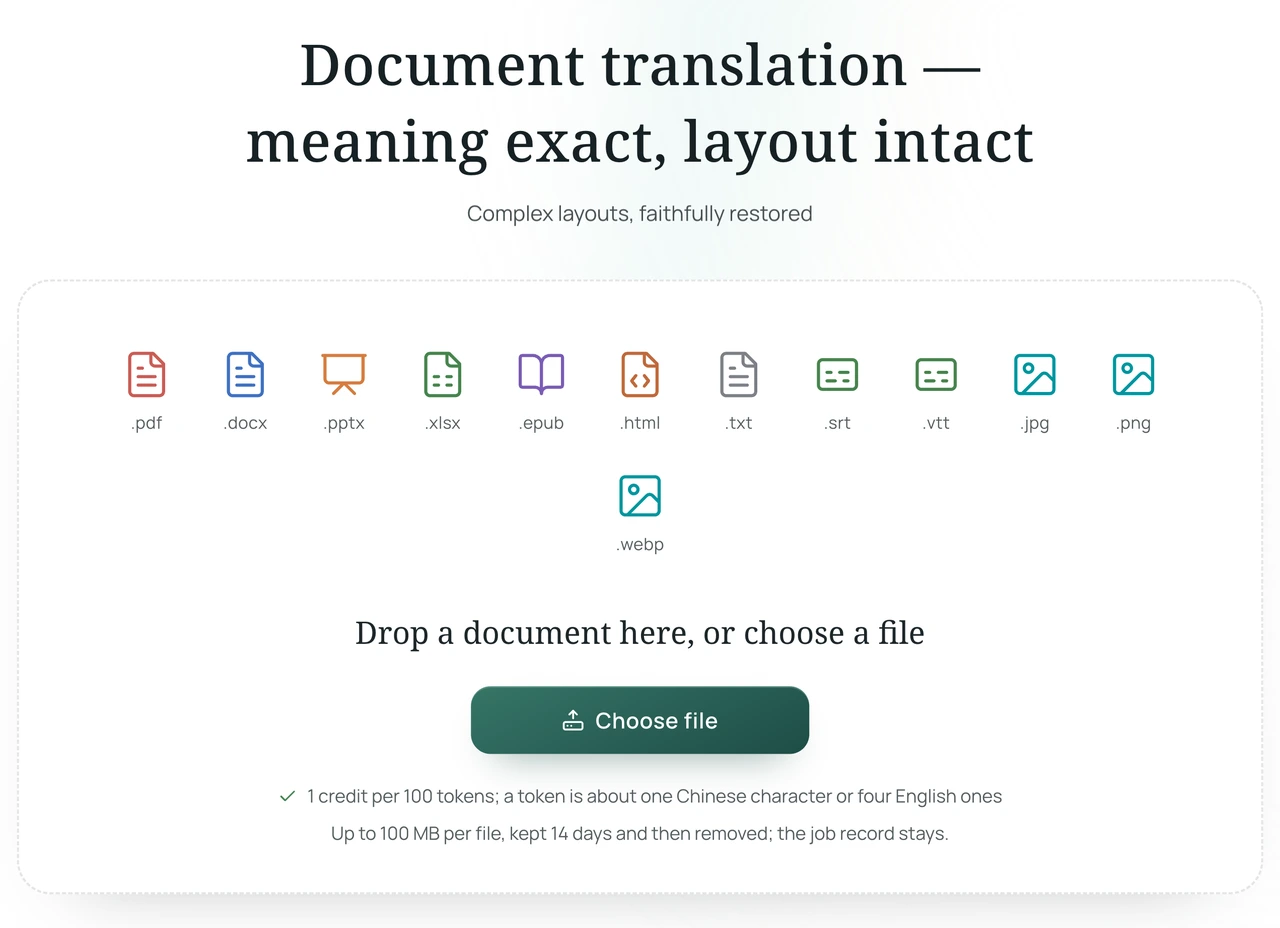
- Click or drag and drop your prepared original foreign-language
.epubfile (also supports common formats like PDF, DOCX, XLSX, and PPTX); - Select "Simplified Chinese" as the target language (the system supports automatic detection of the source language);
Step 2: Download the Translated Book and Verify TOC and Layout Integrity
Once processing is complete, download the generated translated .epub file.
Before transferring it to your mobile device, you can perform a quick check in Apple Books, Calibre, or any standard desktop e-reader:
- TOC Navigation Test: Open the table of contents sidebar and click any sub-chapter; the reader should jump instantaneously to the beginning of that section.
- Images and Captions: Inline illustrations should remain intact without downsampling or distortion, with caption text neatly positioned beneath each graphic.
- Bidirectional Footnote Anchors: Clicking a superscript number in the text should jump directly to the corresponding note at the end of the chapter, and the backlink should return you to your previous reading position.
Step 3: Import into Common E-Readers
A properly packaged EPUB file preserves the table of contents, internal links, chapters, and illustrations:
- Importing into Readers: The translated EPUB can be imported into readers that support local EPUB files (such as WeRead's local import). Import methods and layout handling vary across readers, and we have not tested every single one, so please check the table of contents and illustrations after importing;
- Adjusting Font Size: In our tested sample translations, the font size can be adjusted in the reader, and the visual display is also affected by the reader's font environment.
4. Practical Tips for eBook Reading and Importing
To ensure a smooth reading experience, keep the following practical points in mind:
- Check for DRM Protection: Books exported directly from proprietary ecosystems may include digital rights management (DRM) encryption. Third-party tools cannot parse encrypted files directly, so ensure your file is a standard, unencrypted EPUB before uploading.
- Reader Font Configuration: When opening a translated EPUB in your reader, if default fonts appear too light, try switching to a different Chinese font in the reader settings.
- Unified Multi-Platform Credit Management: The Equalang platform uses a unified credit system across document translation and browser extensions. New registrations receive 200 free trial credits, and full ebooks are billed based on the actual processed volume.
Sources & Attribution
- Equalang Document Translation
- W3C EPUB 3 Standard Specification
- WeRead Official Platform and Import Guide
- IDPF (International Digital Publishing Forum) Open Publication Structure Definition
- Sigil Open-Source EPUB Editor Official Documentation