
arXiv HTML vs ar5iv vs Bilingual PDFs for Math Papers
In brief
Compare official arXiv HTML, ar5iv LaTeXML pages, and bilingual PDFs for reading equation-heavy papers on desktop, iPad, and e-ink tablets.
Keywords: arxiv html vs ar5iv; read math pdf on ipad; bilingual arxiv paper pdf; ar5iv latexconversion; equalang plaza open access papers
If you are scanning an equation-heavy preprint on a phone or laptop browser in English, start with official arxiv.org/html for recent submissions and fall back to ar5iv for older papers—both reflow two-column TeX into responsive single-column HTML5 with MathML equations. However, if you read across languages or annotate proofs with an Apple Pencil on an iPad or in Zotero, browser-translating HTML pages frequently scrambles inline math tokens and strips away offline PDF markup. For deep reading, checking Equalang Plaza or generating a layout-preserved and page-alternating bilingual PDF via Document Translation keeps complex macros, TikZ figures, and two-column structures intact while letting you write directly on the page.
Quick Comparison: arXiv HTML vs. ar5iv vs. Browser Translation vs. Bilingual PDFs
Each format solves a different stage of the research workflow, from rapid morning triage to line-by-line proof verification.
When Official arxiv.org/html and ar5iv Shine—and Where LaTeXML Hits a Wall
For over three decades, reading an arXiv paper on a small screen meant pinching and zooming across dense two-column PDFs, jumping back and forth whenever an equation referenced a lemma three pages earlier. Two closely related LaTeXML projects changed that experience for browser readers.
1. Official arxiv.org/html for Recent Preprints
Launched in late 2023 in collaboration with the LaTeXML team to improve accessibility, arXiv's official HTML track compiles TeX source uploads directly into responsive single-column web pages. When you open an abstract page such as arxiv.org/abs/... and click HTML (experimental) in the right sidebar, you get:
- Reflowable single-column typography that adapts cleanly to portrait iPad screens, narrow laptop split-views, and mobile browsers.
- Scalable MathML equations that resize with your browser font settings and work with screen readers.
- Hoverable or clickable citations and equation references so you can check a definition without losing your scroll position.
2. ar5iv for the Historical Backlog
Developed by the KWARC research group at FAU Erlangen-Nürnberg, ar5iv (https://ar5iv.labs.arxiv.org/) pioneered large-scale LaTeXML conversion across millions of older arXiv papers. You can open almost any historical TeX submission by replacing arxiv.org/abs/ with ar5iv.labs.arxiv.org/html/ in your address bar. A helpful detail at the bottom of every ar5iv page is its color-coded conversion log: it explicitly flags whether the paper built cleanly, had minor macro warnings, or encountered fatal package errors.
Where HTML Conversion Still Breaks Down
Because both platforms recompile raw LaTeX source through LaTeXML rather than rendering the author's compiled PDF, they share three practical bottlenecks:
- Custom TeX macros and TikZ diagrams: Papers in algebraic geometry, category theory, theoretical computer science, or control theory frequently rely on bespoke
.stydefinitions, commutative diagrams (tikz-cd), or intricate custom algorithm floats. When LaTeXML lacks a binding for a package, diagrams can render with overlapping labels, raw macro strings leak into paragraphs, or the official HTML link is omitted altogether. - Inline math scrambling under browser auto-translate: If English is not your primary language and you run a standard full-page DOM translator on
arxiv.org/htmlorar5iv, the translator sees dozen of nested<math>and<mrow>tags interrupting every clause. It routinely moves variables likex_i,\theta^*, or\mathcal{L}_{\text{total}}to the wrong side of conditions such as "if and only if" or "bounded by." - No Apple Pencil or Zotero PDF workflow: You cannot drop a live HTML webpage into Goodnotes, Notability, LiquidText, or your local Zotero storage to scribble margin derivations offline.
Fast Browser Triage Without Breaking MathML
When you just want to screen 15 preprints in your browser tab bar to decide which two deserve a deep read, stay in arxiv.org/html or ar5iv. Instead of using a full-page translator that overwrites the original English sentence and tangles the <math> nodes, use the Equalang Browser Extension in paragraph-by-paragraph bilingual mode.
Because the extension inserts the translation directly beneath each original paragraph rather than mutating the original paragraph in place, the author's untouched English text and native MathML symbols sit immediately above the translation. If a theorem condition looks subtle, your eyes travel half an inch upward to verify the exact notation (\forall \epsilon > 0) without toggling the whole page back and forth.
Deep Reading on iPad, E-Ink, and Zotero: Layout-Preserved and Alternating Bilingual PDFs
Once a paper passes triage and you need to work through its proofs, hyper-parameters, or ablation tables with a stylus, moving back to PDF solves the macro and annotation problem—provided you don't have to constantly copy-paste columns into a separate chat window.
Step 1: Check Equalang Plaza First for Open-Access Papers (1/10 Credit Cost)
Before uploading an open-access paper from scratch, search Equalang Plaza by title, author, or DOI (in any language). Equalang Plaza hosts public-domain books (from sources such as Aozora Bunko, Wikisource, and Standard Ebooks) and open-access research papers licensed under CC BY, CC BY-SA, or CC0 from OpenAlex, PubMed Central, and arXiv.
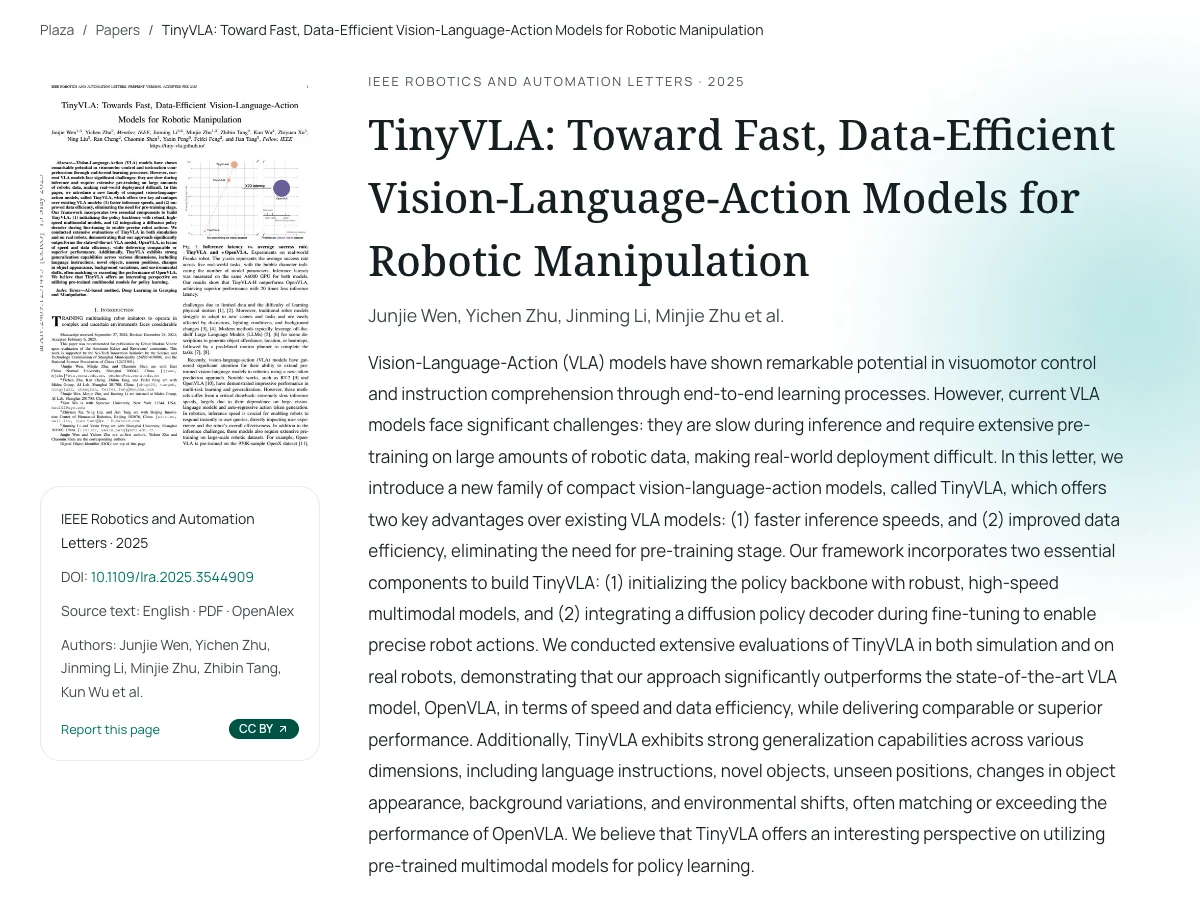
Once you sign in to Equalang Plaza, you can:
- Read and download the original PDF for free (0 credits).
- Preview the first 20% of any existing translation for free, displayed side by side with synchronized scrolling so you can inspect how notation, domain terminology, and figure captions are rendered before spending a single credit.
- Download the full translated edition for 1/10 of the standard translation credit cost (rounded up and displayed clearly on the work page—for instance, downloading the Chinese AI translation of the OpenAlex open-access paper 3D Gaussian Splatting for Real-Time Radiance Field Rendering costs 24 credits). Furthermore, if you upload a file to Document Translation that already has a translation in the Plaza, Equalang automatically notifies you so you can sample or download the existing Plaza edition at 1/10 the cost instead of paying to translate it again.
Every PDF translation purchase on Equalang Plaza gives you two downloadable files at once, plus permanent full-text online reading and re-downloads:
- The Layout-Preserved Translated PDF: Retains the original two-column structure, headers, footers, bold emphasis, table spans, clickable Table of Contents/cross-reference links, and both inline and display equations. Sentences that were split across a column or page break in the source PDF are stitched back together before translation so clauses don't break mid-thought. (Note: while structural layout is preserved, font faces, text size, and line wraps naturally adjust to fit the target language's length.)
- The Page-by-Page Alternating Bilingual PDF: Places page 1 of the original PDF, followed by page 1 of the layout-preserved translation, then page 2 original, page 2 translation, and so on. On an iPad in Goodnotes/Notability two-page landscape view or a wide desktop monitor, the original English equations and TikZ plots sit on the left page while the translated exposition aligns on the right.
Step 2: Translate and Share CC BY / CC BY-SA / CC0 Papers to Earn Credits Back
What if an open-access paper in Equalang Plaza doesn't have your target language yet, or you just downloaded a brand-new CC BY preprint from arXiv today?
- If the work is already indexed in Equalang Plaza without your target language, you can click Translate now directly from the Plaza base file, or click Request this translation to register demand (high-demand works are prioritized).
- If you translate a public-domain book or a
CC BY,CC BY-SA, orCC0open-access paper yourself in Document Translation, click Share to the plaza at the top of the workspace after your task completes (up to 3 submissions per day, published after copyright verification). - Credit payback: Every time another reader downloads your shared translation from Equalang Plaza, you receive 1/10 of your original translation credit cost back, continuing until you recover the full credit amount you spent on that translation. Readers can also flag missed lines, mistranslations, or layout glitches while reading; editions with frequent reports are queued for re-translation.
Step 3: Know the Licensing Boundary (Non-CC arXiv Papers)
Honest boundaries matter: many arXiv preprints use arXiv's default non-exclusive license to distribute or Creative Commons licenses with NC (Non-Commercial) or ND (No Derivatives) restrictions (such as CC BY-NC-SA or CC BY-NC-ND). Because NC/ND works and copyrighted commercial publications do not permit commercial adaptation and redistribution, they cannot be hosted or shared on Equalang Plaza.
For those papers, translate them privately for your own research:
- Upload the PDF directly to Document Translation (upload one file at a time with no total limit; each account processes up to 3 documents concurrently and queues the rest automatically). For dense mathematical papers with tricky inline symbols, enable the formula optimization option discussed in our guide on how to translate AI papers while keeping formulas intact.
- Or trigger translation directly inside your reference library using the Equalang Zotero Plugin so the bilingual PDF stays linked to your citation item.
Frequently Asked Questions
What is the difference between arxiv.org/html and ar5iv?
Both use LaTeXML to convert TeX source files into HTML5 with MathML equations. Official arxiv.org/html is run directly by arXiv (launched in late 2023) and focuses on newly submitted TeX preprints and accessibility compliance. ar5iv (ar5iv.labs.arxiv.org) is an external arXiv Labs project maintained by the KWARC research group that converts the historical arXiv backlog and provides detailed package-error logs at the bottom of each converted paper.
Why do inline formulas break when I translate ar5iv or arxiv.org/html with my browser's built-in translator?
LaTeXML renders inline math as nested <math> DOM elements inside sentences. Standard webpage translators treat those tags as movable inline fragments, often misplacing symbols like x_i or \sum when translating between languages with different word orders (such as English to Chinese or Japanese). Using the Equalang Browser Extension in paragraph mode avoids this by keeping the original paragraph and its intact MathML directly above the translated paragraph.
Can I download or share any arXiv paper on Equalang Plaza?
No. Equalang Plaza only hosts public-domain books and open-access papers licensed under CC BY, CC BY-SA, or CC0 that permit adaptation and commercial reuse. Papers under arXiv's default non-exclusive license or Creative Commons licenses with NC (Non-Commercial) or ND (No Derivatives) clauses cannot be shared to the Plaza, though you can translate them privately for your own reading in Document Translation or via the Zotero Plugin.