Can't Read the Menu Abroad? Take a Photo to Translate
 Equalang
In brief
Translate menus on the go with Equalang. Snap a picture and read the translation directly on the image to uncover drinks, prices, and handy notices.
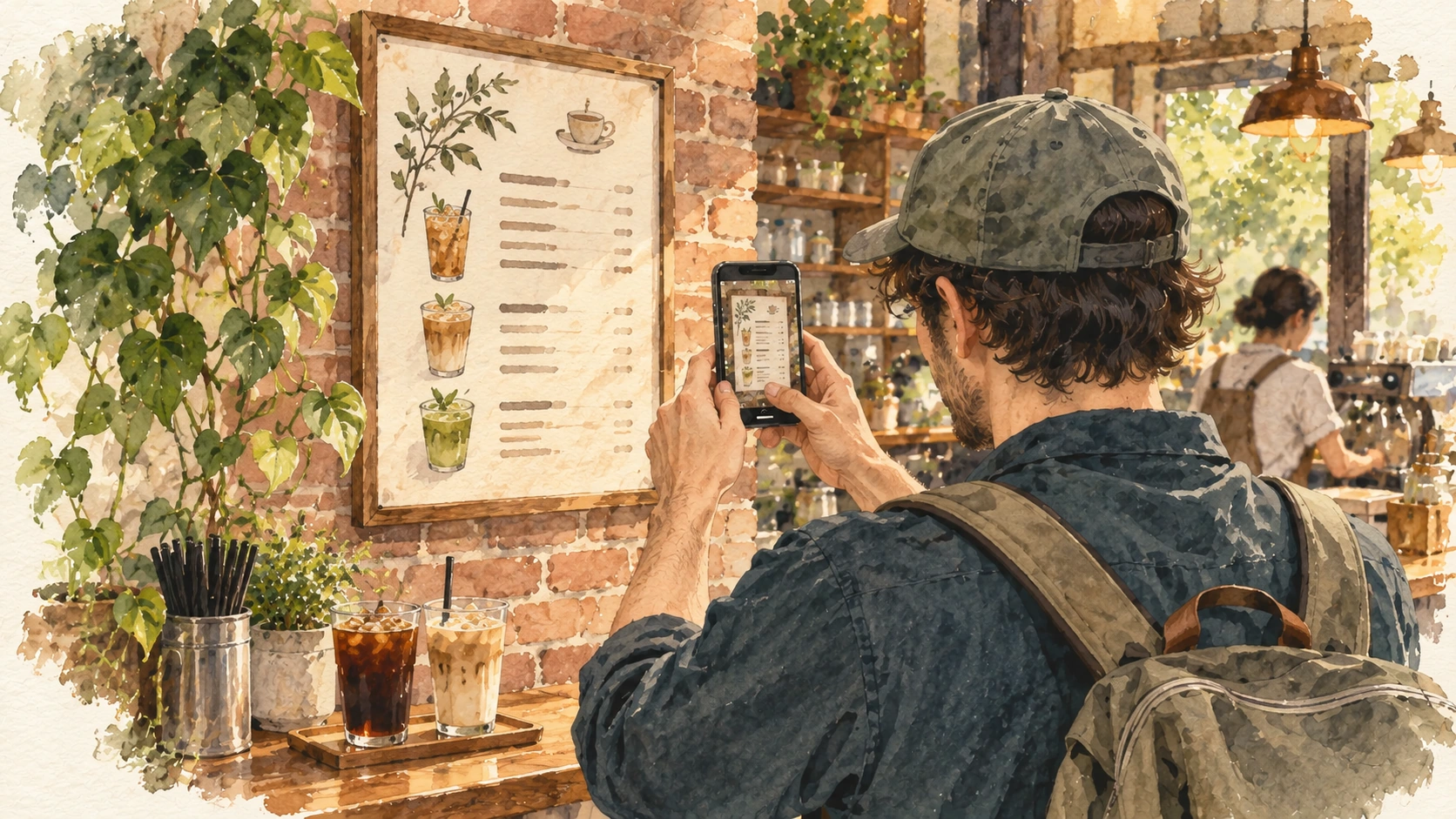
After a long morning of sightseeing in a foreign city, we step into a local café for a cold drink. The menu on the wall is filled with unfamiliar words. We want to try something local, but standing at the counter typing words into a dictionary one by one isn't the relaxing break we had in mind.
With Equalang's photo translation feature, you can point your phone at the menu and take a picture. After a short wait, the translated text appears over the image, following the structure of the original photo.
1. Snap a picture, see your choices
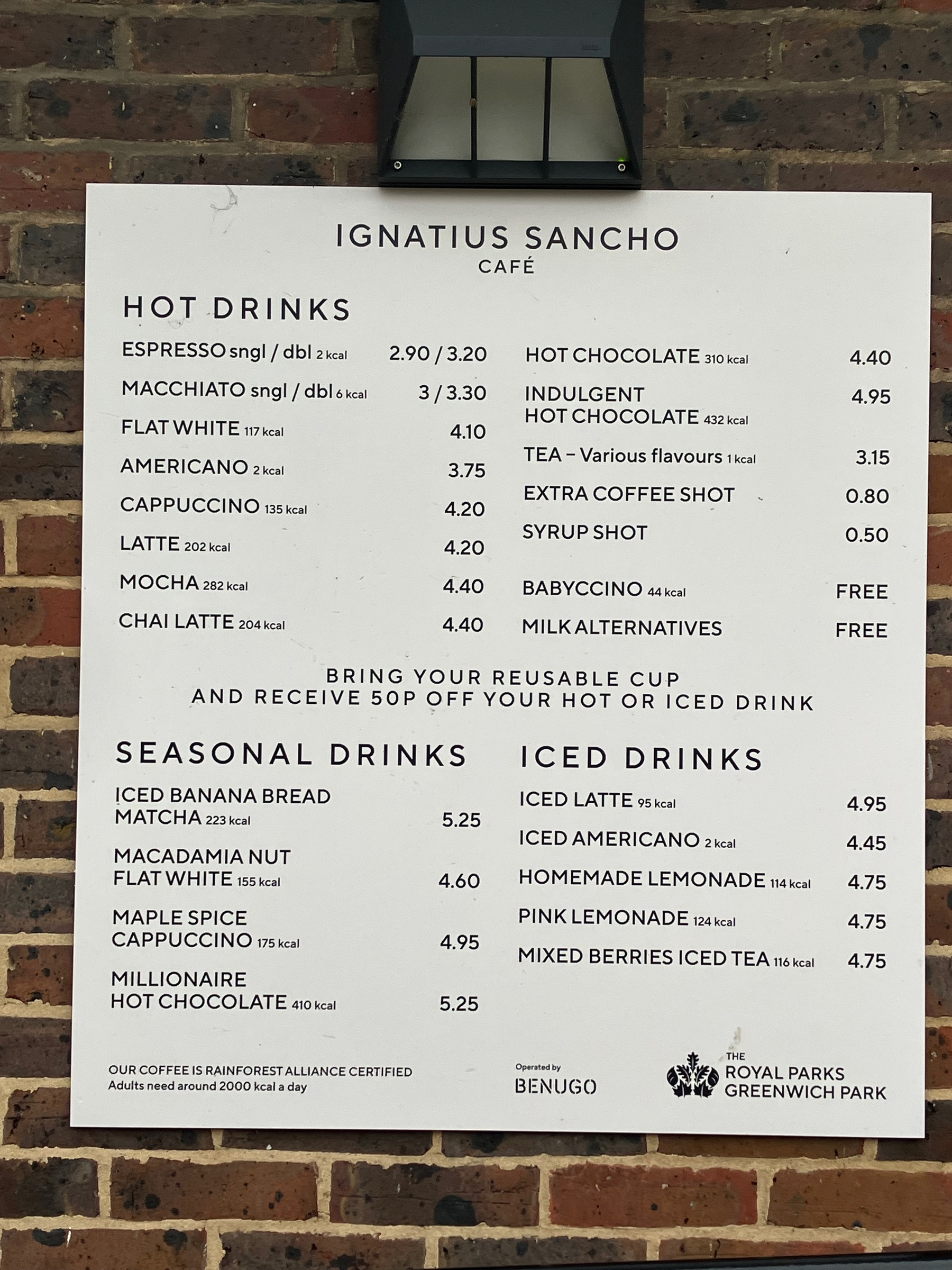
Take a look at this photograph of the Ignatius Sancho Café menu, taken by Jodiepedia in 2026. The board is divided into hot drinks, seasonal specials, and iced drinks. To show you how it works (and what it looks like for a Chinese-speaking traveler), we used this English menu and translated it into Simplified Chinese.
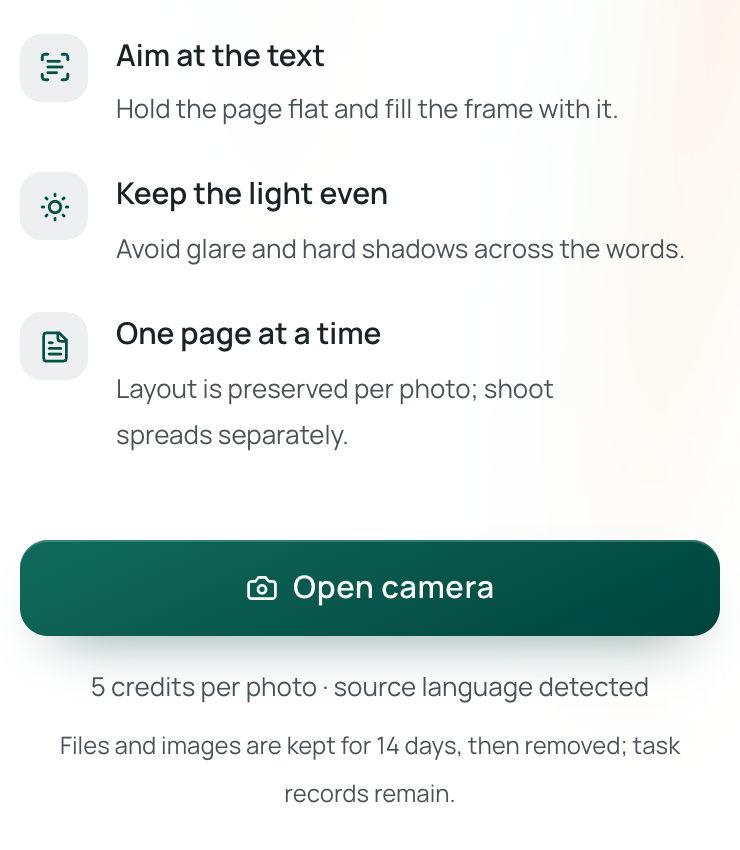
When we encounter a menu in a language we don't speak, we pull out our phone and open photo translation, tap “Open camera”, and select the target language. (If it’s your first time, you'll need to sign in and allow camera access.) We point the phone at the menu, make sure the text fills the screen, avoid heavy glare, and take the shot.
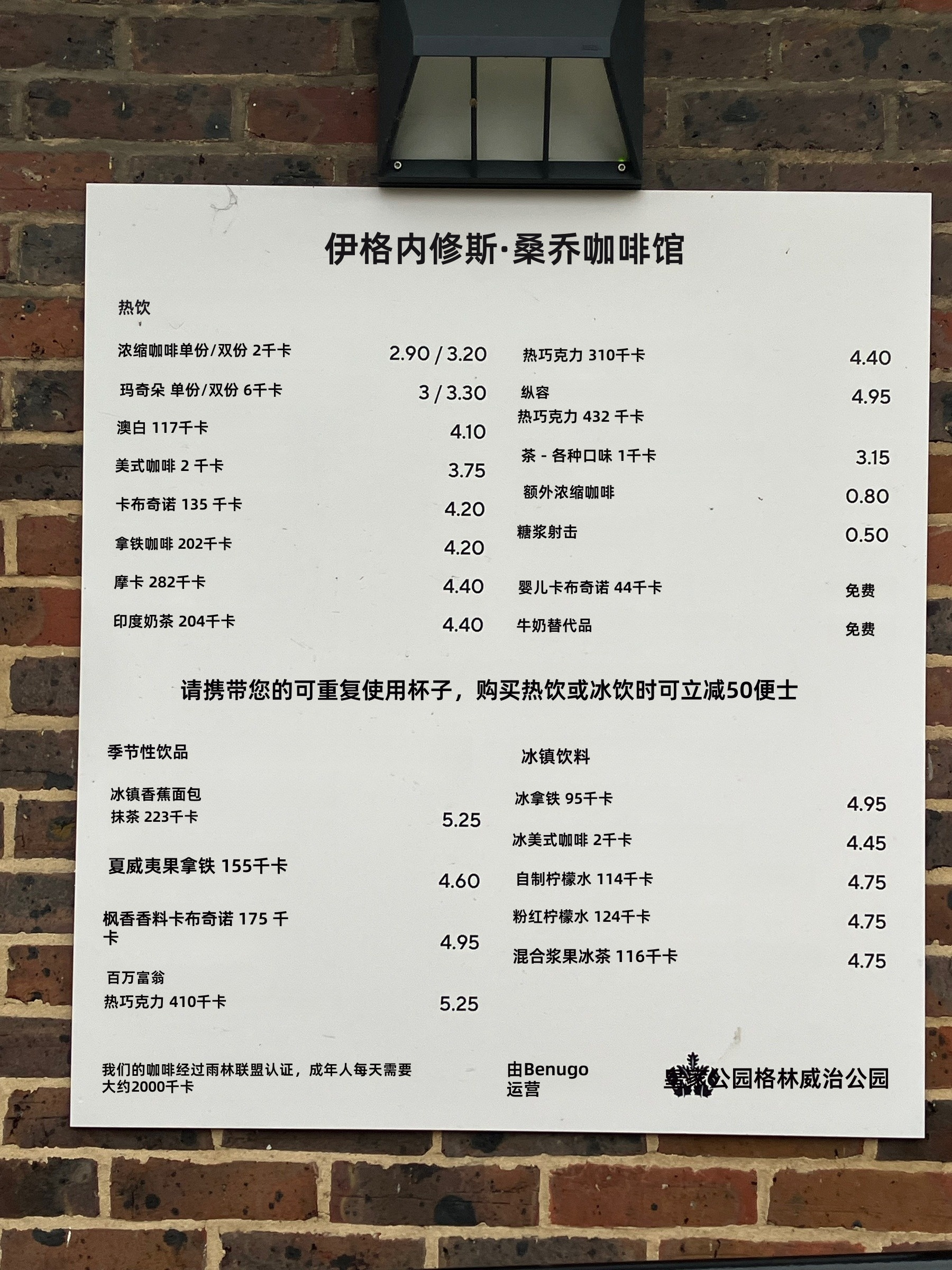
Translation begins automatically. Once it's done, the screen displays the translated image, and we can toggle back to the original anytime. Here is the actual Chinese result generated from our test.
2. Spot the bring-your-own-cup discount
If we look at the lower right of the translated image, the Chinese labels for iced latte, iced Americano, and homemade lemonade align with their prices—4.95, 4.45, and 4.75. We don't have to guess which price belongs to which item among these three lines.
There's also a notice in the middle of the board. The translation reads: "Bring your reusable cup for 50p off any hot or iced drink." If we were just typing individual words into a dictionary, we might have completely missed this reminder. Snapping a photo of the menu lets us catch this specific detail. (Keep in mind this is an older photo, so we'd still want to ask the staff if the offer is valid today!)
3. Order with confidence using the original
Once we've chosen a drink, we can switch back to the original image, point out its name to the staff, and confirm the price before ordering. There's no need to struggle through unfamiliar words at the counter. Order placed, we can find a seat and give our feet a break.
Some translations still need a check against the original: on this menu, "Syrup Shot" became "糖浆射击", awkwardly treating a serving of syrup as an act of shooting. If a name seems odd, we can show the original wording to the staff and ask what it means. Anyone with dietary restrictions should also confirm the ingredients.
Sources
- Ignatius Sancho Café menu, Jodiepedia, March 9, 2026, under CC0 1.0.
