Watch 2026 MAMA Speeches Live with English Subtitles
 Equalang
In brief
Follow 2026 MAMA speeches live with synchronized English subtitles. Learn how to set up live interpretation, switch YouTube replay tracks, and handle noisy audio.
Keywords: MAMA Awards 2026; Korean subtitles; K-pop speech translation; bilingual captions; Mnet live stream
The 2026 MAMA AWARDS take place at the Kyocera Dome in Osaka, Japan, on November 20–21. While explosive stage performances grab headlines, acceptance speeches often deliver the most memorable and emotional moments of the night for K-pop fans worldwide.
Catching the ceremony live is where the excitement is, but following speeches in real time can be frustrating. Idols speak rapidly through tears and excitement, and live international broadcasts rarely come with English subtitles. Waiting days for fan accounts or subbing teams to translate clips means missing the shared excitement of the moment, while social media live-tweets often provide fragmented quotes without context. Built-in platform options, like YouTube's auto-translate, often lag behind the speaker or are unavailable during Korean live broadcasts.
Below, we demonstrate the workflow using Equalang alongside built-in platform options. Turning on Equalang live interpretation lets you follow the Korean live commentary as subtitles and translation appear as people speak, so you can enjoy the live stream without struggling to keep up.
Watching Live: Step-by-Step Setup
The ceremony streams officially across platforms including Mnet Plus and Mnet K-POP on YouTube.
If you are watching on a TV or an uncaptioned web player like Mnet Plus, you can use Equalang's web-based Live Listening on a secondary device without installing anything:
- Tune in to the broadcast: Open the official live stream on your main viewing screen, such as a TV or laptop.
- Open Live Listening: On your smartphone or secondary device, open Equalang Live Listening in any browser.
- Select your languages: Set the speaker's language to Korean and your viewing language to English.
- Capture the audio: Play the stream through your main device's speakers so your phone or laptop microphone picks up the sound. Subtitles and translation appear directly on your screen as people speak.
Official YouTube Replays: Switching to the Original Track
Following the live broadcast, the official Mnet K-POP YouTube channel uploads replay segments and speech compilations.
When watching these official VODs, check the default audio track. Some uploads default to an "English (US)" dub. Under that setting, auto-captions transcribe the dubbed voice rather than the idols' original Korean words.
To get accurate bilingual subtitles from the original speech:
- Switch back to original audio: Click the Settings gear on the YouTube player, open the Audio track menu, and select "Korean (original)."
- Turn on Korean auto-captions: In the Closed Captions (CC) menu, select "Korean (auto-generated)." Captions must be active for the translation to generate.
- Enable dual subtitles: Click the Equalang icon in the video player control bar to display both Korean and English subtitles side by side.
Once enabled, the player shows both the spoken Korean and the English translation simultaneously:

Practical Tips for Live Audio and Group Chants
Live award shows feature energetic acoustics—screaming crowds, walk-up music, and simultaneous speaking. Keeping a few practical tips in mind helps set expectations:
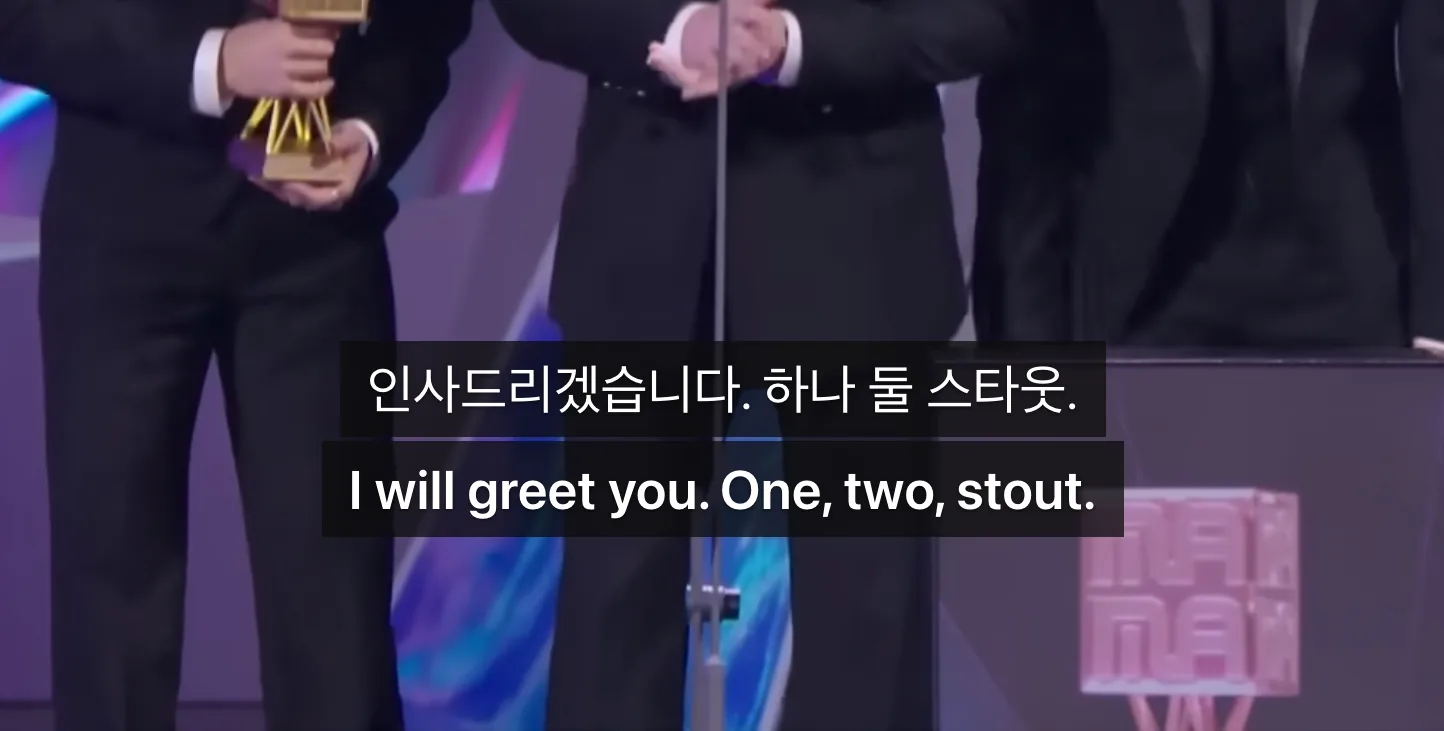
- Crowd cheers and fast slogans: When an arena roars or a group shouts an energetic rallying cry together over background music, speech recognition can occasionally mishear the syllables and translate them literally.
- Multilingual speeches: Idols frequently switch to English, Japanese, or Mandarin to thank international fans. When an artist switches languages mid-speech while the system expects Korean, the audio may be transcribed as phonetic Korean syllables, leading to garbled text:
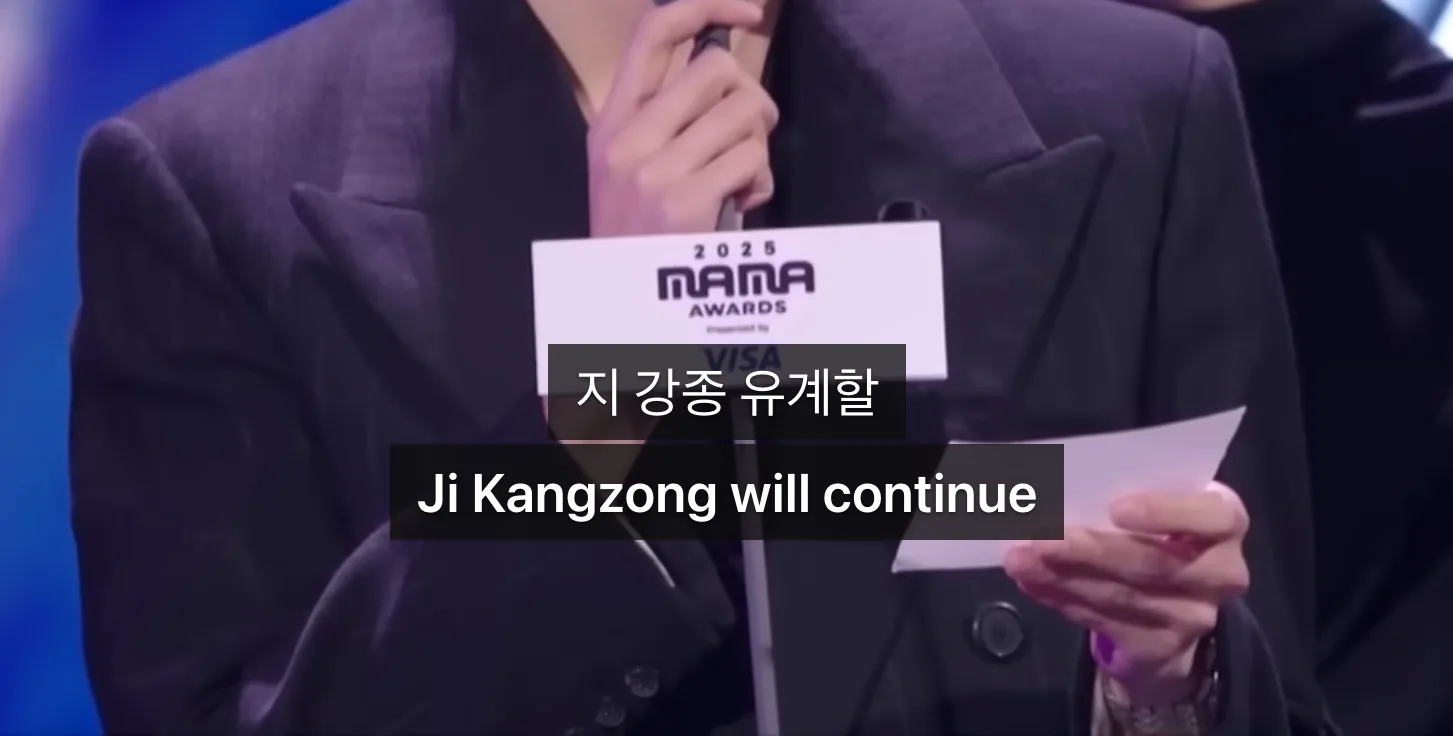
Whenever an idol switches to a language you already understand, simply listen directly to their voice.