How to Enable Bilingual Subtitles on DramaBox: Side-by-Side Subtitles on the Web
 Equalang
In brief
Watching DramaBox short dramas on desktop browsers often means dealing with fast dialogue, foreign audio, or hardcoded monolingual subtitles. This guide explains how to view original dialogue and translations side by side directly in the player using real-time audio translation or subtitle translation.
Keywords: DramaBox; bilingual subtitles; short drama translation; real-time audio translation; Equalang; dual subtitles
When binge-watching fast-paced short dramas on DramaBox—such as billionaire contract marriages or dramatic revenge plots—the biggest disruption to the viewing experience is often the language barrier. Actors deliver dialogue at breakneck speed during heated arguments or shocking plot twists, loaded with colloquialisms and slang, while many series offer only foreign voiceovers or hardcoded monolingual subtitles burned onto the screen. If you miss a crucial line, you lose the emotional thread of the entire episode; if you pause to look up unfamiliar words, the thrilling momentum of a two-minute episode is completely ruined.
To listen to the original audio while reading side-by-side translations on your computer browser, you can turn to the Equalang browser extension. DramaBox is among the video platforms supported by Equalang. For dramas without dedicated subtitle tracks, Equalang's real-time audio translation can listen to the sound directly to generate and translate subtitles on the fly. If the video already comes with toggleable original subtitles, it can also translate them directly into side-by-side bilingual subtitles on the screen.
Steps to Enable Bilingual Subtitles on DramaBox Web
After adding the Equalang extension to your desktop browser (Chrome, Edge, and Firefox are supported, and Mac users can also install a temporary Safari version), follow these steps to enable bilingual subtitles:
- Open an episode and bring up the control menu: Navigate to a DramaBox episode playback page in your browser, then click the Equalang icon on the video player to open the settings panel.
- Enable real-time audio translation or subtitle translation: Since many short dramas lack independent, selectable subtitle tracks (or have subtitles burned directly into the video), you can toggle on "Real-Time Audio Translation" in the panel to generate original captions and translations directly from the audio. If the current episode offers toggleable subtitles in the original language, turn on the original subtitles in the player first, then enable "Subtitle Translation".
- Adjust display mode and placement: Set the target language to "Simplified Chinese" in the panel. You can switch the display mode between "Bilingual Subtitles" and "Translation Only", and choose to display the translation "Above Original" or "Below Original" to match your reading preferences.
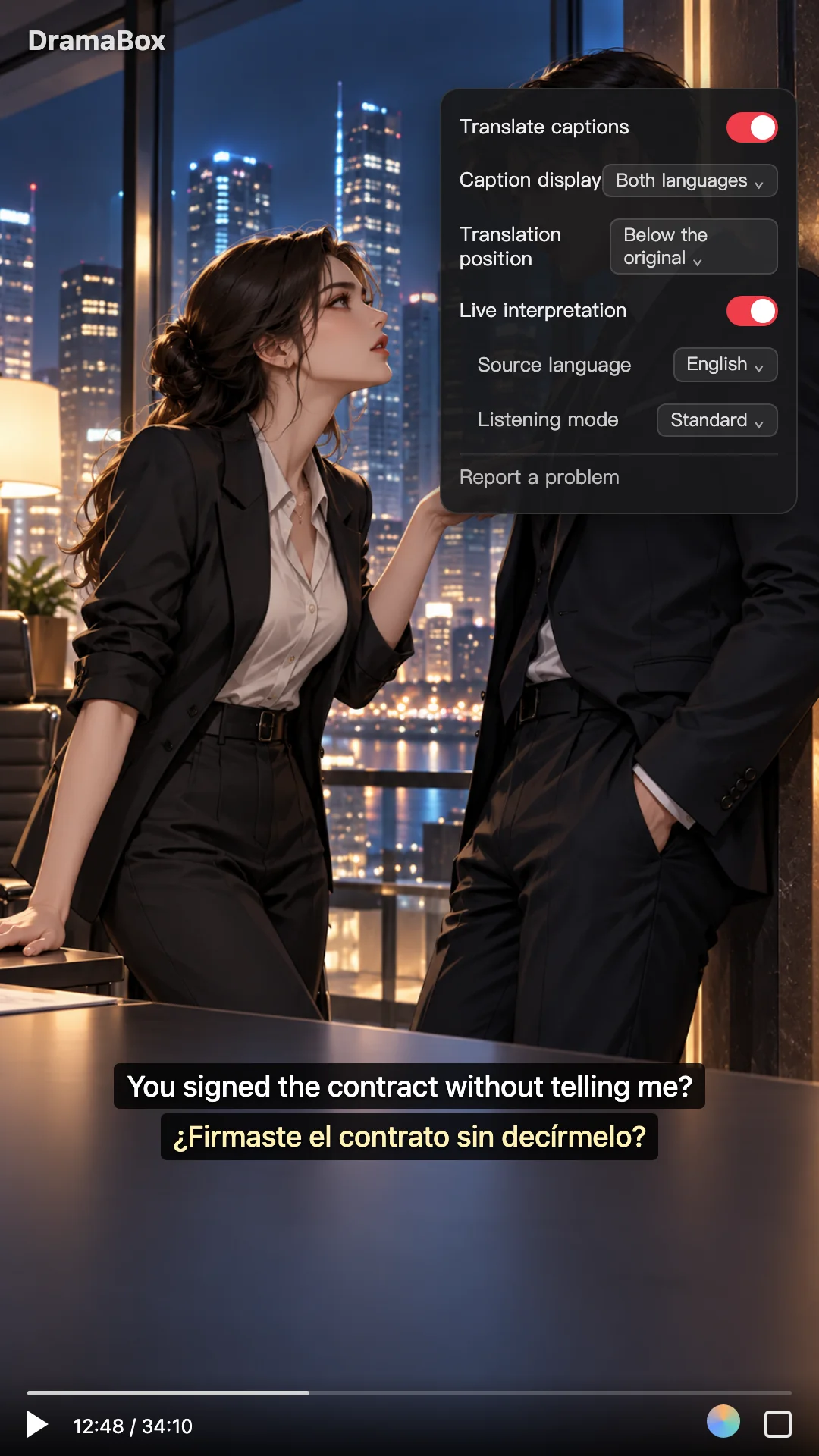
Once configured, when a character delivers a confrontation line like "You signed the contract without telling me?", the screen will simultaneously display the original English sentence and the Chinese translation "你没告诉我就签了合同?", saving you from getting distracted trying to guess what was said.
Limitations and Workarounds When Watching Dramas
Short drama audiovisual production and web playback environments have unique characteristics. Keep the following practical factors in mind when using real-time audio translation or subtitle translation:
- Browser and video source limitations: Whether real-time audio translation starts smoothly depends on browser permissions and video source constraints. If an alert indicates that no audio is detected when activating translation, first check that the video is playing with sound and try again. If the video stream on the current page is restricted by cross-origin policies or encryption protection that prevents direct audio capture, real-time audio translation cannot be used.
- Background music and overlapping speech: Climax scenes in short dramas frequently feature loud suspenseful background music, action sound effects, or multiple characters talking over each other in arguments. Such background audio interference can affect speech recognition, occasionally leading to less accurate transcription or translation for certain lines.
- Playback delay during live translation: When using real-time audio translation, video playback runs a few seconds behind the live stream to allow time for capturing and translating incoming dialogue so that each subtitle and translation appears in sync with spoken words. With unusually long sentences or network lag, occasional subtitles may appear slightly later.
Comparison of Common Ways to Watch Short Dramas
If you regularly watch foreign short dramas or foreign-language videos on your computer, you can choose the right approach based on your video source:
- Watching directly on the platform: Instant access with no extensions required. However, if the drama only has foreign voiceovers or monolingual subtitles, you must rely entirely on your own listening skills or pause to look up words whenever encountering long sentences, slang, or specialized terminology like legal contract clauses.
- Built-in browser page translation: Full-page translation built into Chrome or Edge is great for reading episode titles, synopses, and website navigation, but it cannot process video audio or convert video subtitles into stacked bilingual captions.
- Equalang browser extension: Displays bilingual or translation-only subtitles directly inside the video player, with flexible placement above or below the original text. Beyond DramaBox, it also supports subtitle translation or real-time audio translation across platforms like ReelShort, GoodShort, YouTube, TikTok, and Netflix (available features depend on whether the platform provides native subtitles and on audio restrictions). The extension shares the same account and credit balance with the Equalang website, eliminating the need for separate top-ups.
If you also watch unsubtitled long-form foreign videos or interviews on your computer in addition to web short dramas, you can use the same setup to display bilingual subtitles and avoid the hassle of switching windows to look up words.
Sources
- DramaBox official website: https://www.dramabox.com/
- Equalang browser extension overview: https://equalang.com/extension