Real-Time Translation on Douyu: Web Bilingual Subtitle Setup Guide
 Equalang
In brief
Learn how to use the Equalang extension to capture live stream audio and display bilingual subtitles while watching esports tournaments or livestreams on Douyu, including source language configuration and subtitle display adjustments.
Keywords: Douyu; real-time audio translation; bilingual subtitles; esports tournaments; live stream subtitles; Equalang
When watching international tournaments or creator streams on Douyu, many viewers want to easily follow the live action and commentary. However, live commentary is often fast-paced and packed with tactical abbreviations and gaming jargon, and the platform generally does not offer real-time multilingual subtitles.
Some viewers turn to conventional translation extensions, only to find that they cannot convert live stream audio directly into subtitles. This guide explains the nuances of translating live audio and walks you through setting up real-time bilingual subtitles in the Douyu web player using the Equalang browser extension.
1. Subtitle Needs and Characteristics in Live Streaming
On-demand videos (VODs) can usually be paired with pre-made subtitle files, but live streams come with distinct characteristics:
- Lack of pre-made subtitle tracks: Live streams are dynamically generated audio and video feeds; platforms generally do not provide ready-made external subtitles or official multilingual audio tracks.
- Standard page translation cannot process audio: Built-in browser page translation tools target web page text (such as news articles, forum posts, or static descriptions) and cannot directly capture or translate spoken audio within a video player.
- Direct audio capture is required: To generate real-time subtitles for live streams, a tool must be capable of capturing the audio during video playback and performing speech recognition alongside text translation.
2. Enabling Real-Time Audio Translation in Douyu's Player
After installing the Equalang extension on Chrome or Edge (desktop), open any Douyu live room. An entry icon will appear in the player's bottom control bar. Click it to expand the control panel and configure your settings:
- Turn on interpretation and display settings: In the panel, enable "Live interpretation" and subtitle translation. You can configure caption display to "Both languages" or show translation only, and position the translated text either below or above the original text.
- Manually select the source language: During testing in Douyu live rooms, leaving the source language on "Auto-detect" may trigger an error message: "Failed to start: Unable to identify source language, please select manually." In this case, manually choose the corresponding language (such as Chinese or English) from the "Source language" dropdown to ensure recognition starts properly.
- Target language and subtitle output: Set the target language to your preferred language. The extension captures the audio from the video and generates corresponding subtitles directly on the player in real time.
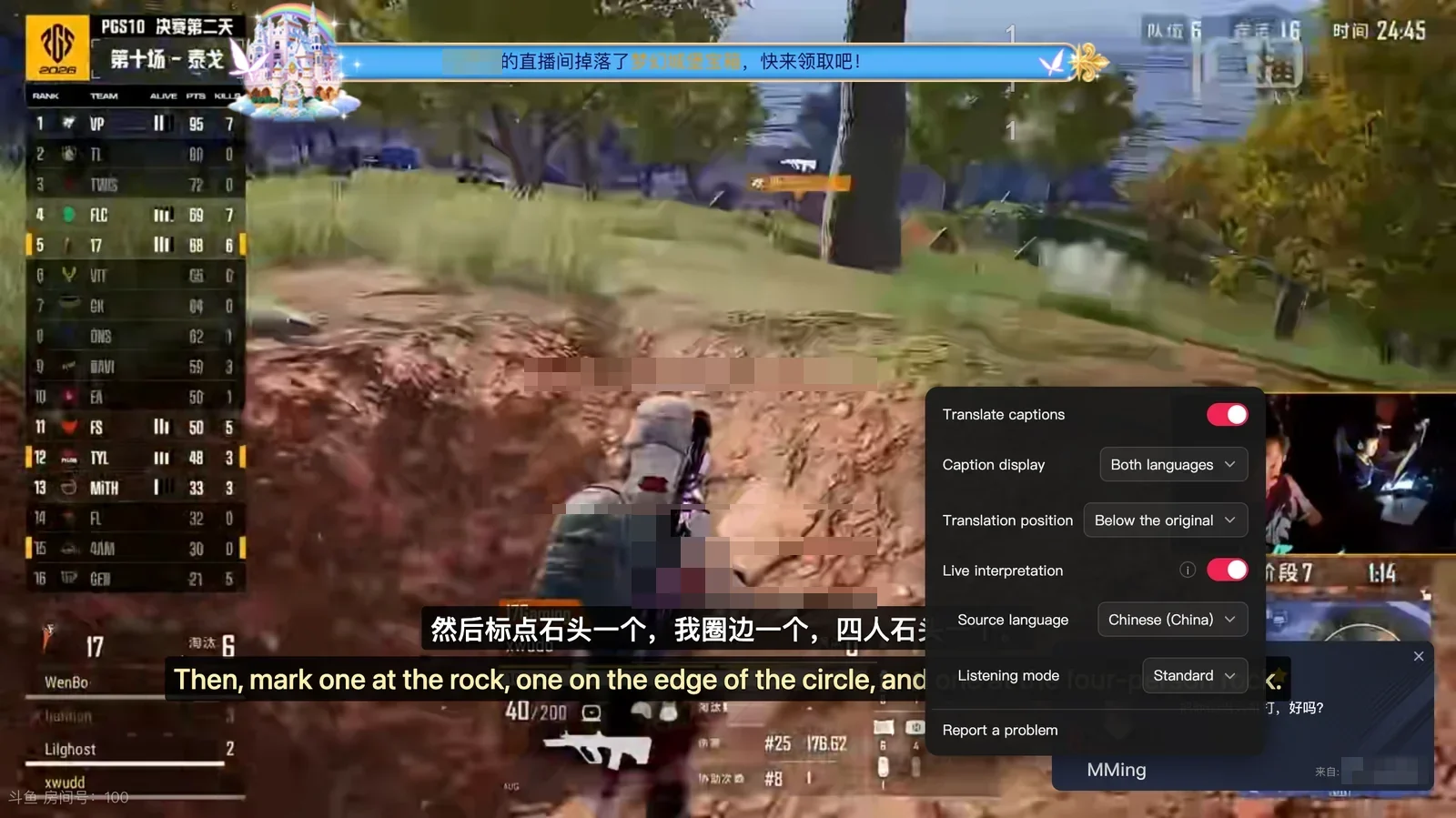
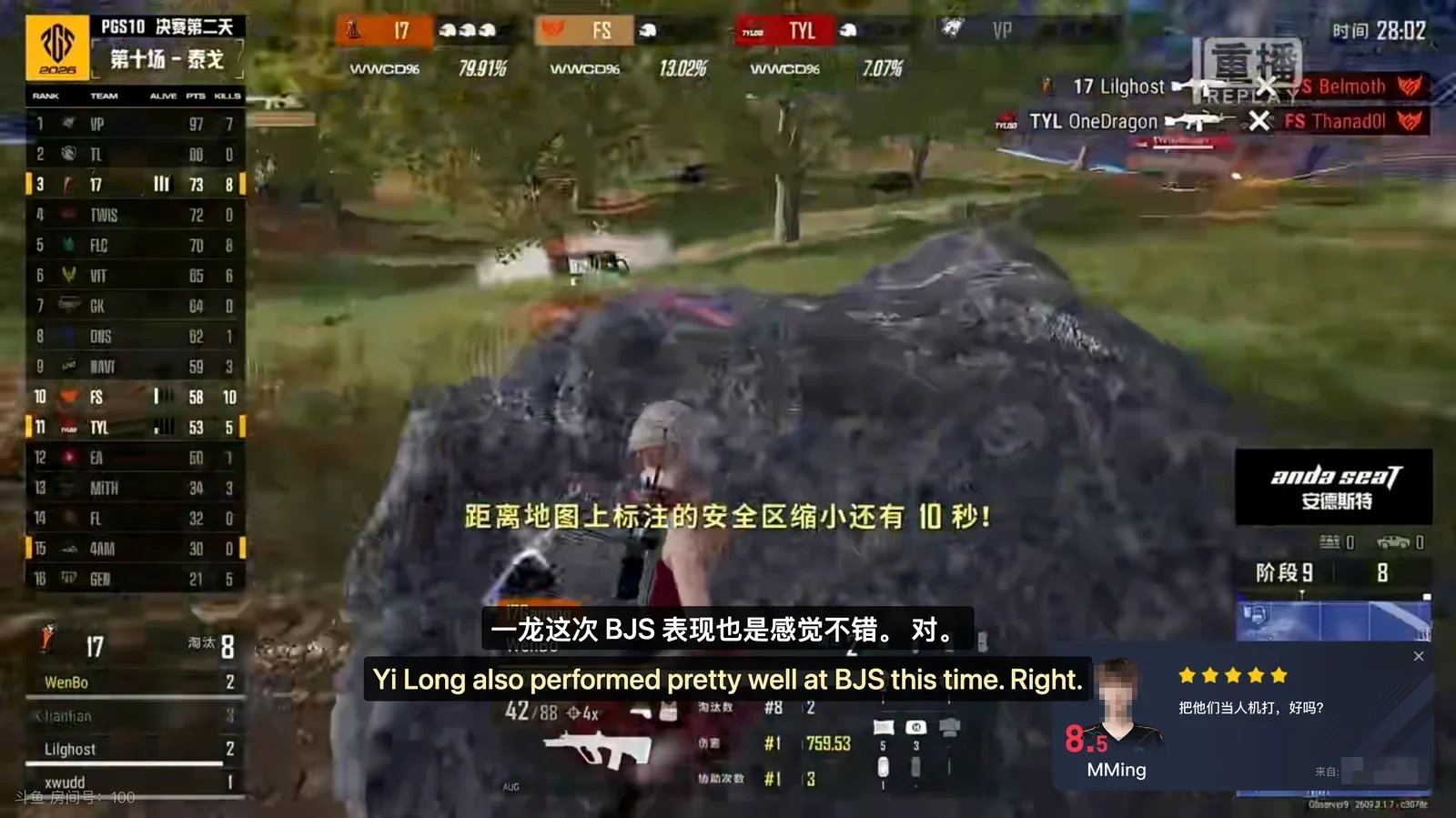
In actual testing (using an official Douyu esports live broadcast as an example), setting the source language to "Chinese (China)", the target language to English, and enabling standard interpretation mode displays bilingual subtitles below the player:
3. Comparison of Common Live Stream Translation Methods
To address language barriers during live streams, here is how common translation approaches compare in their use cases and features:
4. Usage Tips and Technical Limitations
When using real-time audio translation to assist your viewing, keep the following considerations in mind:
- Impact of background audio and commentary mixing: Real-time translation requires a relatively clear vocal signal. During critical teamfights or intense skirmishes, overlapping background game audio, crowd cheers, or multiple commentators speaking simultaneously can impact speech recognition clarity. In contrast, speech-centric segments such as pre-game analysis and post-match interviews typically yield much more consistent subtitles.
- DRM encryption restrictions: Encrypted video streams cannot be transcribed or translated. Standard public streams on Douyu allow audio capture without issue, but if a stream is protected by copyright encryption, audio cannot be extracted for processing.
- Semantic segmentation and processing latency: Real-time simultaneous interpretation must receive a continuous segment of speech to establish complete meaning before translating. Consequently, there is a natural processing buffer between spoken audio and subtitle display, making absolute zero latency impossible.
Sources
- Douyu Live Streaming Platform Official Website: https://www.douyu.com/
- Equalang Browser Extension Official Description: https://equalang.com/extension