How to Watch APEC 2026 Live Streams with Synced Subtitles
 Equalang
In brief
How to follow APEC 2026 live streams with bilingual subtitles that appear in sync with the speaker’s voice, and in-person speeches where subtitles and translation appear as people speak.
Keywords: APEC 2026; live stream subtitles; live interpretation; conference translation; bilingual subtitles
APEC 2026 in Shenzhen brings a dense schedule of high-stakes discussions—from Senior Officials' Meetings to the APEC CEO Summit and the Economic Leaders' Meeting. When keynotes and plenary panels go live, you want to follow every word as it happens.
Yet tuning into international live streams often comes with immediate friction. Most official broadcasts carry only ambient floor sound or a single language audio feed, with no live subtitles in your language. Trying to follow rapid multilateral remarks without captions is exhausting, and waiting hours or days for post-event transcripts or translated summaries means missing the conversation when it matters most.
With synced live translation, you can follow the broadcast in real time and understand the discussion as it unfolds.
Watching Live Streams with Synced Subtitles
Official livestream links for APEC 2026 will be released by host organizers closer to the event dates, typically broadcasting across public platforms like YouTube. While YouTube provides built-in automatic captions and auto-translation for certain feeds, many international live streams lack immediate multilingual subtitles.
Below, we demonstrate how to handle this using Equalang. With the Equalang browser extension installed on Chrome, Edge, or Firefox, subtitles and translations appear right alongside the speaker's voice in sync. Instead of struggling to keep up with spoken dialogue or reading text that lags behind, you can comfortably follow along and enjoy the live stream.

Quick Setup for Live Streams
- Add the Equalang browser extension to Chrome, Edge, or Firefox.
- Open the official APEC 2026 live stream on YouTube.
- Click the Equalang icon on the video player and enable live interpretation (audio capture) for streams without native captions.
- Choose the speaker's language and the language you want to read. (For streams or videos that already include native subtitles, you can simply select subtitle tracks to view bilingual subtitles.)
In the Room: Live Listening on Your Phone or Laptop
If you are attending side sessions, bilateral meetings, or sponsor roundtables on the ground where simultaneous interpretation headsets have run out or are not provided, you do not need dedicated hardware to keep up.
Through Equalang Live Listening, speech interpretation runs straight in your mobile, tablet, or laptop browser without installing any apps.
How to Follow an In-Person Session
- Open Equalang Live Listening in your browser before the session begins.
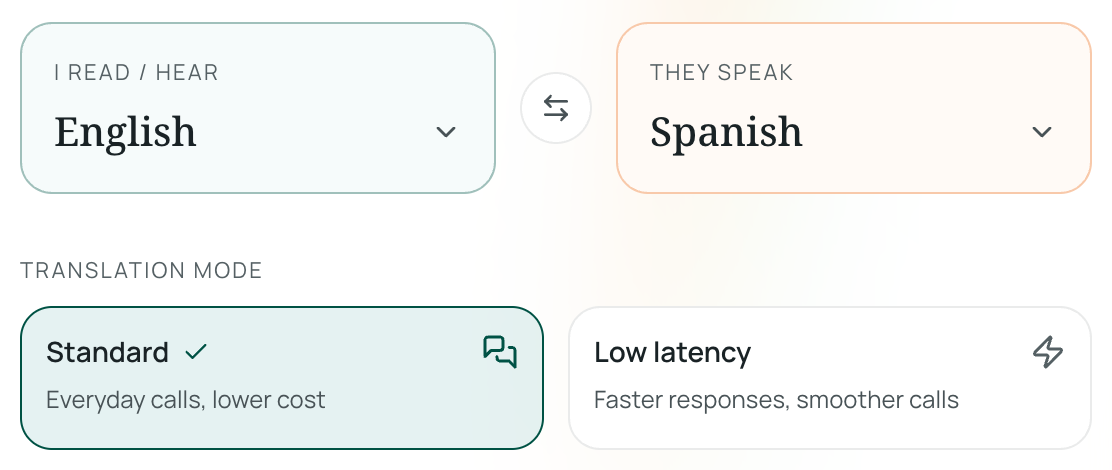
- Set the speaker's language and select the language you prefer to read or hear.
- Choose your display mode: Standard Mode for complete, balanced sentences, or Low-Latency Mode for fast phrase-by-phrase delivery that closely tracks the speaker's cadence.
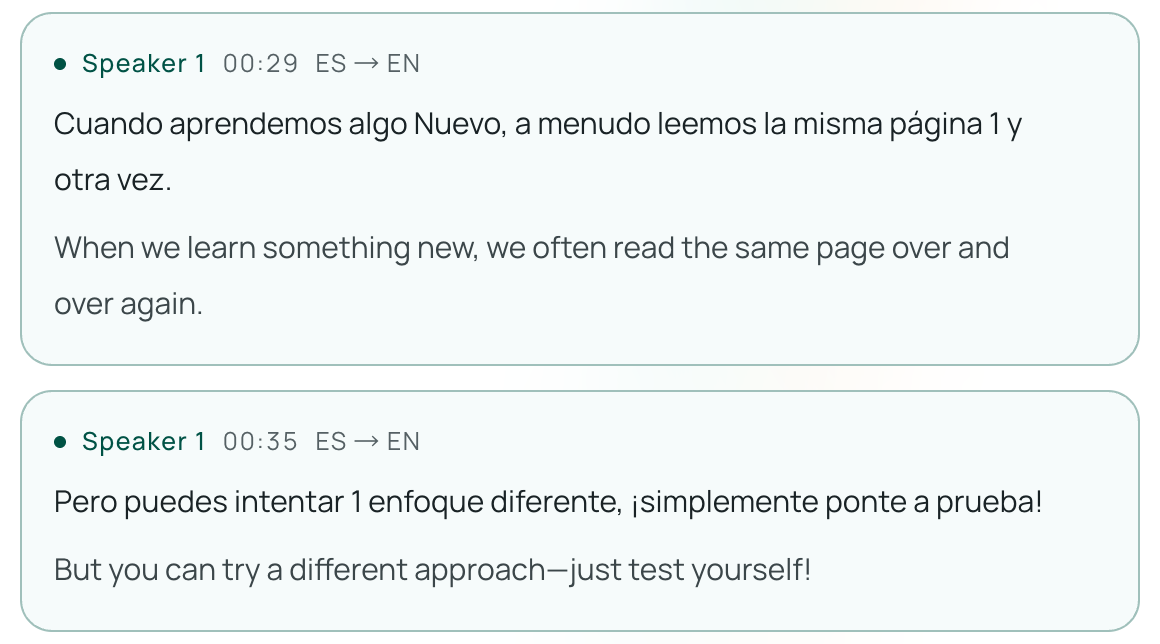
- Subtitles and translation appear as people speak—read the original speech and translated text side by side on your screen, or plug in earphones to hear the translated speech.
When the presentation wraps up, you can review and export the full bilingual transcript with timestamps to help draft reports, take meeting notes, or verify details.
Replays and Highlight Clips
If time zones or schedule conflicts keep you from watching live, the same browser extension works on recorded event replays, press conference archives, and official video summaries on YouTube, allowing you to catch up with bilingual subtitles at your own pace.
Practical Tips for a Smooth Experience
To get the clearest translations during live events, keep a few practical pointers in mind:
- Microphone Placement in Auditoriums: In-person devices rely on built-in microphones. When sitting in a large conference room, choosing a seat closer to the venue's public address (PA) speakers delivers cleaner audio to your device.
- Overlapping Speech and Applause: During lively panel debates or when audience applause swells over the speaker, an occasional phrase may be misheard.
- Names and Technical Terms: Policy acronyms, multilateral economic terms, and regional idioms may translate literally. Always check official conference communiqués and briefing sheets for critical policy wording, data, and official quotes.
- Venue Policies: Respect room rules regarding personal audio recording and privacy guidelines during closed-door sessions.