Can't Wait for Subbed Clips? Watch Raw Korean & VTuber Livestreams with Equalang Live Subtitles and Chat Translation
 Equalang
In brief
Struggling to follow raw Korean broadcasts or Japanese VTuber livestreams before fan translations drop? Use the Equalang browser extension for real-time bilingual voice subtitles and line-by-line live chat translation.
Keywords: raw VTuber livestream translation, real-time live stream subtitles, Japanese VTuber translation, live chat translation, YouTube Live bilingual subtitles
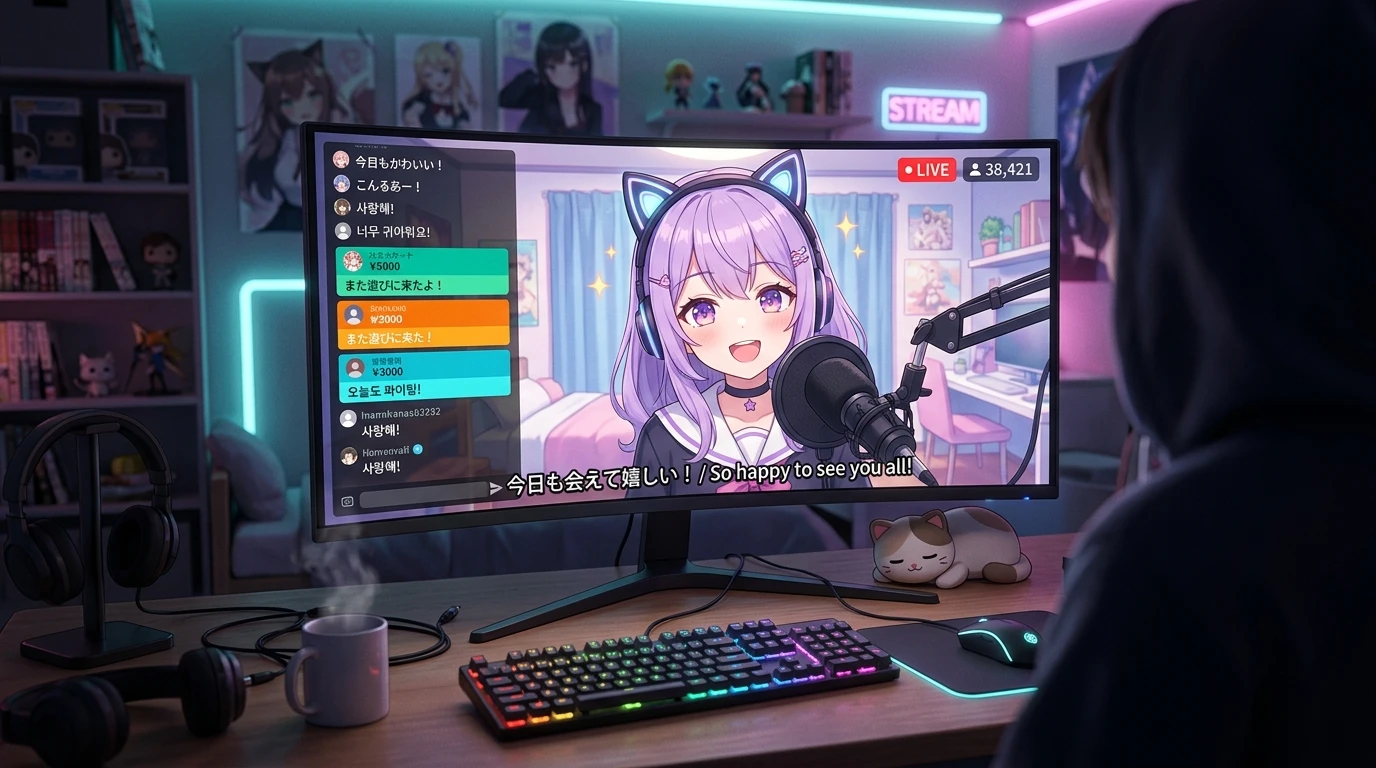
Whether tuning in to a live Korean pop comeback broadcast or catching a Japanese VTuber's singing stream (uta-waku) and gaming talk show, fans across the globe often experience the exact same frustration:
On screen, the streamer is animated and laughing, while the live chat scrolls past at lightning speed with community jokes and inside memes. But with headphones on, listening to an entirely foreign audio stream, you are left trying to piece together the context from the handful of words you happen to recognize. Waiting for community subtitlers to clip, translate, and upload edited highlights often takes two to three days or even longer. By the time those subbed videos finally drop, the raw excitement, spontaneous surprises, and shared community energy of the live broadcast have long faded.
The appeal of raw livestreams is that they are happening right now. To truly feel the pulse of a stream, catching up after the fact is never quite the same. What you need is real-time interpretation while the broadcast is underway: converting the original audio track into synchronized bilingual subtitles on-screen, while simultaneously translating the scrolling sidebar chat line by line.
1. Why Raw Foreign-Language Livestreams Are So Difficult to Follow
With pre-recorded shows or subtitled videos, you can always pause to look up unfamiliar vocabulary. Overseas raw livestreams, however, present multiple compounding challenges:
- Rapid speech layered over background music: During free-talk or gaming streams, streamers speak rapidly, use frequent interjections, and often play lively background music (BGM). General-purpose speech recognition tools struggle to isolate voice tracks from background audio, leading to dropped words and broken sentence segmentation.
- Chat streams packed with slang, abbreviations, and inside memes: As the streamer speaks, the live chat scrolls furiously, flooded with phonetic puns, onomatopoeia, and platform-specific slang (such as Japanese netslang or Korean chat acronyms). Without understanding the chat, you miss the context behind what the streamer is reacting to, cutting the interactive experience in half.
- Conventional translation tools cannot handle live video streams: Standard web translators only work on static webpage text, or require recording an entire audio clip before running transcription. They cannot deliver floating on-screen subtitles over dynamic video players.
To comfortably enjoy raw livestreams, a tool must address both fundamental needs simultaneously: understanding what the streamer is saying, and following what the community is chatting about.
2. Core Capabilities Needed for Seamless Raw Livestream Viewing
An effective live-streaming companion tool must deliver three essential capabilities in practice:
- Real-time audio capture with bilingual subtitle overlay: Performs segmentation and recognition on the original audio, floating clean bilingual subtitles—original speech on top and translated Chinese below—at the bottom of the video player, allowing you to follow the dialogue effortlessly while learning authentic expressions.
- Dynamic live chat stream integration: Monitors the side chat window on select supported livestream platforms (such as YouTube Live) in real time. As new messages roll in, it appends localized translations directly beneath the original text without disrupting chat layout, badge styling, or scrolling momentum.
- Zero-setup browser integration: Operates seamlessly as a lightweight browser extension without requiring virtual audio cables, complex routing software, or third-party capture plugins. You simply open the stream and start watching.
3. Three Steps to Watch Raw Livestreams with the Equalang Browser Extension
To address multilingual video and live-streaming workflows, here is a complete walkthrough using the Equalang Browser Extension developed by our team. (If you only need basic monolingual captions, built-in platform auto-captions can sometimes suffice, but for raw livestreams without official subtitle tracks and fast-moving multilingual chat, a dedicated tool provides far greater consistency):
Step 1: Open the Livestream in Your Browser
After installing the Equalang Extension in Chrome, Edge, or Firefox, navigate to your desired stream on YouTube, Twitch, or Korean platforms like CHZZK.
Once inside the stream, the Equalang control widget appears smoothly within the player interface.
Step 2: Enable Live Speech Translation for Real-Time Bilingual Subtitles
First click the Equalang icon in the browser toolbar, and under Translation Settings in the control panel, set the target language to Simplified Chinese (skip if already Simplified Chinese); then click the Equalang icon on the player control bar, open Live Speech Translation, and select the language the streamer is speaking under Source Language (e.g., Korean, Japanese).
The image below illustrates the subtitle display position after enabling Live Speech Translation:
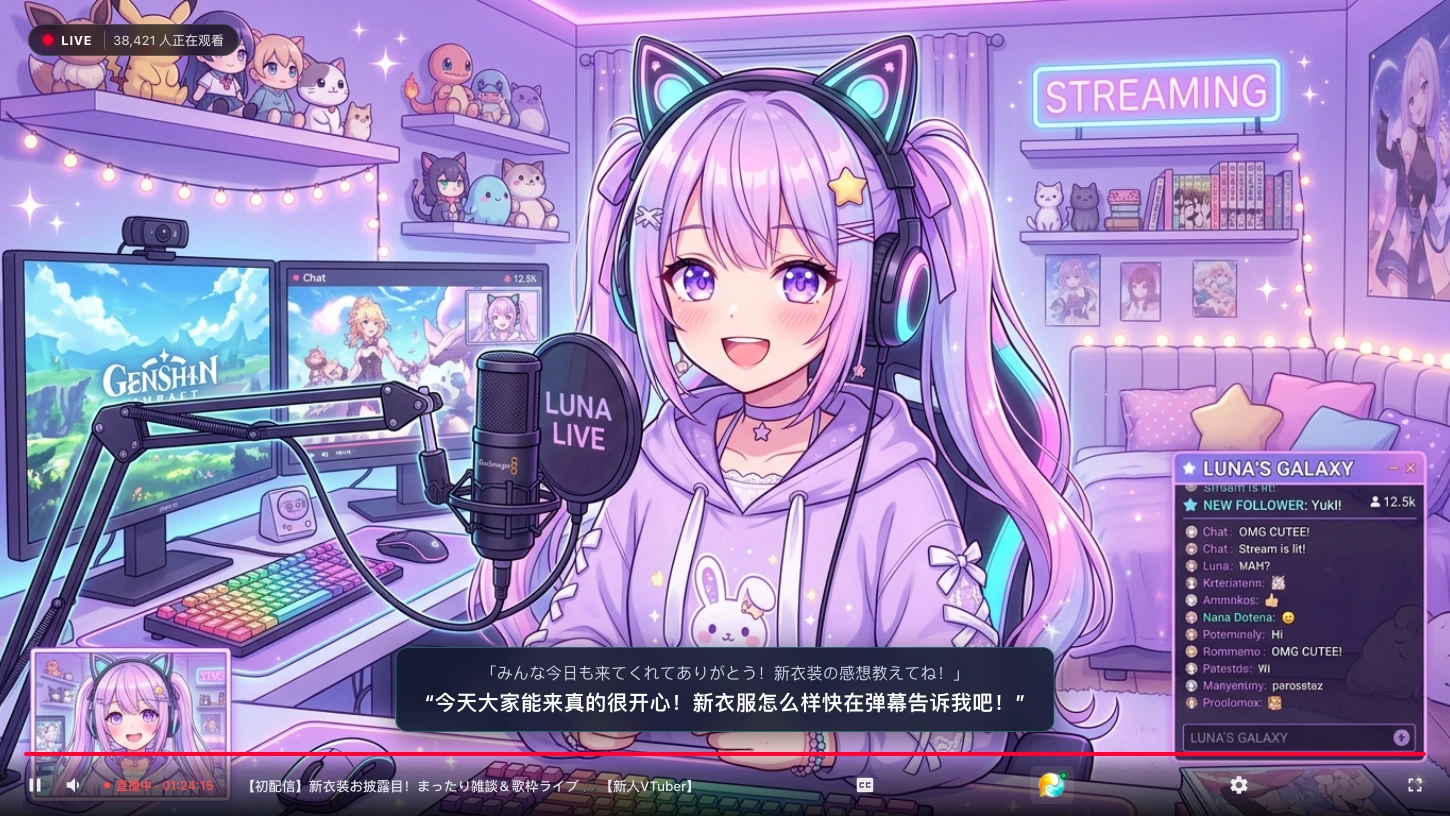
The image above illustrates the subtitle presentation in a Japanese VTuber new outfit reveal and singing stream (uta-waku) talk show scenario.
In a raw stream without an official subtitle track, bilingual captions appear centered on a translucent dark overlay along the lower portion of the screen:
- Original Japanese audio: The top line illustrates the original Japanese sentence
「みんな今日も来てくれてありがとう!新衣装の感想教えてね!」; - Live translated subtitles: The bottom line illustrates the corresponding Chinese translation
“今天大家能来真的很开心!新衣服怎么样快在弹幕告诉我吧!”.
Subtitles are displayed at the bottom of the screen, with the original text on top and the translation below (can be swapped under Translation Position).
Step 3: Activate Line-by-Line Live Chat Translation
In addition to following the streamer's voice, you can enable live chat assistance.
Turn on Viewer Message Translation in the settings menu, and the extension will automatically manage the scrolling sidebar feed, translating incoming chat messages line by line:
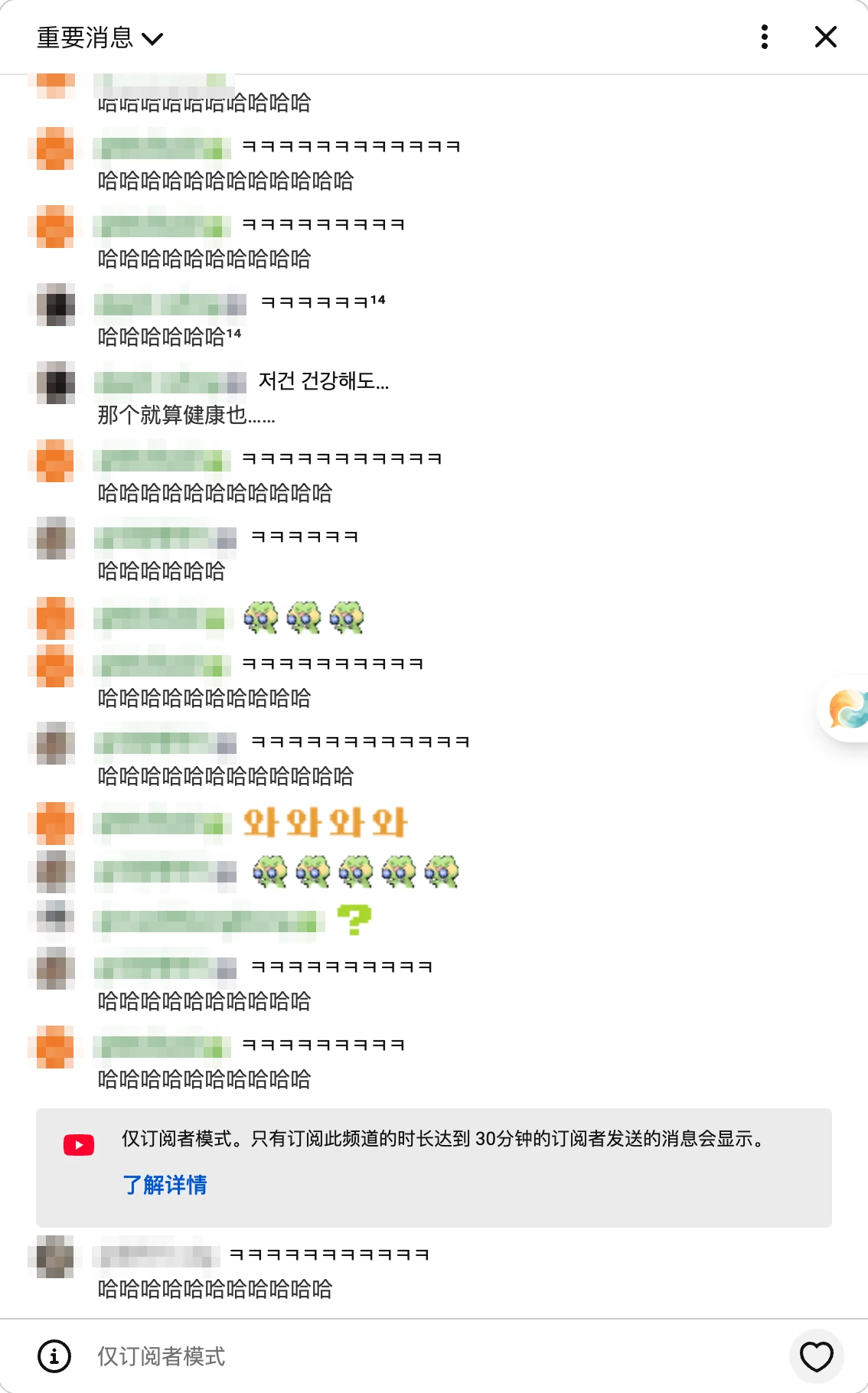
The image above shows the translation effect in the sidebar chat stream. Once Viewer Message Translation is enabled, Korean messages are translated into Chinese and displayed beneath the original messages:
- Korean text messages: For example,
저건 건강해도…is translated as那个就算健康也……and displayed below the original message; - Laughter messages: Chat in late-night Korean streams is mostly laughter; for example,
ㅋㅋㅋis generally translated into an equal number of哈characters; - Emoji and sticker messages: Emoji or sticker messages do not have a translation line.
Whether dealing with standard Korean text messages or screen-filling laughter comments, you can read along smoothly as the chat rolls, instantly catching why the entire room is laughing or cheering.
4. Four Practical Tips for a Better Raw Livestream Experience
When watching raw livestreams with real-time translation, keeping a few practical habits in mind can noticeably enhance comprehension:
- Balance game audio and microphone levels: If in-game background music or karaoke tracks overpower the streamer's voice, lower the in-game volume or increase the vocal track when separate controls are available. Clear vocal input significantly improves segmentation and speech recognition stability.
- Keep bilingual display active to absorb authentic speech: Keeping both the original transcript and translated text enabled lets you follow the main narrative while naturally picking up the streamer's catchphrases, colloquial tone, and vocal nuances over time.
- Read hyper-niche internet memes in context: Live chat slang and community acronyms evolve continuously. When a literal translation of an obscure meme appears slightly rigid, cross-referencing it with the streamer's physical reaction and accompanying emojis will usually make the context click immediately.
- Export bilingual transcripts for informational streams: For deep-dive Q&A sessions, developer streams, or creative talk shows packed with technical details, use the transcript export feature after the broadcast to review key segments and discussions at your own pace.
Instead of passively waiting days for subbed highlight clips, translating raw audio streams and live chat directly inside your browser lets you join the excitement in real time. Whether you are watching a K-pop comeback premiere or a VTuber milestone stream, you can share the moment alongside fans worldwide from the very first second.
Sources
- Equalang Browser Extension: https://equalang.com/extension
- YouTube Live Streaming API and Caption Specifications: https://support.google.com/youtube/answer/2853700
- NAVER CHZZK Live Streaming Platform Service Guidelines: https://chzzk.naver.com/