Deciphering Foreign Bistro Menus: How to Choose Photo Translation That Keeps Items and Prices Aligned
 Equalang
In brief
Dense layouts and stylized fonts on foreign restaurant menus often break conventional OCR. Here is a practical guide to menu photo translation with background inpainting and in-place alignment.
Keywords: travel menu translation, foreign restaurant photo translation, in-place menu translation, menu price alignment, bistro menu OCR
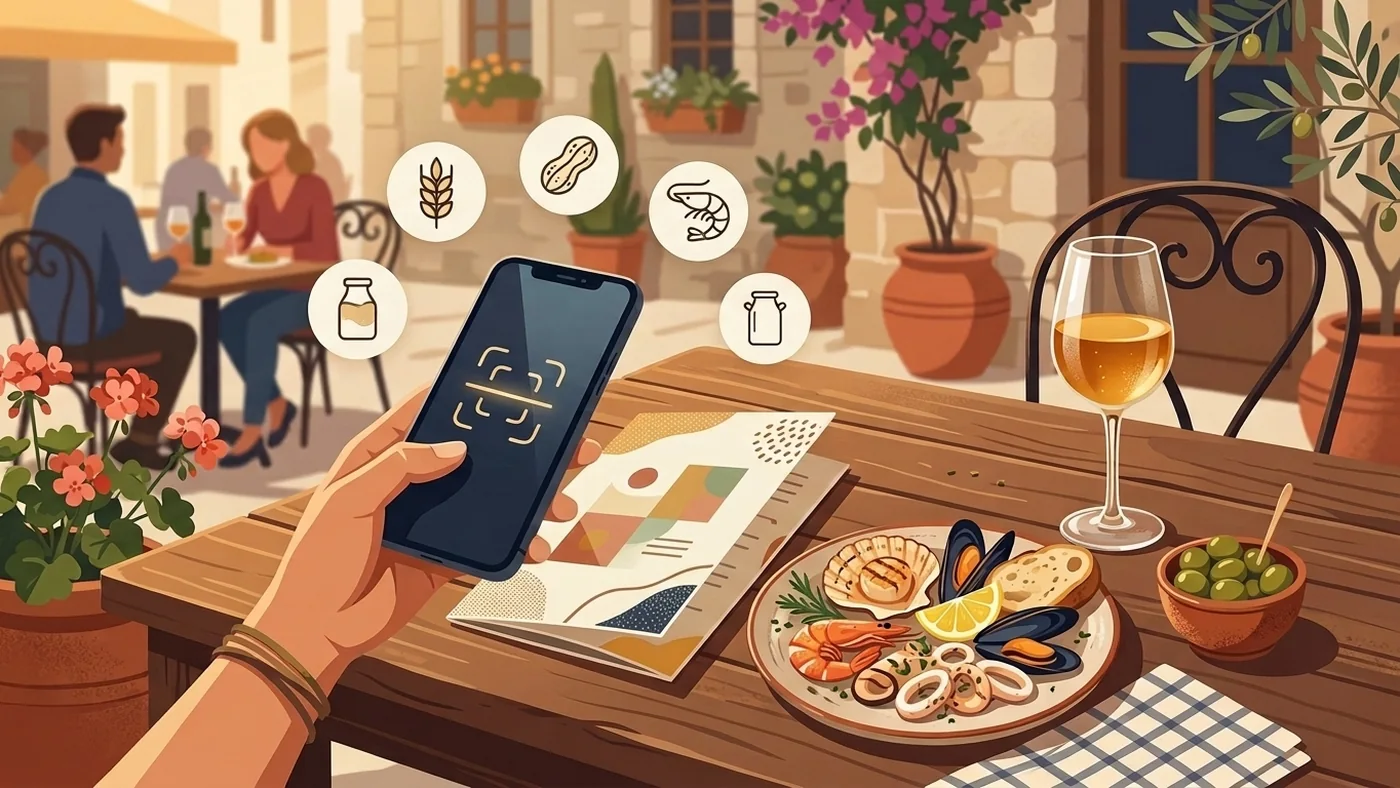
When traveling abroad for leisure or business, few experiences rival wandering into a neighborhood bistro, a family-run trattoria, or an old-world street café. Yet the moment a server hands you a printed paper menu written entirely in a foreign language, anticipation often gives way to hesitation. The page is frequently packed with regional ingredients, hyper-local sauce preparations, and compact cursive or stylized serif typography. Worse still, dishes and their corresponding prices are crammed together across narrow columns, separated only by faint dotted leader lines.
Many travelers reflexively pull out a smartphone to scan the menu using a standard translation app. Unfortunately, conventional tools routinely falter in restaurant settings. Live AR camera viewfinders jitter with every small hand movement, sending floating translated text drifting across lines until it is impossible to tell which dish matches which price. Alternatively, plain-text OCR tools strip out formatting altogether, dumping a continuous wall of unformatted text where appetizers, mains, desserts, and isolated price numbers blur into a confusing heap.
The central challenge of translating restaurant menus abroad comes down to three friction points: tight multi-column layouts that easily misalign, the critical need for strict horizontal item-to-price correspondence, and seamless background inpainting that avoids floating, obstructive overlays.
In this guide, we break down why menu photo translation presents such unique technical hurdles and demonstrate how modern background inpainting with in-place text replacement makes ordering abroad seamless and reliable.
1. Why Restaurant Menus Are the Ultimate Stress Test for Photo Translation
Many tools that perform adequately on everyday signage or product packaging break down when confronted with a printed restaurant menu. This stems from several structural quirks unique to menu design:
- Rigid horizontal multi-column grids: Menus are built around a strict structural logic: dish names and ingredient descriptions on the left, corresponding prices on the right. Standard OCR software frequently fragments this layout, parsing the right-hand column of numbers as an isolated vertical column. The resulting output lumps all dish titles at the top and loose prices at the bottom, breaking the spatial link between what you order and what it costs.
- Complex background textures and physical wear: European bistros and local diners often print menus on antiqued kraft paper, chalkboards, raw wood, or laminated sleeves with unavoidable glare and thumbprints. When an app merely slaps opaque white blocks over the original text, it obliterates surrounding context and produces a disjointed, unreadable visual mess.
- Hyper-local culinary terminology and preparation styles: Menus rely heavily on cultural loanwords, regional preparation techniques (such as charcuterie, ossobuco, or localized pasta sauces), and shorthand culinary terms. Rigid literal translation breaks these terms apart, confusing diners rather than clarifying what is on the plate.
A genuinely useful menu translation tool must execute three sequential steps: accurately detect and bound text blocks → intelligently erase the original text while reconstructing the underlying texture (image inpainting) → render localized translations directly onto original coordinates matching native typography, proportions, and baselines.
2. Comparing Common Menu Photo Translation Approaches
When deciphering foreign menus, travelers generally rely on three main approaches, each with distinct trade-offs:
For diners who want a calm, confident ordering experience without hovering an unsteady camera over the table, capturing a clear photo and generating a localized image that preserves exact item-and-price alignment remains the most practical workflow. Below, we walk through a real-world benchmark using our team's tool, Equalang.
3. Real-World Benchmark: Translating a London Café Menu
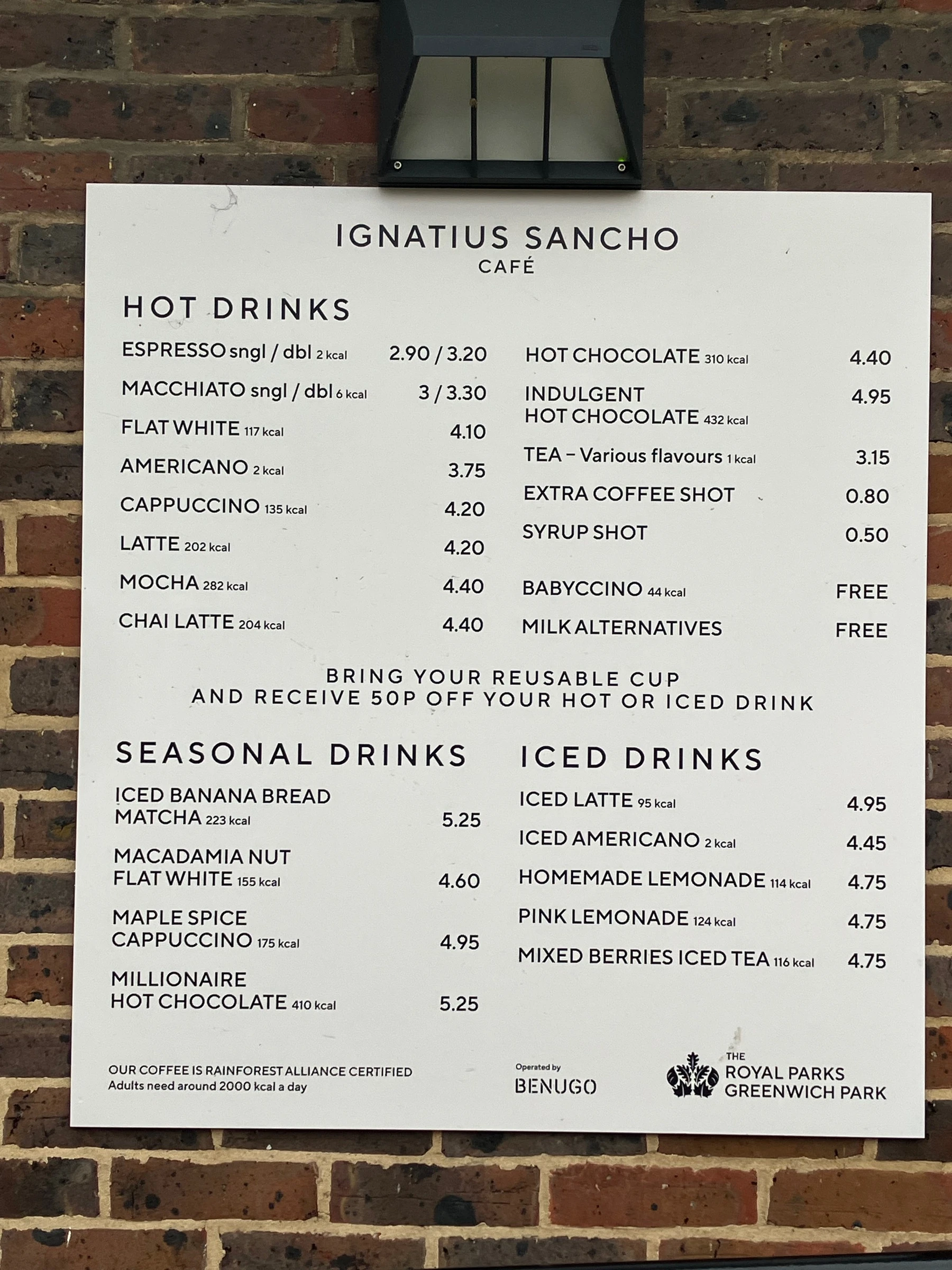
We evaluated this workflow using an English drinks menu from the Ignatius Sancho Café in London sourced from Wikimedia Commons (photographed by Jodiepedia on 2026-03-09, CC0 license). The original board features dedicated sections for cold and hot drinks, with each coffee and homemade beverage marked with specific prices in British Pounds (£), and a bring-your-own-cup discount notice in large letters right in the center:
Uploading the menu photo to Equalang Photo Translation (accessible directly via mobile or desktop browser) and selecting "Simplified Chinese" as the target language generates a clean, in-place localized version:
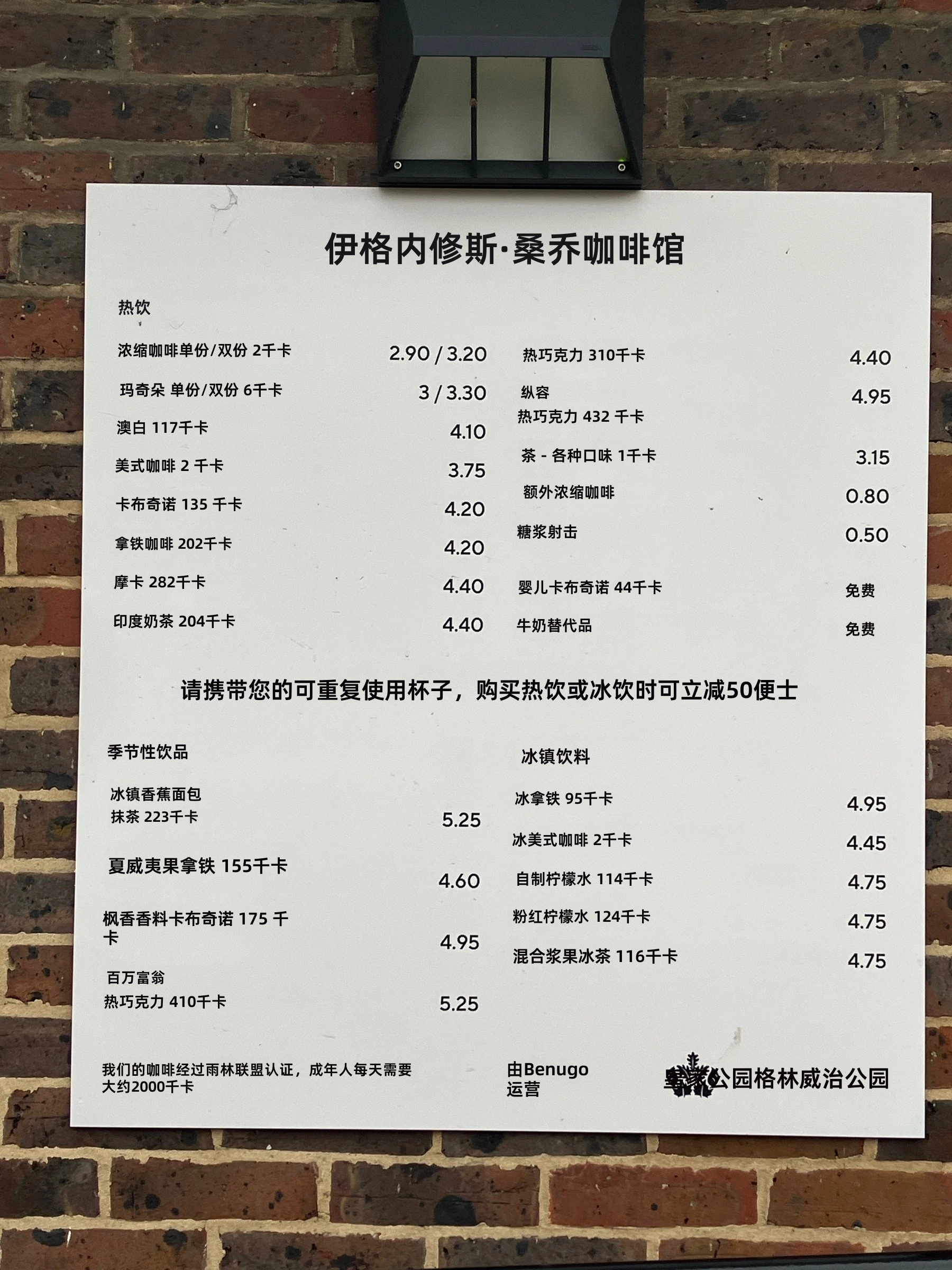
Examining the resulting translated document reveals several noteworthy technical details:
- Strict Horizontal Alignment Between Items and Prices: Dish names on the left (such as "冰拿铁" [Iced Latte], "冰美式" [Iced Americano], and "自制柠檬水" [Homemade Lemonade]) and the price markers on the right (
4.95,4.45,4.75) remain on the exact same baseline, making the cost of each drink clear at a glance. - Intelligent Background Inpainting: The original English typography was cleanly removed, and the surrounding off-white paper texture was reconstructed smoothly. Rather than blocking out sections with harsh solid boxes, the localized text appears naturally set into the original paper stock.
- Clear Rendering of Bring-Your-Own-Cup Discount: The environmental note marked in large letters right in the center offering a 50p discount for bringing your own cup (50p discount for bring-your-own cup) is clearly translated, ensuring you do not miss practical discount rules.
- Instant Toggle Between Translated and Original Views: In the Equalang interface, a single tap switches between the translated image and the original photo. When placing your order, flipping back to the original English view lets you point directly to native menu entries, eliminating miscommunication with the waitstaff.
4. Practical Tips for Ordering at Foreign Bistros
When dining abroad, pairing photo translation with practical ordering habits helps prevent common pitfalls:
- Angle Away from Harsh Spotlights and Shadows: Bistros often feature moody, low-level atmospheric lighting. Taking a photo directly from above often casts your phone's shadow across the page or catches glare from overhead halogen lamps. Tilting your phone slightly to find an even angle improves OCR detection accuracy significantly.
- Confirm Critical Food Allergies Verbally: If you have severe allergies to tree nuts, gluten, dairy, or shellfish, translation tools provide vital situational awareness, but you should always confirm verbally with your server before placing your order. Showing the specific dish on the original menu alongside a clear allergy notice ensures safety.
- Cross-Reference House Specials with Visual Reviews: Traditional restaurants frequently feature signature house specialties named after culinary founders or local landmarks. While in-place translation provides the ingredient composition and price, looking up photos of the dish on a local map or dining guide provides immediate clarity on portion size and presentation.
References & Sources
- Equalang Photo Translation
- European Food Safety Authority (EFSA): Guidance on the 14 Major Food Allergens in Catering Establishments
- W3C Internationalization (i18n): Text Layout and Multi-Directional Typography Guidelines