Reverso Features: Context Lookup & Document Review
 Equalang
In brief
An overview of Reverso Context for real-world phrase lookup and Reverso Documents for collaborative review, plus how it compares with Equalang.
Keywords: Reverso, Reverso Context, Reverso Documents, contextual dictionary, collaborative review, Equalang
When drafting an email in a foreign language or translating an international contract, writers often run into distinct hurdles: standard bilingual dictionaries supply static definitions but fail to clarify which prepositions or idioms native speakers naturally use in full sentences; on the other hand, translating an entire slide deck or legal agreement often demands sentence-by-sentence proofreading and colleague feedback before a final file can be dispatched.
Simple single-box translation tools rarely address this entire continuum of language tasks. Understanding product capabilities and operating conditions helps writers and teams pick the most appropriate tools for vocabulary study and document delivery. This feature overview is compiled by the Equalang team to outline Reverso's public capabilities, workflow parameters, and practical use cases, while explaining how it intersects with and complements Equalang.
1. Reverso Context: Phrase In-Context Search and Language Learning
For students and cross-border professionals, the core strength of Reverso Context lies in indexing words and phrases within authentic bilingual sentences rather than isolated dictionary entries.
Bilingual Sentence Retrieval and Grammar Filtering
Reverso Context draws its example sentences from a vast bilingual repository comprising movie subtitles, official international documents, websites, and news publications:
- Grammar Categories and Color Coding: When looking up an expression, results are color-coded by grammatical role and part of speech. Users can click a specific grammar category to isolate relevant usage patterns.
- Interactive Bi-Directional Filtering: Selecting a particular translation immediately filters the example list to sentences containing that rendering. Users can also expand advanced filters to exclude specific terms or click a highlighted translation to verify how it translates in the reverse direction.
- Broader Context and Error Reporting: Readers can click an example to view its broader context or source citation. Users can also flag problematic entries via feedback buttons. Because examples are extracted from real-world corpora, results may include colloquialisms, slang, or occasional alignment inaccuracies, requiring contextual judgment.
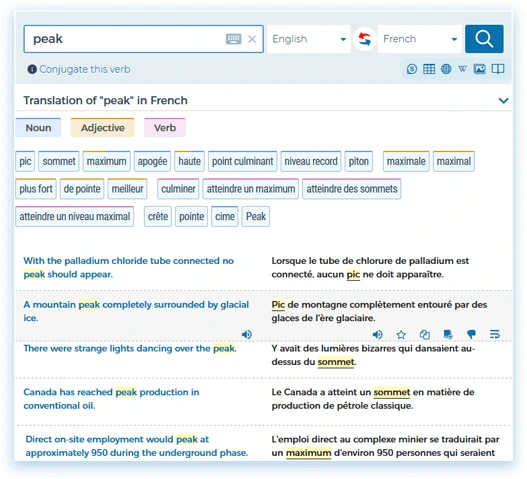
Figure: Reverso Context official dictionary example screenshot showing contextual sentence search.
Auxiliary Linguistic Tools and Synchronized Study
Alongside context lookups, Reverso provides an integrated suite of language-learning features:
- Verb Conjugation and Audio: A dedicated conjugation tool handles verbs in 10 languages (French, Spanish, Italian, German, Portuguese, Russian, Japanese, Arabic, Hebrew, and English), accepting both infinitive and inflected forms; native audio pronunciation helps users verify oral delivery.
- Synchronized Vocabulary and Practice: Queries and bookmarked favorites synchronize across the web version, browser extension, and mobile applications. On smartphones, the app leverages search history and saved lists to generate customized flashcards, quizzes, and memory games.
2. Reverso Documents: Format Preservation and Collaborative Review
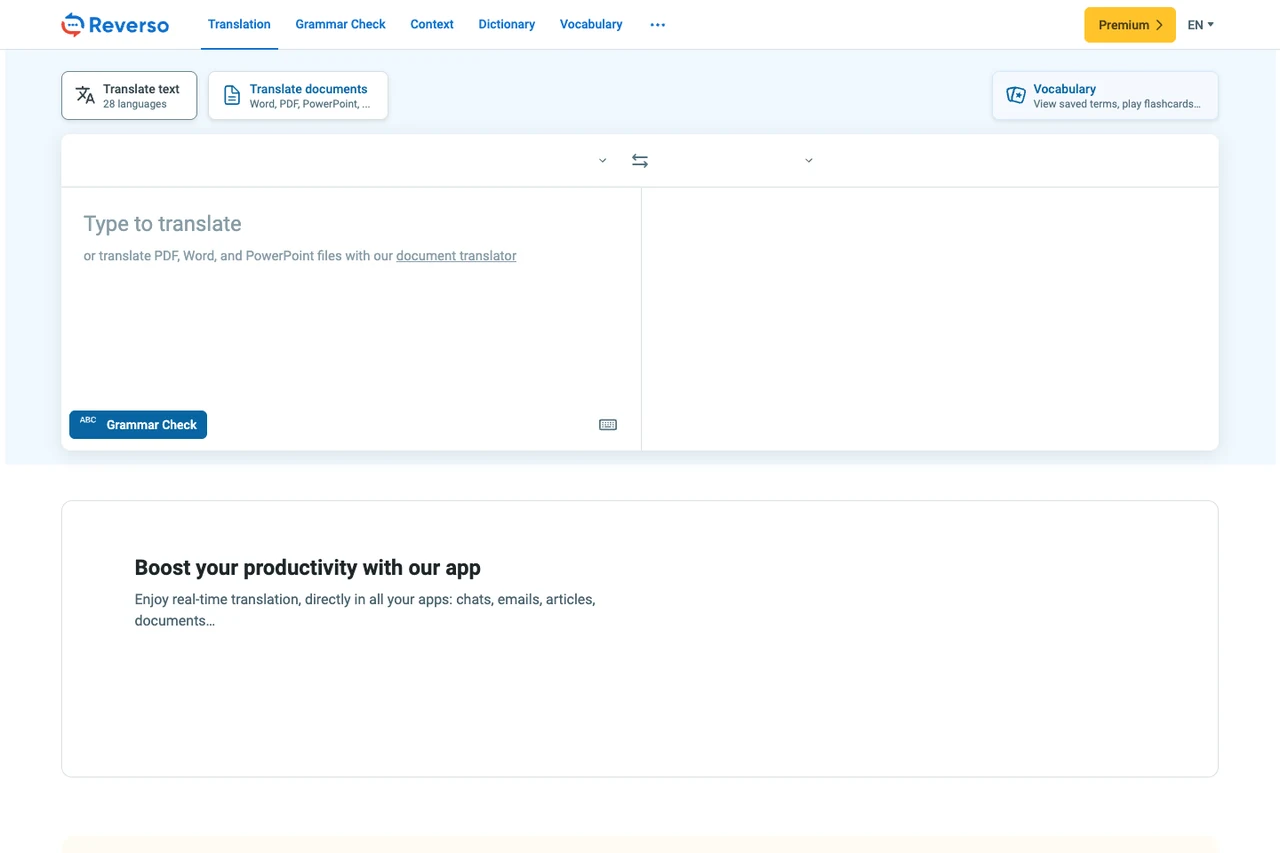
Beyond phrase queries, Reverso provides a specialized document translation portal known as Reverso Documents for handling full files.
Broad Format Support and Multi-Language Delivery
Reverso Documents accommodates general office files as well as technical software localization assets:
- Supported File Types: The portal accepts common office formats (PDF, DOCX, PPTX, XLSX, CSV, TXT) alongside developer and localization files (including XLIFF, XML, HTML, PO/POT, and RESX).
- Simultaneous Target Languages: Translations span 29 languages, allowing users to select up to 3 target languages concurrently for a single uploaded document, streamlining multi-market distribution.
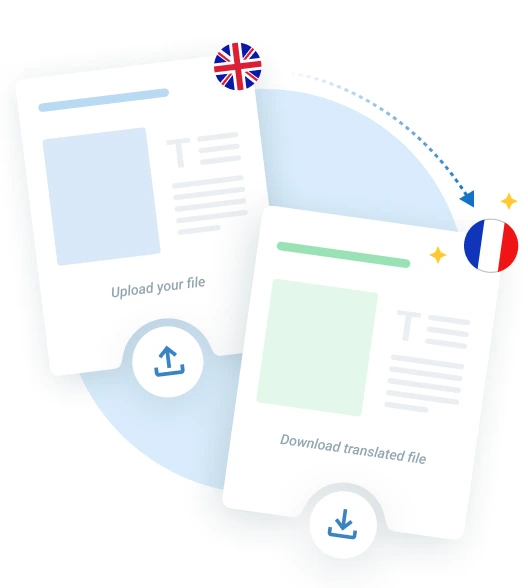
Figure: Reverso Documents official workflow illustration showing document upload and translation steps.
Segment-by-Segment Review and Team Proofreading
Unlike services that merely return an automated export, Reverso Documents integrates a lightweight computer-assisted translation (CAT) workflow:
- Browser-Based Segment Editor: Once uploaded, users can inspect translated segments side-by-side with source text directly in the browser, editing phrasing and accessing contextual dictionary and synonym tools on the fly.
- Collaborative Review: Users can generate a sharing link to invite colleagues or translators to review the file online, track modifications, and approve edits prior to final export.
- Flexible Export Options: Approved documents can be exported as layout-preserved PDF files or editable DOCX files for further formatting in Microsoft Word.
OCR Conditions and Enterprise Security
- OCR for Scanned Documents: While native PDFs with selectable text are supported across standard tiers, automatic OCR text recognition for scanned or image-based PDFs is available under Premium and Pro plans.
- Data Compliance and API: Headquartered in Europe, Reverso complies with GDPR standards, maintains ISO 27001 and SOC 2 certifications, and encrypts documents in transit and at rest without using submissions for AI model training. An enterprise API supports batch submissions of up to 20 files per call alongside translation memory integration.
3. Recommended Scenarios and Practical Considerations
Based on its public features, Reverso serves distinct workflows under specific operating conditions:
4. Differences and Workflow Complementarity with Equalang
In multilingual workflows, Reverso and Equalang cater to different operational habits and user priorities. While they overlap in translating common office documents (PDF, DOCX, PPTX, XLSX) and offering multi-device text tools, their presentation modes, multimedia handling, and layout automation focus on distinct stages of the language workflow.
1. In-Context Web Reading and Multimedia Subtitles
When consuming web content and digital media:
- Reverso Context focuses on querying corpora for specific phrases, serving as a reference aid during writing or reading.
- Equalang emphasizes preserving reader continuity within original digital environments: through its browser extension, translated paragraphs appear directly beneath the original web text for seamless side-by-side reading without manual copy-pasting. On video platforms like YouTube, Netflix, and TikTok, the extension provides bilingual subtitles. For uncaptioned public videos and live broadcasts, the extension can attempt real-time speech translation in supported browsers (subject to browser capture limitations; encrypted streams are excluded). Furthermore, Equalang processes uploaded audio and video files to generate timed bilingual SRT/VTT subtitle files or clean transcripts.
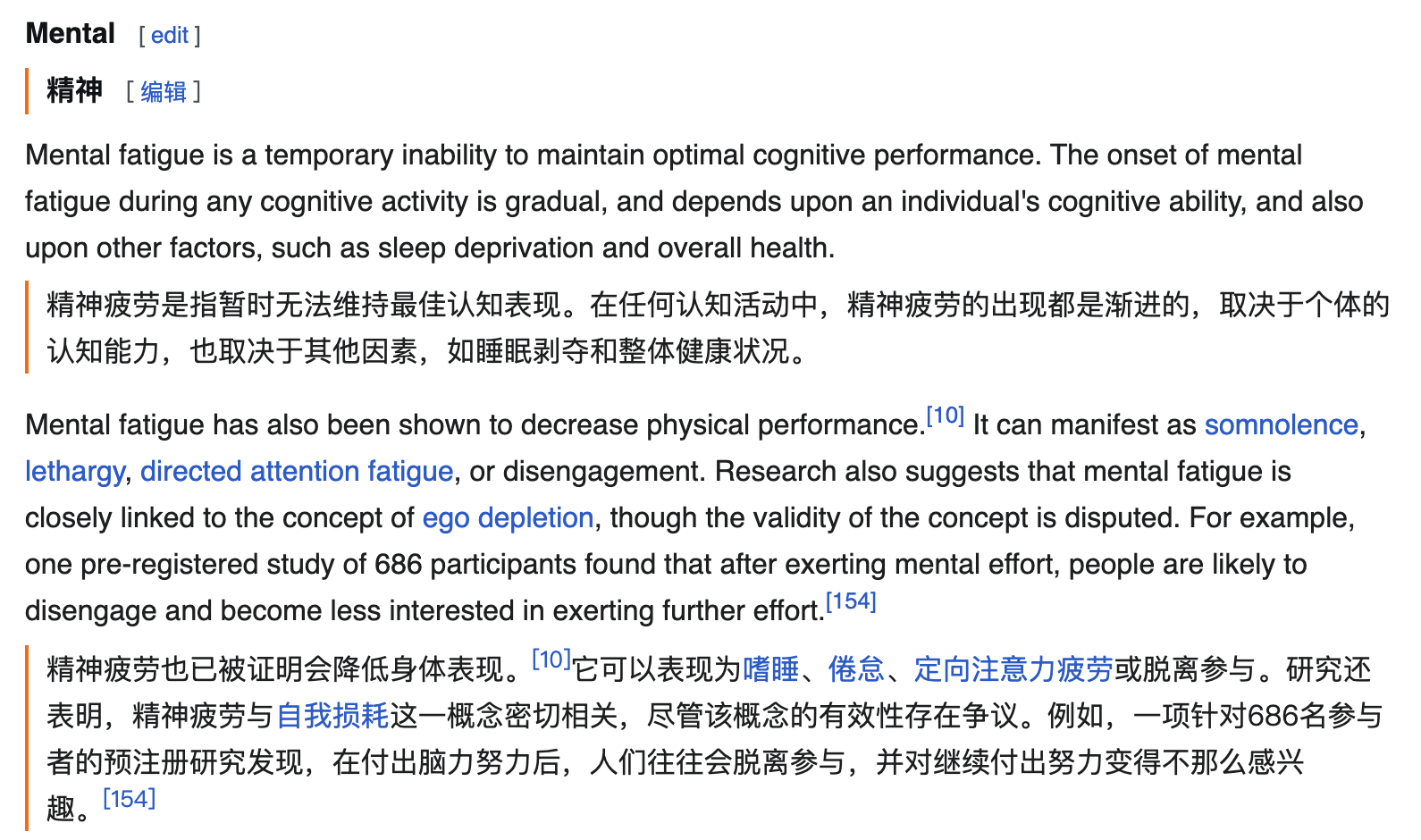
Figure: Equalang browser extension displaying Chinese translation directly beneath English web paragraphs.
2. Automated Layout Protection and Extended Formats
In document translation workflows:
- Reverso Documents provides an online segment editor that facilitates manual collaborative adjustments before exporting.
- Equalang focuses on automated layout preservation for complex documents: for digital PDFs, it reassembles sentences severed by page breaks, retains multi-column layouts, headers, footers, and captions, and protects mathematical formulas; in PPTX presentations, font sizes shrink adaptively to prevent frame overflow; in XLSX spreadsheets, numerical values and computational formulas remain intact without being overwritten, keeping calculations and cell structures intact. Equalang also extends support to EPUB e-books (preserving table of contents and internal navigation links) and standalone subtitle files.
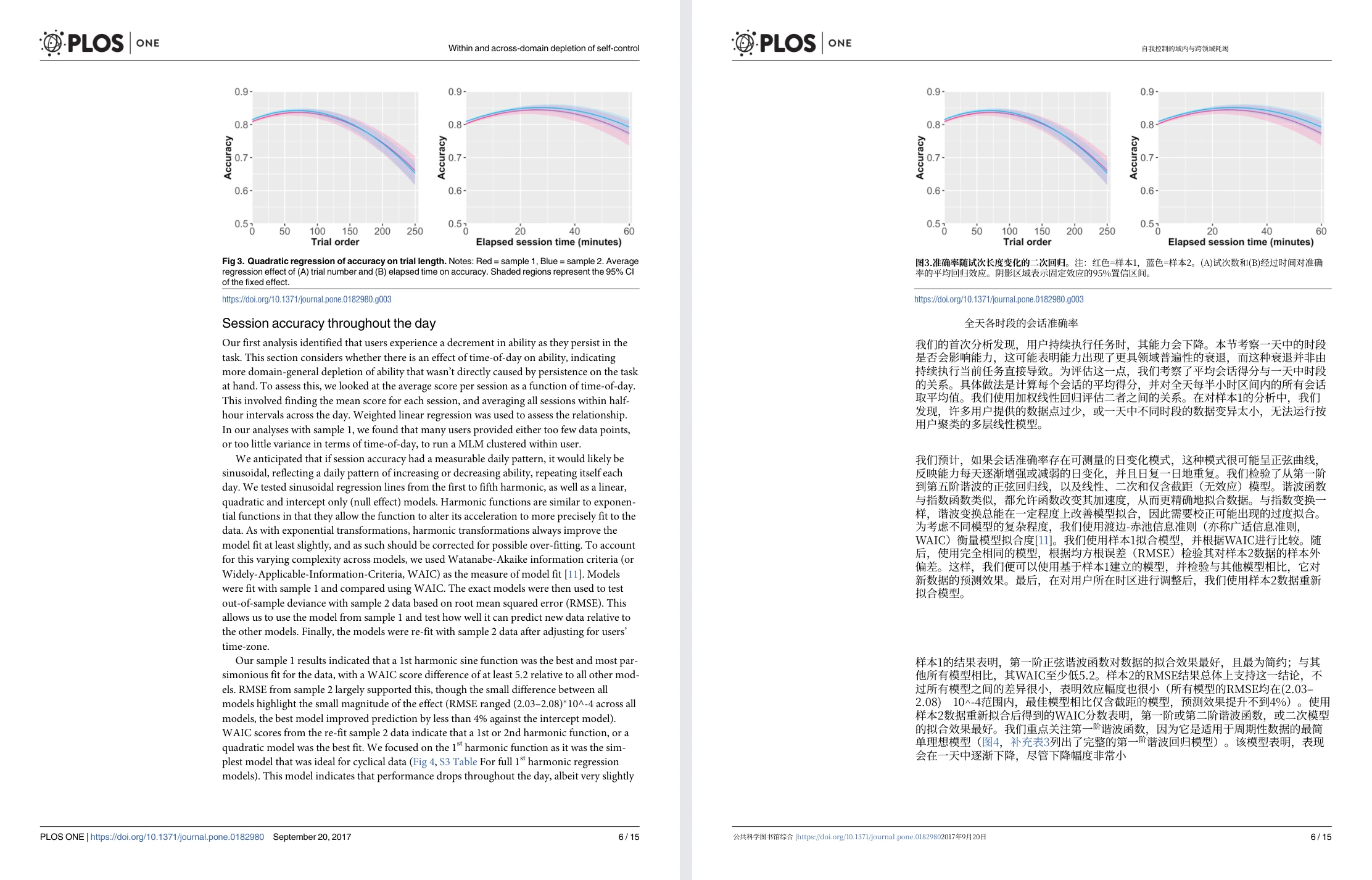
Figure: Equalang side-by-side whole-page PDF view (Randles 2017 PLOS ONE paper, with original English page on the left and translated Chinese page on the right).
3. Spoken Interactions and Remote Interpretation
For real-time oral communication:
- Reverso concentrates on mobile vocabulary lookup, native audio pronunciation, and gamified retention.
- Equalang provides zero-install real-time communication tools: for remote discussions, Translated Call enables a registered host to generate an invitation link; the guest opens it in a supported browser without needing an account, enters a display name to request entry, and the host approves the request before the call begins. Both participants speak their native language, hear spoken translations, and retain bilingual transcripts. For in-person meetings, Equalang also offers browser-based Live Listening, Face-to-Face translation, and Photo translation.
Workflow Recommendations
If your primary objective is to verify natural phrase collocations, look up complex verb conjugations, or collaboratively review and fine-tune document segments with colleagues inside a browser-based bilingual editor, Reverso's Context database and Documents workflow provide an established, specialized toolkit.
If you regularly read foreign web articles with inline bilingual paragraphs, require bilingual subtitles across streaming videos, or need automated format preservation for complex PDF, PPTX, or EPUB files, Equalang provides a streamlined, distraction-free reading and document translation workflow.
Sources
- Reverso Context Overview: Using contextual dictionary
- Reverso Documents Documentation: Translate PDF, Word & PowerPoint
- Equalang Product Documentation: Equalang Overview and Features
- Equalang Extension Documentation: Equalang Web and Video Extension