Yandex Translate Features: Documents, Grammar, and Equalang
 Equalang
In brief
An overview of Yandex Translate's document translation, grammar tools, and dialog modes, alongside practical workflow comparisons with Equalang.
Keywords: Yandex Translate, Document translation, Russian grammar dictionary, Offline translation, Equalang
When looking up foreign terms, verifying morphological inflections, or managing multilingual office files, choosing the right translation utility depends on the specific task at hand. Yandex Translate provides a range of practical entry points for everyday vocabulary lookups, comprehensive dictionary explanations, and routine document translation, serving as a familiar resource for readers navigating Russian and broader multilingual content.
Before examining its toolset, it is helpful to clarify the boundary between the standalone Yandex Translate service and Yandex Browser. Certain widely recognized capabilities, such as automated video voice-over dubbing on streaming platforms, are exclusive to the Yandex Browser application rather than standard features of the standalone Yandex Translate website or mobile application. Understanding the scope and operating conditions of each interface allows users to integrate them more effectively into daily workflows.
Key Features of Yandex Translate
Yandex Translate offers access through its desktop website, mobile apps on Android and iOS, and a Telegram bot. Its core functionalities focus on instant text, multi-format documents, language reference tools, and face-to-face mobile dialogue.
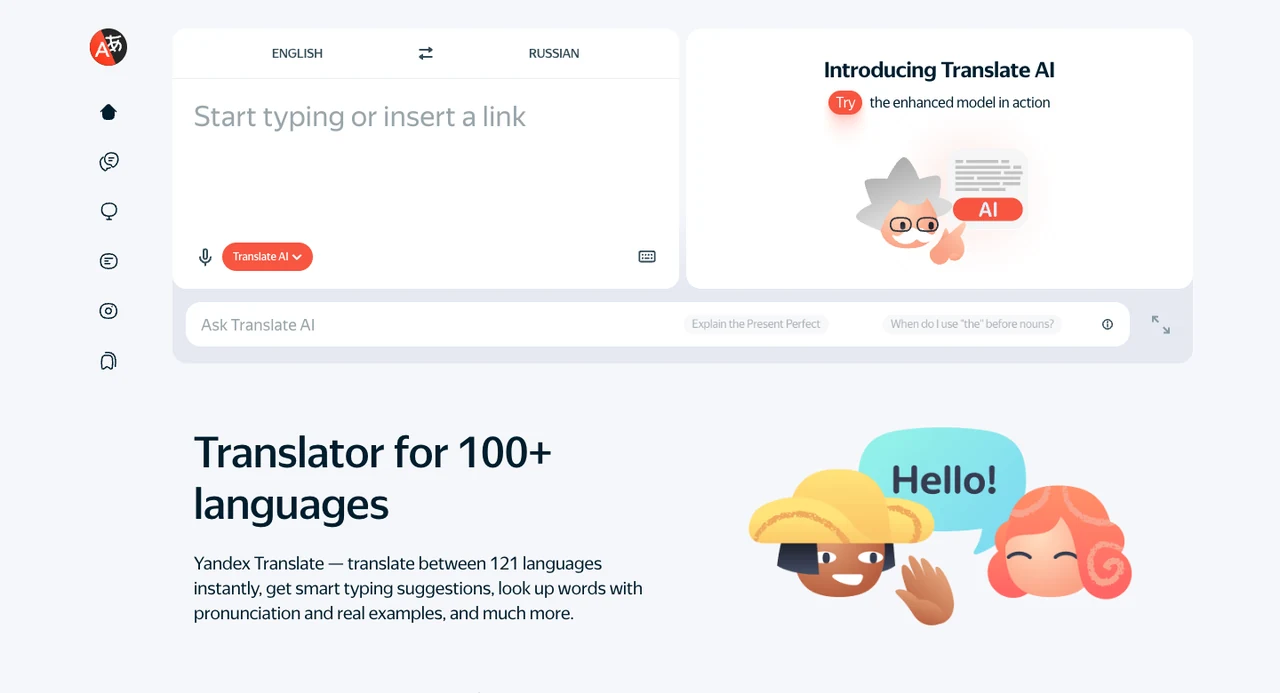
1. Web-Based Document and Multi-Format Translation
On desktop browsers, Yandex Translate includes a dedicated Documents section for translating local files:
- Supported Formats: Handles text files (
.doc,.docx,.pdf), spreadsheets (.xls,.xlsx), and presentation slides (.ppt,.pptx). - File Constraints: Uploads are restricted to 5 MB per file. For documents exceeding this limit, the official documentation recommends splitting chapters or compressing the file before re-uploading.
- Original Format Downloads and Side-by-Side Viewing: Once processed, translated documents can be downloaded in their original file format. Readers can also use the view toggle in the upper-left corner to inspect the original text alongside the translation in a dual-pane viewer.
In addition to document uploads, the web portal supports general text translation, full-page webpage translation via URL, and image OCR for reading text in uploaded picture files.
 Source: Yandex Translate Official App Store Page (official demo image, not Equalang team test)
2. Built-In Grammar Dictionary and Inflections
For language learners and writers verifying precise terminology, the Android edition of Yandex Translate offers an extensive reference dictionary.
When looking up single words or short phrases, structured dictionary entries appear directly below the main translation:
- Lexical Foundations: Includes phonetic transcriptions, grammatical parts of speech, primary definitions, and authentic example sentences.
- Inflection and Conjugation Tables: In supported languages, the dictionary details plural forms of nouns, irregular verb patterns, noun and adjective declensions, and complete verb conjugation tables. This enables students of inflected languages such as Russian to check case endings and grammatical aspects directly in the lookup view.
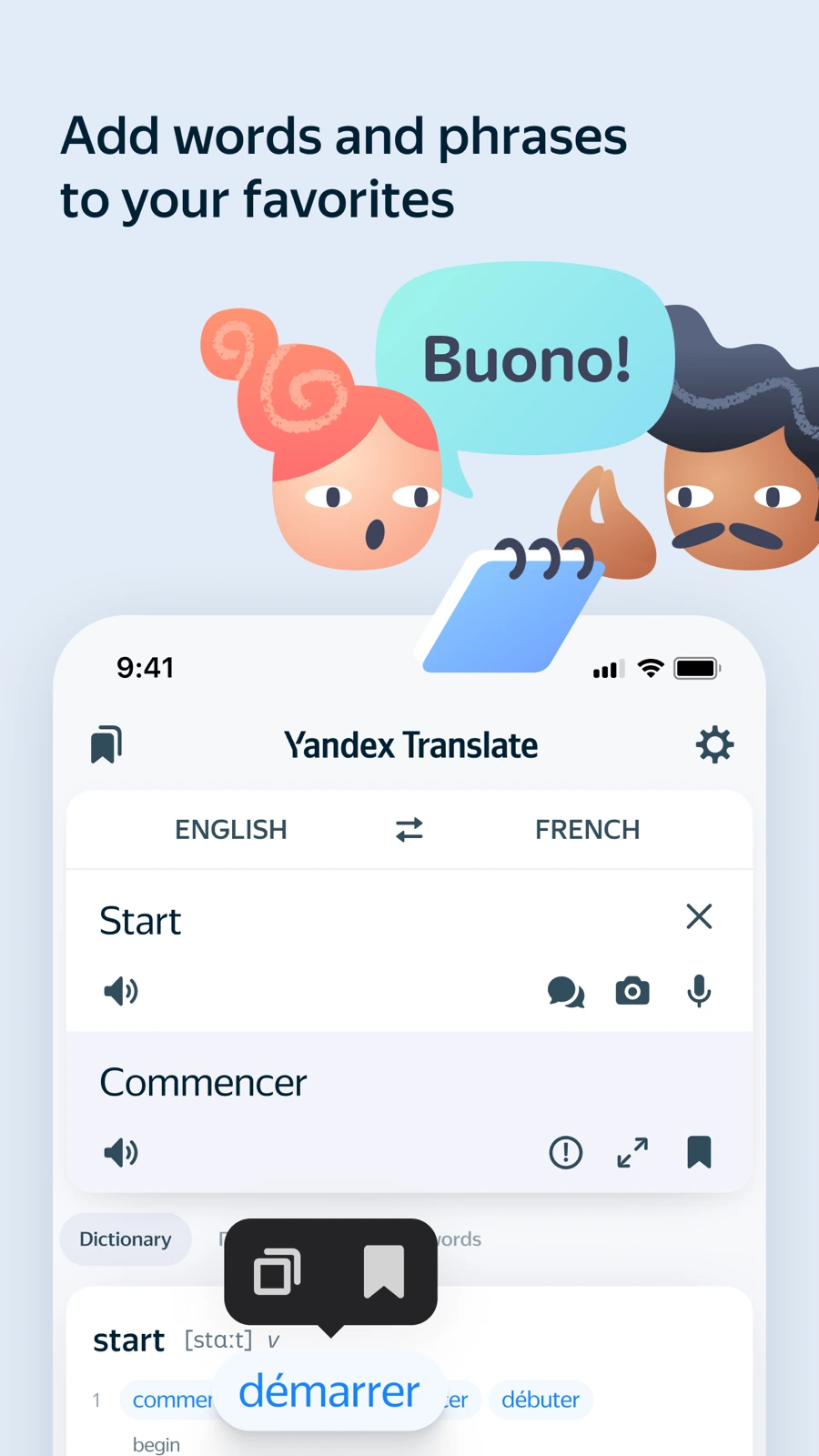 Source: Yandex Translate Official App Store Page (official demo image, not Equalang team test)
3. Offline Text Mode and Mobile Dialogues
For mobile use during travel where connectivity may be intermittent, Yandex Translate provides offline utilities:
- Offline Dictionaries: On Android, the app includes a pre-installed English–Russian dictionary package, with additional language dictionaries available for download over Wi-Fi. It is important to note that offline translation is strictly confined to typed plain text; speech recognition, camera OCR, and dialog modes require an active internet connection.
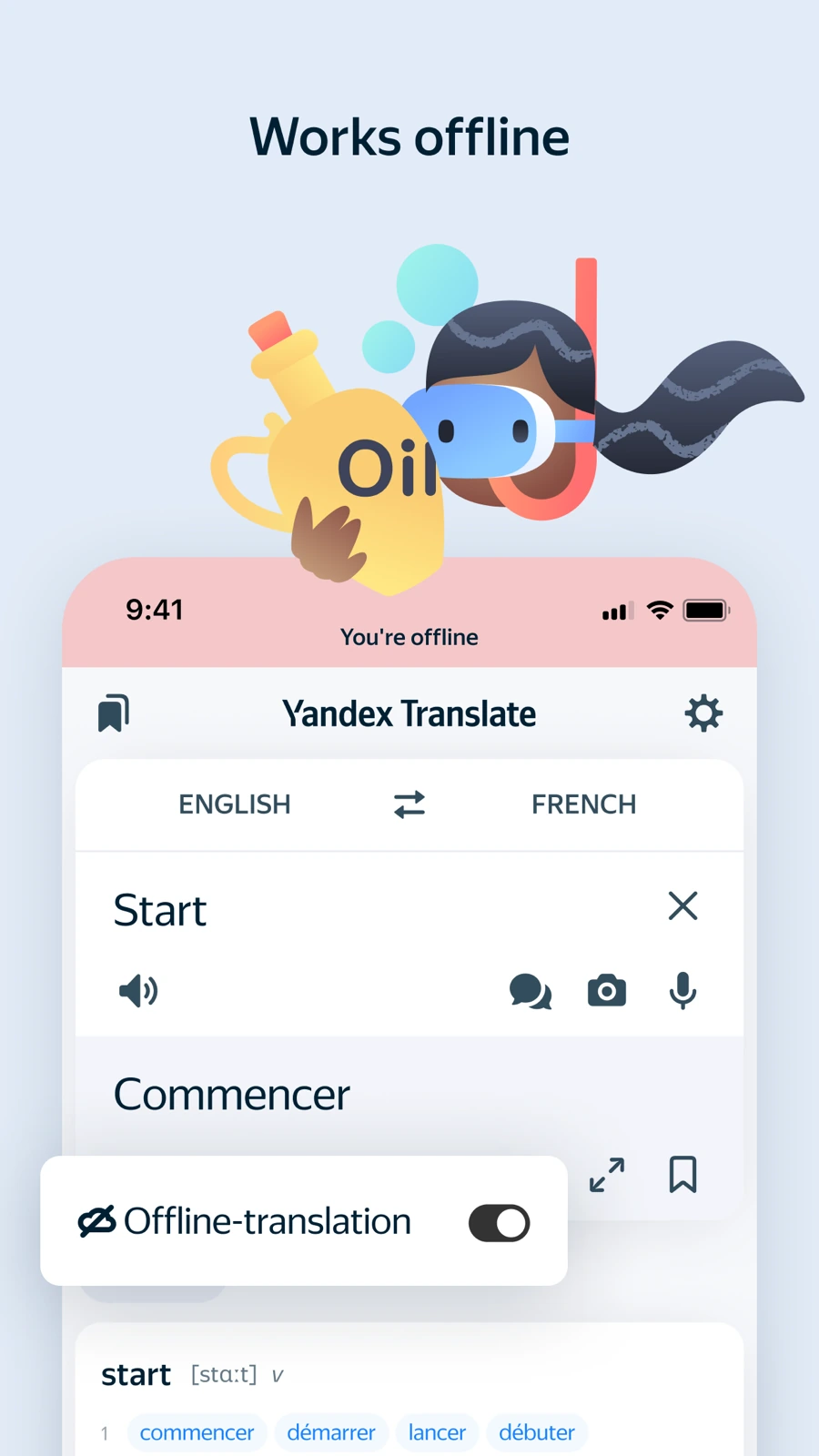 Source: Yandex Translate Official App Store Page (official demo image, not Equalang team test)
- Interactive Dialog Mode: The mobile app features a dedicated conversation mode designed for two individuals speaking different languages. Both speakers select their respective languages and tap the corresponding microphone button to talk. The interface presents both the transcript and translation with text-to-speech playback. To aid visual clarity, the user's native tongue is shown in smaller text while the target language appears in larger font, with options to edit phrases or clear dialogue logs.
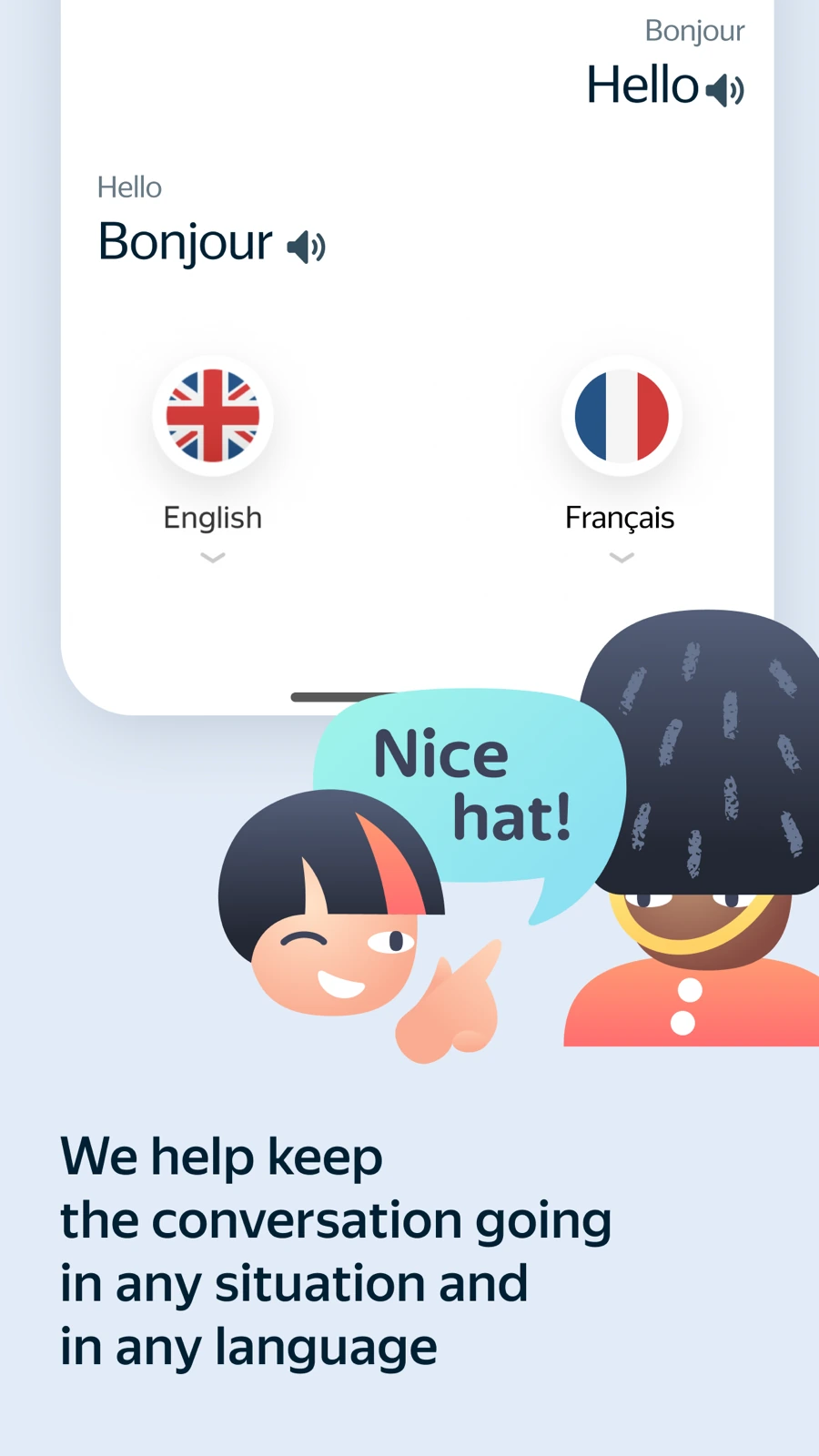 Source: Yandex Translate Official App Store Page (official demo image, not Equalang team test)
Practical Scenarios and Functional Boundaries
With these capabilities, Yandex Translate serves several clear practical scenarios:
- Language Study and Grammar Lookup: Checking noun declensions, verb conjugations, and contextual examples alongside quick definitions.
- Lightweight Document Checks: Uploading standard Office or text-based PDF files under 5 MB to quickly retrieve translated files in the same format or read them side by side.
- Typed Offline Lookups: Pre-downloading offline dictionary packages to handle typed text queries when mobile data is unavailable.
At the same time, users should take note of its specific operational boundaries:
- Document Size Caps: The 5 MB ceiling is oriented toward everyday lightweight files and does not accommodate large, image-heavy PDFs or technical drawing packages.
- Offline Constraints: Offline mode operates strictly on typed plain text, requiring a network connection for speech input and conversational dialogue.
How Equalang Complements and Differs from Yandex Translate
When translation requirements move from dictionary queries and lightweight document checks to publication-ready file delivery, browser-integrated reading, and remote cross-border meetings, Equalang provides complementary solutions tailored to complete workflows.
1. Structured Document Translation and Layout Fidelity
While both platforms handle DOCX, PPTX, XLSX, and PDF files, Equalang addresses structural retention across professional formats:
- PDF Structure and Cross-Page Sentence Reassembly: Equalang's document translation supports Chinese, English, Japanese, Korean, Spanish, French, Russian, German, and other major languages. When translating dual-column papers, engineering schematics, or reports with running headers and footers, the system preserves column layouts, caption hierarchies, and internal links. Sentences split across page breaks are logically reassembled before translation, and complex tables like merged cells are reconstructed according to the original layout.
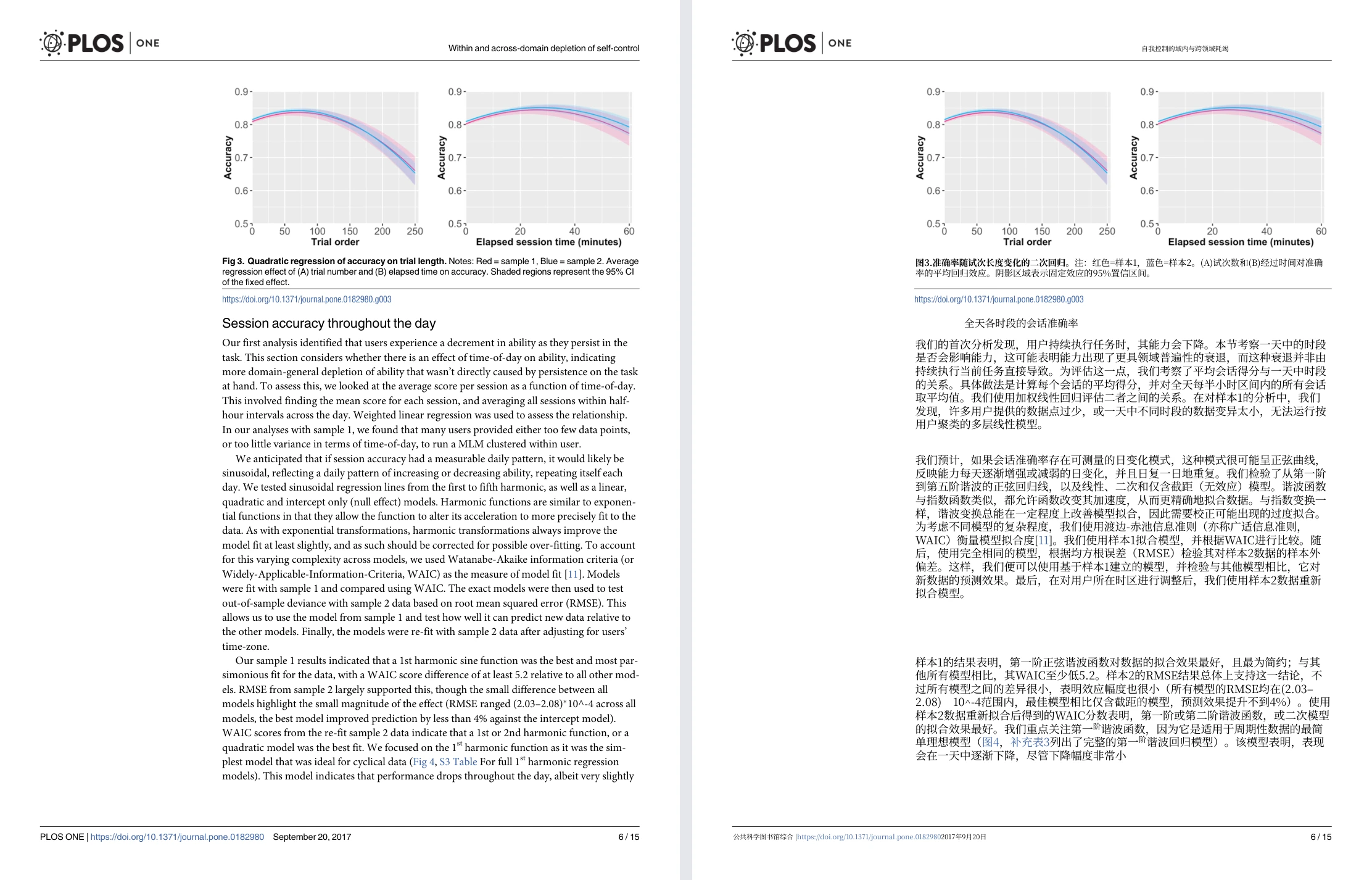
- Adaptive Typography in Slides: In PowerPoint presentations, translated phrases frequently expand beyond original dimensions. Equalang automatically resizes text inside text boxes to prevent text from overflowing or colliding with adjacent graphics, while maintaining consistent terminology across all slides.
2. Browser-Integrated Reading and Streaming Subtitles
For online reading and media consumption, Equalang offers a lightweight browser extension:
- Inline Bilingual Reading: Rather than requiring users to copy text into a separate window, the extension inserts translations directly underneath source paragraphs, maintaining unbroken reading context and allowing instant toggling back to the original text.
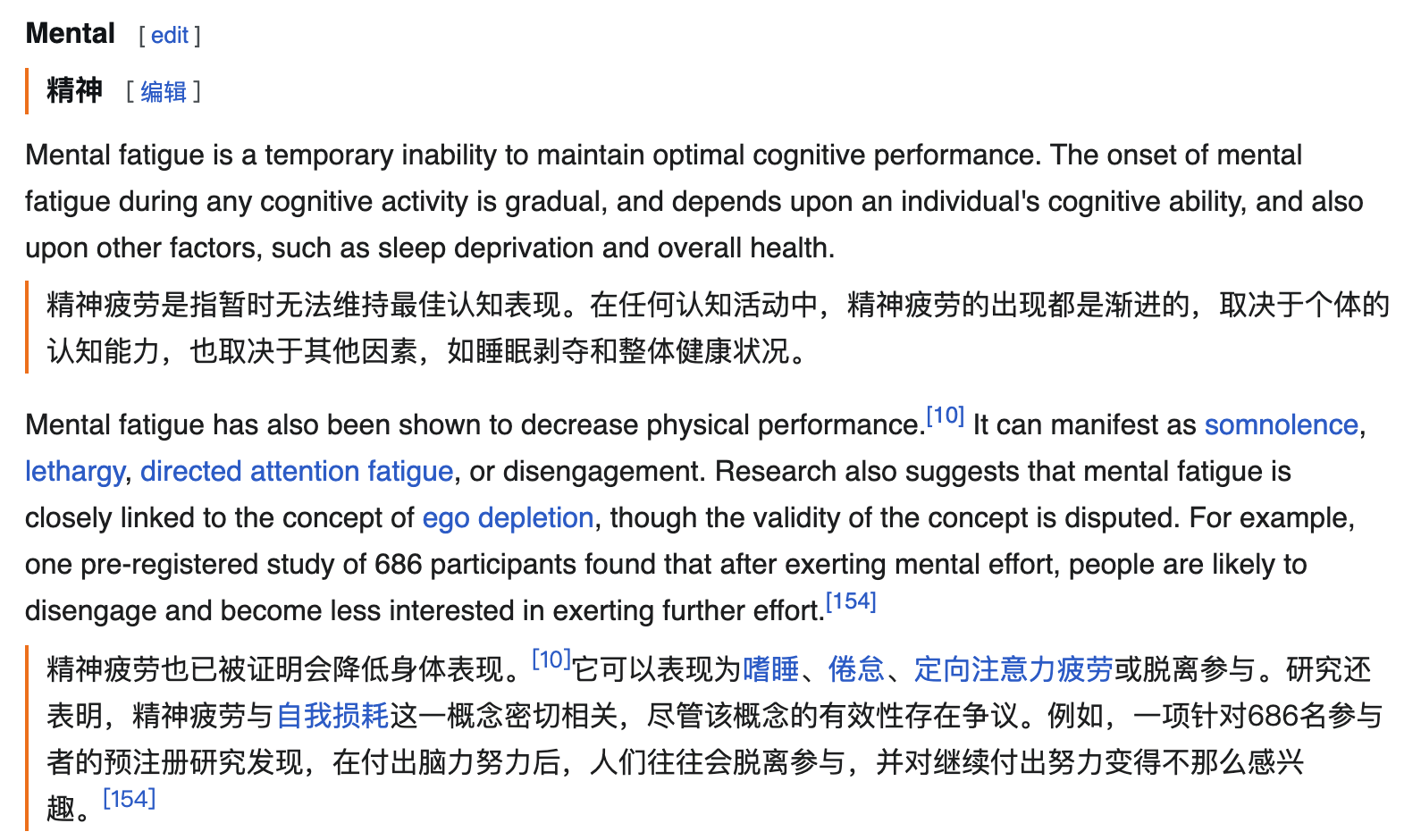
- Streaming Subtitles and Speech Interpretation: The extension provides bilingual subtitles on platforms such as YouTube, Netflix, and TikTok. For video content or live streams lacking native subtitle tracks, it offers real-time speech-to-subtitle interpretation, subject to browser support, audio clarity, and platform DRM limitations.
3. Spoken Interpretation and Browser-Based Calls
When collaboration transitions to spoken communication:
- Live Listening and Face-to-Face: Equalang provides Live Listening for webinars and presentations (displaying bilingual subtitles) alongside Face-to-Face interpretation with inverted or side-by-side split screens.
- Translated Calls via Link: Through Translated Call, a host logs in, configures the language pairing, and shares an invitation link. Guests do not need to register an account; they can open the link in a supported modern browser, enter a display name, and request admission. Once approved by the host, both participants speak their native language and hear translated audio, with the option to export a complete bilingual transcript after the session.
4. Developer Tools and Automation
For teams integrating translation into software pipelines, Equalang provides an asynchronous HTTP API as well as open-source Agent Skills and MCP servers compatible with Claude Code and other AI development environments.
5. Summary and Selection Advice
- Choose Yandex Translate when your primary need is checking Russian and European grammatical declensions, verifying verb conjugation tables, using offline typed text dictionaries during transit, or quickly reviewing files under 5 MB.
- Choose Equalang when translating publication-grade contracts, technical PDFs, or presentation decks where visual layout must be preserved; when reading foreign web articles with inline paragraph translations; or when conducting remote voice calls with international partners without requiring guest account registration.
Sources
- Yandex Translate Desktop Help: About the Yandex Translate web version
- Yandex Translate Document Troubleshooting: Translating documents
- Yandex Translate Android Dictionary Guide: Dictionary
- Yandex Translate Android Dialog Mode Guide: Translating dialogs
- Yandex Translate Android Offline Mode: Offline mode
- Equalang Platform Documentation: Equalang Overview
Note: This feature overview was compiled by the Equalang team based on verified official documentation to provide an objective reference for choosing translation tools.