iTranslate Guide: Keyboard Features, Offline Tools & Uses
 Equalang
In brief
An overview of iTranslate's mobile keyboard extension, offline mode, and camera tools, alongside practical scenarios and workflow differences with Equalang.
Keywords: iTranslate, keyboard translation, offline translation, camera translation, mobile translator
When communicating across languages on a smartphone, composing an outgoing reply often involves a frustrating routine: you draft your response in your native language, copy the text, switch to a dedicated translation app, wait for the result, copy the foreign translation, and switch back to paste and send it in your chat. This constant app switching breaks conversational momentum and increases the likelihood of typos or clipboard mix-ups.
As a translation product long focused on mobile platforms, iTranslate addresses this challenge by embedding translation directly into everyday smartphone interactions. From a native keyboard extension that translates as you type to offline phrasebooks and on-the-go camera recognition, its toolset is tailored to reduce operational friction in handheld, on-the-spot conversations.
We are the Equalang team. In this guide, we review the primary capabilities, interface entry points, and practical boundaries of iTranslate to help you determine where it fits into your daily routine, and examine how it pairs with desktop document and collaborative workflows.
1. Keyboard Extension: Translating Directly in Messaging Apps
Among iTranslate's various tools, its most distinctive feature on mobile devices is the Keyboard Extension.
Instead of relying on the system clipboard to move text back and forth between apps, the keyboard extension functions directly within your system input panel. When replying to someone in messaging apps like WhatsApp, iMessage, or drafting emails, you can compose your thoughts in your native language, tap to translate, and have the translated text inserted directly into the active text field.
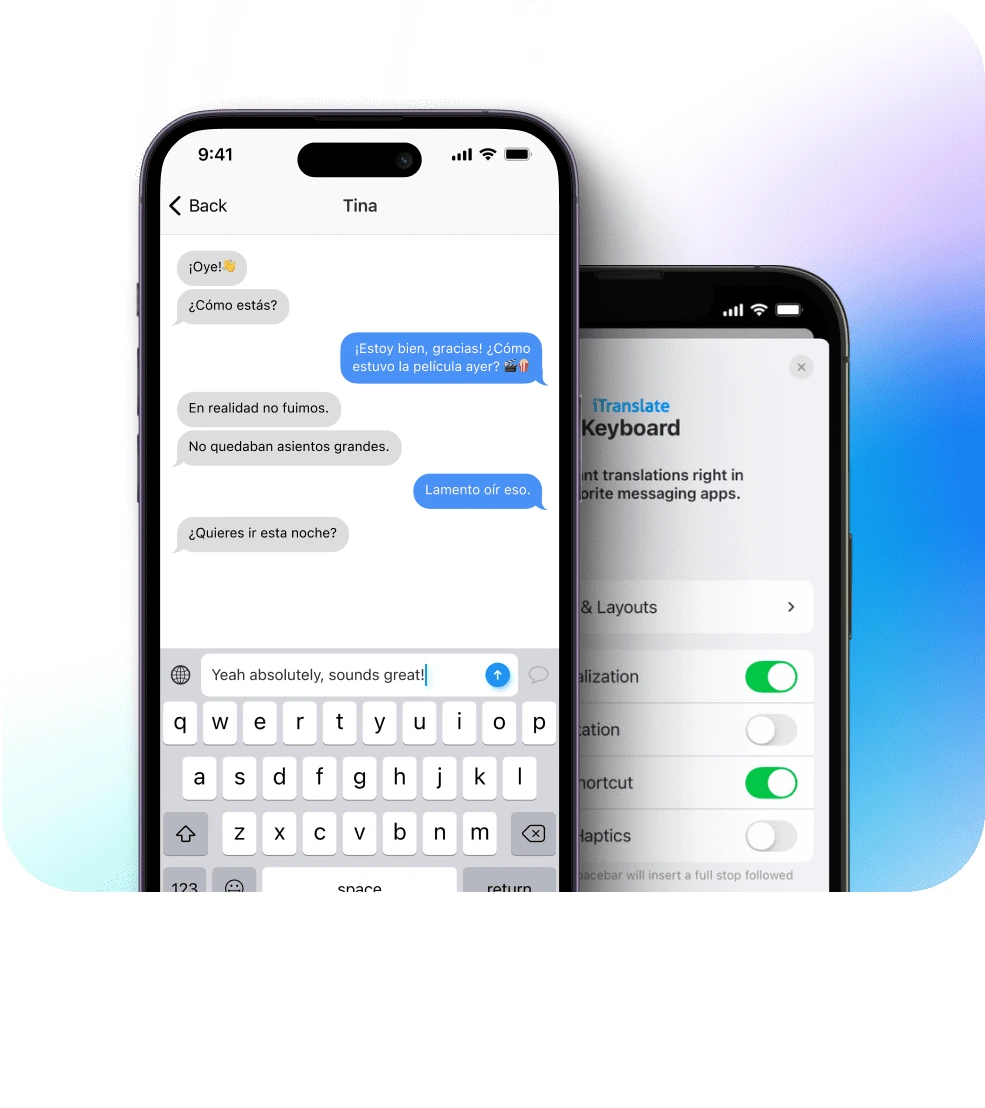
Official tutorial illustration from iTranslate's Keyboard Translations page showing mobile keyboard translation.
Beyond standard typing, the keyboard extension provides several helpful conveniences:
- Dictation-to-translation: By leveraging the smartphone's built-in dictation feature, you can speak your message aloud and have the keyboard convert your speech into translated text in real time.
- Pinyin and transliteration assistance: For languages using non-Latin scripts (such as Chinese), phonetic guides like Pinyin help users verify pronunciations and meanings before sending.
- No app switching: Staying inside your active conversation minimizes interface interruptions and speeds up text-based customer support, vacation rentals, and informal international chats.
For users who frequently message overseas contacts, coordinate with hosts abroad, or handle quick text inquiries, the keyboard extension streamlines typing into a single continuous action.
2. On-the-Go Multimodal Tools: Camera Capture and Phrasebooks
Beyond keyboard input, iTranslate includes several multimodal and reference utilities designed for travel and casual queries:
- Camera Translation: Pointing your device's camera at foreign menus, road signs, notices, or packaging allows you to capture the text and inspect translations without manual retyping.
- Phrasebooks and Custom Favorites: The app includes a curated phrasebook covering high-frequency situations such as dining, transit, and accommodation, while allowing users to save custom phrases for quick review before boarding a flight or entering a meeting.
- Verb Conjugations and Dictionary Lookup: Looking up specific terms provides alternative phrasing options and verb conjugation tables across tenses, offering useful grammatical support for language learners.
- Audio Output and Fullscreen Display: Audio playback covers multiple voices and accents, while a fullscreen display mode makes it easy to present translated phrases to locals on noisy streets.
| Camera Translation | Offline Translation |
|---|---|
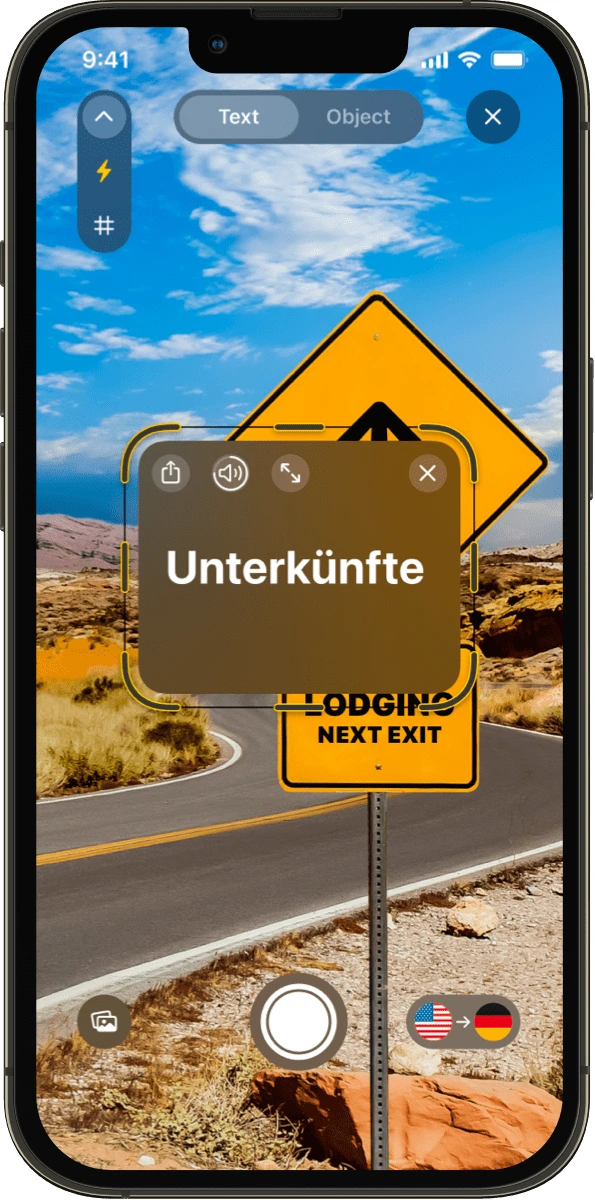 | 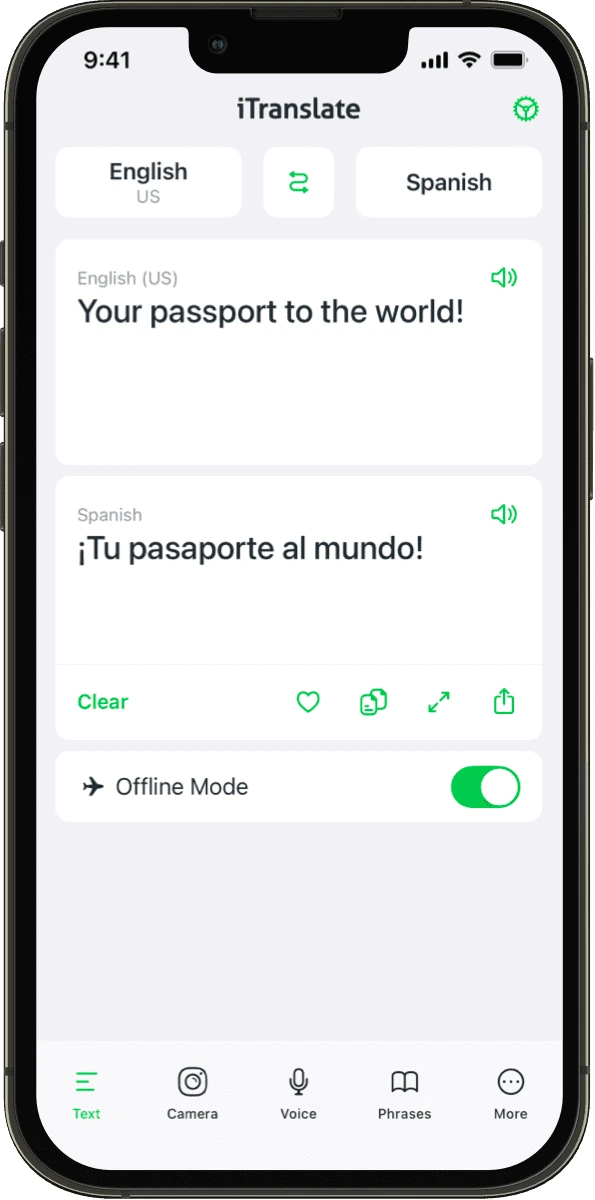 |
| Official illustration from iTranslate showing mobile camera translation. | Official illustration from iTranslate showing mobile offline mode. |
3. Offline Capabilities and Multi-Platform Availability
Travelers often find themselves in areas with limited or absent mobile connectivity. iTranslate provides dedicated offline translation tools, though their scope should be understood alongside official documentation:
- Divergent text and voice coverage: Offline text translation allows users to download language packages for dozens of common languages, whereas offline voice translation is restricted to a select subset of languages. Users must download necessary language packs prior to traveling and should not assume that every supported language is available for offline voice input.
- Offline access to saved expressions: Downloaded phrasebooks and personal favorite phrases remain fully accessible in airplane mode or remote locations, serving as an offline safety net.
- Multi-device presence: The product is accessible across iOS, Android, macOS, and the web, with ecosystem-specific additions such as an Apple Watch app for wrist-based lookups and iPad multitasking support (Slide-Over and Multi-Window).
Different operating systems offer varying feature sets, and offline functionality depends on the specific language packs installed on the device. Understanding these boundaries helps establish realistic expectations for on-the-go communications.
4. Workflow Distinctions and Choosing Equalang
Recognizing iTranslate's focus on mobile keyboard input, travel reference, and offline phrases clarifies how it differs from and complements Equalang in daily and professional workflows.
While both services offer essential text lookup and mobile camera translation, they target distinct stages of user activity:
iTranslate specializes in instant personal input and handheld travel interactions. Its keyboard extension, phrasebook collections, and smartwatch integration make it well-suited for typing inside chat apps and handling casual street-level inquiries.
By contrast, Equalang concentrates on structure-preserving whole-document processing, alongside browser-based collaboration and in-depth reading workflows:
- Browser-based voice calls without client installation: When you need to conduct a real-time spoken conversation with overseas partners or friends, Translated Call allows the host to log in and generate an invitation link directly in their browser. The recipient does not need to register an account or install any software—they open the link on a phone or computer browser, enter their name to request entry, and join once accepted by the host. During the call, both participants speak their native language, hear spoken translations, and view bilingual subtitles. For in-person meetings, Face-to-Face Translation offers a split-screen view on a single device.
- Whole-document layout structure preservation: When translating formal office documents such as PDF, DOCX, PPTX, XLSX, or EPUB, Equalang offers asynchronous whole-document processing: PDF jobs aim to preserve column divisions, headers, footers, and caption hierarchies; PPTX slides automatically scale down text sizes inside shapes when translations expand; and XLSX spreadsheets keep pure numbers and calculation formulas intact without translating them. Compared to copying plain text, whole-document handling significantly reduces the overhead of rebuilding file structures manually.
- In-context bilingual web reading and streaming subtitles: For in-depth research or foreign media consumption, Equalang's browser extension inserts bilingual translations directly beneath original web paragraphs. On supported streaming platforms such as YouTube and Netflix, it can display source and translated subtitles side-by-side on videos that include an existing subtitle track (subject to browser and video platform conditions).
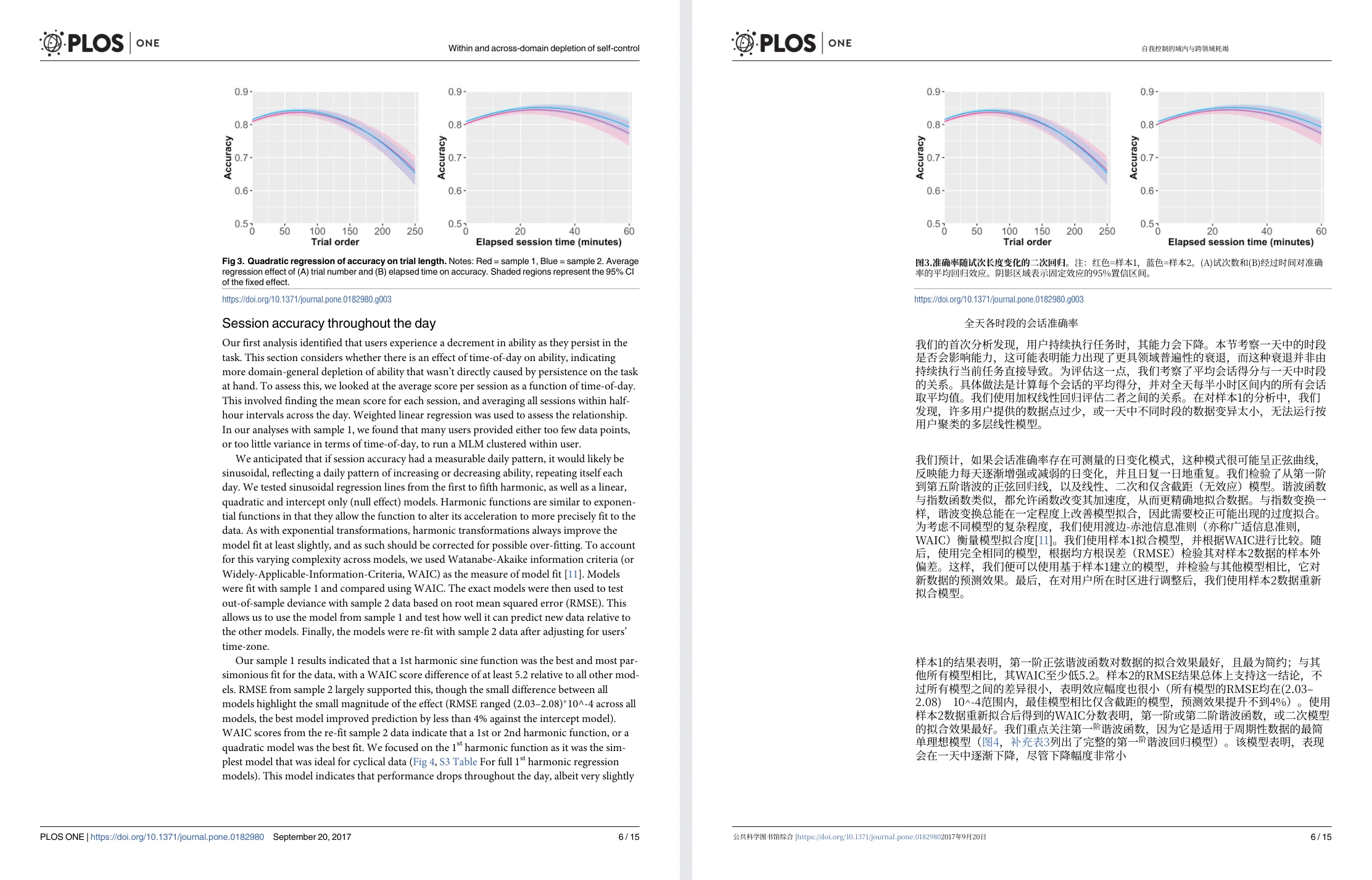
Equalang document translation: actual English-to-Chinese academic paper sample showing original English page (left) and translated Chinese page (right) with charts at top.
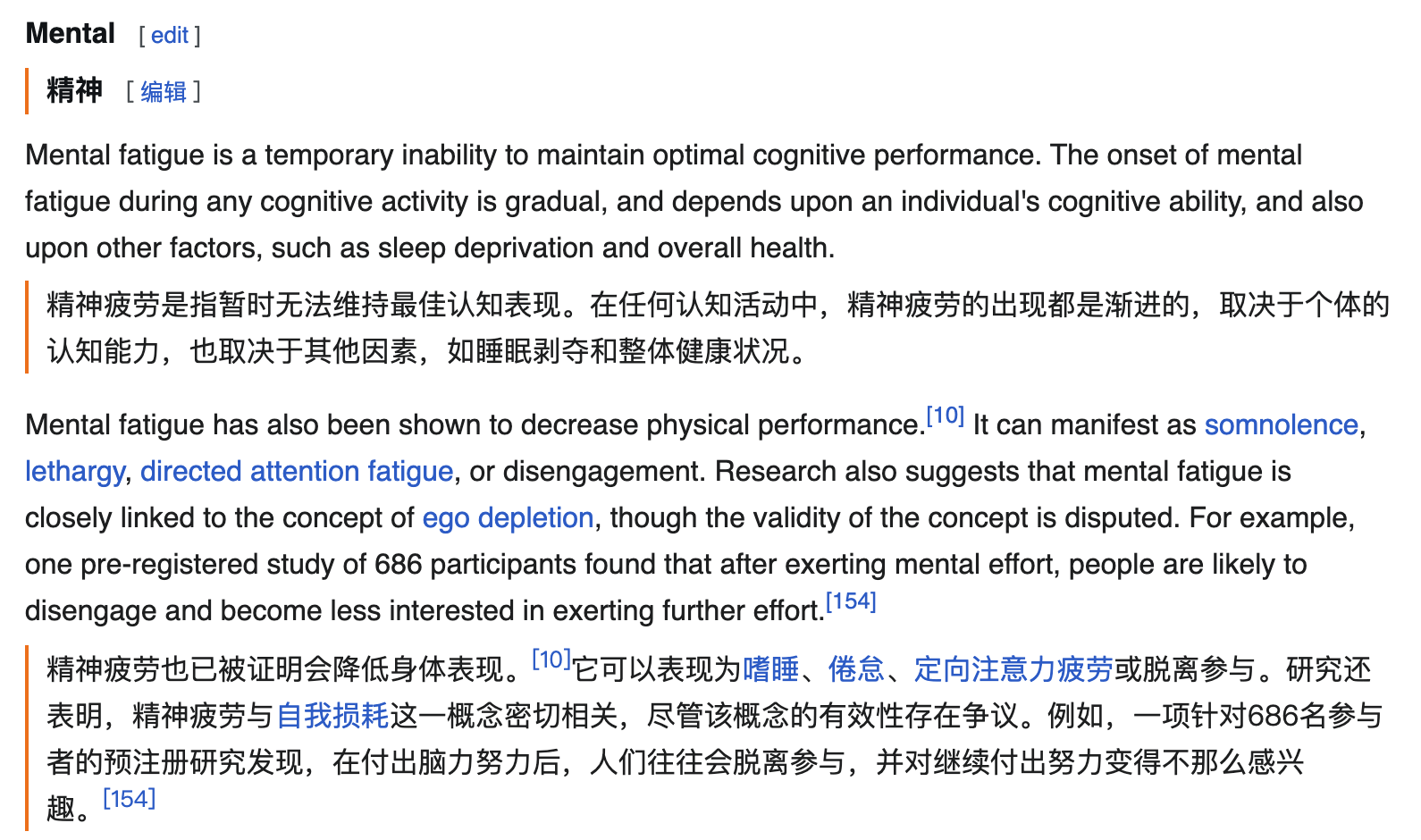
Equalang browser extension: actual English→Chinese web reading example showing paragraph-by-paragraph bilingual text.
Which tool should you choose for your task?
- Choose iTranslate when: You primarily communicate via text messaging on your phone and want to translate directly within the keyboard without switching apps, or when you are preparing for a trip and need pocket phrasebooks and offline dictionary lookups on your phone or smartwatch.
- Choose Equalang when: You need to hop on a live voice call with someone abroad without forcing them to download an app, need to translate multi-page business presentations, spreadsheets, or PDF reports while keeping layout structures recognizable, or want a clean side-by-side reading and subtitle experience in your desktop browser.
Sources
This feature overview was compiled by the Equalang team based on publicly available official product pages and documentation: