A Student's Day Abroad: Lectures, Research, and Videos
 Equalang
In brief
Follow Lin, a student abroad, as she uses Equalang for lecture captions, research papers, web reading, and YouTube bilingual subtitles. Samples included.
Keywords: international students; live lecture captions; academic PDF translation; bilingual web reading; YouTube subtitles; Equalang
Studying at an international university in a second language comes with ongoing daily challenges: professors speaking briskly in morning lecture halls, dense academic papers requiring close comparison between intricate data figures and arguments, unfamiliar technical terminology stalling online research, and instructional videos or livestreams lacking clear subtitles.
To see how a straightforward translation toolkit fits into everyday study, we follow a typical day of Lin, a Chinese graduate student studying at an English-speaking university in the UK.
Note: The four character scene illustrations are illustrative fiction depicting daily student life; all product screenshots, transcripts, and document files shown below are genuine Equalang team demonstrations.
Live Captions in the Morning Lecture Hall
At 9:00 AM, the morning lecture gets underway in a large tiered auditorium. The professor speaks at a brisk pace. Lin sits at a wooden desk with her phone propped on a small stand at a gentle angle beside her notebook, opening Equalang Live Listening in her mobile browser.

On the setup screen, she sets "I see / I hear" to Simplified Chinese and "The other person speaks" to English, keeping the mode on Standard. No app installation is required—granting microphone access in the browser is all it takes to begin.

As the lecture proceeds, synchronized bilingual captions stream across the screen. The clear dual-language comparison allows Lin to glance down at the tilted screen whenever she misses a phrase, keeping up with the brisk delivery without losing focus.
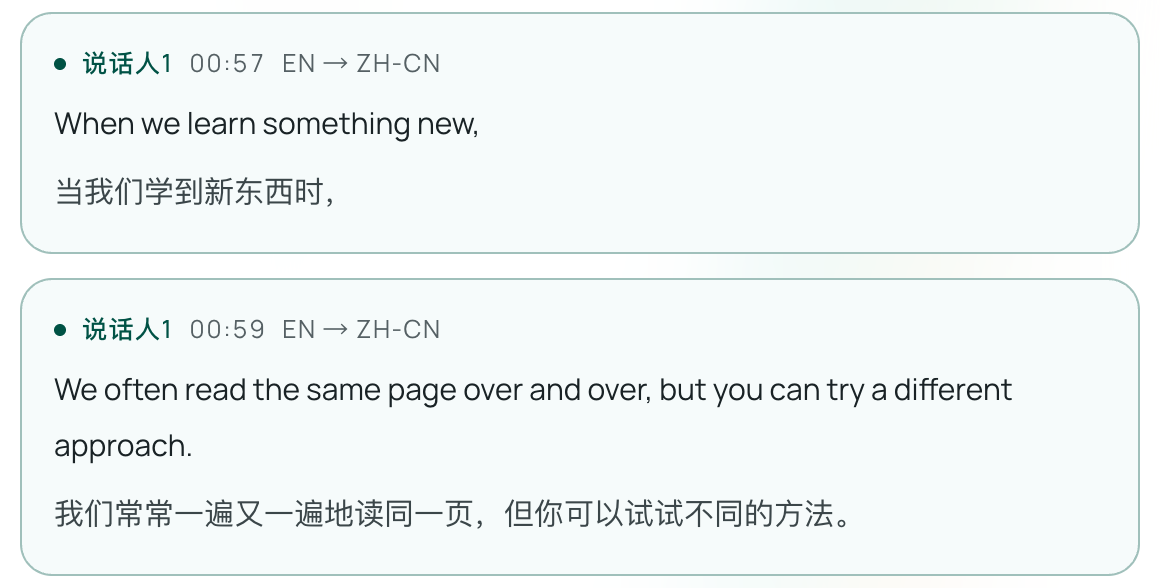
In the saved demonstration record, English appears on top with Chinese underneath:
[00:57] When we learn something new,
当我们学到新东西时,

[00:59] We often read the same page over and over, but you can try a different approach.
我们常常一遍又一遍地读同一页,但你可以试试不同的方法。
When the class concludes, Lin finishes the session and exports the complete bilingual transcript as a text file for post-class review.
- Download transcript: Sample bilingual lecture record (TXT)
Reading Research Papers Side by Side in the Library
After lunch, Lin heads to the university library study tables to review assigned reading on cognitive fatigue and self-control depletion (Randles et al., 2017, pages 6–7 of the original 15-page paper).
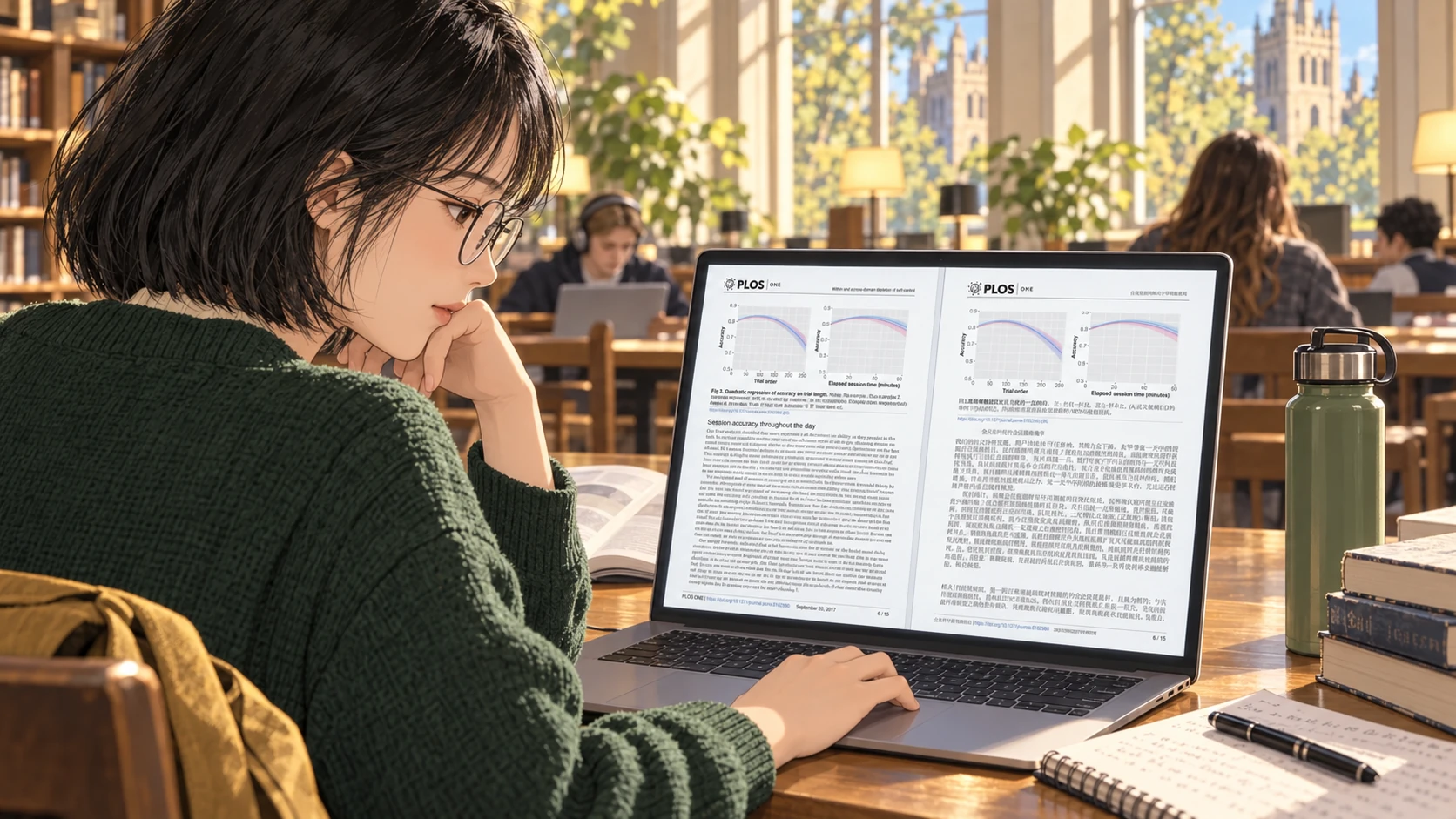
She uploads the two selected pages to Equalang Document Translation. The system outputs a corresponding Chinese PDF with structured layout formatting.
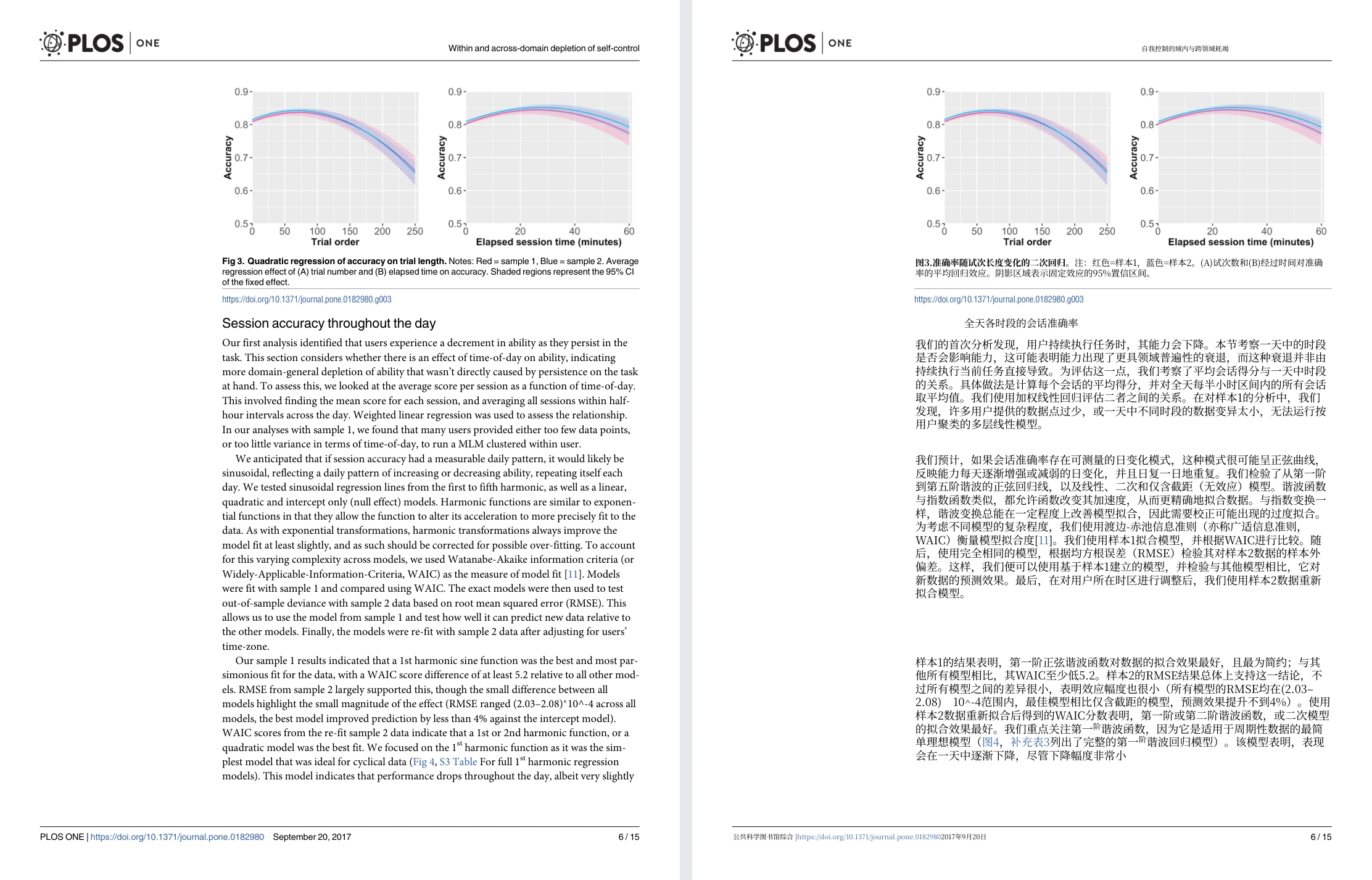
In this single-column academic sample, the document shows a clear visual correspondence:
- The data chart (Figure 3) appears near the top of the page, with internal English axis labels (such as Accuracy and Trial order) retained;
- The section heading "全天各时段的会话准确率" (Session accuracy throughout the day) and body text are arranged neatly below the chart;
- The translated Figure 3 caption begins with "准确率随试次长度变化的二次回归…" (Quadratic regression of accuracy on trial length).
Lin opens the source and result side by side on her laptop screen—as depicted in the scene illustration, original English on the left and Chinese translation on the right—reading the translated text for quick comprehension while referencing the original English chart to verify data points.
- Download original sample: Randles et al. English source selection (PDF)
- Download translated result: Equalang Chinese translated result (PDF)
Afternoon Break: Reading Academic Webpages in a Café
Having finished the assigned reading in the library, Lin heads to a nearby café for an afternoon break. Following up on the paper's themes of mental fatigue and ego depletion, she looks up related material on English Wikipedia (the Mental section of the Fatigue article) on her laptop.

Using the Equalang browser extension, Lin enables "Bilingual" mode. Rather than replacing the whole page, the extension places the Chinese translation directly underneath each English paragraph.
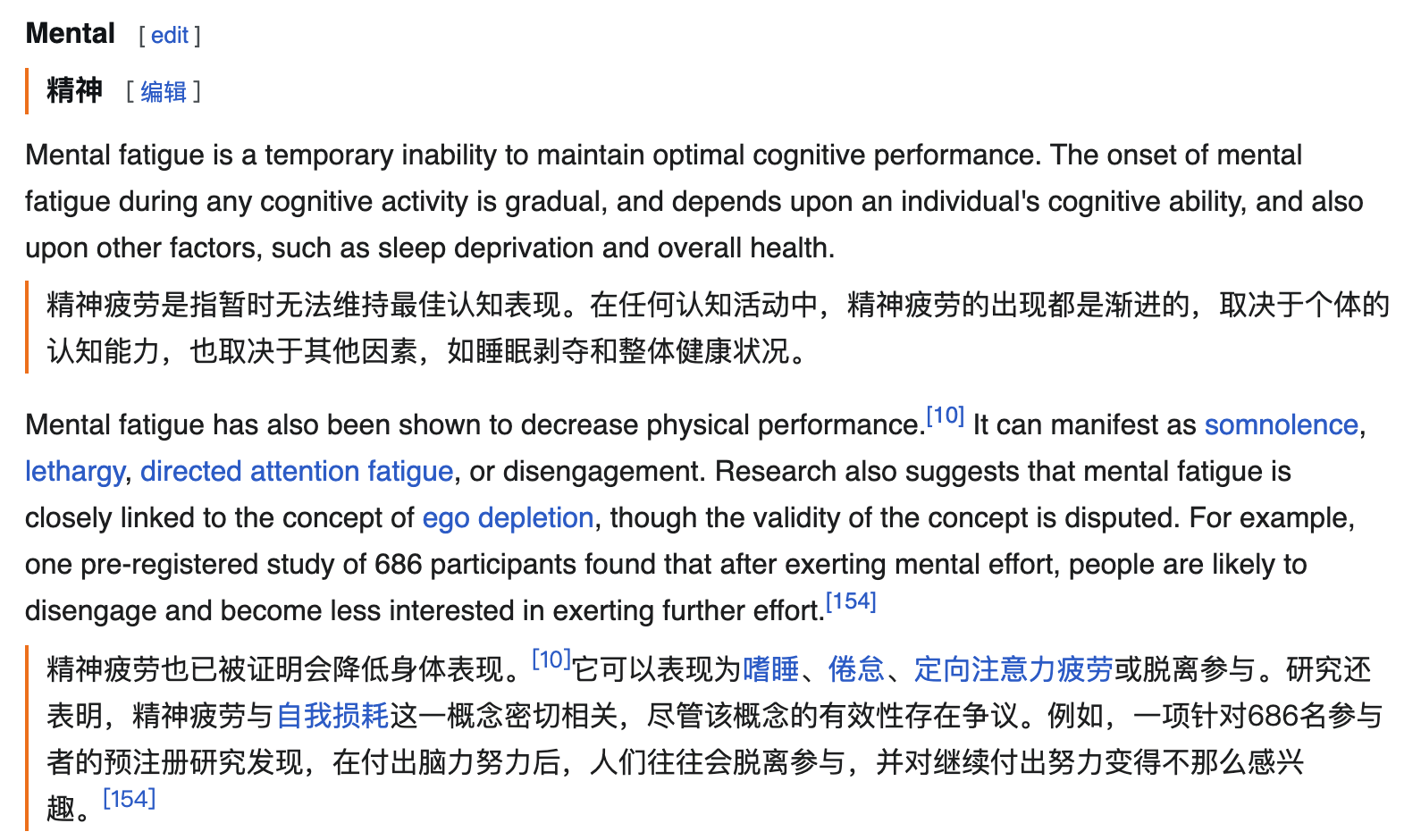
This layout keeps specialized reading seamless:
- Reading flows naturally down the article without darting between split columns;
- Hyperlinks from the original source (such as citations [10], [154], and links to related concepts like ego depletion) remain active and point to their Wikipedia destinations;
- When encountering specialized terms or dense sentences, she can highlight the text to open an instant definition popup.
| Word Lookup: Phonetics, Parts of Speech & Context | Sentence Lookup: Instant Full-Sentence Translation |
|---|---|
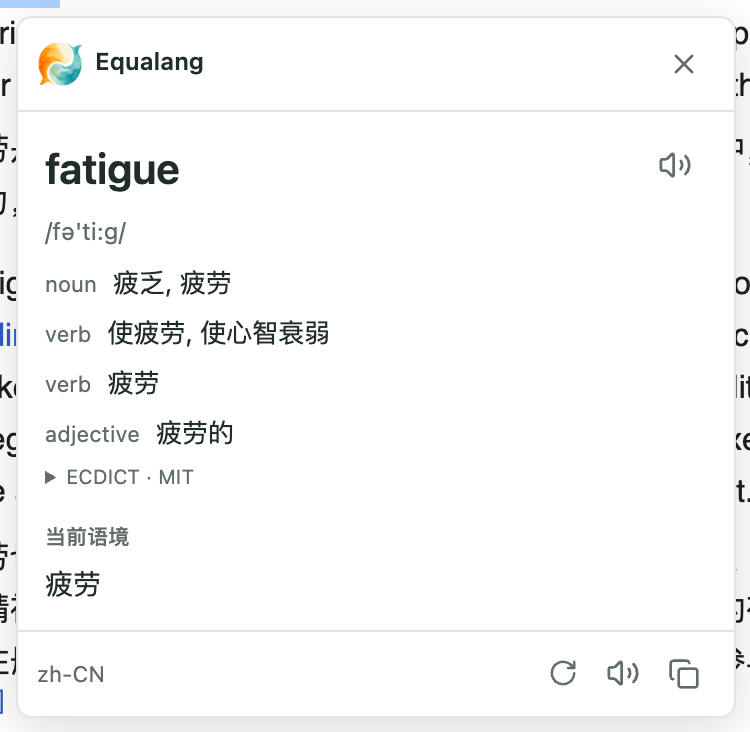 | 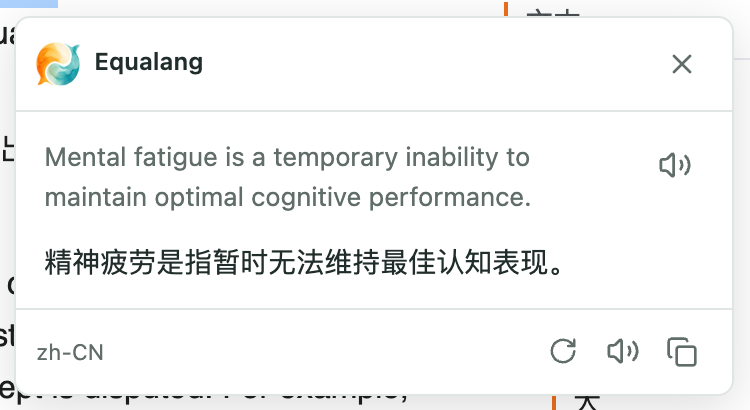 |
The selection popup supports both single-word lookup and full-sentence translation:
- Single word lookup: Highlighting fatigue displays its phonetic notation
/fə'ti:g/, multiple grammatical forms across noun, verb, and adjective entries, and identifies the current context as "疲劳"; - Full sentence translation: Highlighting the entire sentence Mental fatigue is a temporary inability to maintain optimal cognitive performance. yields an instant Chinese translation: "精神疲劳是指暂时无法维持最佳认知表现。"
Literature Research: Batch Translating a Folder of Papers with AI Assistants
When conducting broader literature reviews, Lin typically gathers dozens of relevant English research papers into a dedicated project folder (such as research-papers/). Uploading 20 full papers one by one through a web interface would involve repetitive dragging, waiting, and manual saving.
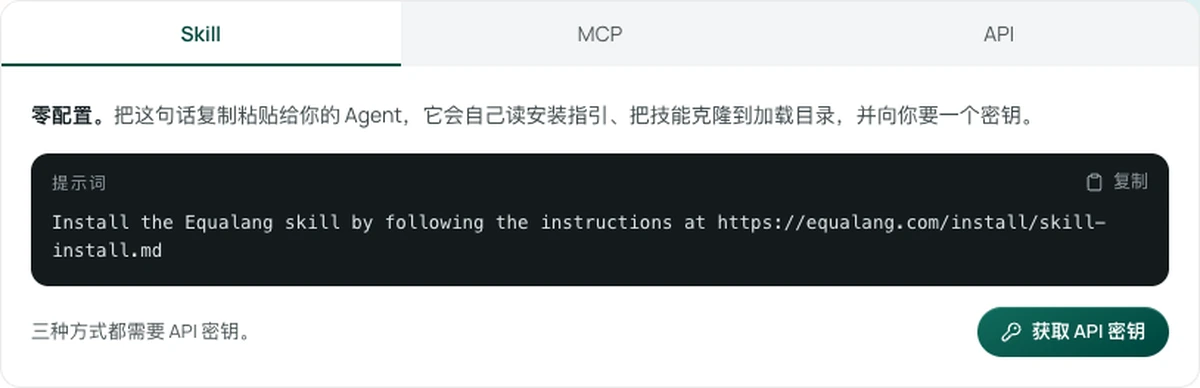
For students using desktop AI assistants that support Agent Skills (such as Claude Code, Codex, or WorkBuddy), the Equalang Skill offers a direct path. With the Skill installed and configured with an API key, Lin can start the batch process with a single natural-language prompt:
A practical prompt example:
"Please batch translate the 20 English research PDFs in the
research-papers/folder into Chinese, keeping their original layout:
- Estimate the whole folder first, report the total credits, and wait for my confirmation before starting;
- Keep the original files untouched and save matching Chinese translations in the same folder (e.g.,
[name].zh-CN.pdf);- Also save a combined reading PDF pairing original and translated pages (e.g.,
[name].dual.pdf);- Skip files that already have completed outputs so the batch can resume cleanly if interrupted."
Here, the 20 papers serve as an illustrative folder organization example: the assistant saves translations in the same directory, saving the combined version when available or organizing a reading copy locally.
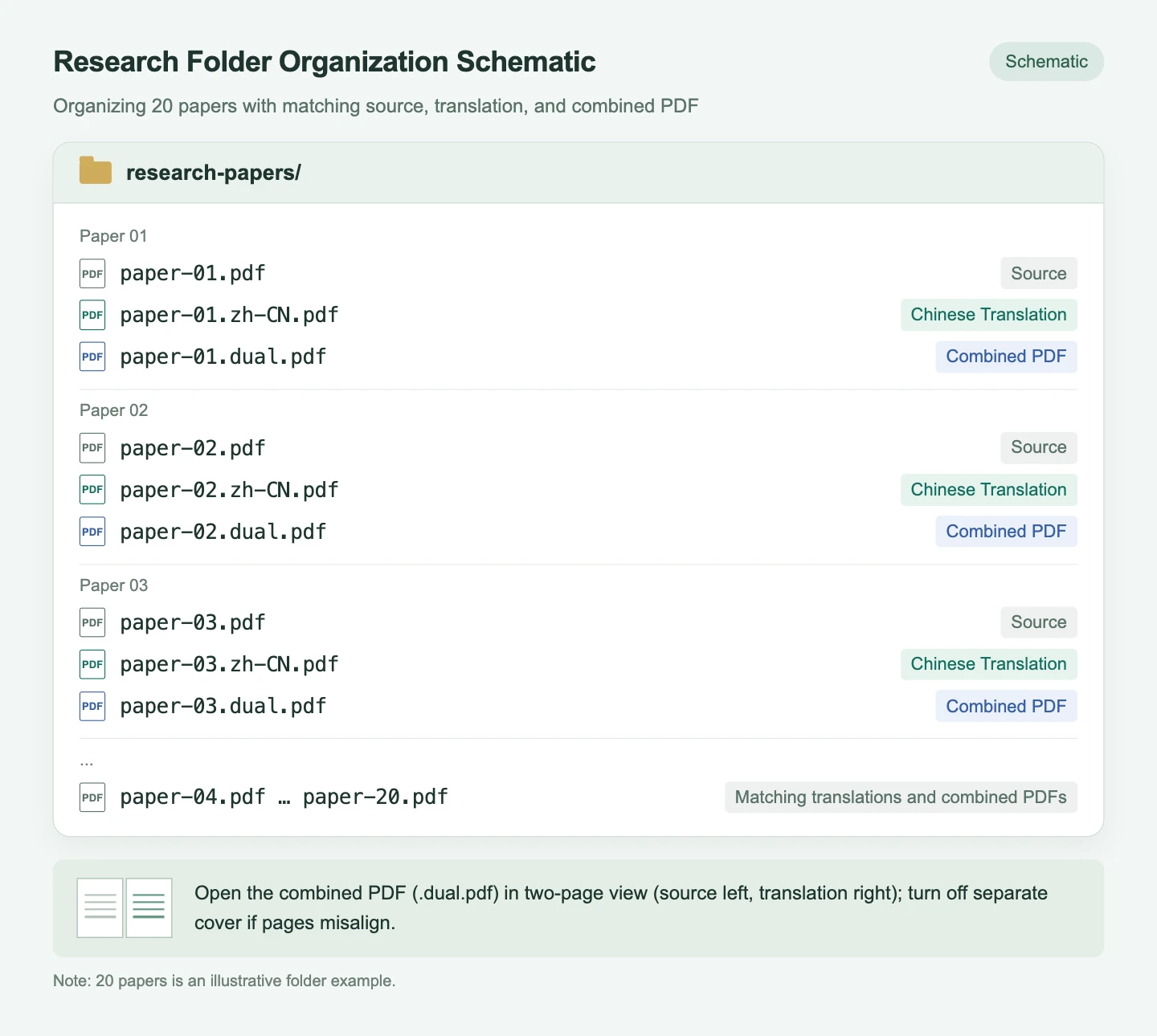
The combined PDF (.dual.pdf) is designed for reading in a local viewer in two-page spread view: original English on the left, translated Chinese on the right. If a reader displays the cover page separately and causes the pairs to shift, turning off the separate cover setting realigns them side by side.
Integrating batch translation into desktop assistant conversations keeps literature management organized without juggling web tabs and download directories. To set up the workflow in your assistant, check the official guides: Equalang Skill Installation Guide and Equalang Developers.
Evening in the Dorm: Watching Science Videos and Livestreams on YouTube
Back in her room in the evening, Lin winds down by watching an educational astronomy video on YouTube.

She opens NASA's educational video STEMonstrations: Moon Phases on YouTube. With the Equalang browser extension active, the player displays synchronized dual-language captions.
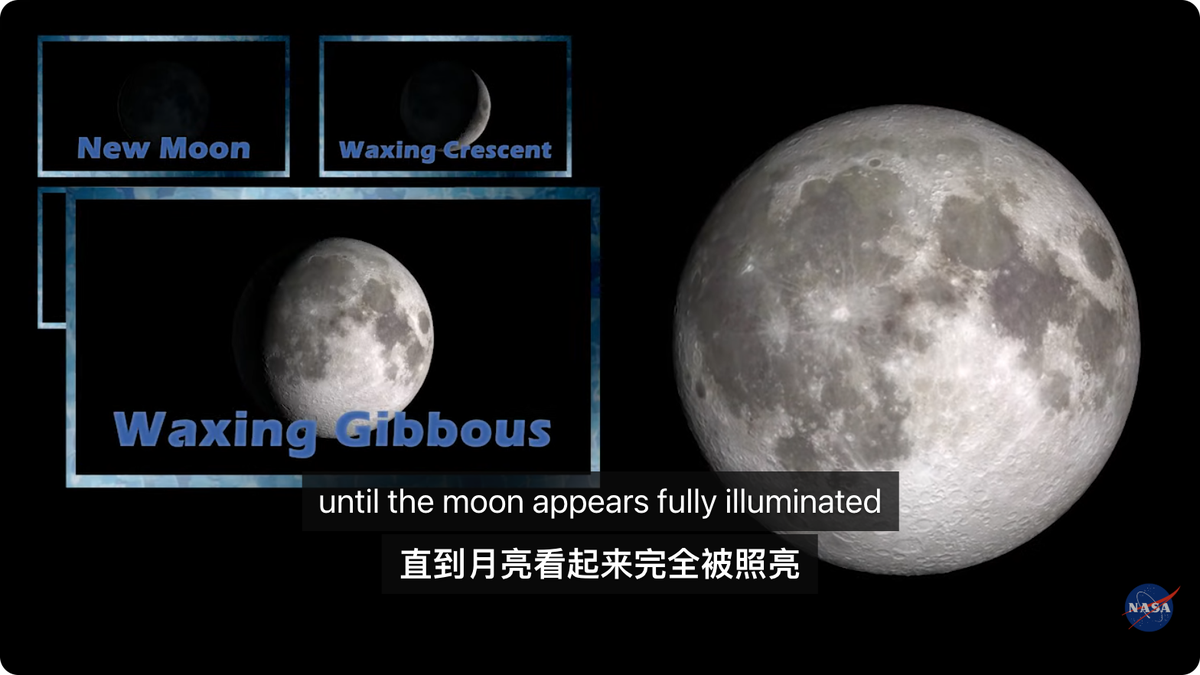
The extension translates the video's existing English subtitle track into a bilingual display:
- Source:
until the moon appears fully illuminated - Translation:
直到月亮看起来完全被照亮
In addition to on-demand videos, Lin sometimes tunes into live English news broadcasts (such as the FRANCE 24 English live stream) to catch up on current events.
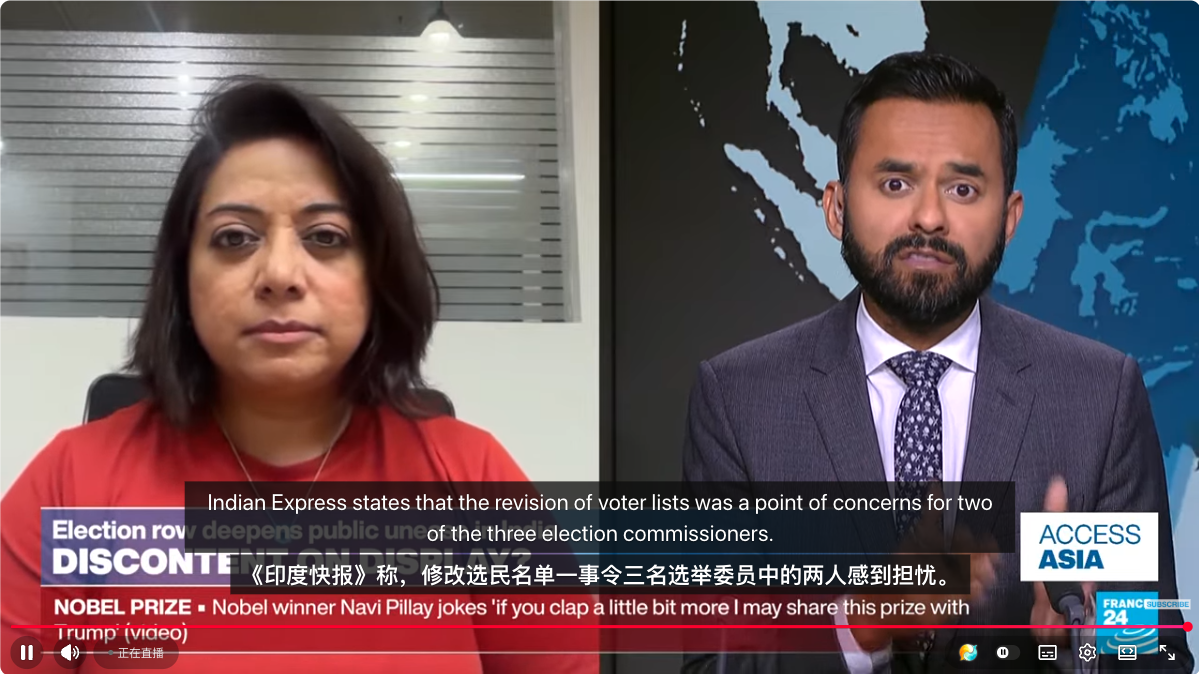
When watching English live broadcasts, the extension offers a Live Audio Interpretation feature: it captures the streaming audio directly from video playback, generating real-time bilingual captions on screen.
These two features serve distinct viewing needs:
- Bilingual Subtitle Translation converts existing subtitle tracks into dual-language captions;
- Live Audio Interpretation directly processes the video playback audio stream, independent of whether the original stream provides subtitles;
- Translation quality depends on network stability and audio clarity.
Sources & Attribution
- Equalang Product Features:
- Live Listening: Equalang Live Listening
- Document Translation: Equalang Document Translation
- Browser Extension: Equalang Extension
- Skill Installation: Equalang Skill Installation Guide
- Developer Resources: Equalang Developers
- Academic Paper Attribution & License:
- Randles D, Harlow I, Inzlicht M (2017), A pre-registered naturalistic observation of within domain mental fatigue and domain-general depletion of self-control, PLOS ONE 12(9): e0182980. https://doi.org/10.1371/journal.pone.0182980
- Selected pages reproduced under the Creative Commons Attribution License (CC BY 4.0). Chinese translation by Equalang.
- Wikipedia Reference & License:
- Wikipedia contributors, "Fatigue", Mental subsection, revision 1376908358, https://en.wikipedia.org/w/index.php?title=Fatigue&oldid=1376908358#Mental, licensed under CC BY-SA 4.0.
- Video & Livestream Sources:
- NASA Johnson, "STEMonstrations: Moon Phases", https://www.youtube.com/watch?v=SDhlPEMkiOo, official resource: https://www.nasa.gov/stem-content/stemonstrations-moon-phases/. Referenced in accordance with NASA Media Usage Guidelines to demonstrate dual-language caption display; does not imply NASA endorsement.
- FRANCE 24 English Livestream, https://www.youtube.com/watch?v=HvZt-nh9sGg.