Baidu Translate Features: Desktop, Mobile, and Video Tools
 Equalang
In brief
A guide to Baidu Translate across desktop shortcuts, mobile learning, video subtitling, and APIs, plus practical workflow comparisons with Equalang.
Keywords: Baidu Translate, desktop translator, photo translation, video subtitling, language learning, Equalang
Everyday cross-language tasks involve very different user environments: looking up unfamiliar technical vocabulary while reading code or documents inside local desktop software, capturing foreign signage or textbook questions with a smartphone camera, or turning recorded audio and video files into editable bilingual subtitles.
A simple web translation box cannot smoothly accommodate all these distinct workflows. To address diverse operating habits, Baidu Translate divides its capabilities across dedicated desktop software, a mobile app, a standalone video translation portal, and open developer APIs.
We are the Equalang team. In this guide, we examine Baidu Translate's documented features and typical use cases based on official public materials, and objectively outline how it connects with, differs from, and complements Equalang across specific tasks.
1. Desktop Workflows and Cross-App Word Lookup
For users who frequently read foreign text within local applications—such as code editors, PDF readers, and office software—Baidu Translate provides desktop software for Windows and macOS (offering separate native builds for Apple Silicon and Intel chips) designed to integrate into everyday desktop tasks.
Floating Mini-Window and Shortcut Lookups
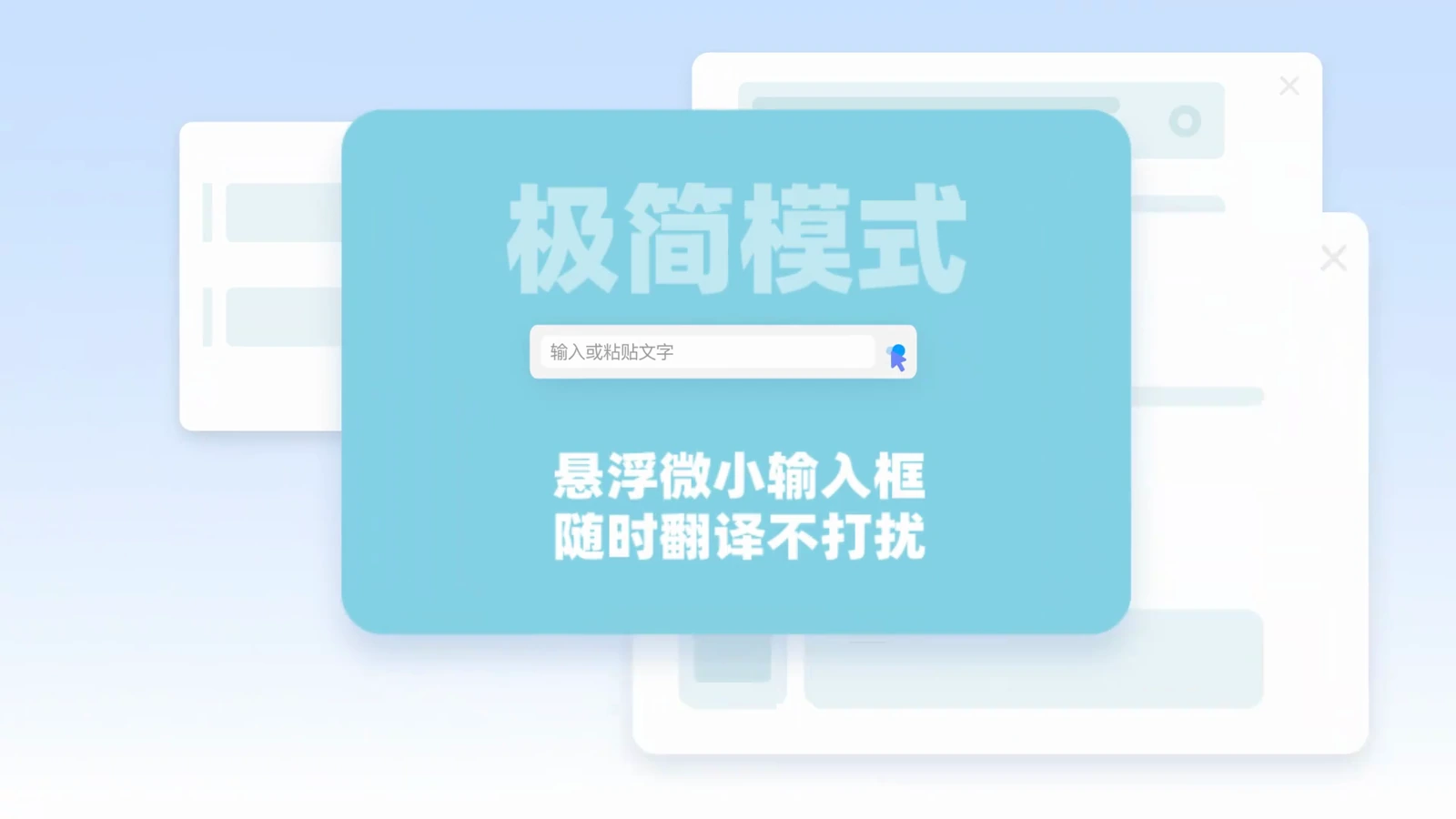
The desktop application includes a minimalist floating mode:
-
Hotkey Summoning: Users can trigger a compact floating input box using customizable global hotkeys, look up terms immediately, and dismiss the window without switching back and forth between work applications and browser tabs.
-
Unobtrusive Footprint: The floating window occupies very little screen area, keeping the user's primary reading or editing window in view.
Source: Baidu Translate Desktop Download Page
Text Selection and Screenshot OCR
When navigating third-party desktop programs:
-
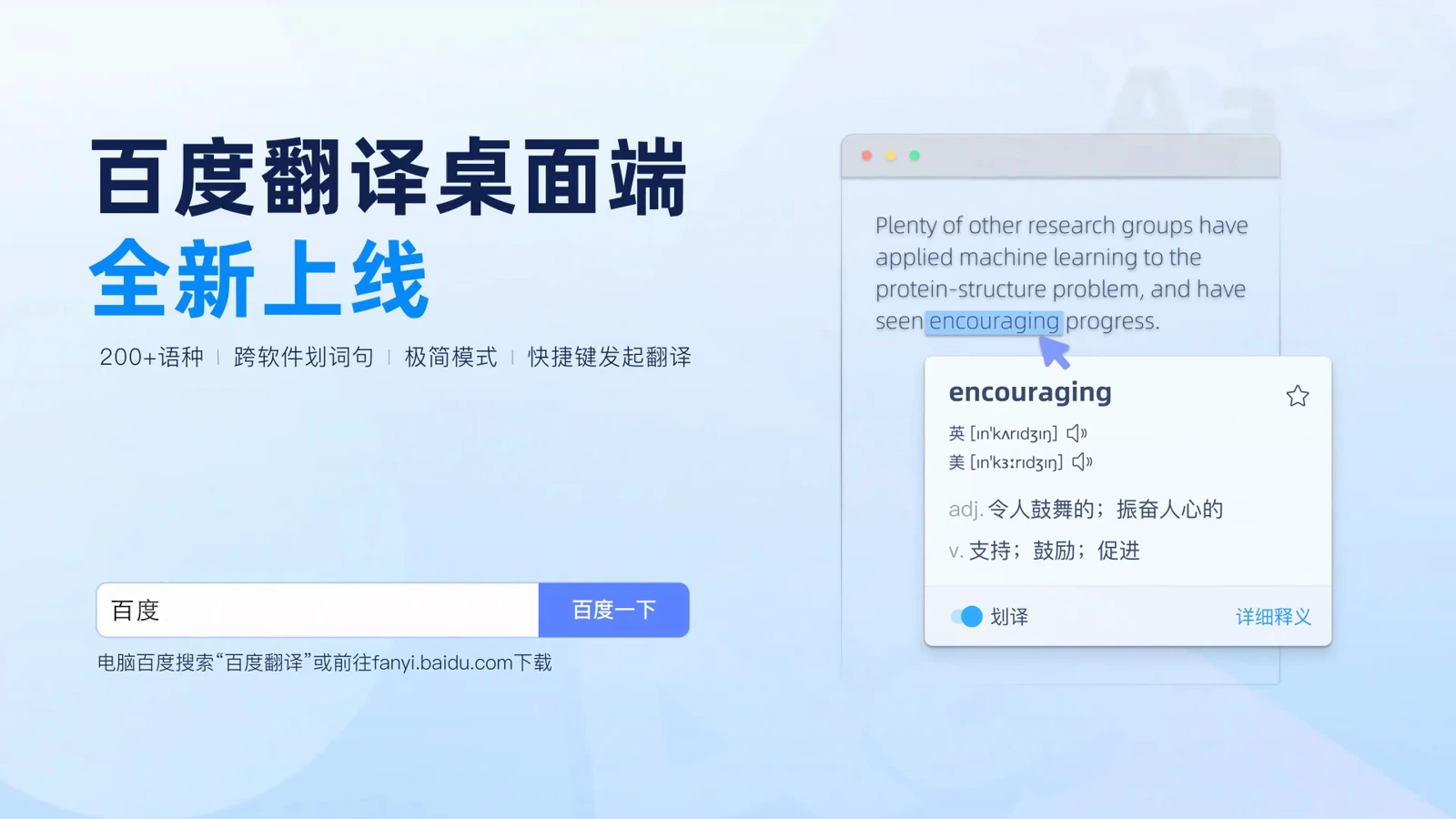
Hover Selection: Highlighting words or sentences inside documents, emails, or web pages brings up an instant pop-up translation bubble adjacent to the cursor.
-
Screenshot Translation: When encountering non-selectable text, image captions, or software dialogs, users can snap a designated screen area using a shortcut to extract and translate the visible text.
Source: Baidu Translate Desktop Download Page
Desktop Interpretation Subtitles
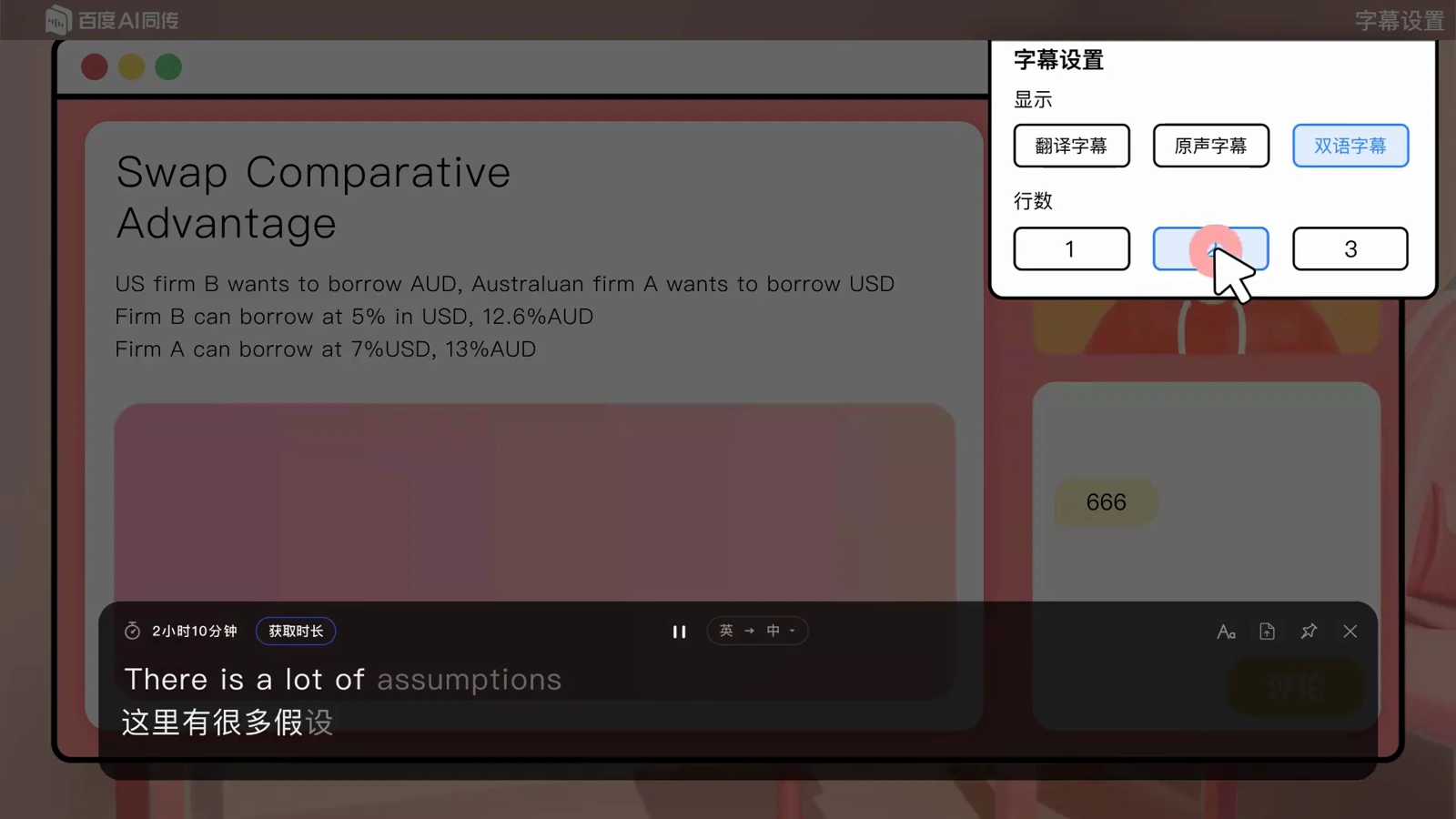
The desktop software includes an interpretation assistant for computer-based audio:
-
Bilingual Subtitle Display: It generates floating bilingual subtitles on screen to assist comprehension during webinars, online classes, or meetings.
-
Transcript Export and Styling: Users can customize subtitle display styles and export the generated subtitle text after a session for subsequent review.
Source: Baidu Translate Desktop Download Page
2. Mobile Scanning, Reference Dictionaries, and Spoken Practice
On mobile phones and tablets, the Baidu Translate app (version 12.0) leverages device hardware to combine camera translation with language learning resources.
Camera Scanning and Photo Translation
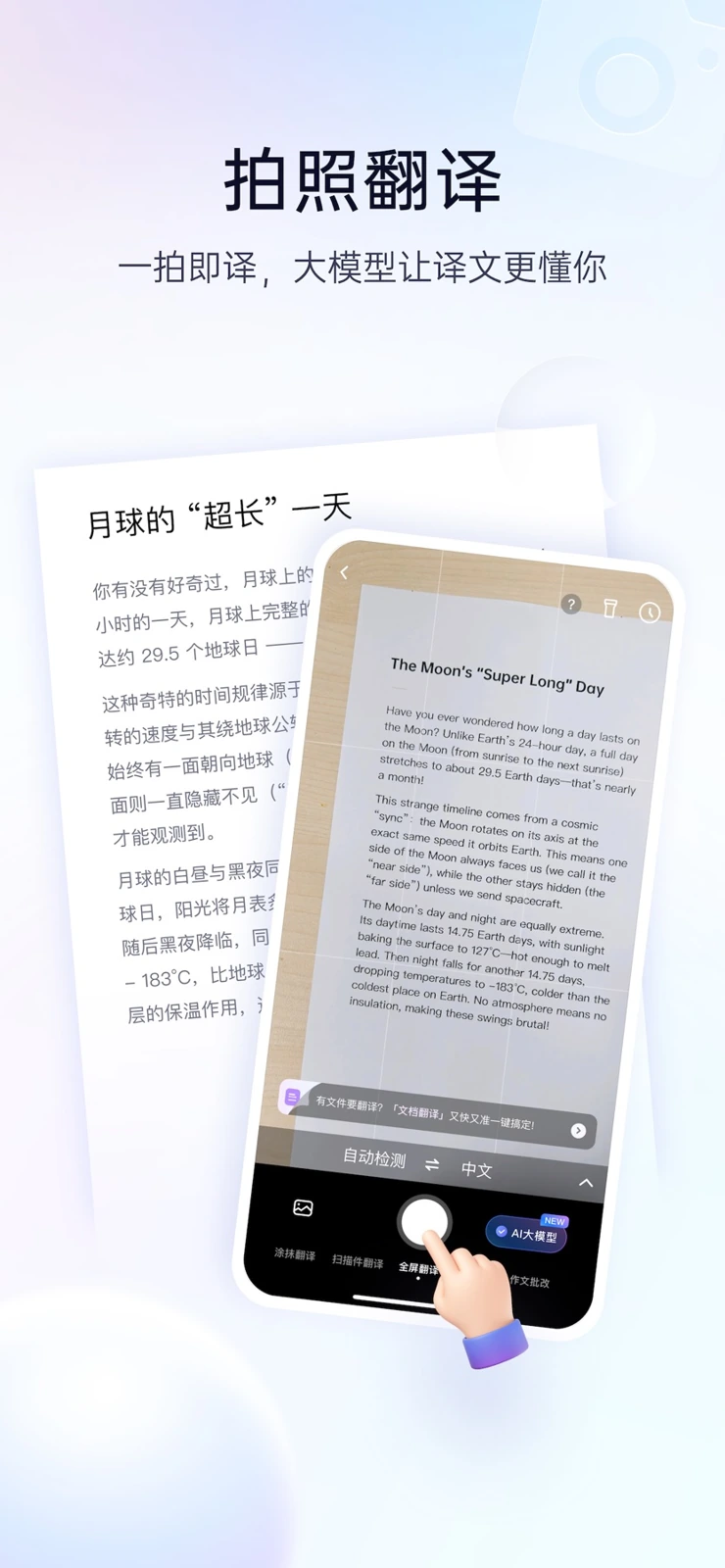
Using the mobile camera:
-
Viewfinder Translation: Pointing the camera at physical books, course handouts, street signs, or product labels identifies printed text and overlays translations directly onto the source image layout for convenient side-by-side verification.
-
Photo Album Import: Users can import saved screenshots or photos from their local photo album for text recognition and translation.
Source: Baidu Translate on the App Store
Reference Dictionaries and Learning Features
Beyond sentence translation, the mobile app serves as an interactive learning tool:
-
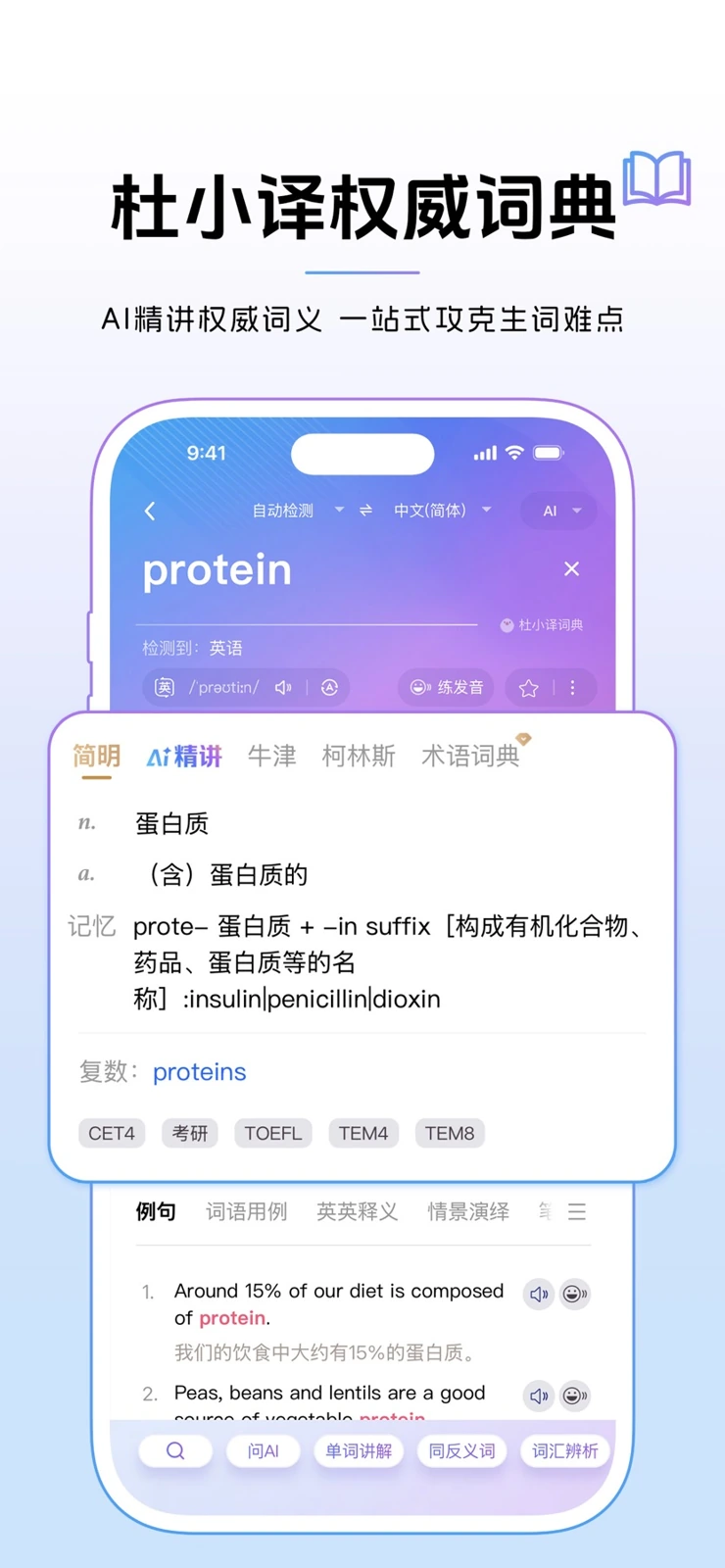
Authoritative Dictionaries: The app integrates reputable references including Oxford and Collins dictionaries, offering word definitions, inflections, phonetic transcriptions, and bilingual example sentences.
-
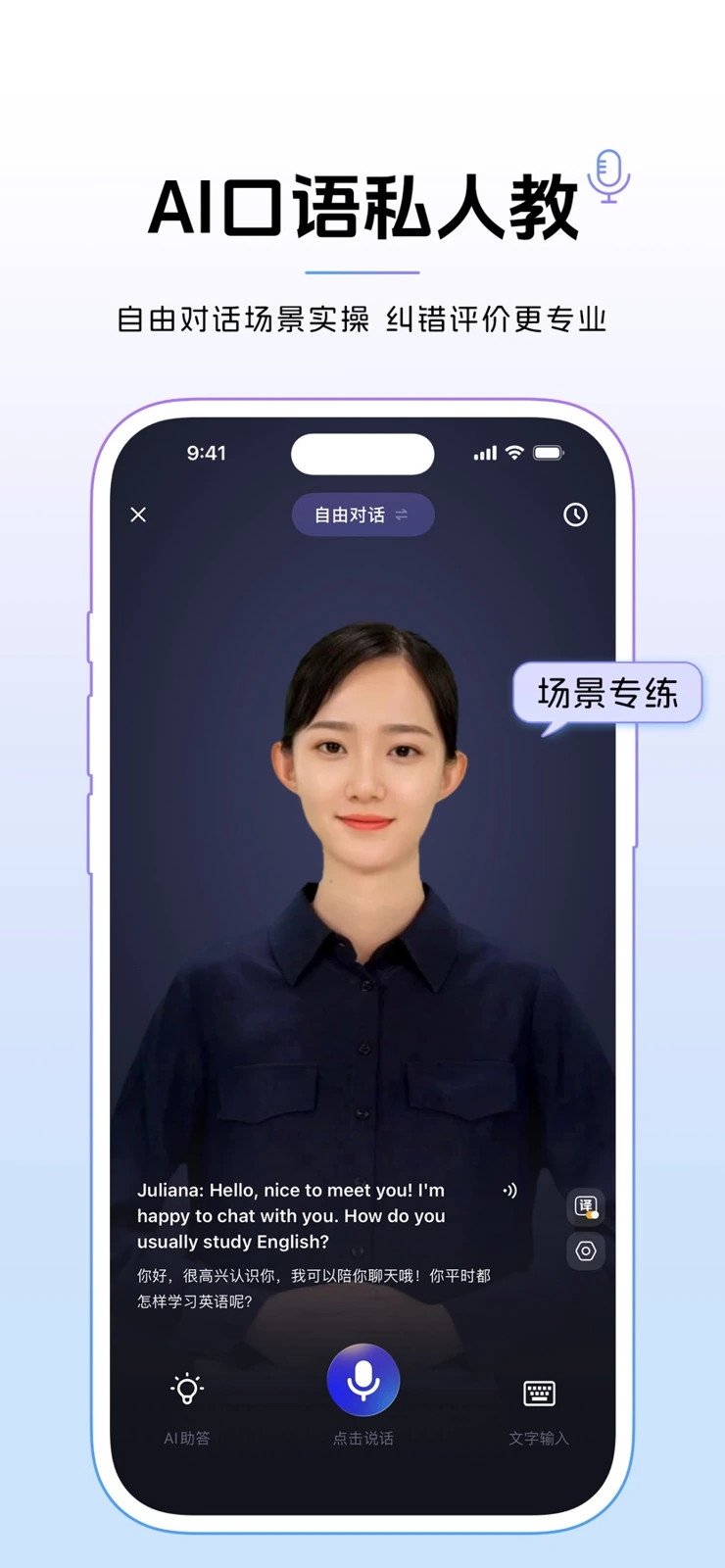
AI Spoken Practice: Built-in conversation coaching covers daily conversation, travel, and workplace topics, allowing learners to adjust conversation difficulty to match their proficiency.
-
Textbook and Exam Explanations: The assistant provides targeted grammar and vocabulary breakdowns linked to standard language textbooks and exam questions.
| Reference Dictionary | AI Spoken Conversation Practice |
|---|---|
 |  |
Source: Baidu Translate on the App Store
Mobile Interpretation and Document Viewing
The mobile app also supports spoken interpretation, capturing speech and presenting bilingual text in real time. In addition, mobile document translation allows users to upload files on their phone, view translated layouts, and access documents across multiple devices via cloud storage.
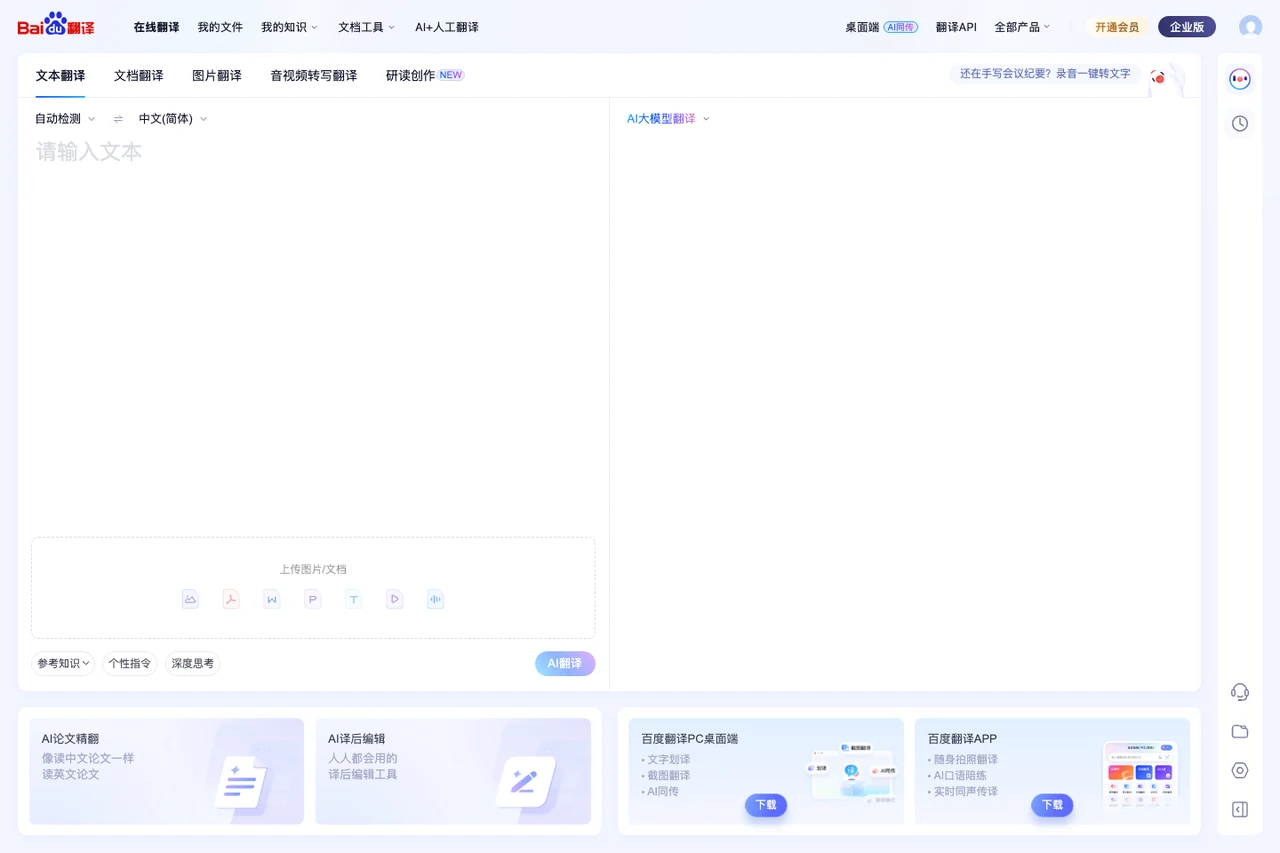
Source: Baidu Translate Official Homepage
3. Dedicated Video Subtitling and Enterprise APIs
Beyond general desktop and mobile translation, Baidu maintains dedicated avenues for post-production media workflows and enterprise integrations.
Standalone Baidu Video Translation Portal
Baidu operates a dedicated Baidu Video Translation portal designed specifically for post-production subtitling of pre-recorded audio and video files, distinct from in-browser live stream translation:
-
Media File Upload: Users upload recorded audio or video files, and the platform automatically transcribes spoken audio to generate bilingual subtitle files.
-
Online Subtitle Editor: The web portal provides an interactive timeline editor where users can review video playback alongside the transcript and manually adjust subtitle text.
-
Deliverable Export: Once editing is complete, users can export finalized subtitle files. Alongside automated AI translation, the portal offers professional human translation and custom localization services for film and commercial projects.
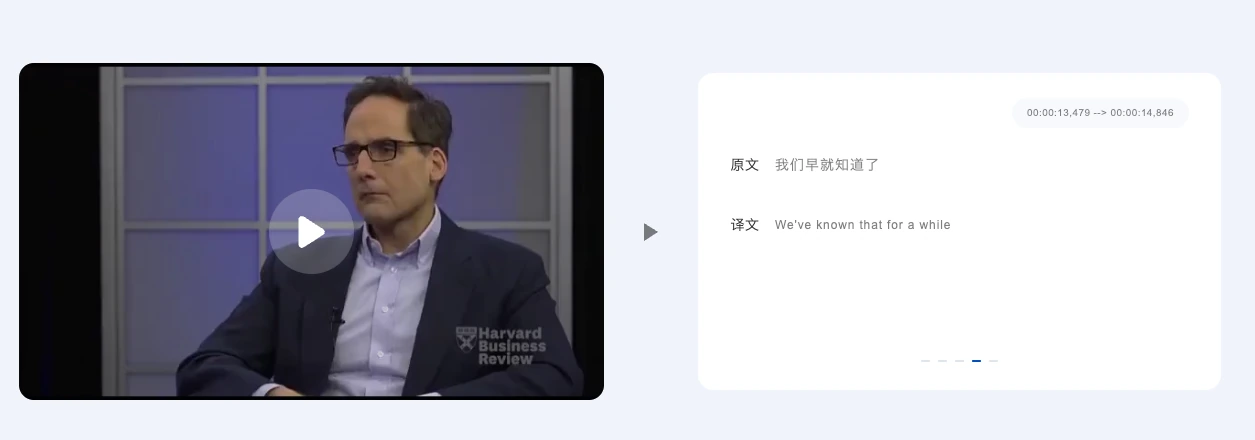
Source: Baidu Translate Video Translation Product Page
Open Platform and Enterprise APIs
For enterprise systems and software developers, the Baidu Translate Open Platform provides multi-language text translation APIs, document translation endpoints, and specialized vertical translation engines (such as biomedicine, electronics, and mechanical engineering) for automated business workflows.
4. Differences, Overlaps, and Workflows with Equalang
In everyday work and study, Baidu Translate and Equalang both cover word lookup, document translation, and spoken scenarios, but they approach reading presentation, layout preservation, and remote collaboration with distinct priorities.
1. Bilingual Web Reading and Media Playback
When engaging with web articles and streaming video:
-
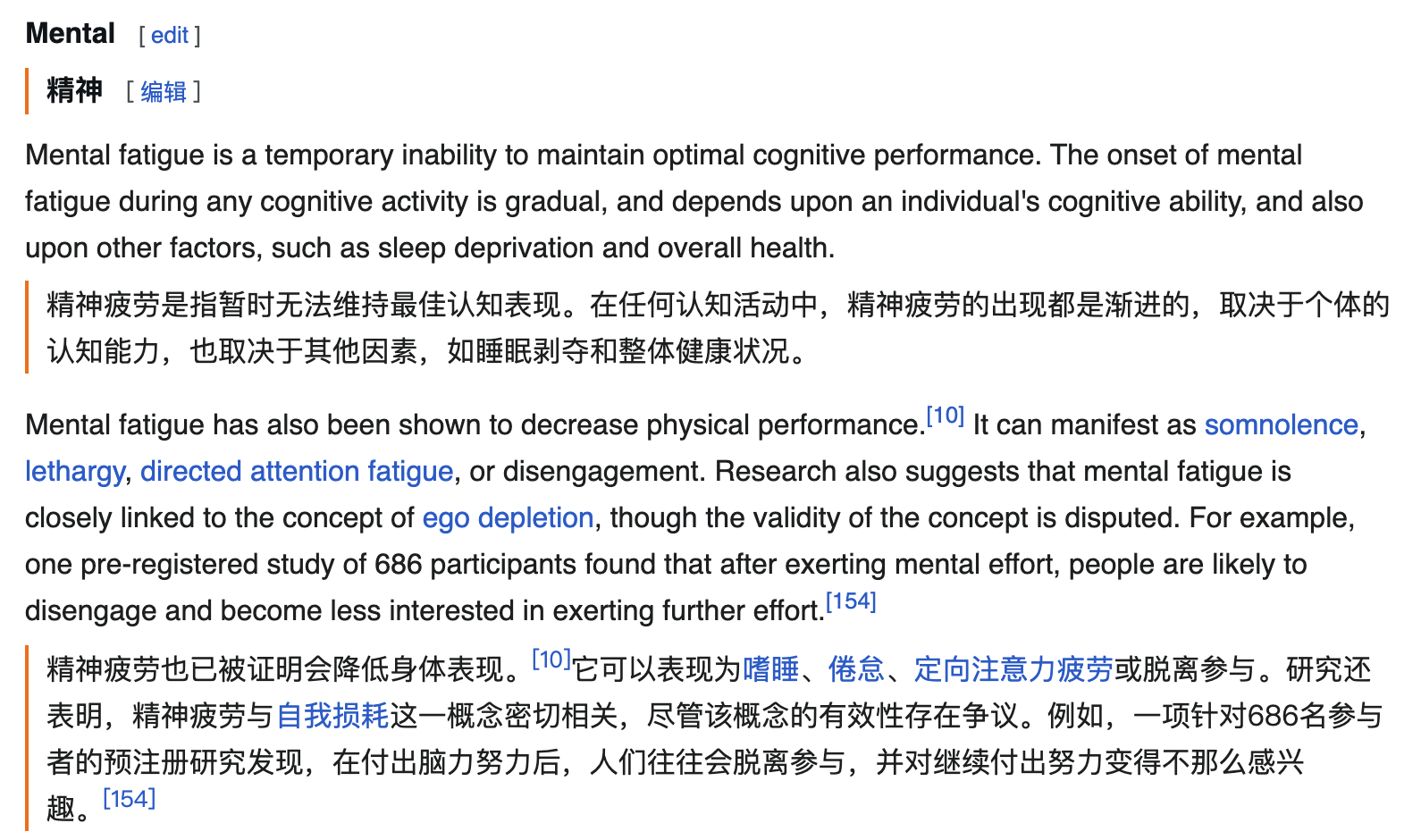
Baidu Translate's desktop client focuses on floating selection pop-ups and minimal search boxes, making it convenient for quickly checking isolated words or phrases across diverse applications.
-
Equalang emphasizes continuous parallel reading through its lightweight browser extension: translations appear directly beneath each original paragraph as you scroll, allowing readers to compare technical terminology in context without constant clicking.
-
For video content, the Equalang extension enhances platforms like YouTube, Netflix, TikTok, and Bilibili by converting single-language captions into bilingual subtitles. For public streams or videos without existing subtitles, the extension can attempt to capture playback audio in supported browser environments to generate real-time bilingual subtitles (subject to browser audio capture and platform DRM constraints; encrypted media streams are not supported). This runs directly on the playing webpage without requiring media files to be downloaded or uploaded beforehand.
2. Document Layout and Structural Fidelity
When translating formal documents and technical materials:
-
Baidu Translate provides document translation via web and mobile apps, supporting multiple file formats while keeping layout for straightforward reading.
-
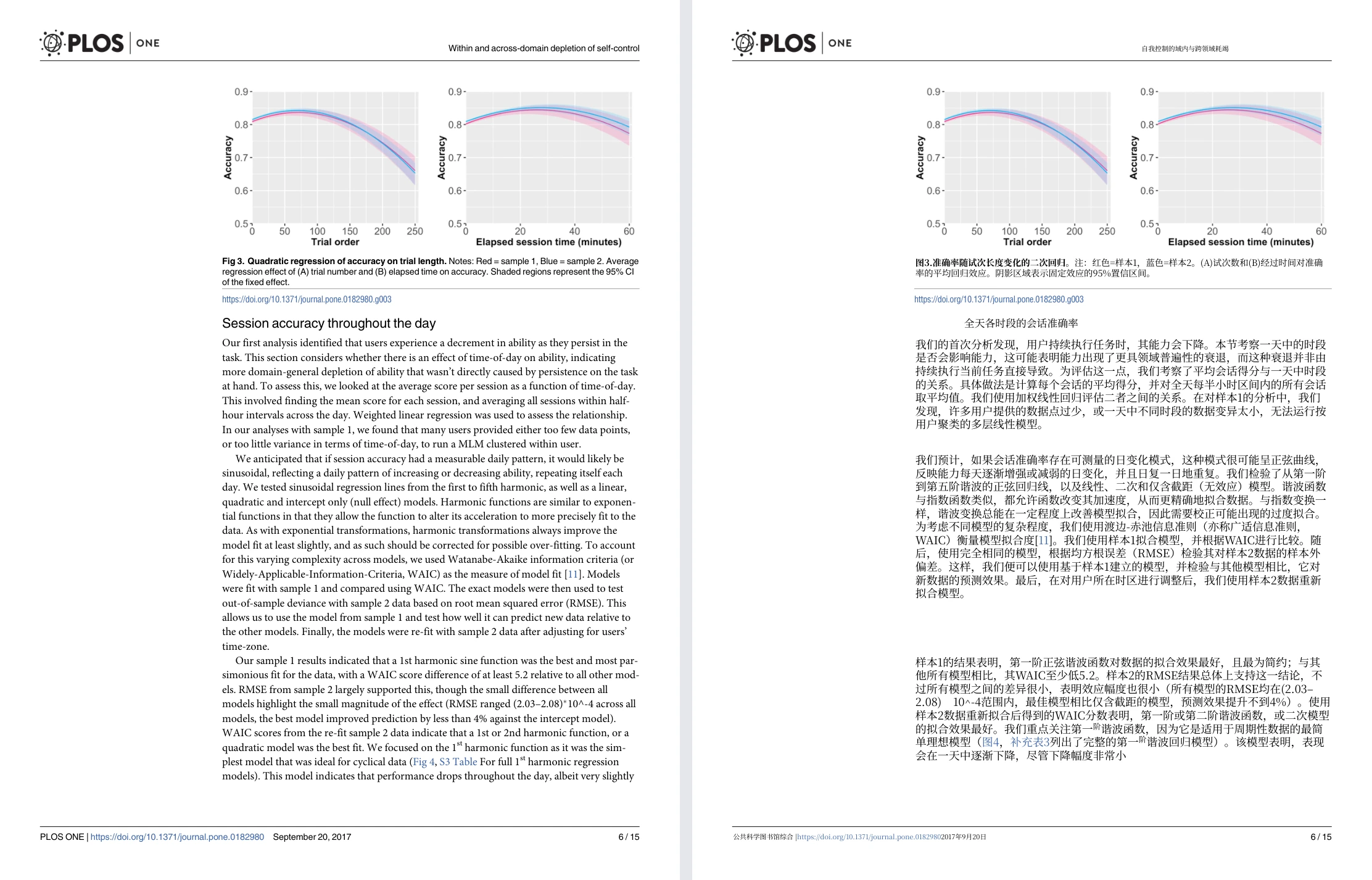
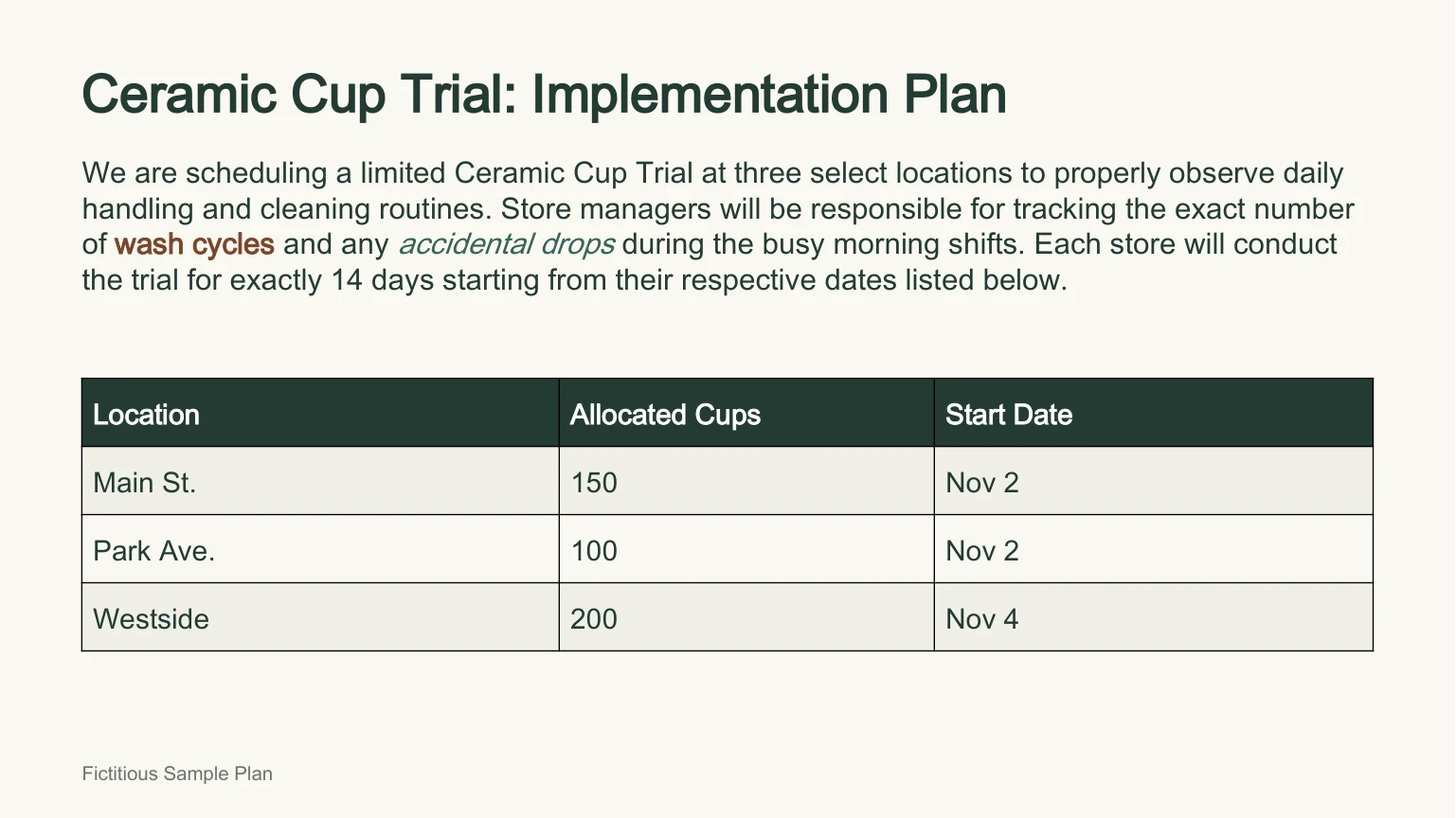
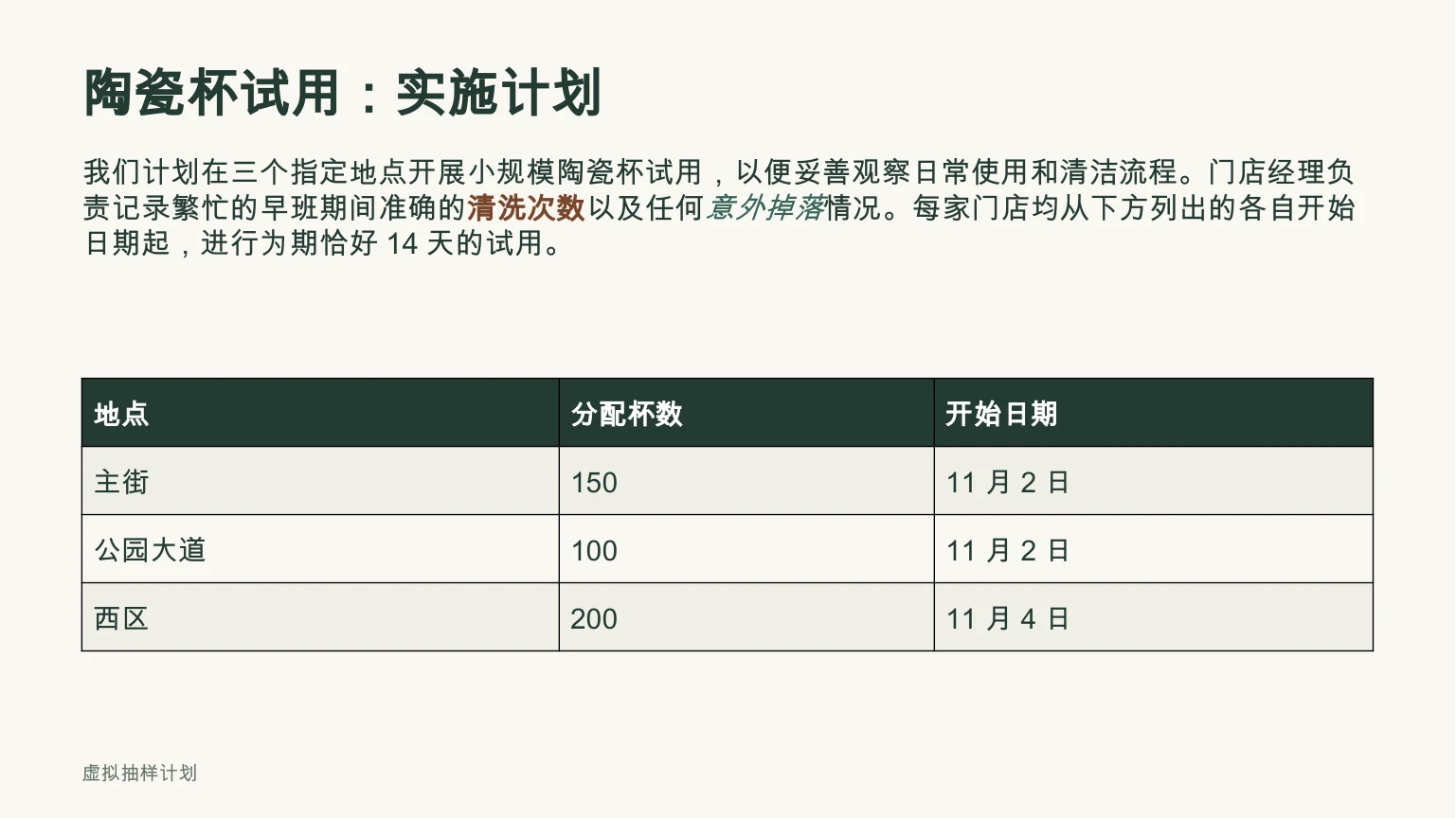
Equalang focuses on preserving visual structure and document elements: in complex academic PDFs, it preserves multi-column layouts, headers, footers, and captions, rejoins sentences split across page breaks before translating, and retains inline and standalone mathematical formulas; in PowerPoint (PPTX) presentations, text boxes dynamically resize fonts to prevent overflow when translations expand, while retaining native editable tables and phrase-level formatting; in Excel (XLSX) spreadsheets, raw numeric entries and formulas are preserved untouched; EPUB eBooks retain chapter links and navigation. Once configured, users can also trigger document translation using natural conversational language inside compatible AI assistants (such as Claude Code or WorkBuddy).
| Original English Presentation | Equalang Chinese Translation Result |
|---|---|
 |  |
3. In-Person Dialogue and Client-Free Remote Calls
In spoken communication:
-
The Baidu Translate mobile app and desktop interpretation assistant are designed for single-device voice interactions, mobile learning, and listening to audio streams.
-
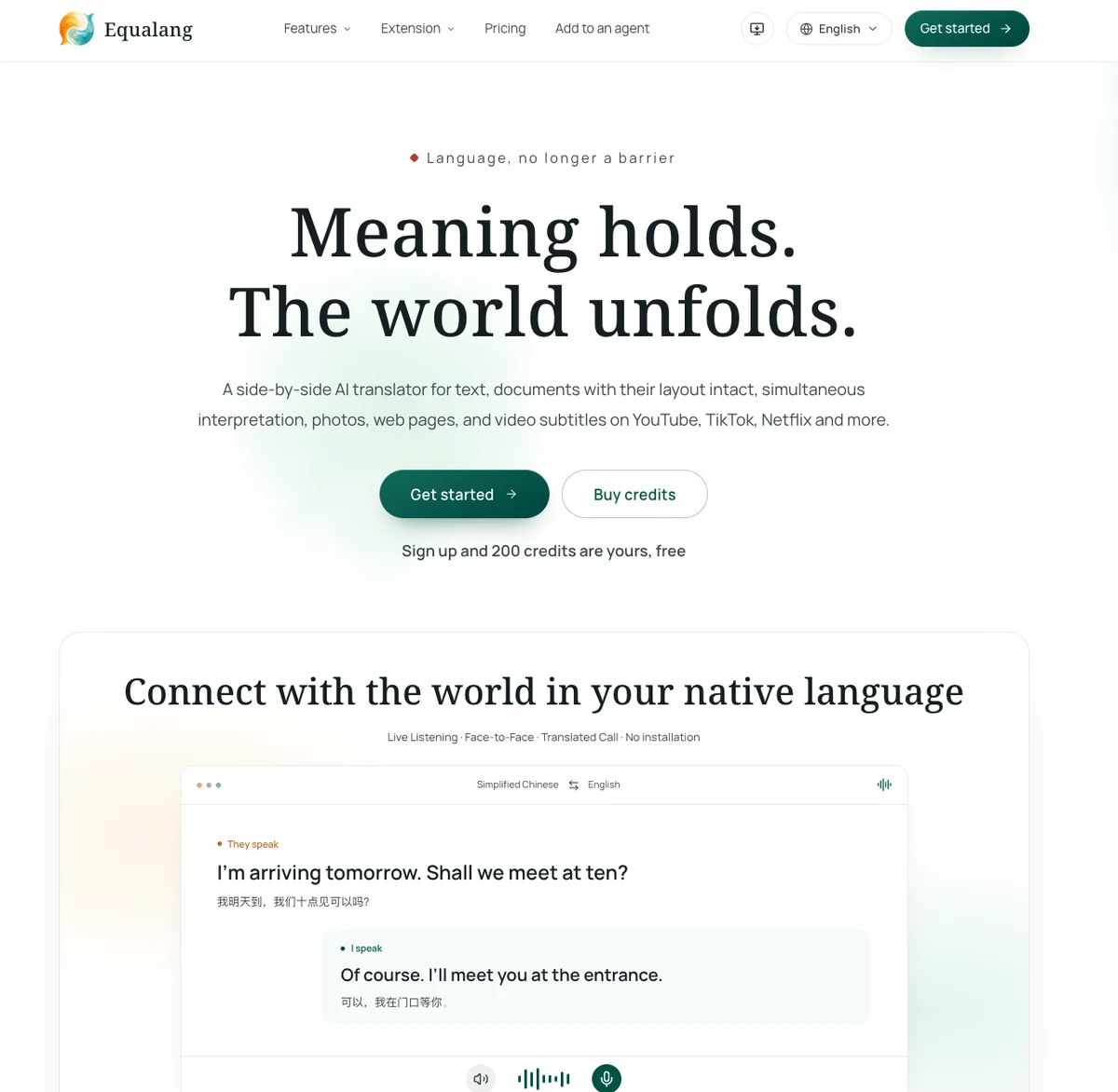
Equalang provides a client-free communication suite accessible directly through desktop and mobile browsers:
- Translated Call: The Translated Call feature enables an account holder to log in, choose language settings, and generate an invite link for an overseas counterpart. The recipient opens the link in their mobile or desktop browser without registering an account or installing any software, enters a display name to request access, and joins once approved by the host. Both parties speak their native languages, hear translated audio, and view synchronized bilingual text records.
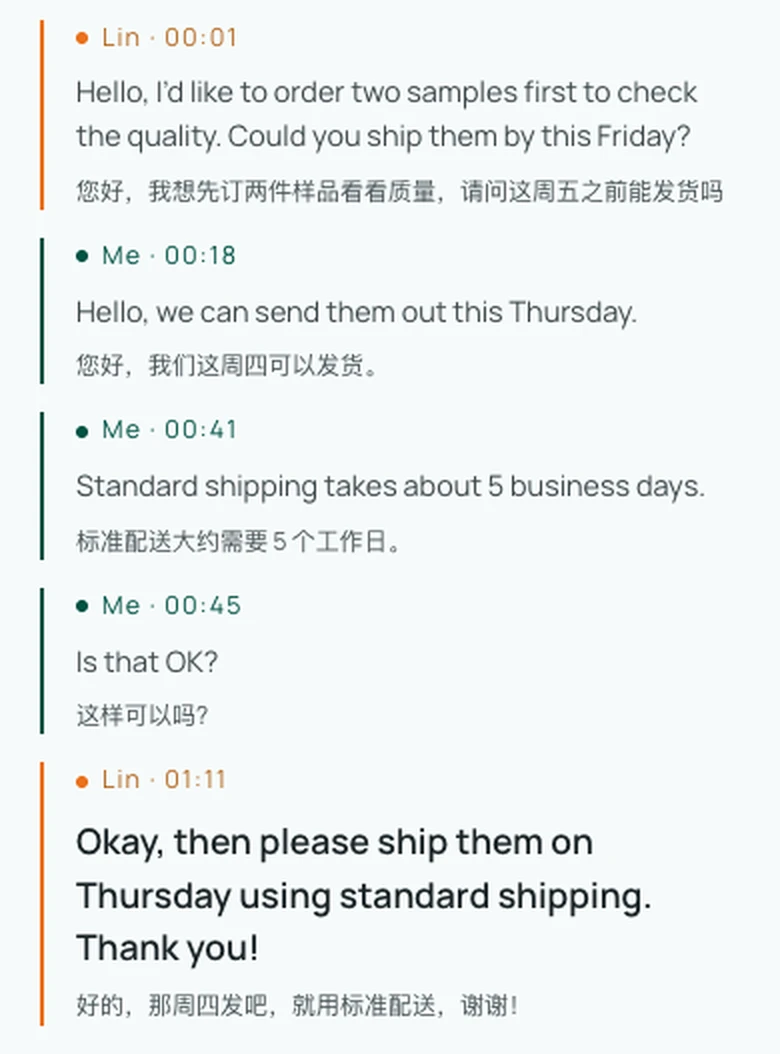
- Zero-Install Local Interaction: Users can open Face-to-Face Translation directly inside a smartphone or tablet browser, utilizing inverted or side-by-side split screens for two people sharing one device. Meanwhile, Live Listening displays live bilingual subtitles during in-person talks, with session transcript export available upon completion.
Which Tool Fits Your Workflow?
If your priority is a daily desktop companion and mobile learning tool—allowing you to quickly look up or screenshot words across desktop software, study vocabulary with Oxford and Collins dictionaries and practice conversational speaking on mobile, or upload recorded media files to a web timeline editor for subtitle transcription—Baidu Translate provides a mature set of multi-device tools.
If your work centers on reading foreign technical websites side by side, watching video streams with bilingual subtitles and live audio interpretation, translating structured PDFs or presentations while preserving equations and formatting, or hosting cross-language voice calls with overseas partners without requiring app installations, Equalang provides a focused workflow built for deep comparative reading and remote collaboration.