Apple Translate: System Features and Workflow Guide
 Equalang
In brief
An overview of Apple Translate apps, camera lookups, and Live Translation in calls, along with device requirements and task pairings with Equalang.
Keywords: Apple Translate, iOS translation, Live Translation, conversation mode, Equalang
When encountering an unfamiliar language while traveling or messaging friends, many iPhone and iPad users turn to the built-in Translate tools. Whether deciphering a restaurant menu, asking for directions in person, or navigating phone calls across languages, native tools integrated into the operating system offer significant convenience.
Different translation tools suit different communication settings. This guide, prepared by the Equalang team based on official Apple documentation, examines Apple Translate's everyday capabilities, communication integrations, and published hardware requirements. It also outlines practical distinctions and task pairings with Equalang across daily exchanges, document translation, and cross-platform collaboration.
1. The Built-in Translate App: Everyday Mobile Interaction
Pre-installed on iOS and iPadOS without requiring a separate app store download, the Translate app is designed for handheld lookups, in-person travel exchanges, and quick phrasing assistance:
Text Lookups and Audio Playback
Users can type, paste text, or speak into the microphone. Translations appear immediately alongside synthesized audio playback, and pressing and holding the speaker button allows users to adjust playback speed. In noisy outdoor settings, translations can be expanded to full-screen view for the other party to read, and useful phrases can be added to favorites.
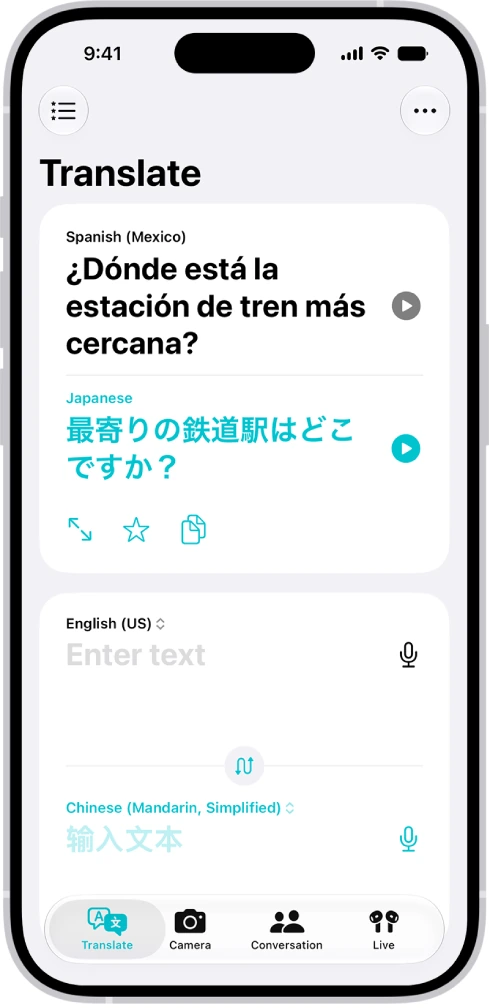 Source: Apple Support (Official demo reference image showing Spanish-to-Japanese lookup)
Camera Viewfinder and Photo Translation
In camera mode, pointing the device at menus, signs, or notices overlays translated text directly over the original image. Users can freeze the frame to zoom in on smaller details, or tap overlaid text to copy or hear it. The app also supports importing existing photos from the photo library to view and share translated pictures.
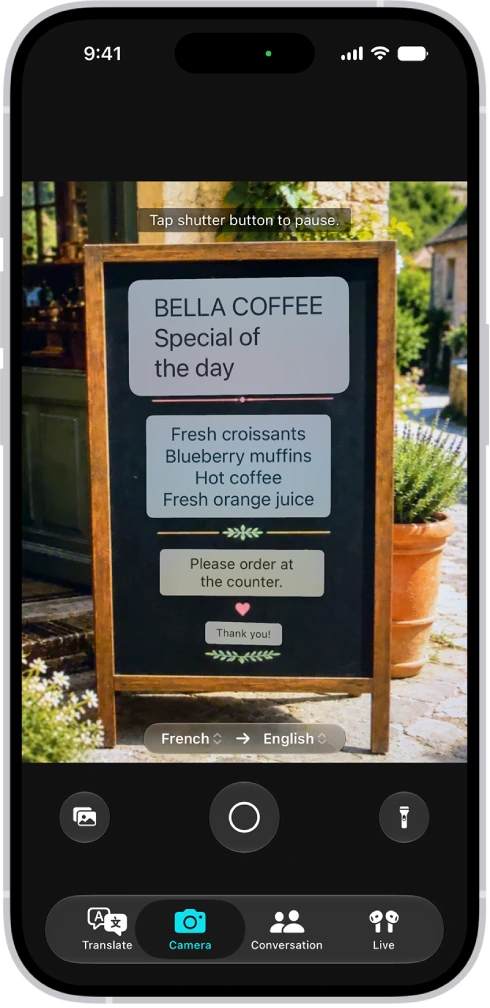 Source: Apple Support (Official demo reference image showing camera translation of a French menu into English)
Split-Screen In-Person Conversations
For spoken dialogues between two people, the app provides a conversation view with chat bubbles. Switching to "Face to Face" inverts the top half of the screen, allowing people seated opposite each other to read their side comfortably. The mode includes automatic language detection and translation, recognizing natural speech pauses without requiring a manual tap on the microphone for every sentence.
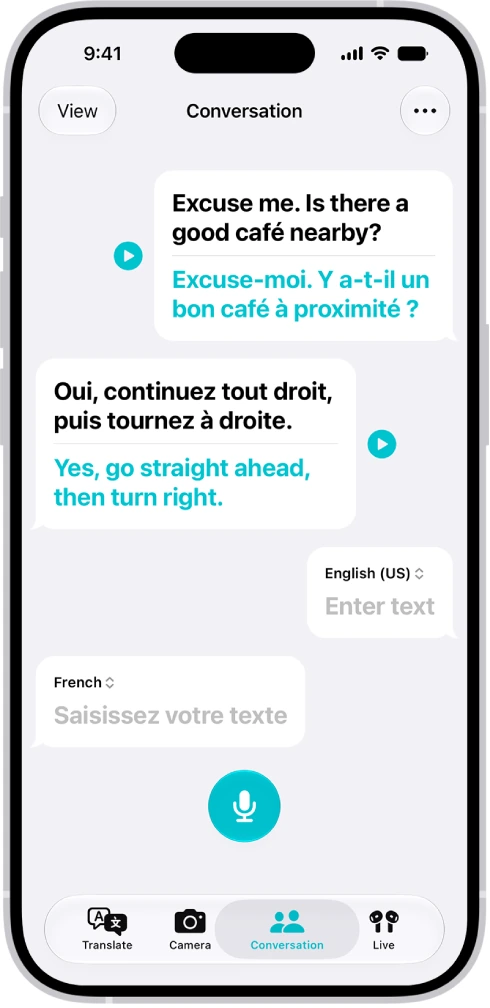 Source: Apple Support (Official demo reference image showing upright stacked English and French conversation bubbles, not inverted face-to-face view)
Offline Language Packs
Users can download language packs in advance. Once downloaded, basic text lookups and conversational translations operate on-device without an active cellular or Wi-Fi connection, making them dependable on flights or during international travel without roaming.
2. System Integration: Apple Intelligence Live Translation
Beyond the standalone app, Apple integrates Live Translation into its core communication features:
- Messages Translation: Turning on automatic translation in the Messages app enables inline translation while typing, sends translated text, and translates incoming foreign messages into your preferred language.
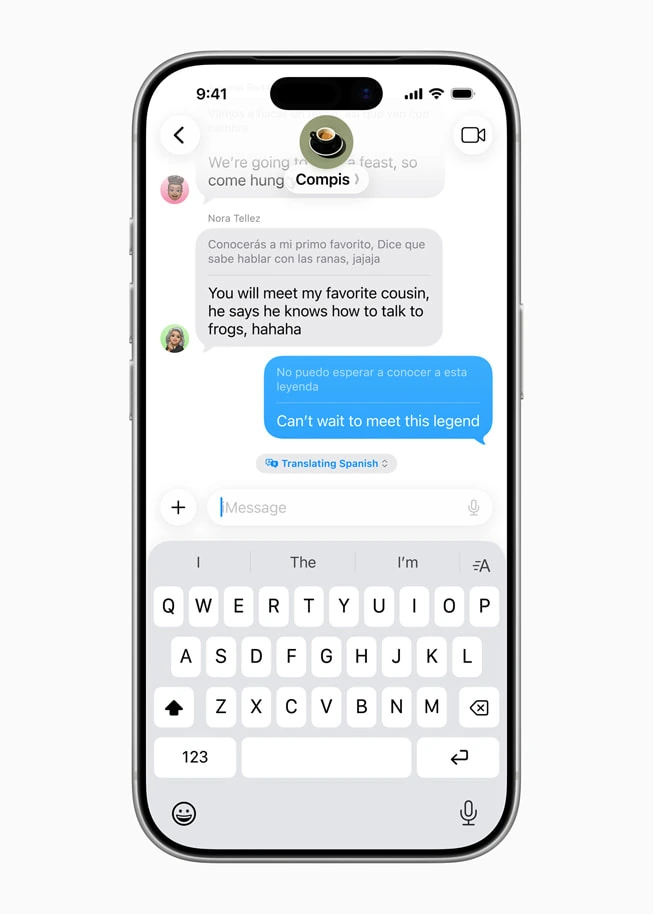 Source: Apple Newsroom (Official demo reference image showing Spanish and English inline translation in Messages)
- Phone Call Spoken Translation: During an active phone call, users can initiate Live Translation to hear spoken translations of each other's speech, alongside on-screen text transcripts. According to Apple Support documentation, compatible Apple Intelligence hardware is required for the person enabling Live Translation, while Apple's WWDC2025 Keynote explicitly notes that the other caller does not need an iPhone.
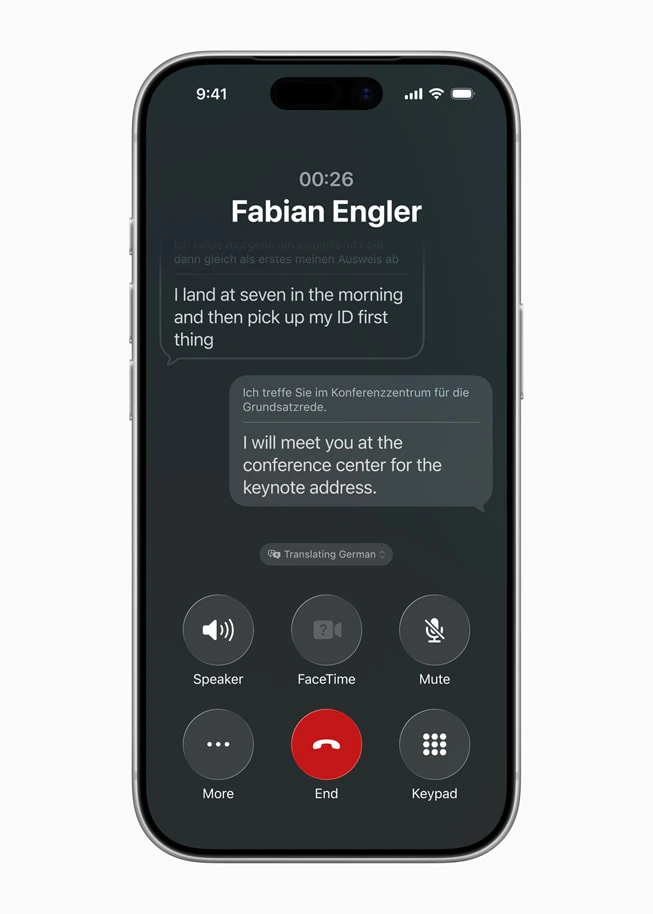 Source: Apple Newsroom (Official demo reference image showing German and English speech transcriptions in Phone calls)
- FaceTime Video Live Captions: When activated during a FaceTime video call, real-time translated captions appear on screen to support cross-language video conversations.
 Source: Apple Newsroom (Official demo reference image showing translated live captions during a FaceTime video call)
3. System Requirements and Practical Boundaries
Before relying on these features, it is helpful to note the official device criteria and regional rules:
App vs. Live Translation Device Requirements
The baseline Translate app runs on mainstream iPhone and iPad hardware, needing only downloaded language packs for offline queries. Conversely, Live Translation across Phone, FaceTime, and Messages is powered by Apple Intelligence, requiring specific compatible hardware (such as iPhone 15 Pro, iPhone 15 Pro Max, and the iPhone 16 family).
Regional Availability Notes
According to Apple Support documentation (published September 2026), Apple Intelligence features are currently unavailable on supported devices purchased in China mainland. For devices purchased outside China mainland, the features also do not activate if the user is in China mainland with an Apple Account set to China mainland.
Workflow Scope
In terms of functional scope, the built-in Apple Translate app and system communication features covered here focus on short text queries, camera recognition, face-to-face dialogue, and active voice calls; live call translation also covers a more focused selection of major languages compared to general text lookups. Workflows centered on translating complete structured files (such as formatted PDFs or presentations) involve different tools and portals.
4. Practical Task Selection: When to Pair with Equalang
In daily life and teamwork, native utilities and specialized tools complement one another across different tasks. Equalang provides capabilities focused on structured documents, web browsing, and multi-platform collaboration:
Travel and Everyday Photo Lookups
When walking through a city with an iPhone, using the built-in Translate app to check signs or menus is immediate and straightforward. When reviewing travel pictures, digital flyers, or restaurant menus on a laptop, users can upload images to the Equalang photo portal to view translations directly on the image.
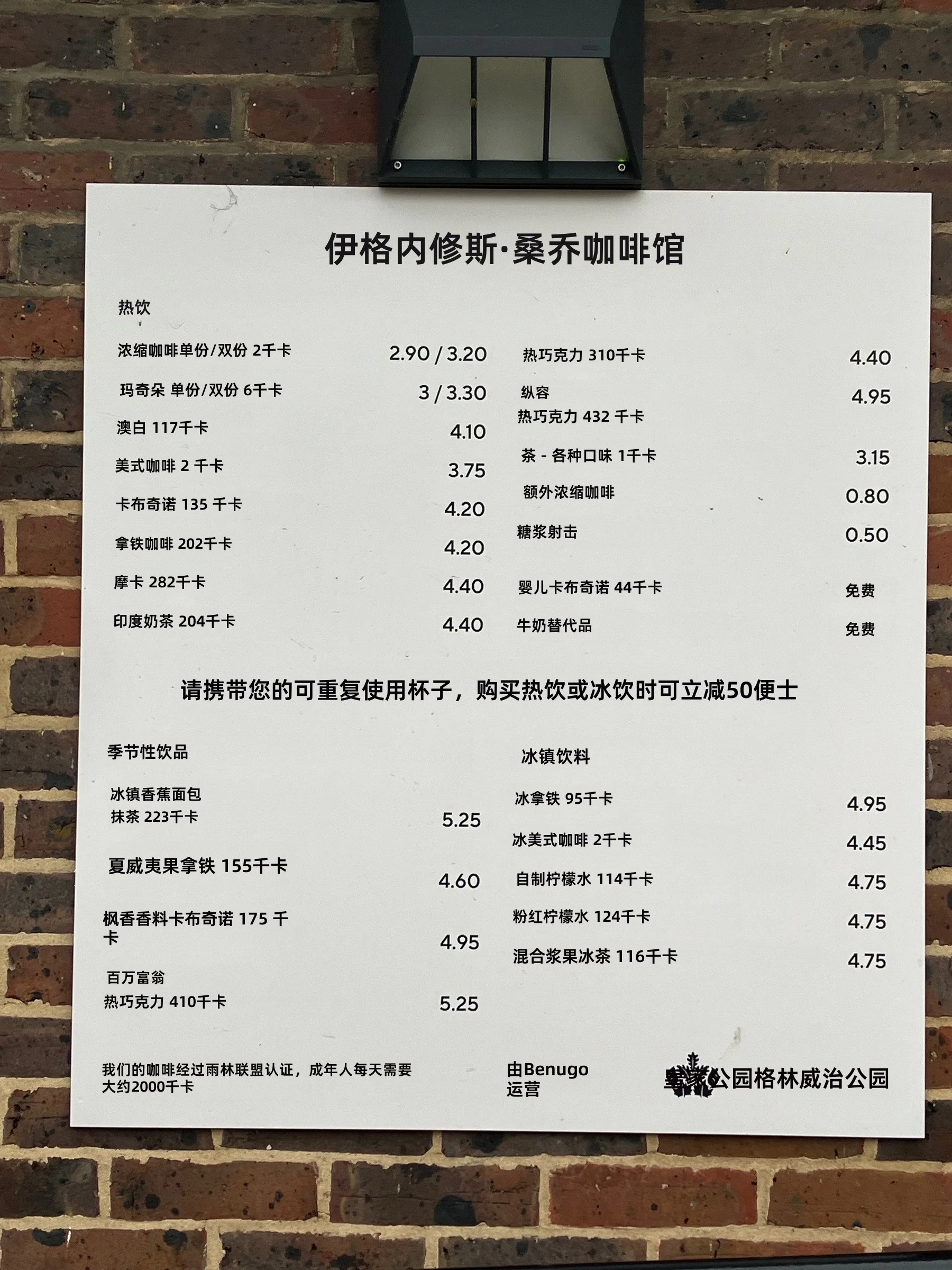 Team verified earlier sample: Equalang photo translation overlaying Chinese translation directly onto the original menu layout (not an official promo graphic or newly run test)
Structured Document Translation
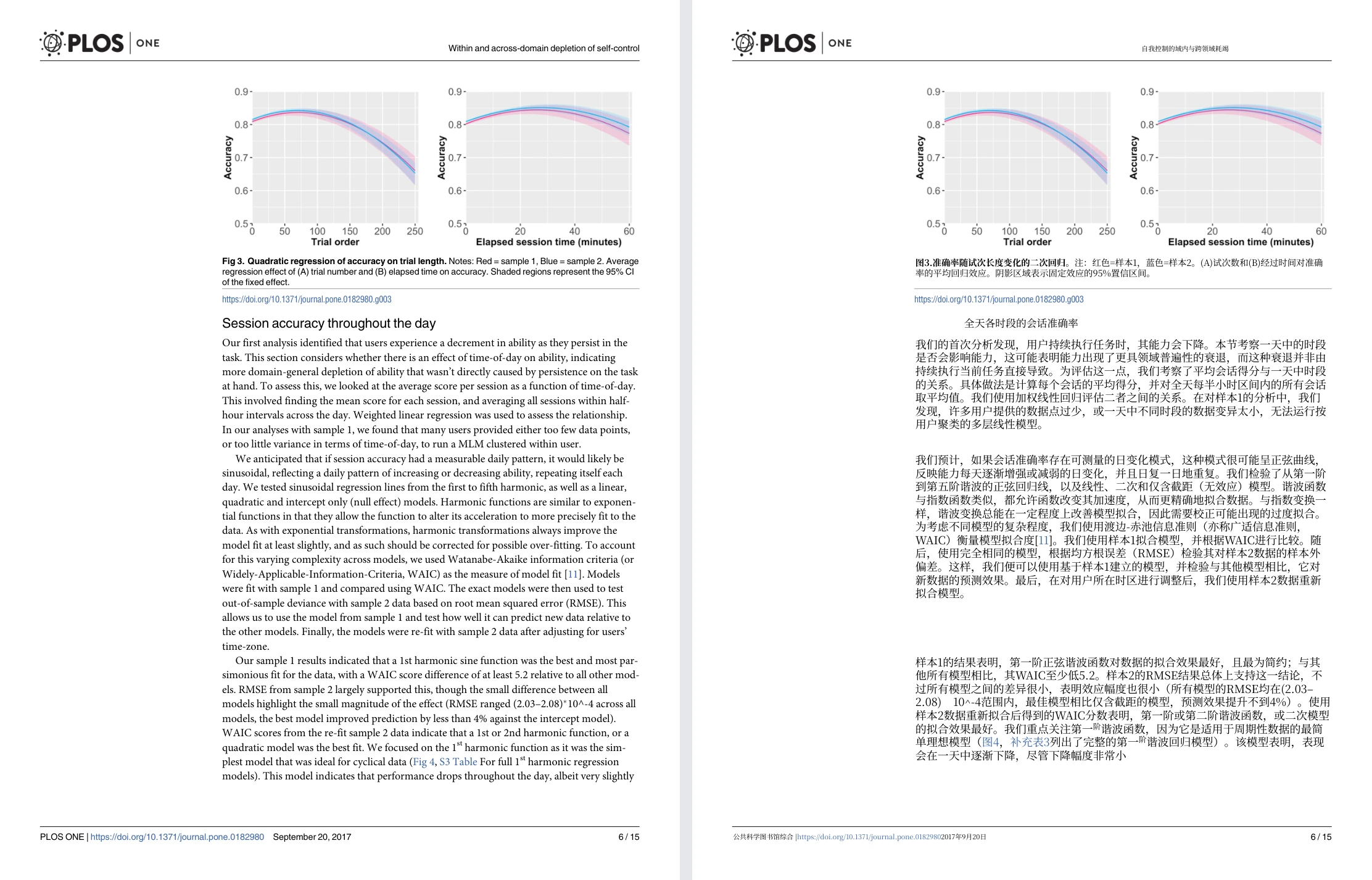
Handling work or study materials often requires translating entire files while maintaining layout. Equalang processes whole files asynchronously across formats including PDF, Word, PPTX, Excel, and EPUB:
-
PDF Documents: Aims to preserve multi-column structures, tables, formulas, and headings, reassembling sentences split across page breaks before translation.
-
Presentations (PPTX): When translated text expands, font sizes scale down automatically inside text boxes to avoid overflowing or obscuring graphics.
-
Spreadsheets (XLSX): Pure numbers and spreadsheet formulas remain untouched.
Cross-Device Collaboration and Web/Video Reading
- Browser-Based Spoken Calls: To converse across languages with someone using a different device or platform, the host can log in from a supported browser on either a phone or a computer to generate an invite link using Equalang Translated Calls, with no specific Apple Intelligence hardware requirement. The recipient does not need an account; they open the link in a supported browser, enter a display name to request joining, and once admitted by the host, both parties speak in their native languages with spoken translation. This functions as a web invitation-link room rather than dialing a standard telephone number, depending on compatible modern browser support. For two people sharing one device, Equalang Face-to-Face is also available.

- Bilingual Web and Video Subtitles: On desktop browsers, the Equalang browser extension inserts bilingual translations directly beneath original paragraphs. For online video with existing subtitles, it generates synchronized bilingual captions. For uncaptioned videos, live interpretation can be attempted, though it is subject to browser audio capture, platform architecture, and video encryption constraints.
5. Summary
Apple Translate is a responsive, built-in choice for handheld lookups, travel dialogues, and real-time spoken translation during standard phone calls on supported devices. When tasks involve multi-page formatted documents, desktop web reading, or sharing browser-based voice calls across different operating systems, Equalang offers a practical, complementary set of tools.