QuillBot Translate: Writing Workflow and Equalang Comparison
 Equalang
In brief
Explore QuillBot Translate features, writing tool synergies, language limits across modules, and how Equalang compares for structured documents and web reading.
Keywords: QuillBot Translate, writing tools, PDF translation, language support, Equalang, document layout
Working across languages is rarely a single, isolated step. Whether reviewing foreign academic literature or drafting international business correspondence, readers and writers frequently encounter a common workflow: machine translation provides a working draft, but shaping that draft into polished, professional text often requires refining sentence structure, choosing context-appropriate vocabulary, checking grammar, and organizing citations.
As the team behind Equalang, we develop side-by-side translation tools while observing how different translation products fit into real-world writing workflows. QuillBot Translate establishes its distinct identity around this need to continue editing after translation. By situating language translation alongside dedicated writing assistance tools, it allows users to draft and revise within a unified environment. This article provides an objective overview of QuillBot's translation tools, its dedicated PDF portal, the boundaries of language support across its features, and a comparison with Equalang across formatted document handling and in-place web reading.

Text Translation Integrated with Authoring Tools
On the web, QuillBot Translate offers a straightforward text interface supporting translation across 52 languages and dialects. Beyond standard machine translation, QuillBot includes several practical aids designed to support the drafting process:
- Formality Control and Definitions: Users can select formal or informal tone settings to align output with the requirements of academic journals or workplace communications. For English text, contextual definitions of words and phrases are available directly inside the workspace.
- Synonym Selection in Specific Languages: For select languages—including English, Spanish, French, German, and Portuguese—the interface offers in-line synonym suggestions, making it easier to adjust terminology without leaving the editor.
- Romanization for Non-Latin Scripts: Official specifications note support for transliterating Simplified Chinese and Hindi into the Latin alphabet, assisting language learners and non-native writers with pronunciation and verification.
- Adjacent Writing Tools: QuillBot provides companion tools on the same platform, such as the Paraphraser, Grammar Checker, Summarizer, and Citation Generator. Once text is translated, writers can readily move their draft into these tools to polish grammar, adjust sentence flow, or generate references.
Language Boundaries Across Writing Modules
When using multi-tool platforms, an essential operational detail is that language availability differs between individual components.
According to QuillBot's official Help Center:
- Translate: The translation tool covers 52 languages and dialects.
- Grammar Checker and Paraphraser: Both tools maintain separate language support lists from the translation tool. Being able to translate into a specific language does not mean that automated grammatical corrections or stylistic paraphrasing are supported in that same language.
- Feature-Specific Restrictions: In-line synonym tools are limited to a subset of European languages, and romanization applies specifically to Chinese and Hindi rather than the full language catalog.
Recognizing these distinctions helps writers set practical expectations when working across diverse language pairs.
Dedicated Portal: Translate PDF
In addition to snippet-level text translation, QuillBot hosts a dedicated page for document translation at quillbot.com/translate-pdf:
- Upload and In-Browser Review: Users can upload full PDF files and review or copy the translated text directly within the tool.
- Visual Structure Preservation: Official descriptions indicate that the tool seeks to preserve original layouts, structures, tables, and images during the translation process.
This portal provides a convenient reading option for researchers reviewing multi-page studies without segmenting text into character-capped snippets.
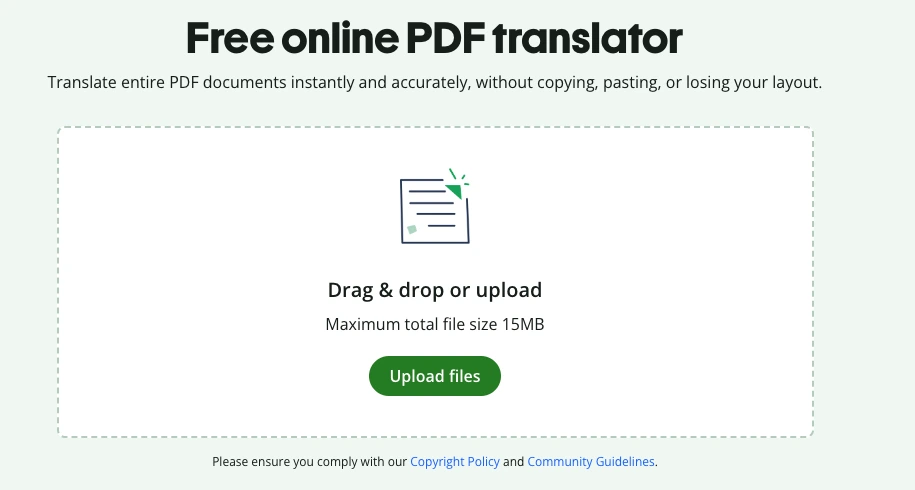
Figure: QuillBot Translate PDF official public document upload interface.
Comparing Workflows with Equalang
Both QuillBot and Equalang provide text translation as well as layout-oriented PDF translation. However, their core designs address distinct points in the research and authoring journey.
Dimension 1: Sentence Polishing vs. Structural Document Formats
The two tools emphasize different aspects of document processing:
- QuillBot Focuses on Drafting: When the immediate task is crafting written work—translating individual sections, testing alternative phrasing, and proofreading grammar—QuillBot's writing-oriented toolset provides an efficient drafting loop.
- Equalang Focuses on Structural Document Fidelity: When managing technical and academic files, Equalang emphasizes preserving layout architecture. In PDFs, it retains multi-column formatting, headers, footers, captions, and paragraph hierarchies; table-of-contents and cross-reference links continue pointing to corresponding sections; inline and display mathematical formulas are optimized; and sentences split by page breaks are rejoined before translation. In PowerPoint decks (PPTX), font sizes scale automatically inside text boxes to prevent overflow or overlapping images, repeated titles remain consistent across slides, and word-level styling (bold, color, italics) is maintained.
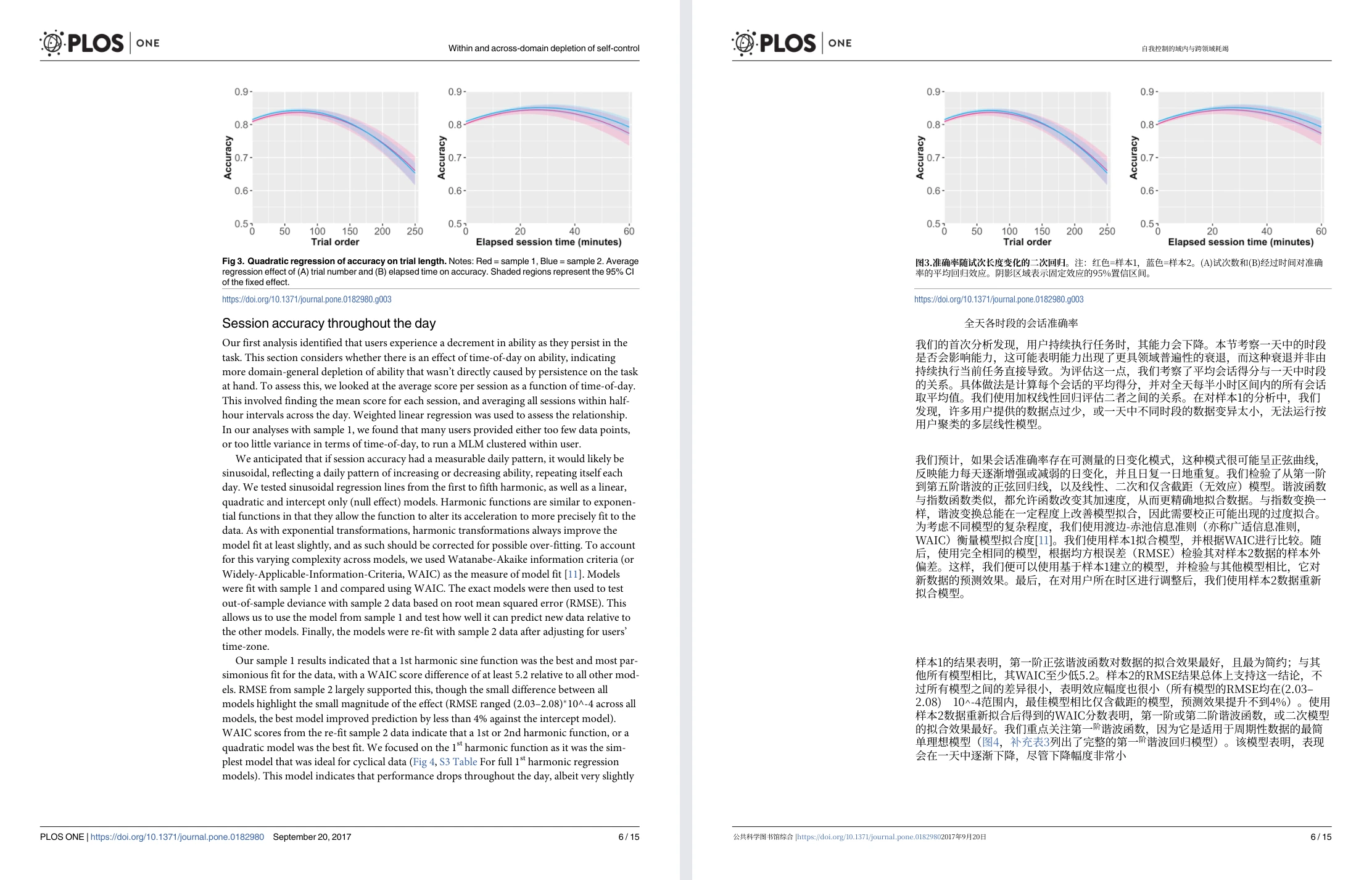
Figure: Equalang side-by-side whole-page PDF view (Randles 2017 PLOS ONE paper, with original English page on the left and translated Chinese page on the right).
Dimension 2: Editor Copy-Paste vs. In-Place Bilingual Web Reading
The user experience also differs when reading foreign-language materials online:
- QuillBot Editor Interface: Works primarily within an online editor where users paste text into an input box to translate and refine it.
- Equalang In-Place Web Extension: Equalang's browser extension inserts translated text directly beneath each original paragraph on the active webpage. Readers can scroll through foreign research papers or technical documentation with bilingual context in place, eliminating the friction of switching back and forth between tabs. Installation guides are available for major desktop browsers.
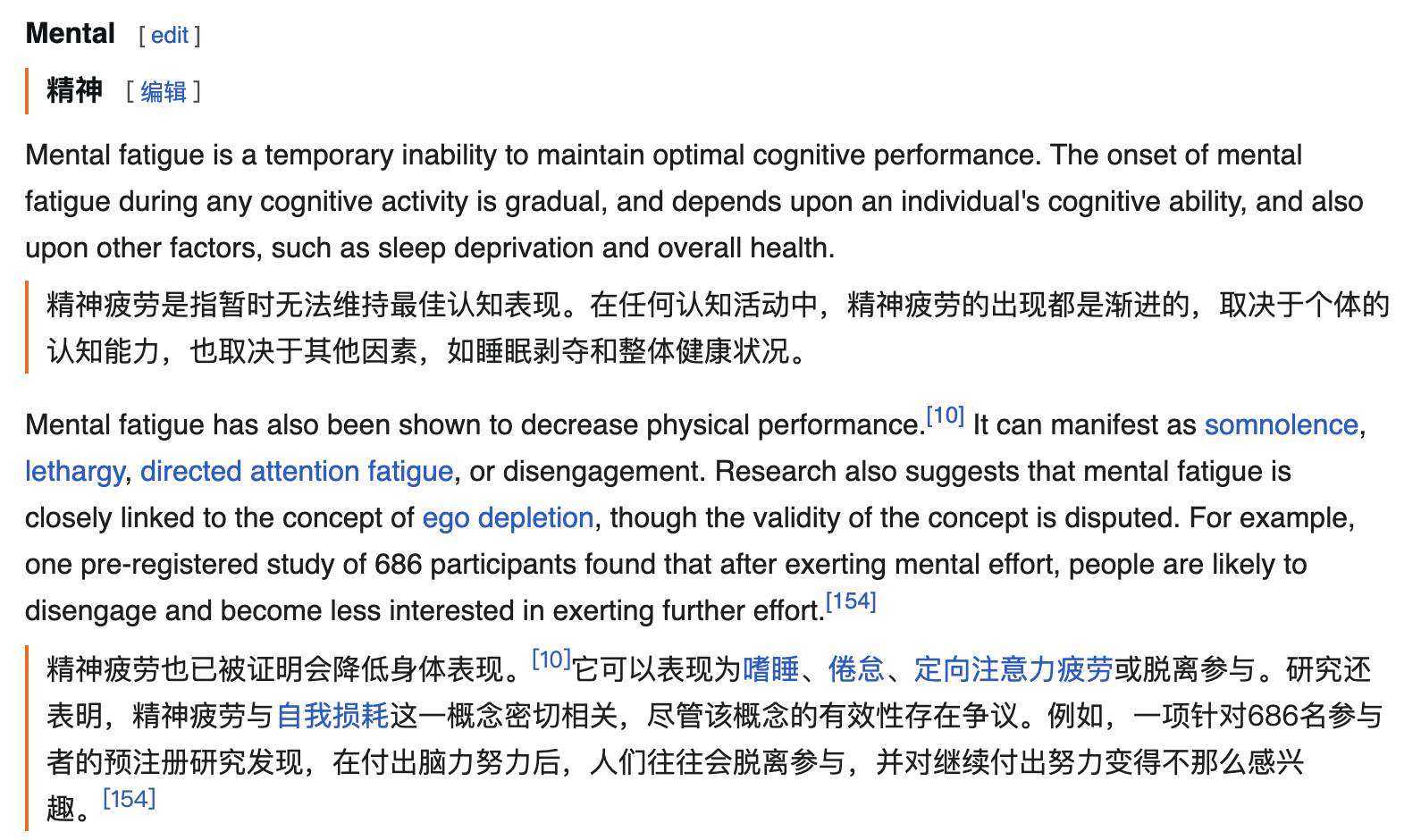
Figure: Equalang browser extension displaying Chinese translation directly beneath English web paragraphs.
Summary and Workflow Recommendations
Choosing the most effective tool depends on whether your immediate priority is polishing text or reading formatted materials:
- Choose QuillBot Translate when your primary goal is writing, rewriting, and proofreading articles, essays, or emails in supported languages. The combination of translation, synonym suggestions, and grammar checking forms a practical workspace for drafting.
- Choose Equalang when you need to read multi-column academic PDFs with complex tables and formulas, translate slide decks with auto-scaling text boxes, or read foreign web pages side-by-side directly in your browser.