O.Translator Review: Layouts, Glossaries, and Formats
 Equalang
In brief
A functional overview of O.Translator's layout-preserving document translation, format coverage, glossaries, and API, alongside its differences with Equalang.
Keywords: O.Translator, document translation, glossary, PDF translation, Equalang
When reviewing foreign technical papers, analyzing international business decks, or localizing technical manuals, full-document translation presents a dual challenge: translating clear text while keeping original visual layouts intact. When tables shift, text overflows bounding boxes, or specialized terminology changes across chapters, manual formatting and correction quickly consume valuable time.
As the team behind Equalang, where side-by-side comprehension is our ongoing focus, we follow tools designed for whole-file translation. O.Translator is an online service built around layout-preserving document translation. Drawing from its official product specifications and technical documentation, this article outlines its workflow, format reach, terminology controls, and API capabilities, followed by a factual comparison with Equalang to help readers evaluate their options.
The Three-Step Workflow and Partial Preview
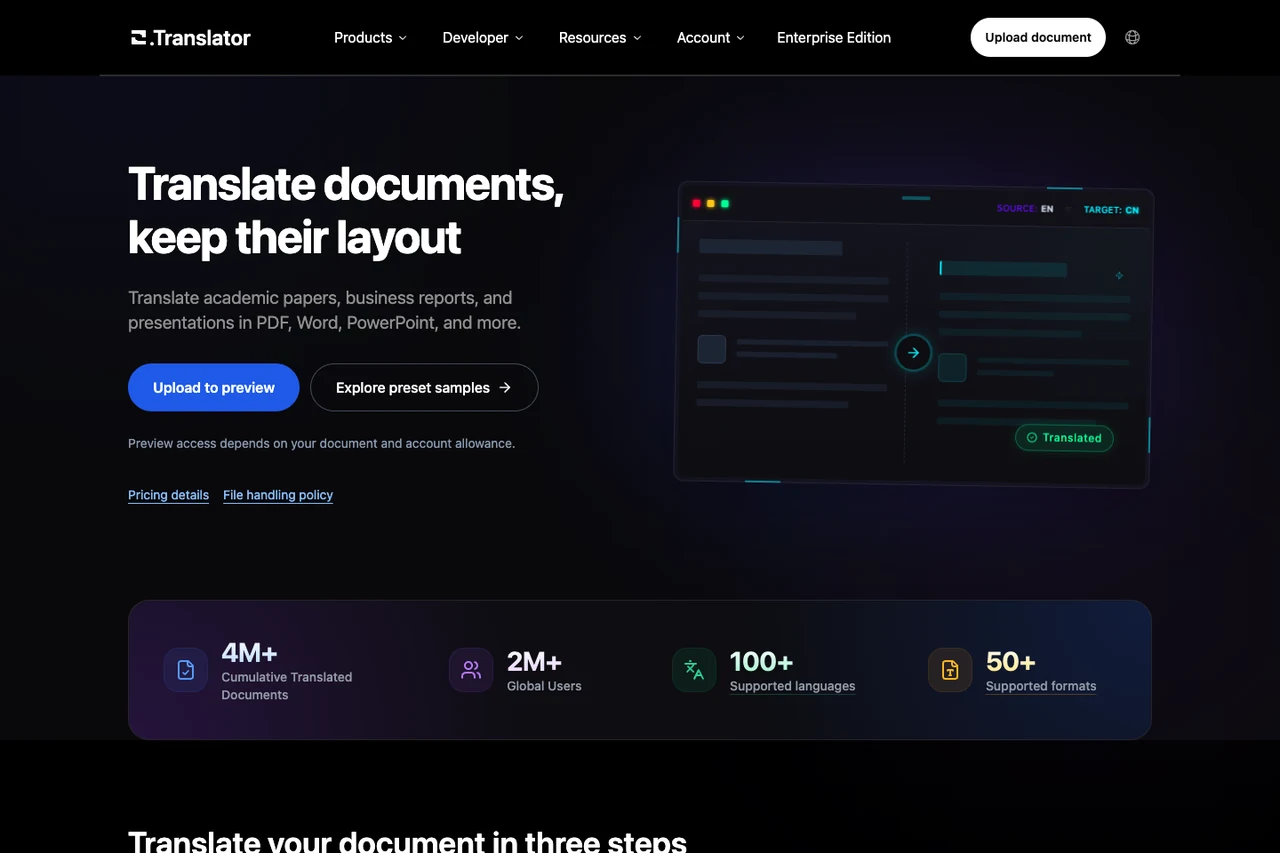
O.Translator organizes document translation into a web-based three-step process: users upload a source file, select source and target languages along with a translation mode; inspect a partial preview and review quote requirements; and confirm the full translation before downloading the completed file.
Two key mechanisms characterize this workflow:
- Partial Previewing: Before running an entire multi-page document, users can preview a portion of the translated output. This allows readers to verify line wrapping, character display, and layout alignment before committing the full document.
- Layout and Recognition Dependencies: As noted in its Product Information page, layout preservation depends on original file structure, available fonts, and target-language text expansion. For scanned PDFs and images, an integrated OCR layer extracts text; its accuracy depends on scan clarity, meaning complex tables and dense pages still require manual review rather than expectations of unconditional perfection.
Broad File Format Support
A defining feature of O.Translator is its coverage of specialized file types. Beyond standard office files, it supports publishing, graphic design, and software localization assets:
- Office and Core Documents: Supports PDF, Microsoft Word (doc, docx, rtf), PowerPoint (ppt, pptx), Excel (xls, xlsx), WPS formats (wps, et, dps), and OpenOffice (odt, ods, odp).
- Desktop Publishing and Design: Handles Adobe InDesign (idml, indd), Illustrator (ai) source files, and EPUB/CHM e-books.
- Media and Localization: Accepts comic archives (cbz, cbr), subtitle scripts (srt, ass, vtt), and localization resource files including po, xliff, json, stringsdict, and yaml. It also provides tools for audio extraction and speech-to-subtitle transcription.
Native support for design files and software localization bundles spares users from converting files back and forth through intermediate formats.
Terminology Management and Post-Editing
In academic literature and enterprise documentation, proper nouns, brand identifiers, and technical terms must remain uniform. O.Translator provides a dedicated glossary system to address this.
According to its Glossary Usage Guide, the terminology framework includes:
- Manual Entry and File Ingestion: Users can create term-translation pairs manually in the web portal or upload standardized
.xlsxor.tbxfiles to import existing termbases into their online account. - Task Association: Glossaries attach to individual translation tasks, guiding the engine to prioritize specified terms. Automated terminology matching remains context-dependent, meaning absolute accuracy across every linguistic nuance cannot be guaranteed without human review.
- Post-Editing and Export: Users can make adjustments through post-editing features and export maintained glossaries back to
.xlsxspreadsheets for backup or team sharing.
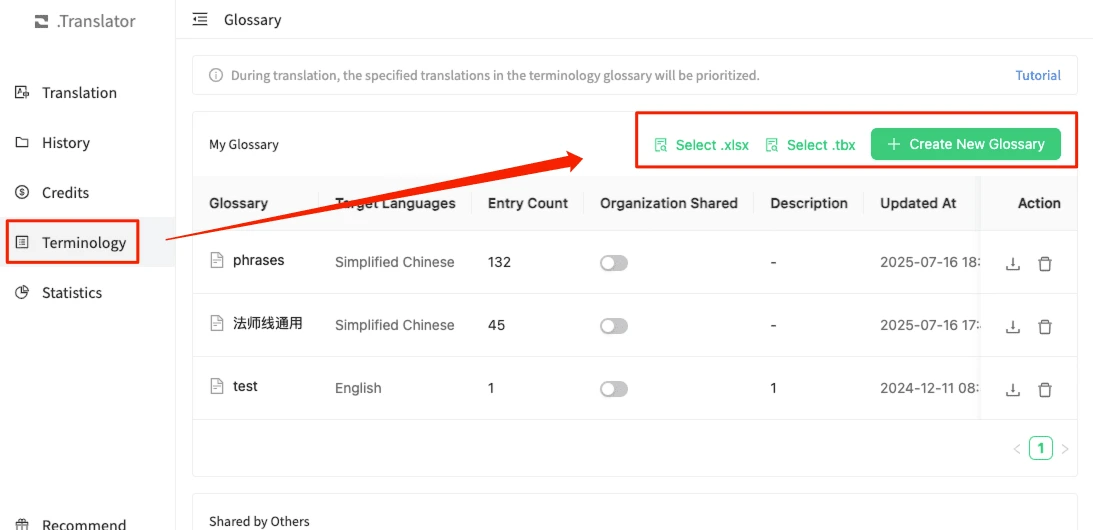
Official tutorial screenshot from O.Translator's Glossary Usage Guide, showing the glossary list with the Create New Glossary button in English.
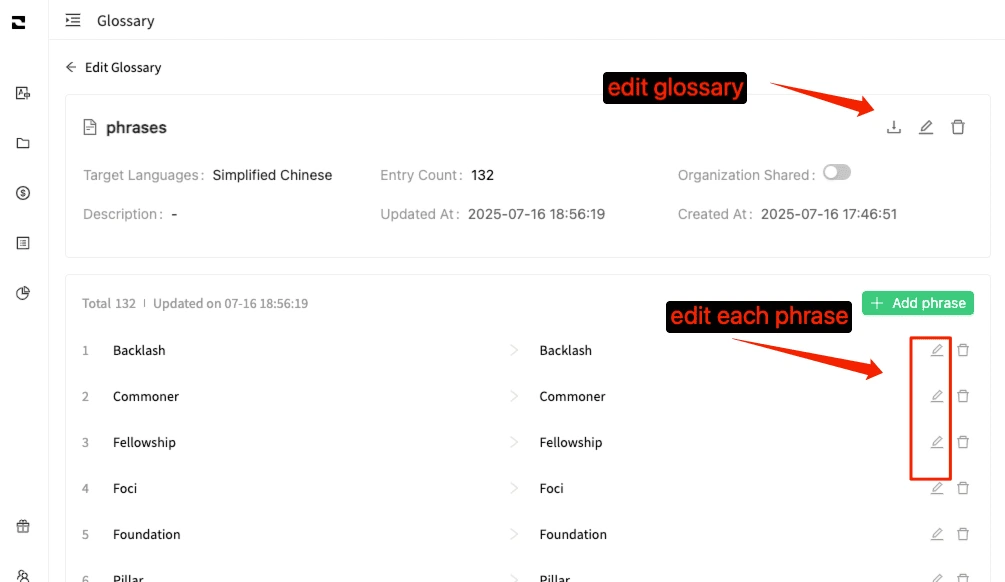
Official tutorial screenshot from O.Translator's Glossary Usage Guide, showing the term-editing table in English.
Developer Platform and Integration
For organizations integrating document translation into internal systems, O.Translator provides a RESTful developer interface.
Its Developer Documentation and Glossary API Reference cover the following capabilities:
- Translation Task Endpoints: APIs for creating document translation tasks, checking status, retrieving completed results, submitting revisions, restarting tasks, and deleting tasks.
- Platform Discovery: Endpoints to query supported file formats, available languages, and active translation models.
- Glossary Management: Full CRUD operations for creating (POST
/v1/glossary/create), querying, updating, and deleting terminology glossaries. - Text Translation and Embeds: Synchronous short-text translation endpoints and an iframe component for embedding bilingual document comparison viewers into external portals.
How O.Translator and Equalang Compare
Both O.Translator and Equalang prioritize structural preservation over plain text extraction, but their feature sets address different user contexts.
Document Core: Handling Complex Layouts
Both tools work to prevent layout degradation in long documents:
- PDF Structure Handling: O.Translator combines format parsing with OCR options. On Equalang Documents, PDF translation is built around academic and professional reading: it reconstructs multi-column layouts, headers, footers, captions, and table structures; stitches sentences split across page breaks back into unified thoughts before translation; and offers dedicated mathematical formula optimization.
- Presentation Adaptability: In PPTX decks, Equalang incorporates dynamic font auto-scaling to prevent translated text from overflowing bounding boxes or covering images, while maintaining consistent title translations across slides.
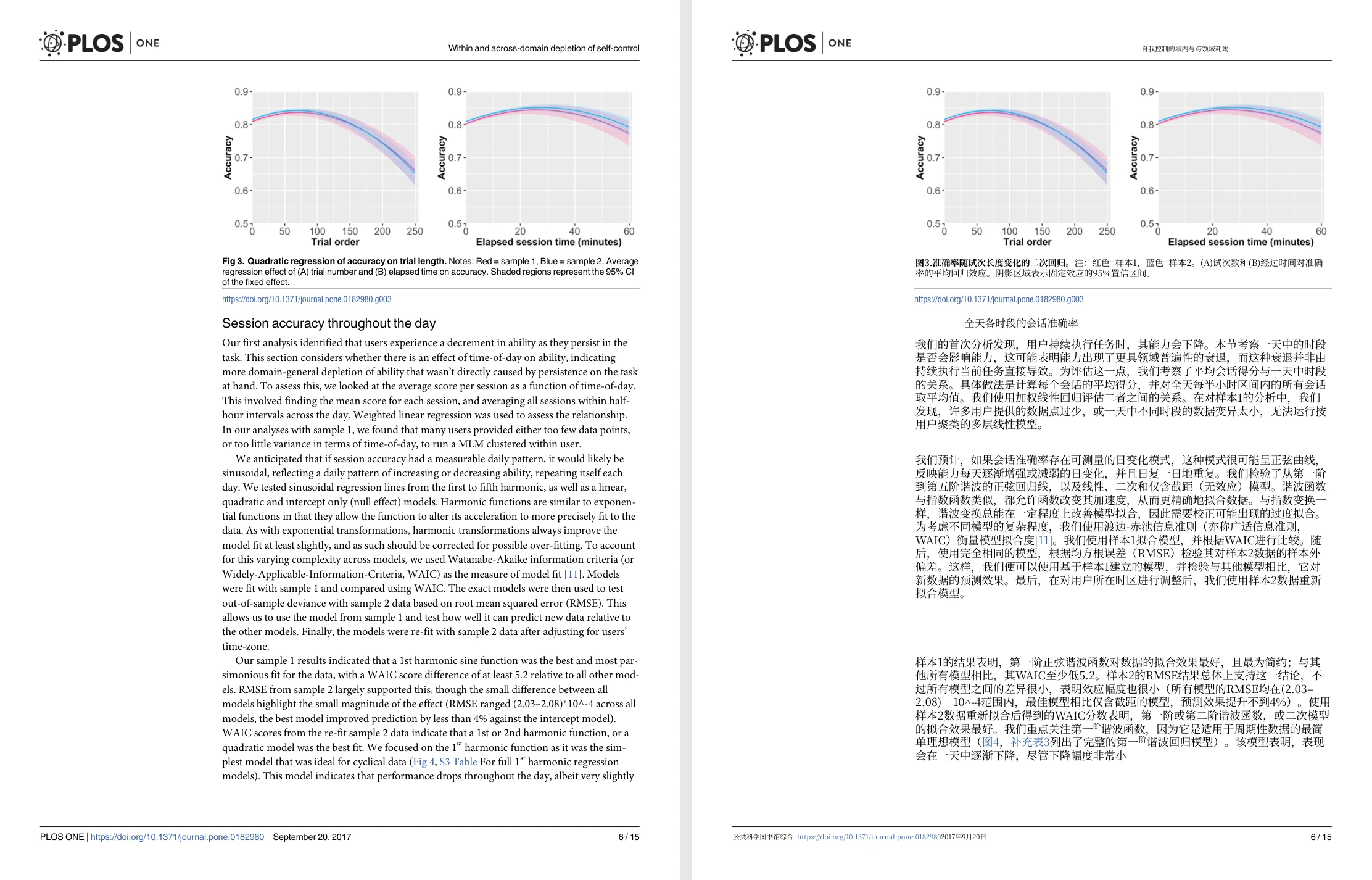
Equalang document translation: actual English-to-Chinese academic paper sample showing original English page (left) and translated Chinese page (right) with charts at top.
Scope and Everyday Use Cases
The practical difference lies in the surrounding use cases each platform serves:
- O.Translator emphasizes publishing and design files: It is particularly useful when workflows require direct online translation of InDesign (IDML), Illustrator (AI), comic archives (CBZ/CBR), or software localization files (XLIFF/PO) paired with imported TBX glossaries.
- Equalang emphasizes side-by-side reading across media: In addition to translating PDF, DOCX, PPTX, XLSX, and EPUB files, Equalang provides a Browser Extension that renders paragraph-by-paragraph bilingual text directly beneath original web copy and displays bilingual subtitles on video platforms like YouTube. For compatible web streams and live broadcasts, it can generate real-time audio listening subtitles when clean audio capture is available (subject to browser permissions; DRM-encrypted playback like in-browser Netflix video cannot be captured). It also supports photo translation and spoken interpretation.
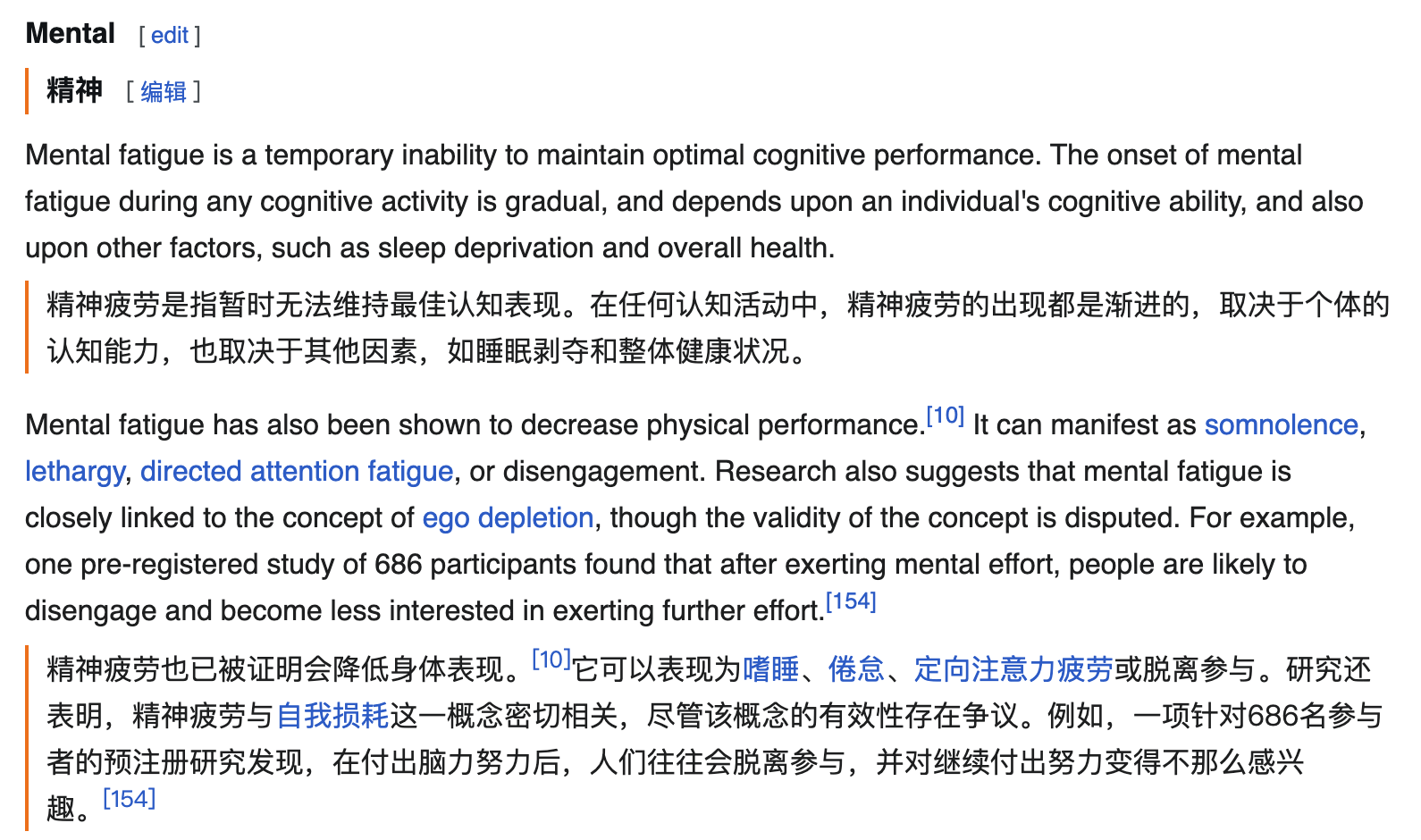
Equalang browser extension: actual English→Chinese web reading example showing paragraph-by-paragraph bilingual text.
Which Tool Fits Your Needs?
Your decision depends on the material you handle:
- Choose O.Translator if you routinely work with native graphic publishing layouts (InDesign, Illustrator), comic packages, or localization files requiring imported TBX termbases.
- Choose Equalang if your primary focus is reading academic PDFs, business reports, or slide presentations with cross-page sentence reconstruction and adaptive slide layout, and you want an integrated environment that extends bilingual reading into web pages, video subtitles, and spoken interpretation.