Mate Translate Features: From In-Place Lookup to Documents
 Equalang
In brief
Explore Mate Translate's in-place lookup, Phrasebook, and Netflix tools, and compare them with whole-file document translation and bilingual subtitles.
Keywords: Mate Translate, in-place translation, Netflix subtitles, phrasebook, bilingual reading, document translation
Encountering unfamiliar words while browsing international websites, reading research, or checking incoming messages frequently interrupts natural reading flow. Copying phrases back and forth between active tabs and standalone dictionary tools divides focus and slows comprehension.
In-place translation tools address this issue by displaying definitions directly where your cursor rests, making it easy to capture vocabulary as you read. Mate Translate is a dedicated solution built specifically around this in-context workflow. This overview examines Mate Translate's core features and practical use cases, alongside the complementary capabilities Equalang offers when workflows shift from snippet queries to whole-file document translation and streaming bilingual subtitles.
Core Features of Mate Translate: Built for Uninterrupted Reading
Mate Translate provides dedicated clients and extensions across macOS, Safari, iOS, Chrome, Firefox, Edge, and Opera. Its interface is designed to keep lookup friction minimal across different reading contexts.
1. In-Place Lookups and Full-Page Toggling
Within web browsers, readers can query text at multiple levels without leaving the page:
- Double-Click Word Lookup: Double-clicking an unfamiliar term surfaces an instant definition tooltip.
- Selection Translation: Highlighting a phrase or paragraph brings up a translation via floating icons or configurable shortcuts.
- Full-Page Translation: Readers can convert an entire page into their target language and toggle between the source and translated versions with a single click.
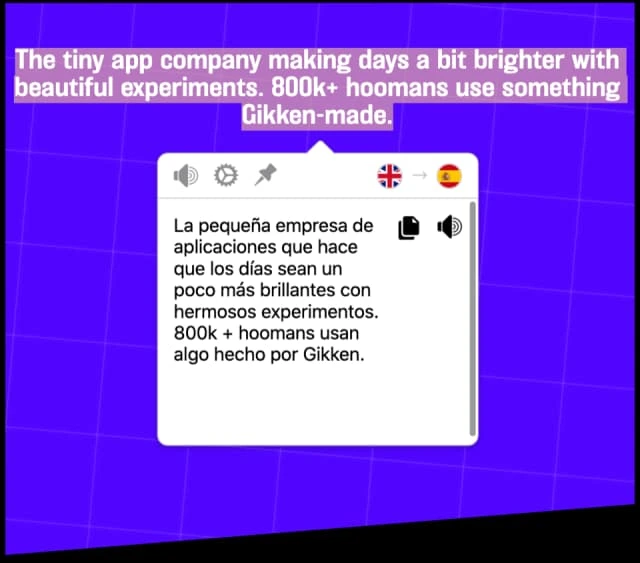
Figure: Mate Translate Chrome Extension official demonstration showing inline selection lookup.
2. Linguistic Details and Phrasebooks
Beyond basic translations, Mate Translate incorporates specific tools for language learners:
- Linguistic Details: Lookup pop-ups display audio pronunciation, phonetic transcripts (or transliterations), parts of speech, synonyms, and grammatical noun genders for applicable languages.
- Custom Phrasebooks: Readers can organize saved terms and example phrases into categorized lists.
- Sync and Phrasebook Export: Saved phrasebooks and query histories sync across connected devices; phrases and words saved in the Phrasebook can be exported as CSV files for personal study.
3. Mac Desktop Integration
On macOS, Mate Translate runs as a menu bar application alongside its Safari extension. Users working inside mail clients, code editors, or local documents can invoke the lookup window directly through system context menus or global hotkeys.
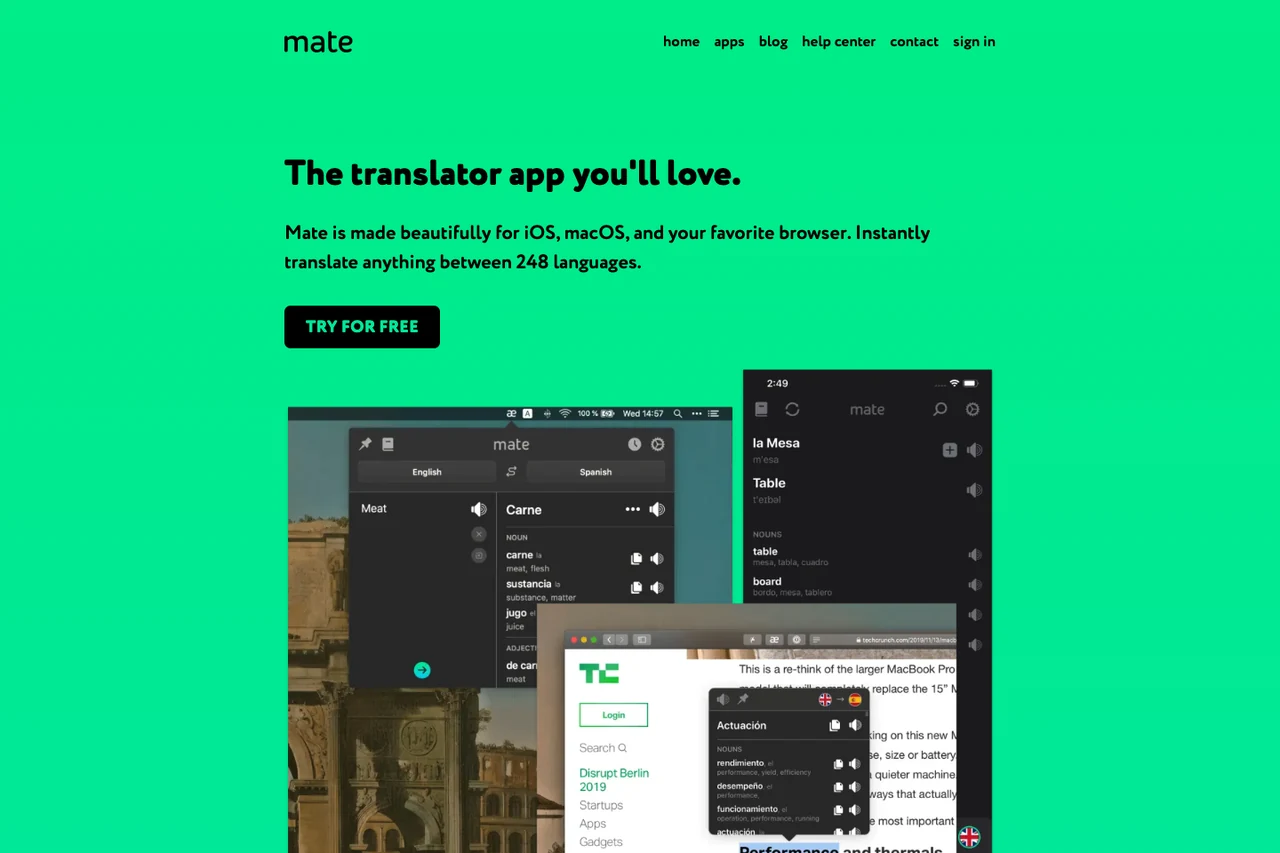
In-Context Lookups in Chrome PDF and Netflix
Mate Translate documents practical features for two common specialized environments:
- Chrome Built-In PDF Viewer Lookup: When viewing a PDF inside Chrome, users can highlight text and query Mate through the right-click menu to clarify unfamiliar words and phrases during reading.
- Netflix Subtitle Word Lookup: While watching video content on Netflix, Mate allows viewers to click individual words inside existing subtitle tracks to reveal definitions and save them to a phrasebook.
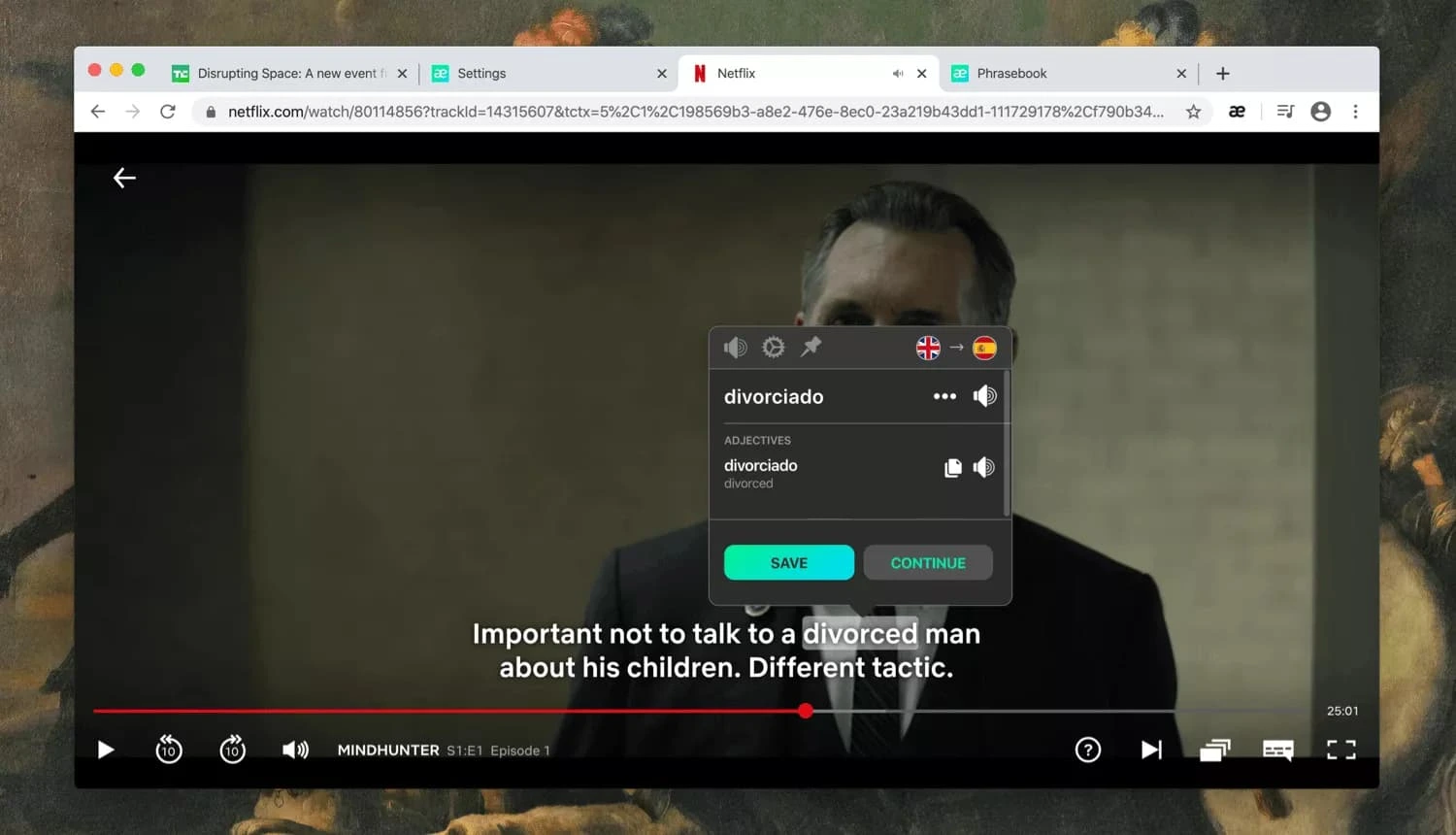
Figure: Mate Translate official demonstration showing Netflix subtitle word lookup.
Three Key Workflows Compared
Understanding Mate Translate's core design helps contrast it with Equalang across three common day-to-day scenarios.
1. Web and Text Reading: In-Place Snippets vs. Inline Paragraph Pairs
For browser-based reading, the two tools take distinct approaches:
- Mate Translate: Focuses on reader-driven vocabulary study. Users query individual words or highlighted passages on demand and archive terms in custom Phrasebooks.
- Equalang: The browser extension provides continuous side-by-side reading. When activated, translated text appears directly beneath each original paragraph on the page, allowing readers to follow along without clicking each sentence. Floating selection translation remains available for targeted queries.
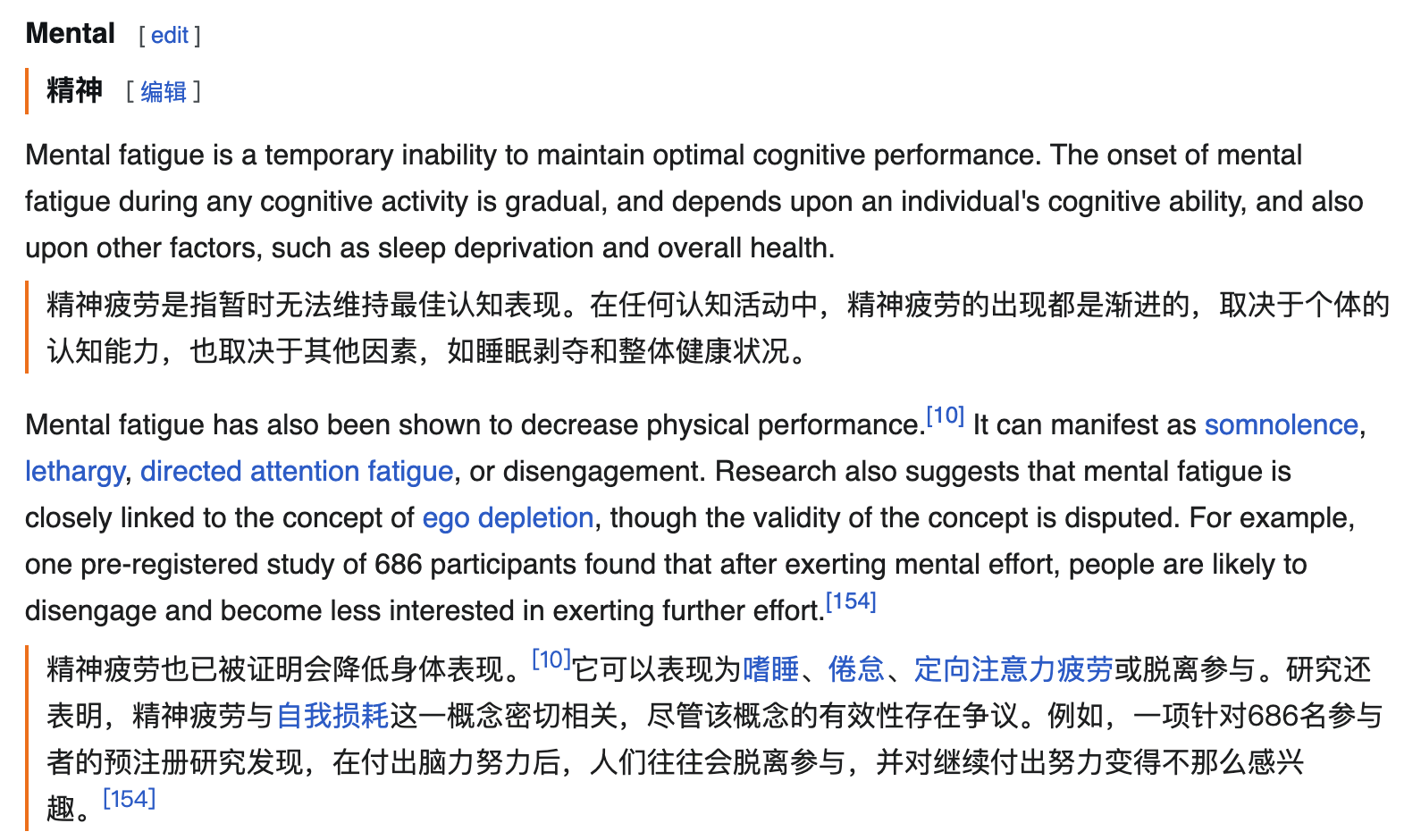
Figure: Equalang browser extension displaying Chinese translation directly beneath English web paragraphs.
2. Document Handling: In-Viewer Snippets vs. Whole-File Translation
When working with technical specifications, presentations, or financial spreadsheets, reading snippets differs substantially from translating entire files:
- Mate Translate: Operates within browser PDF views, translating highlighted sentences directly on screen.
- Equalang: The document translation service processes complete files, including PDF, DOCX, PPTX, XLSX, and EPUB. For PDF files, the system identifies multi-column structures, headers, footers, captions, tables, and mathematical formulas, rejoining sentences split across page breaks before translation. In PPTX decks, text box font sizes adapt automatically to reduce overflow, and in XLSX files, numerical values and formulas remain untouched. The result is a standalone translated document file.
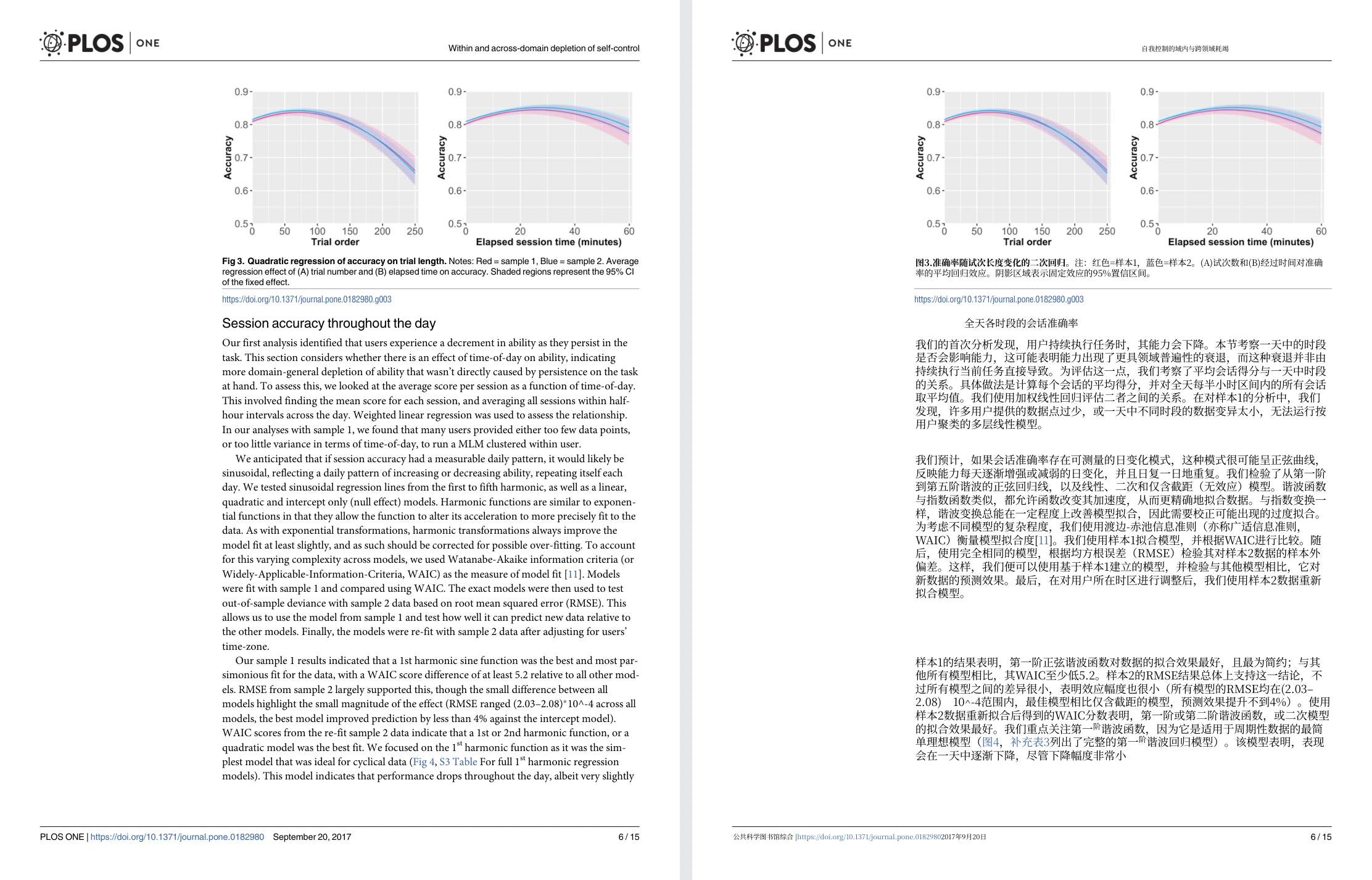
Figure: Equalang side-by-side whole-page PDF view (Randles 2017 PLOS ONE paper, with original English page on the left and translated Chinese page on the right).
3. Video Subtitles: Clicking Subtitle Words vs. Streaming Bilingual Captions
In video environments, the two tools fulfill different operational needs:
- Mate Translate: Targets language learners who want to pause playback and inspect individual words within existing subtitles.
- Equalang: Overlays simultaneous bilingual subtitles on supported streaming services such as YouTube, Netflix, and TikTok when original subtitle tracks are present. For uncaptioned videos or livestreams, the extension offers real-time audio translation, though availability depends on browser compatibility, audio capture permissions, and platform-level encryption restrictions.
Choosing the Right Tool for the Task
- Consider Mate Translate when: You actively study foreign languages, want quick double-click definitions in browsers and email clients, maintain a desktop menu bar lookup tool, and organize terms in custom Phrasebooks.
- Consider Equalang when: You need to translate full documents while retaining their layout and structural elements, prefer reading translated text directly beneath each original paragraph on web pages, or require streaming bilingual subtitles on supported video platforms.