Inside Lingvanex: Desktop Offline Translation vs. Equalang
 Equalang
In brief
A practical overview of Lingvanex desktop apps, offline language packs, and enterprise solutions, alongside how Equalang compares for layout-aware workflows.
Keywords: Lingvanex, offline translator, desktop translation, Equalang, document translation, side-by-side translation
When navigating multi-language workflows, tool selection often depends on the specific environment and everyday habits of the user. In some workflows, people constantly switch between text editors, spreadsheets, and email clients, where a global hotkey to translate highlighted text without opening a browser tab is the most convenient approach. In other settings, such as traveling or working in air-gapped environments, the primary requirement is dependable offline translation. For many researchers and professionals, however, the challenge involves complex PDF reports or PPTX slide decks where preserving columns, tables, equations, and visual hierarchy for bilingual reading is paramount.
Different translation platforms reflect these varied practical priorities. Lingvanex is a well-established utility recognized for its desktop shortcuts and offline language packages. As the Equalang team, we reviewed Lingvanex's documented specifications to outline its main software options and operational boundaries, followed by a functional comparison with Equalang's layout-preserving, side-by-side translation capabilities to help you match each tool to your immediate tasks.
Lingvanex's Three Distinct Product Entrypoints
Examining Lingvanex's documented product lineup reveals three primary solutions designed for different operational needs:
- Standard Desktop Applications (Windows & macOS):
Built for general desktop use. The core feature is system-wide hotkey integration: on the Windows client, users highlight text inside any application and press
Ctrl+C+Cto trigger an instant translation popup; on the Mac client, the shortcut isCtrl + Command + 2. Both clients support text, speech-to-text dictation, OCR image translation, and web translation across 109 languages online.
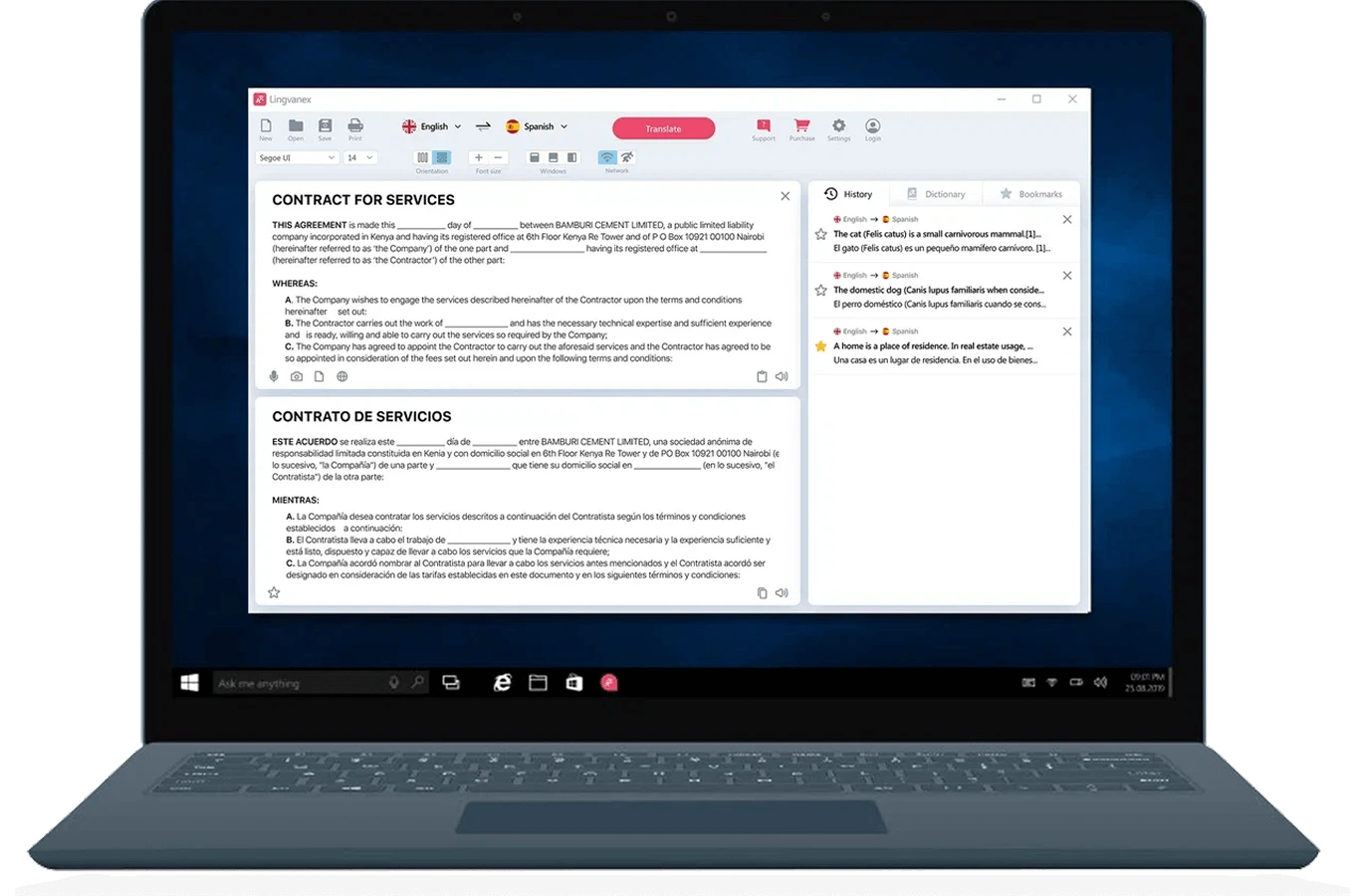
Official illustration from Lingvanex's Windows Translator page, showing the desktop interface in English.
-
Secure Translation Software (Desktop App): This is a standalone offline desktop program with dedicated installer downloads for Windows and macOS. Tailored for privacy-sensitive and strictly offline environments, processing takes place entirely on the local computer. Official product pages note that it can handle large PDF files up to 500MB or 5 million characters locally.
-
Enterprise On-Premise Server Deployment: Unlike personal desktop applications running on individual machines, the On-premise solution installs machine translation engines directly onto a company's own physical servers, catering to internal corporate network integrations and automated high-volume processing.
Offline Translation Capabilities and Document Boundaries
Offline processing is a key characteristic of Lingvanex, but users of the standard desktop apps should note the documented boundaries between offline and online operation:
- Offline Text and Language Packs: Users can download language packages locally in advance. According to official product documentation, offline plain-text translation is available across 45 supported languages.
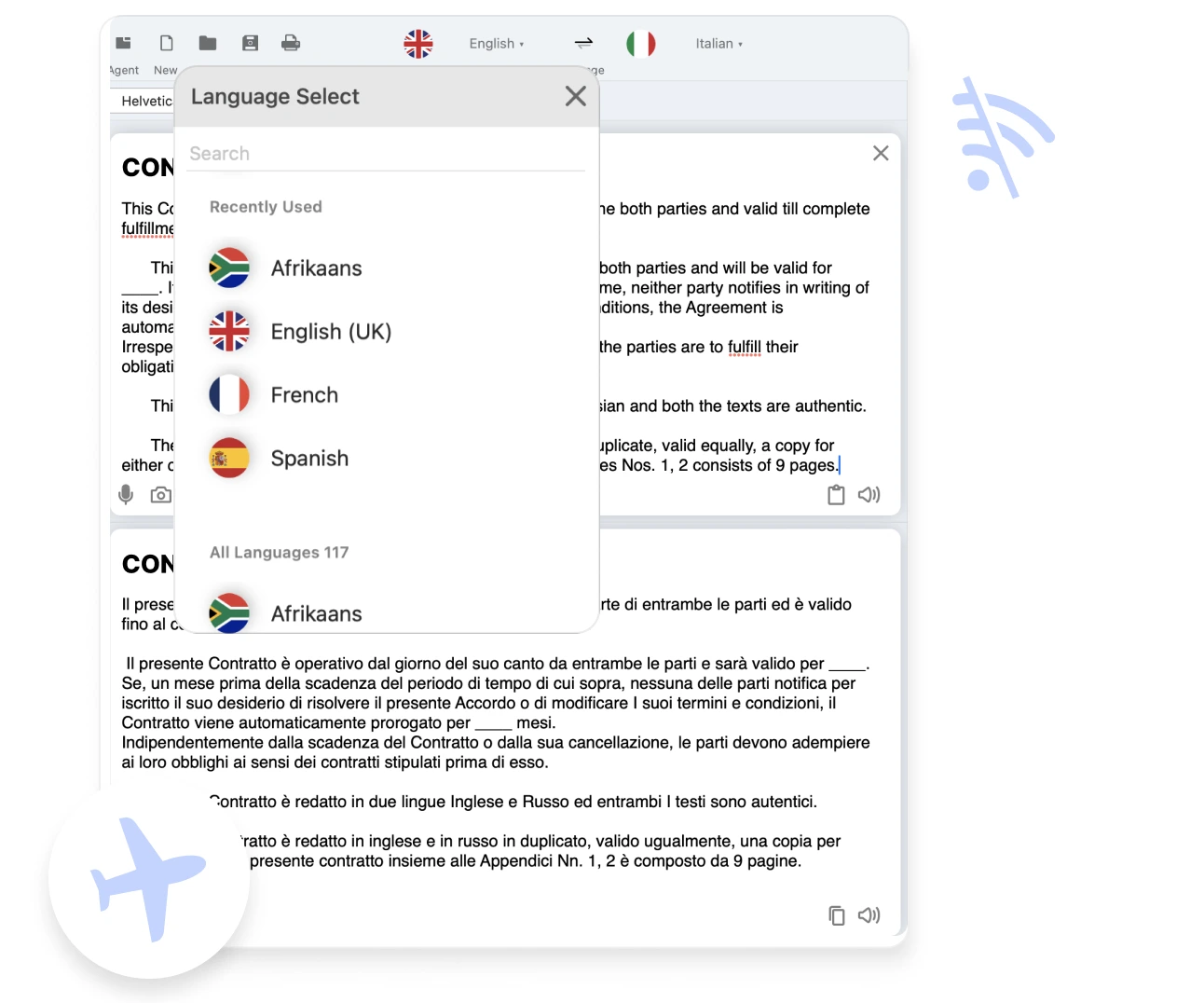
Official illustration from Lingvanex's Windows Translator page, showing offline translation without an internet connection.
-
Offline Document File Constraints: As documented on both the Windows and Mac product pages, offline document translation on the standard desktop clients is restricted strictly to two formats:
.DOCXand.ODT. -
Online Documents and PDF Prerequisites: When connected online, supported document types expand to
.PDF,.DOCX,.DOC,.ODT,.RTF,.TXT,.JPG,.PNG, and others, supporting files up to 75MB or 5 million characters. Additionally, official documentation specifies that PDF translation requires digitally created ("True") PDFs or searchable PDFs. Scanned, image-only PDFs are explicitly unsupported on these standard desktop clients.
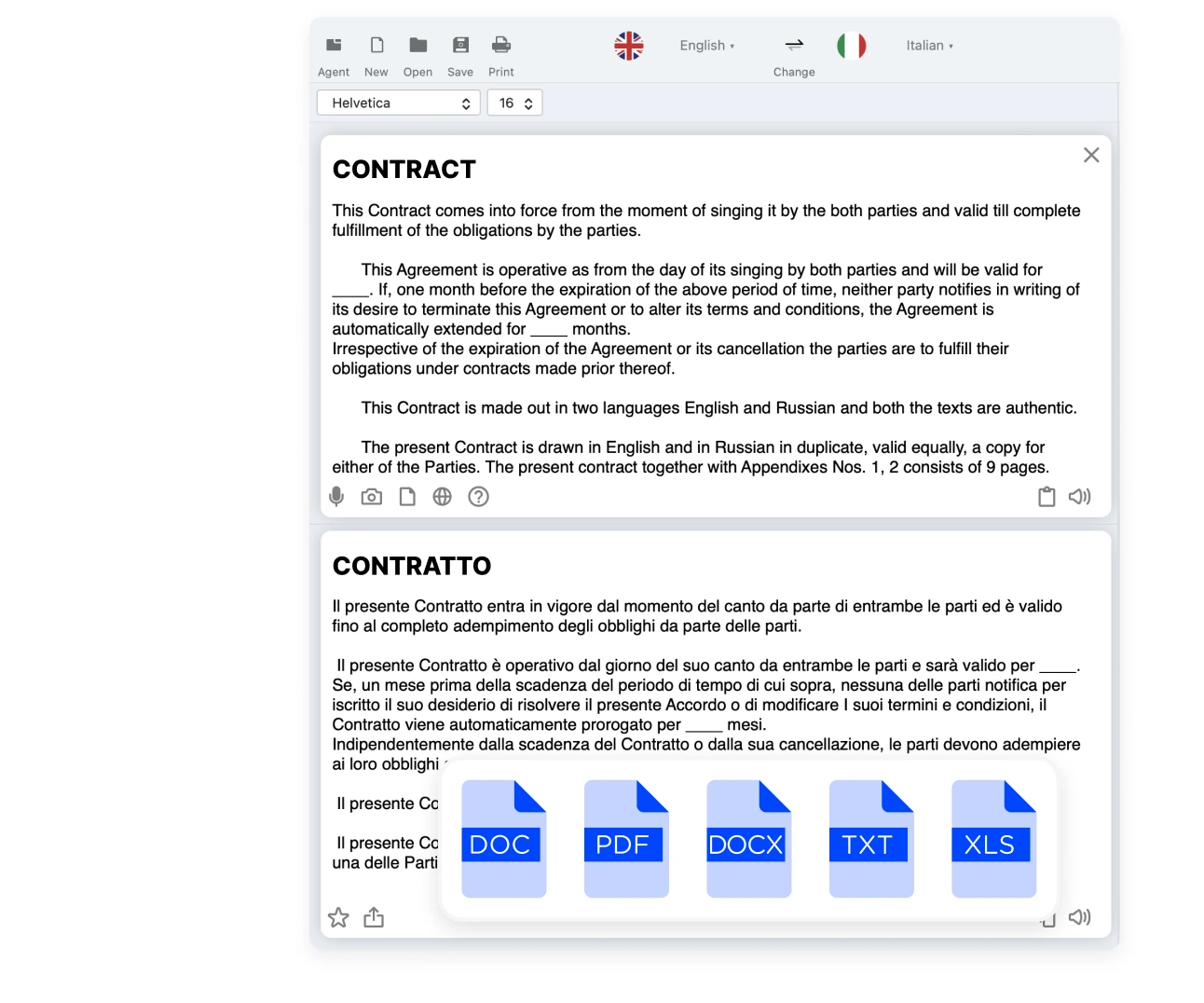
Official illustration from Lingvanex's Windows Translator page, showing multi-format document translation options.
Functional Connections and Differences with Equalang
Both Equalang and Lingvanex assist with multilingual workflows, but their interaction models and core competencies differ. Equalang focuses on preserving original document formatting and delivering contextual bilingual reading inside the browser:
- PDF Layout and Structural Element Retention: For PDF documents, Lingvanex's standard desktop applications accept digital and searchable PDF files. In contrast, Equalang Document Translation specifically emphasizes reconstructing full-page visual layouts and document structures, including multi-column flows, headers, footers, figure captions, and internal document links. For technical and academic papers, merged-cell tables, diagonal headers, and inline formulas are rebuilt according to their original structure. Sentences split across page boundaries are recombined before translation. While automated systems cannot guarantee error-free terminology across every specialized domain, structural formatting is maintained neatly.
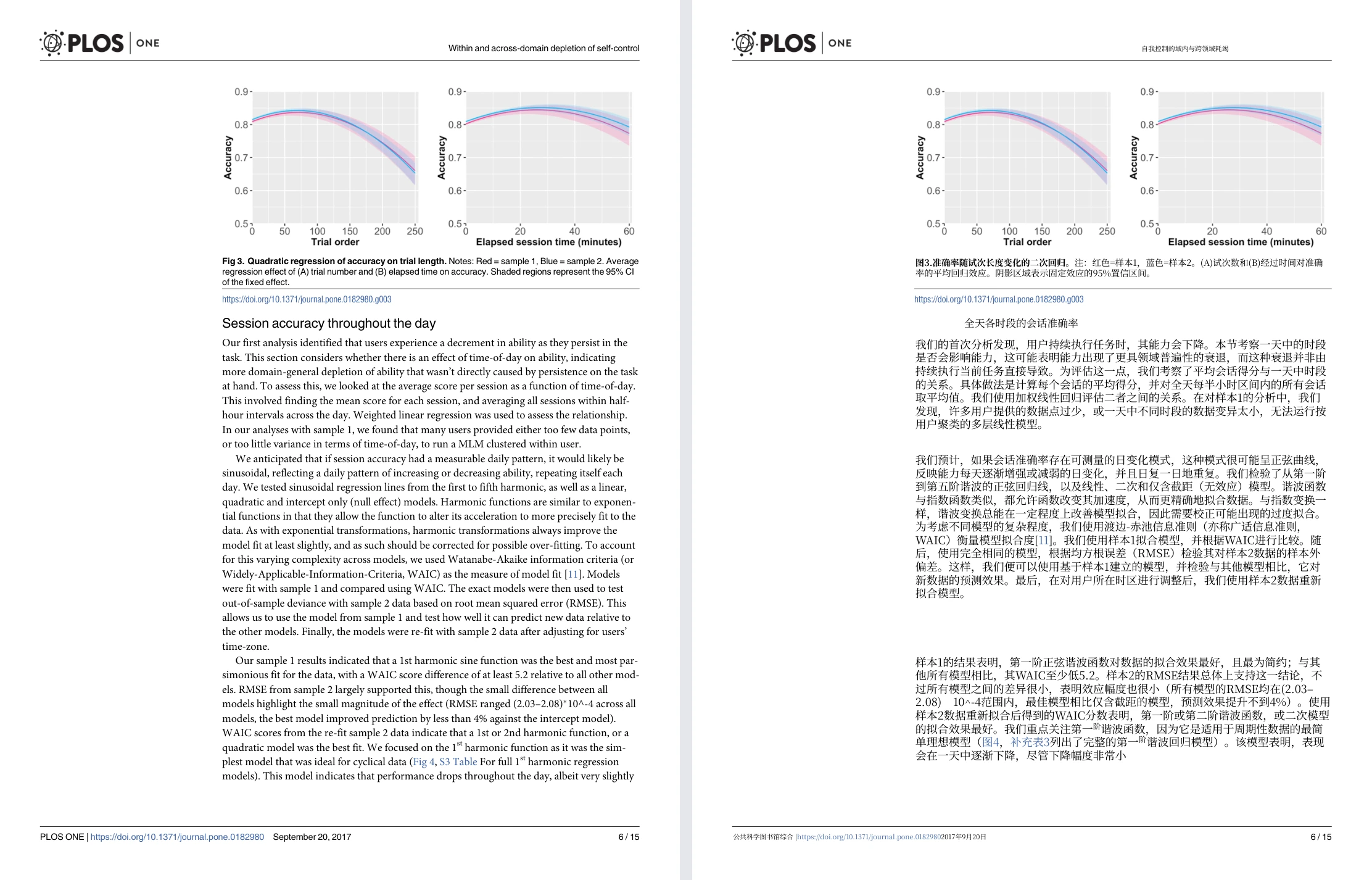
Equalang document translation: actual English-to-Chinese academic paper sample showing original English page (left) and translated Chinese page (right) with charts at top.
-
Slide Deck Adaptation (PPTX): Translating presentations often causes text expansion that can disrupt formatting. Equalang includes dynamic font scaling inside text frames so longer translations fit without overflowing or covering graphics. Terminology across matching slide titles remains consistent, and styling attributes such as bold, italics, and font colors carry over to corresponding translated words.
-
Usage Modes: Desktop Hotkeys vs. Web-Based Bilingual Reading: Lingvanex relies on an installed desktop client suited for looking up terms across local software via hotkeys. Equalang provides two online paths: the Web platform runs directly in a browser without local software installation; for inline reading across daily browsing, an optional browser extension displays translated paragraphs directly beneath the original text, enabling side-by-side reading without switching between separate application windows.
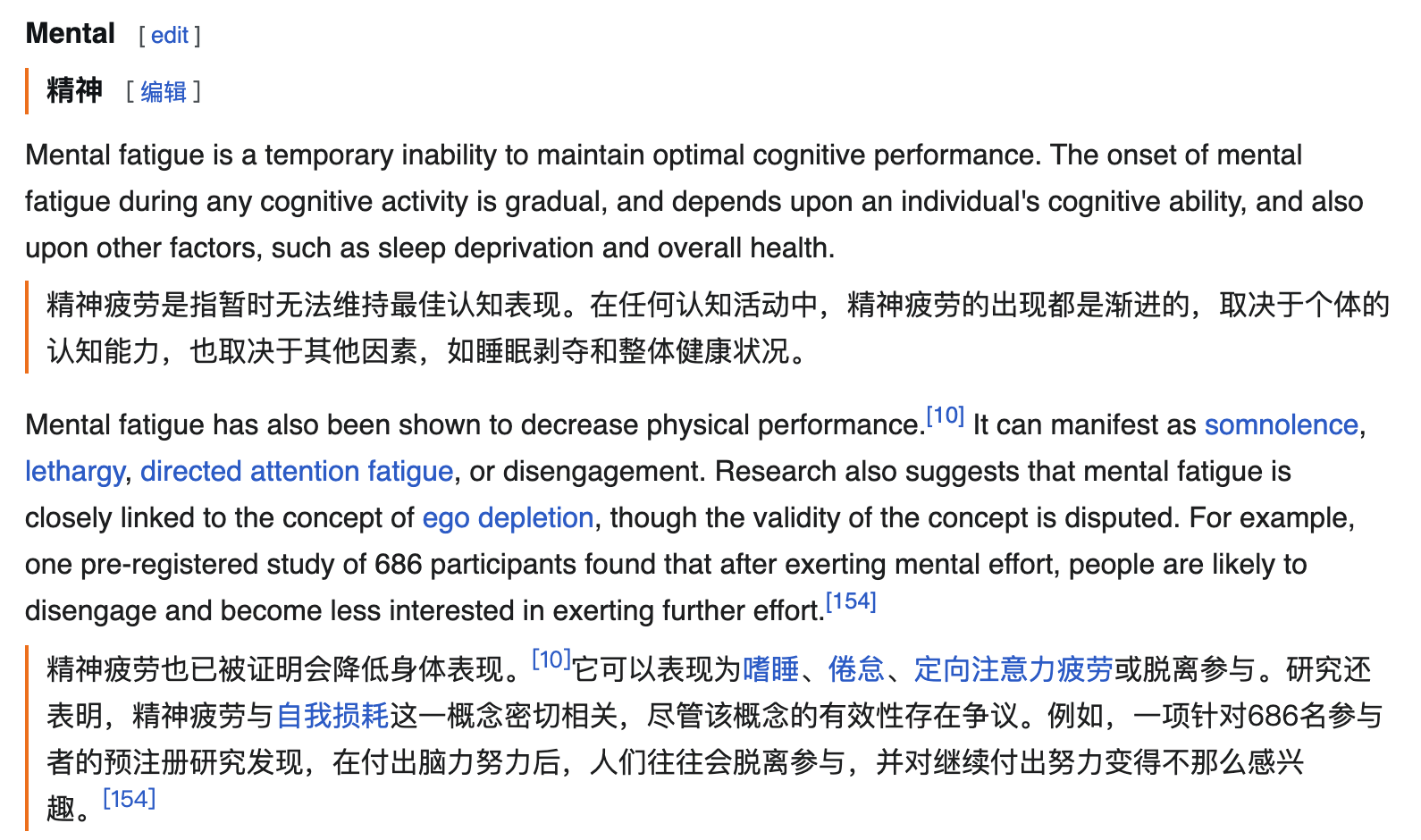
Equalang browser extension: actual English→Chinese web reading example showing paragraph-by-paragraph bilingual text.
Which Tool Should You Choose?
Selecting the right tool comes down to your primary work environment and file requirements:
-
Choose Lingvanex if: You frequently work offline without internet access and need downloaded language packs for text or DOCX/ODT files; you prefer a background desktop utility with universal shortcuts (
Ctrl+C+CorCtrl+Command+2) to check phrases across native apps; you need to process large offline PDFs up to 500MB via the Secure desktop app; or your organization requires self-hosted, on-premise servers for internal operations. -
Choose Equalang if: Your work centers on reading or producing layout-heavy documents such as academic PDFs, technical reports, or formatted PPTX presentations where retaining tables, formulas, and visual structure is critical; or you prefer zero-installation document workflows directly on the web, alongside side-by-side reading in your browser via an extension.