How to Watch Foreign YouTube Videos and Live Streams Smoothly
 Equalang
In brief
Resolve language barriers when watching YouTube with Equalang's bilingual captions, live stream audio interpretation, and chat translations.
Keywords: YouTube translation; bilingual captions; live stream translation; chat translation; video translation
When watching educational content, courses, or hobby videos in a foreign language, viewers often face a dilemma. If you leave the original captions on, you might stumble over unfamiliar words. But if you switch entirely to auto-translated captions, you often find yourself wondering, "What was the exact word they just used?" On top of that, you might occasionally jump into a live stream only to find there are no subtitles available to help you follow along.
Equalang provides practical features like dual captions and live interpretation to help you follow along. You can install the extension for Chrome, Edge, or Firefox (Mac Safari supports a temporary preview mode) and follow the examples below to try it out.
Dual Captions: Understand Without Losing Context
If you want to fully grasp the content while keeping the original context right in front of you, the bilingual subtitle feature is exactly what you need. Whenever you watch videos with existing captions, it displays a fluent translation right alongside the original text.
Let’s take an official NASA en Español video explaining why we can see the Moon during the day as an example. When watching the Spanish audio video:
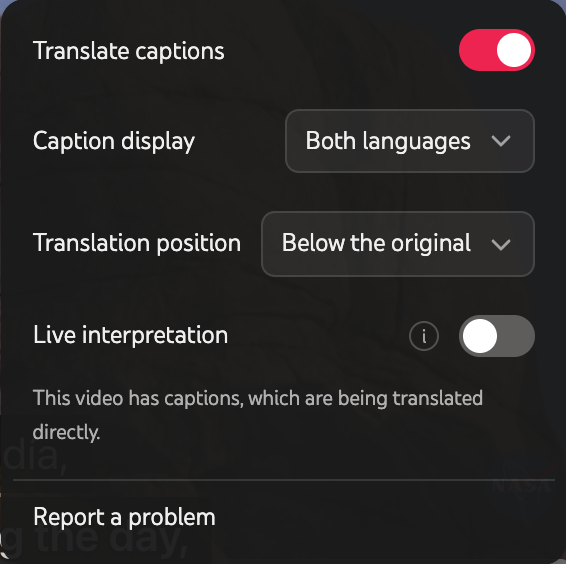
- Set your target language: After installing the Equalang extension and signing in, click the extension icon in your browser toolbar to open the control panel, and set your target language to "English".
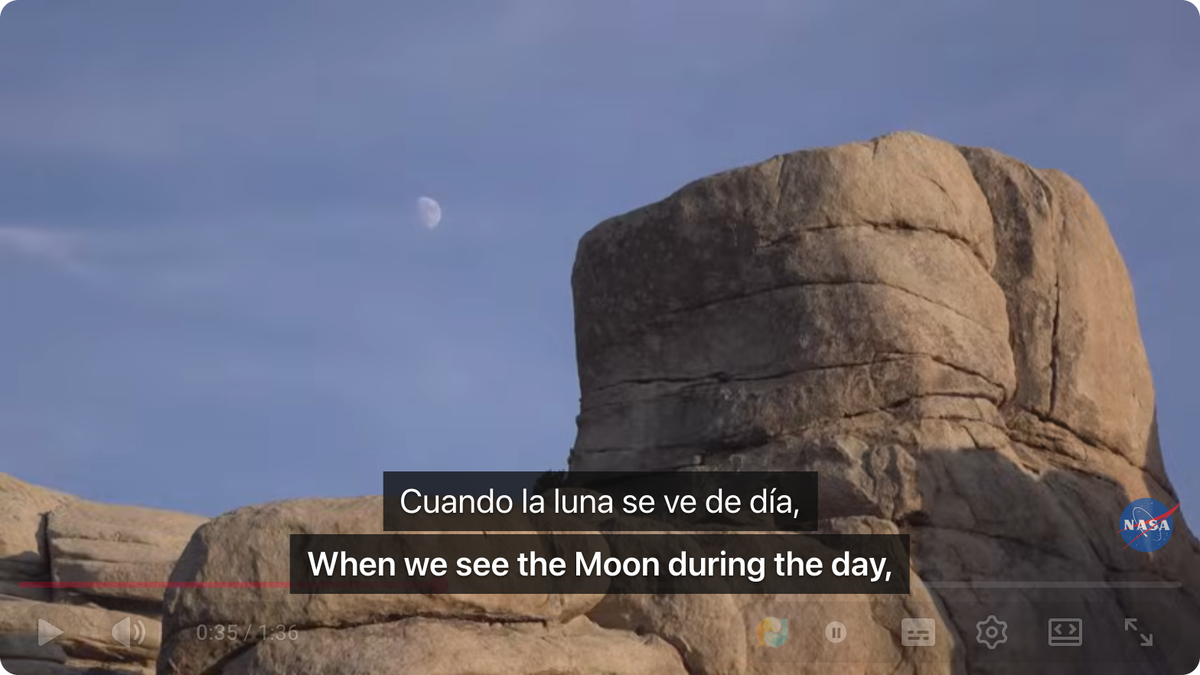
- Enable dual display: Open a YouTube video and ensure its original closed captions (CC) are turned on (avoid selecting YouTube's built-in auto-translation track). Click the Equalang icon on the video player to open the subtitle menu, and toggle on "Translate captions". Under the default "Both languages" display mode, you'll now see the original Spanish captions and the Equalang English translation together. For instance, when the original line is
Cuando la luna se ve de día,, Equalang displaysWhen we see the Moon during the day,right along with it (you can also switch to "Translation only" in the menu if you prefer).
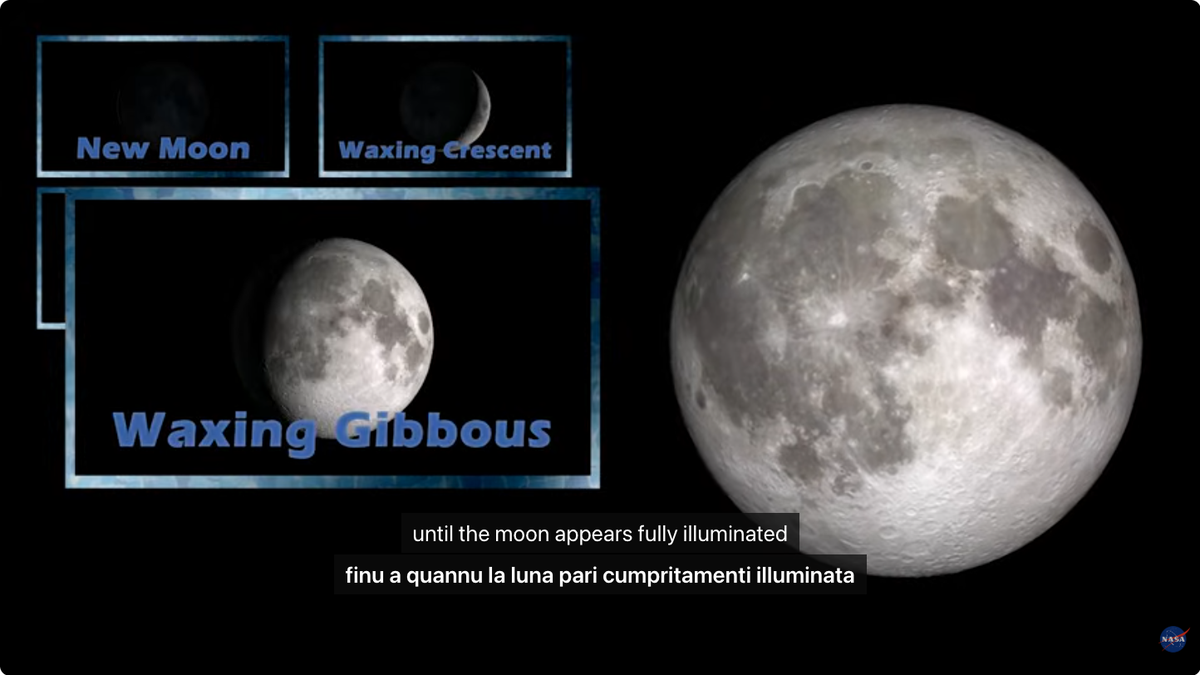
Besides dual display, Equalang also fills in the gaps in platform language options. For example, in another NASA video explaining moon phases, YouTube's native auto-translate menu did not list Sicilian as an option. However, by selecting "Sicilian" in Equalang, the subtitles successfully provided the translation finu a quannu la luna pari cumpritamenti illuminata for the original English dialogue until the moon appears fully illuminated.
Note: If you change your global target language but an already opened video still shows the old language, simply refresh the page and re-enable the subtitle toggle.
Watch Uncaptioned Videos and Live Streams
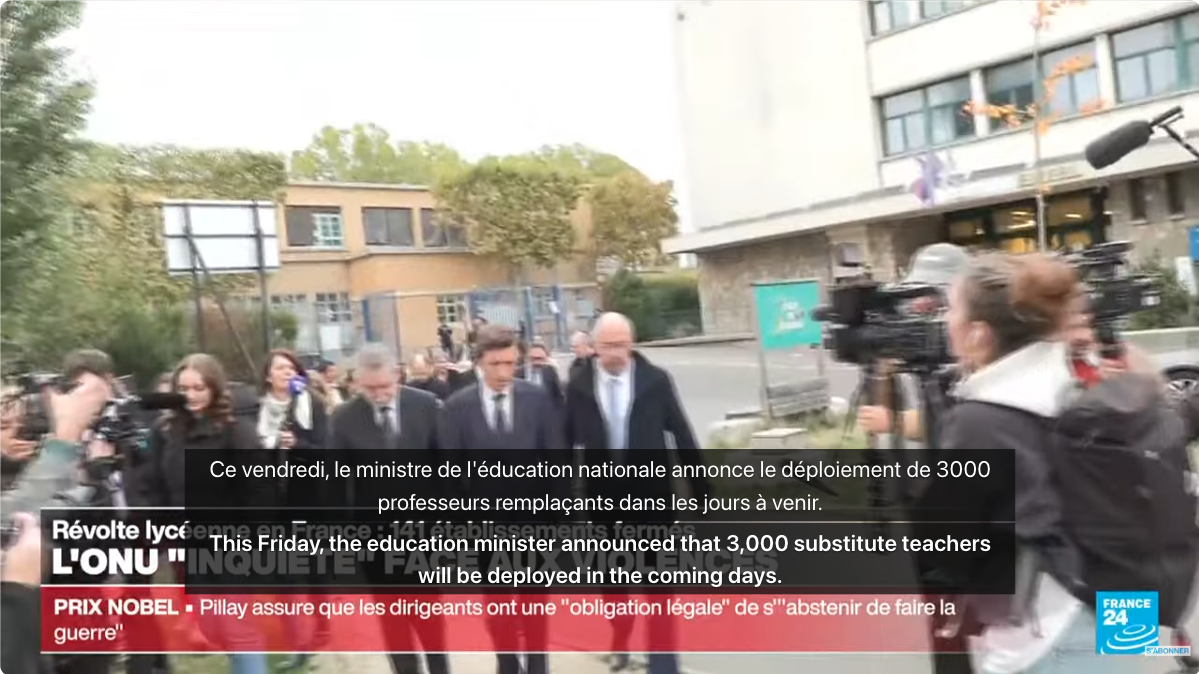
What if a video doesn't provide original captions, or you want to use direct audio translation on a breaking news live stream? By turning on the "Live interpretation" toggle in the Equalang player panel, the extension listens to the audio and generates translated subtitles independently.
In a test with the FRANCE 24 French live broadcast, Equalang successfully listened to the live audio and generated English subtitles in real-time, allowing viewers to easily follow the news as it unfolded (see the example below).
Read Live Chats and Catch the Vibe
A huge part of watching live streams is keeping up with the chat, but a fast-scrolling feed in a foreign language can be intimidating. On YouTube, automatic chat translation is officially only available to creators and administrators, meaning regular viewers are stuck looking at the original messages.
Equalang bridges this gap with the "Translate live chat" feature. Once turned on, regular viewers can read translated text right below the continuous stream of original messages (as shown in the screenshot below), making it much easier to see what people are discussing. Please note that this feature is strictly for reading incoming messages and does not automatically translate the replies you send.

If you no longer need these features, just turn off the respective toggles in the panel, and the video and chat will return to showing only the original content.
Beyond YouTube, Equalang's subtitle and live interpretation features work across many other sites, allowing you to overcome language barriers on various types of content:
- Shows & Anime: YouTube, Netflix, Bilibili (including bilibili.tv), iQIYI (iq.com), Youku (youku.tv), Viki, WeTV, Crunchyroll, and SOOP.
- Shorts & Mini-Dramas: TikTok, Douyin, Xiaohongshu (RedNote), ReelShort, DramaBox, and GoodShort.
- Live Streams: YouTube, Twitch, Kick, TikTok LIVE, Douyin, Bilibili, Douyu, Xiaohongshu, SOOP, CHZZK, TwitCasting, TrueID, TRT Haber, ON Live, RUTUBE, FPT Play, and Vidio.
Note: Due to DRM and browser limitations, being on this list does not mean every video on these sites can be live interpreted, nor does it mean all sites support live chat translation. Feature availability depends on the actual playback page.
Sources
- Equalang Browser Extension (Chrome, Edge, Firefox, Safari)
- YouTube Official Help: Learn about Live Chat
- Sample Videos: STEMonstrations: Moon Phases (NASA Johnson) & ¿Por qué podemos ver la Luna durante el día? (NASA en Español).
- Live Stream and Chat Test Source: FRANCE 24 (Français) Direct en continu