Live Translate Foreign Dramas Without Subtitles
 Equalang
In brief
Watch subtitle-free foreign dramas and trailers with Equalang's live interpretation feature. It generates bilingual subtitles to help you follow the plot.
Keywords: live interpretation; translated subtitles; foreign dramas; raw video viewing
Language barriers can easily ruin the fun of watching foreign shows. You might want to catch up on the latest Japanese anime, or scroll through fast-paced TikTok short dramas, only to find they just offer raw foreign subtitles. Or worse, you might click on a highly anticipated official trailer that provides no subtitles at all. Without them, it can be tough to follow the plot by listening alone.
In these situations, the Equalang browser extension can step in to help. If the video has foreign subtitles, Equalang can translate them directly into bilingual captions. But if there are no subtitles at all, its Live interpretation feature comes to the rescue—it listens to the audio and generates bilingual subtitles on your screen in real time.
Interpreting Spanish Dialogue
To show how it works, we used the official trailer for the Spanish series Valeria, posted by Netflix España on YouTube. This specific video clip has no native subtitles available.
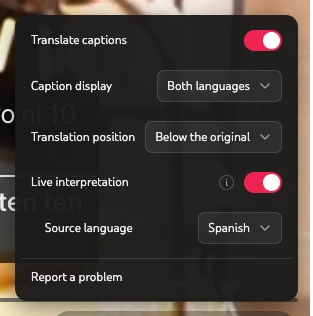
While playing the video in the browser, click the Equalang icon at the bottom of the player and turn on "Live interpretation". The extension automatically detects Spanish audio and displays the recognized Spanish text along with the English translation at the bottom of the screen.
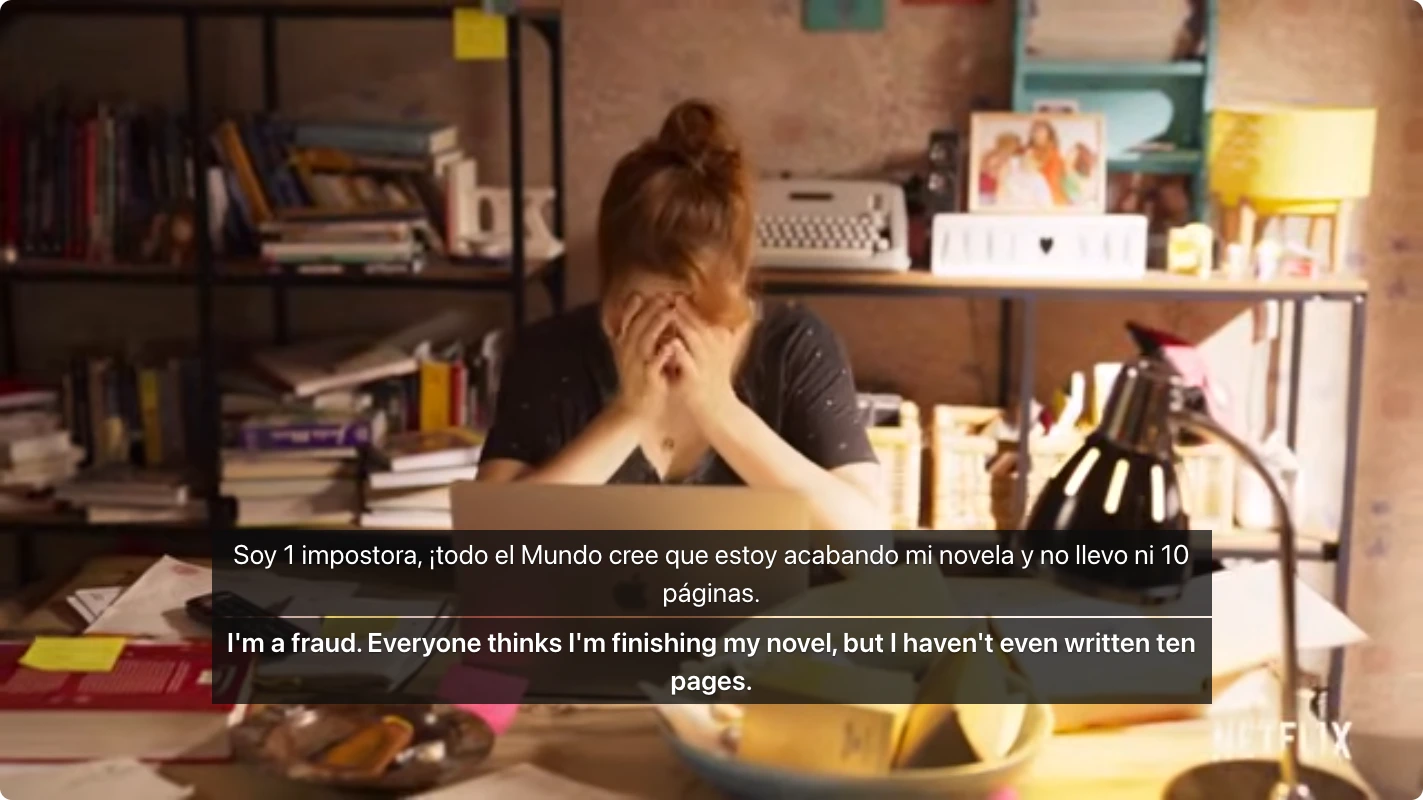
Through the recognized text and its translation ("I'm a fraud. Everyone thinks I'm finishing my novel, but I haven't even written ten pages."), you can easily understand the main character's anxiety about her writing block and catch the core conflict of the scene.
Setting Up Live Interpretation
You can enable this feature in a few steps:
- Set your target language: After logging into the Equalang extension, go to the Settings page. Change your target language to English, and click Save. Refresh any already open video pages.
- Enable the feature: Click the Equalang icon on the video player and switch on "Live interpretation". From this panel, you can also toggle whether to show both languages or adjust the translation's vertical position.
Keep in mind that live interpretation relies on real-time voice recognition. In-video interference like background music, sound effects, or overlapping voices can cause segmentation errors or slight subtitle delays (the extension captures audio directly from the video, so your room's environmental noise won't affect it). The feature may also be restricted by DRM in certain encrypted video environments. If a video does offer official closed captions, Equalang will prioritize translating those native subtitles directly instead of using live interpretation.
Equalang's subtitle and live interpretation features work across a wide range of platforms, allowing you to seamlessly watch different types of content:
- Shows & Anime: YouTube, Netflix, Bilibili (including bilibili.tv), iQIYI (iq.com), Youku (youku.tv), Viki, WeTV, Crunchyroll, and SOOP.
- Shorts & Mini-Dramas: TikTok, Douyin, Xiaohongshu (RedNote), ReelShort, DramaBox, and GoodShort.
- Live Streams: YouTube, Twitch, Kick, TikTok LIVE, Douyin, Bilibili, Douyu, Xiaohongshu, SOOP, CHZZK, TwitCasting, TrueID, TRT Haber, ON Live, RUTUBE, FPT Play, and Vidio.
Note: Due to DRM encryption and browser limits, being on the supported list does not mean every video on these sites can be live interpreted, nor does it mean all sites support live chat translation. Feature availability depends on the actual playback page.
To see it in action, install the Equalang extension and try it on a foreign video clip yourself.
Sources
- Original trailer: Valeria | Tráiler oficial | Netflix España