Translate PowerPoint Slides Without Losing Your Formatting
 Equalang
In brief
Preparing a multilingual presentation often means hours of layout fixes. Equalang translates PPTX files while keeping your native tables and styles intact.
Keywords: PowerPoint translation; translate slides; keep formatting; PPTX translation; native tables
When adapting an existing slide deck for an international team, the most tedious part usually isn't the translation itself—it's the formatting.
If you copy text into a translator and paste it back into PowerPoint, you often disrupt the layout. Because translated sentences rarely have the exact same length as the original, the new text can distort your carefully arranged tables. Moreover, the specific bold or colored keywords you used for emphasis are often stripped away, forcing you to manually re-apply every style.
Instead of dealing with text boxes, you can translate the entire presentation at once using Equalang.
Native Tables and Preserved Styles
Equalang natively supports PPTX files. To see how it handles formatting, let's look at a fictitious "Ceramic Cup Trial" presentation, originally drafted in Chinese.
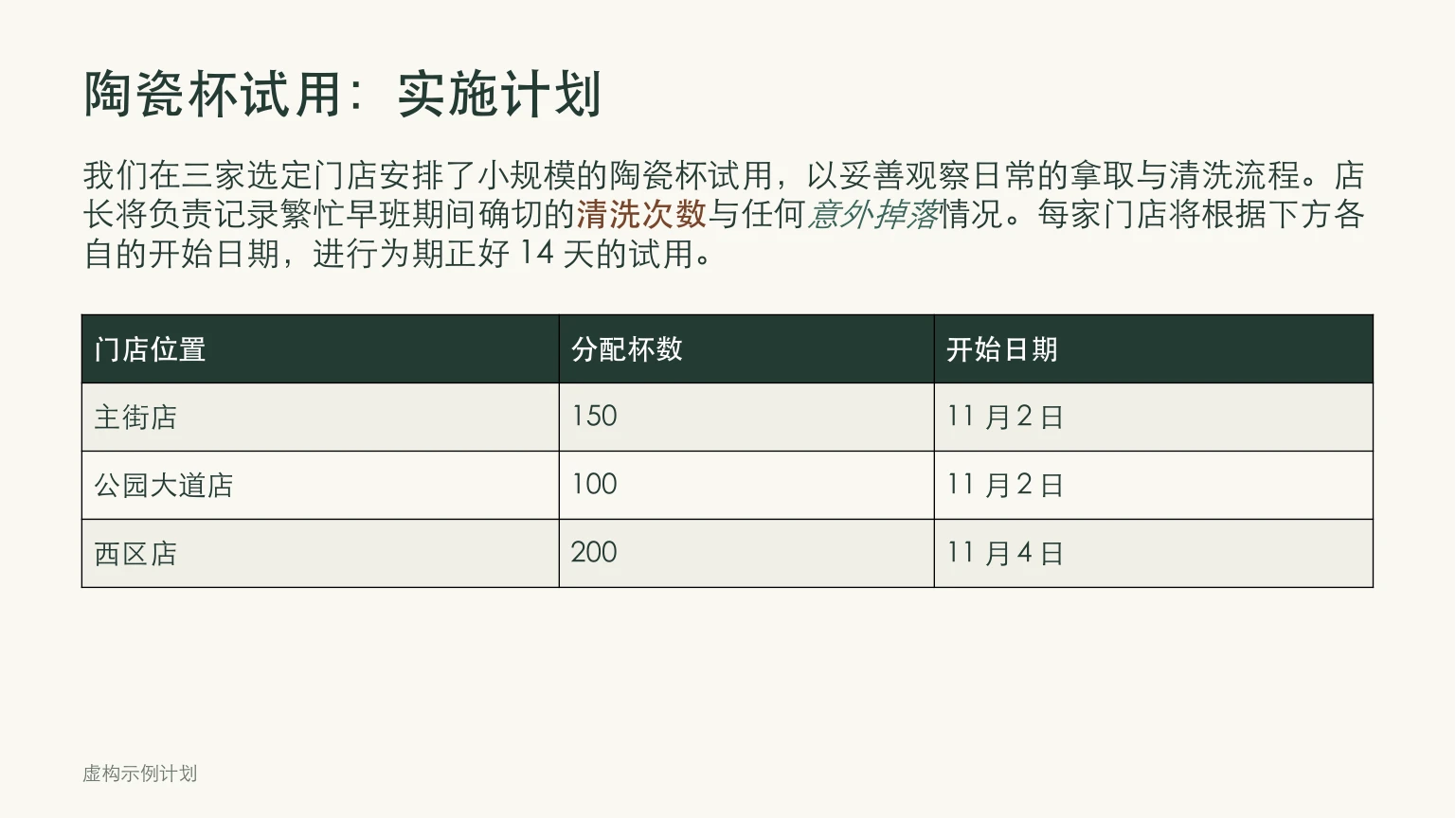
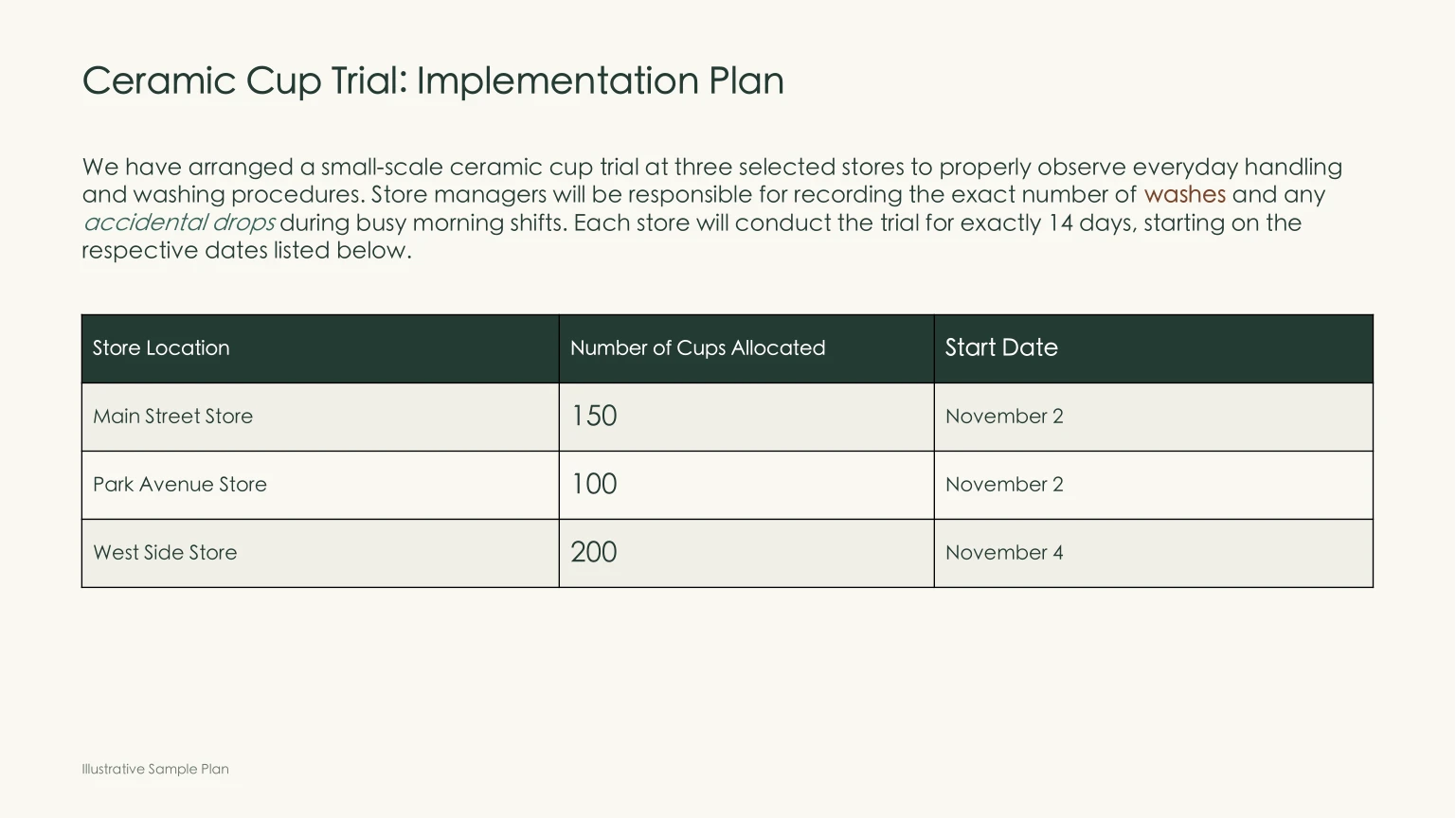
In the downloaded English result, several structural details remain intact:
- Tables Remain Editable: The trial allocation table doesn't get flattened into a static image. It stays a fully editable, native table with its rows and columns preserved, so you can update the numbers later if needed.
- Word-Level Styling: In the Chinese source, the phrases for "washes" and "accidental drops" were highlighted using bold brown text and italic green text respectively. The translation accurately applies these exact styles to the corresponding words in English.
- Adaptive Sizing: In this specific translation, the resulting English text required more space than the Chinese original. As a result, Equalang automatically shrank the font size within the text boxes to prevent the text from overflowing.
Consistent Phrasing Across Slides
Consistency matters in professional presentations. Equalang ensures that specific titles and concepts, such as the "Ceramic Cup Trial", are translated uniformly across all your slides. This prevents audience confusion that happens when the same term is translated differently on subsequent pages.
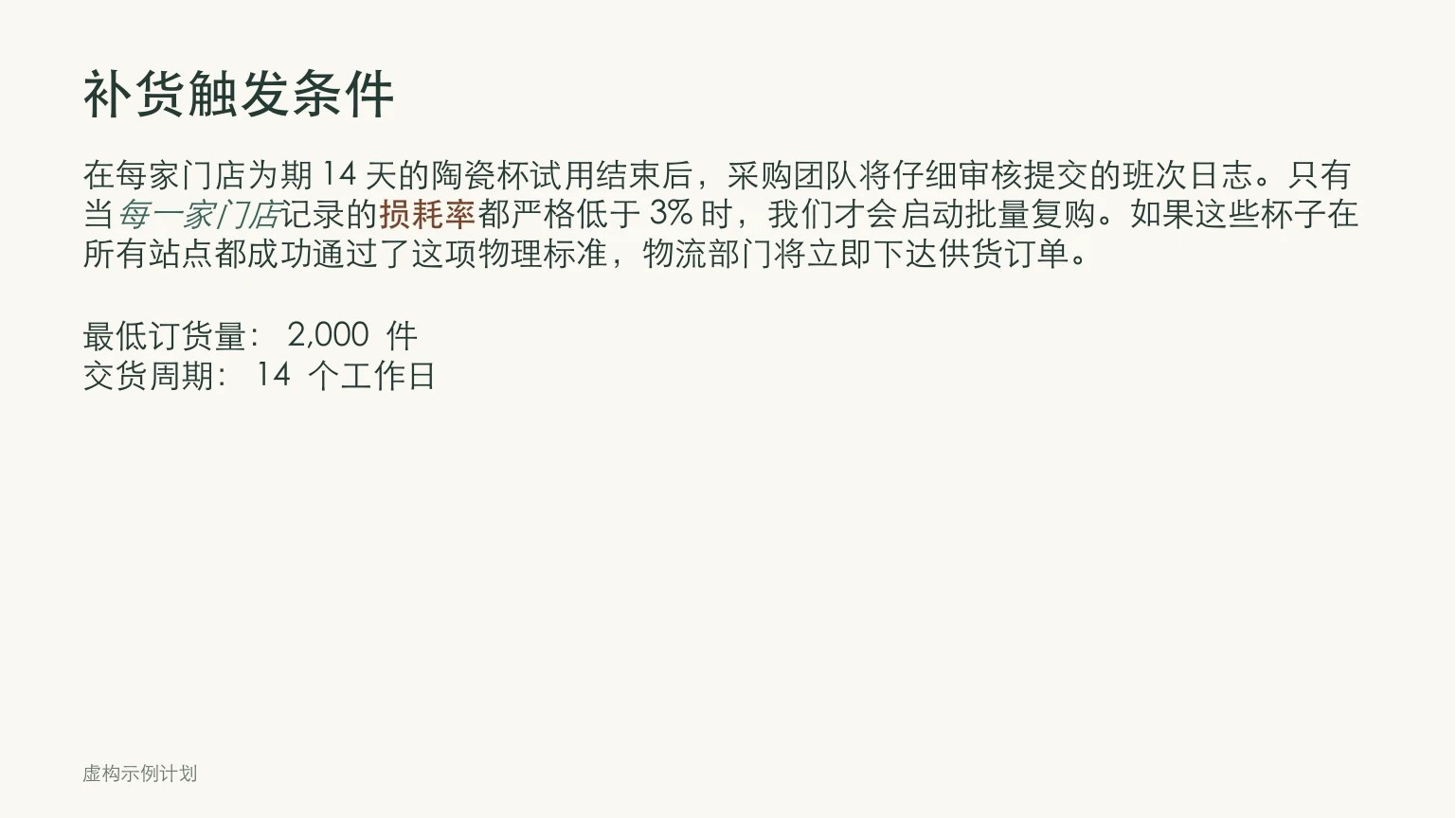
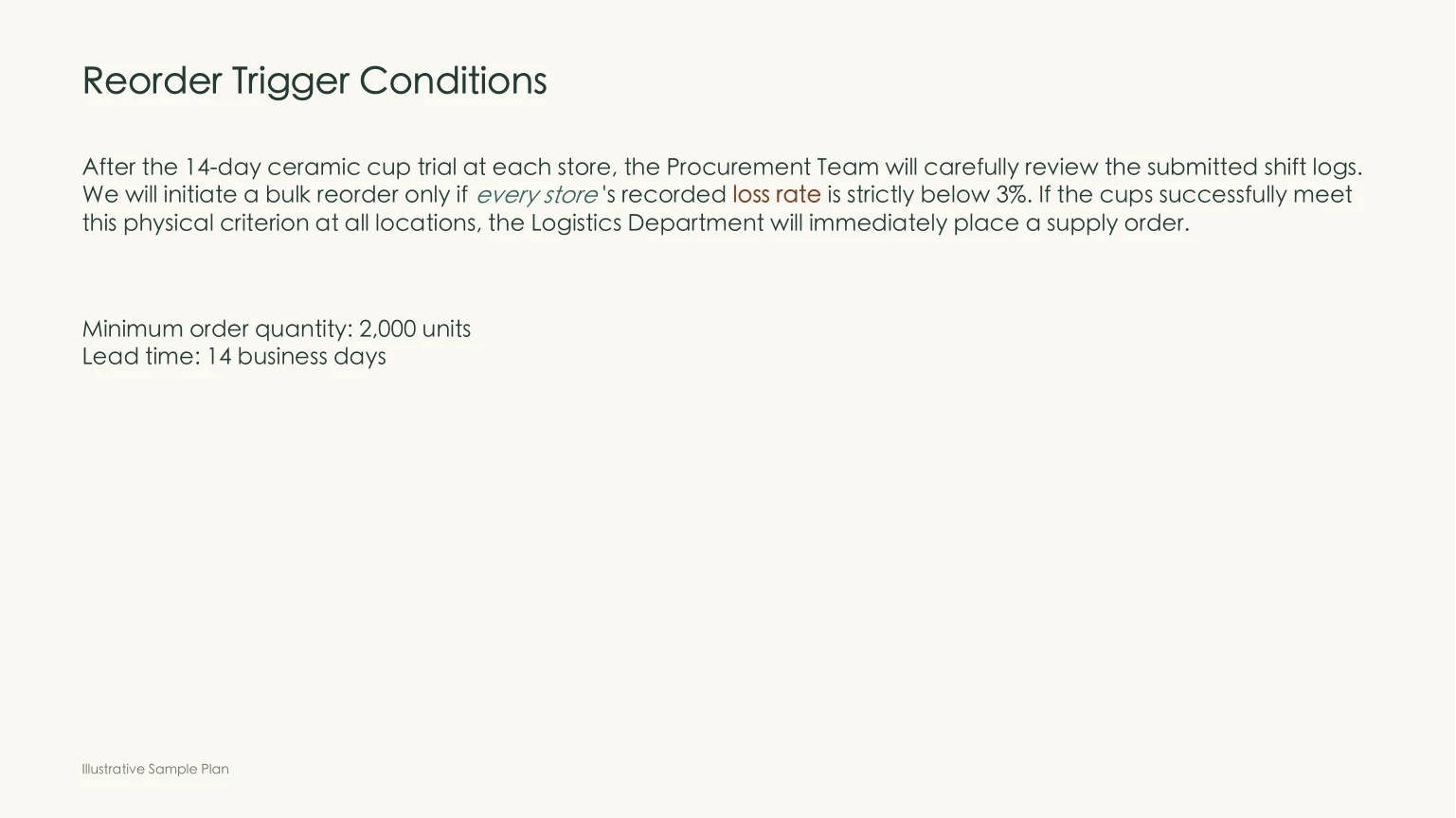
It is important to note that automated document translation does not clone your layout perfectly. When text resizes to fit, the font sizes and line breaks may occasionally differ from your original file. You should still review the translated vocabulary to ensure it strikes the right tone for your audience.
If you want to skip the tedious copy-pasting, just upload your presentation to Equalang. Choose your target language, start the translation, and download your translated PPTX file ready for the next meeting.