Translating Engineering PDFs: Reading Small Text & Tolerances
 Equalang
In brief
When collaborating across borders, tiny notes and tolerance blocks decide part quality. See how engineering drawing PDFs translate accurately for suppliers.
Keywords: Engineering drawing translation, PDF drawing small text, Tolerance block translation, Title block layout, Cross-border manufacturing
In international manufacturing, engineering teams often outsource parts to fabrication partners abroad, such as machine shops and sheet metal suppliers in China. When drawings are delivered as PDFs, dense English notes, thread specifications, and imperial tolerance abbreviations can cause delays or expensive scrap for overseas machinists and quote engineers.
Providing a translated drawing package bridges this communication gap. Using Equalang, teams can translate engineering drawing PDFs into Simplified Chinese while keeping callouts, tables, and title blocks in their native drawing locations.
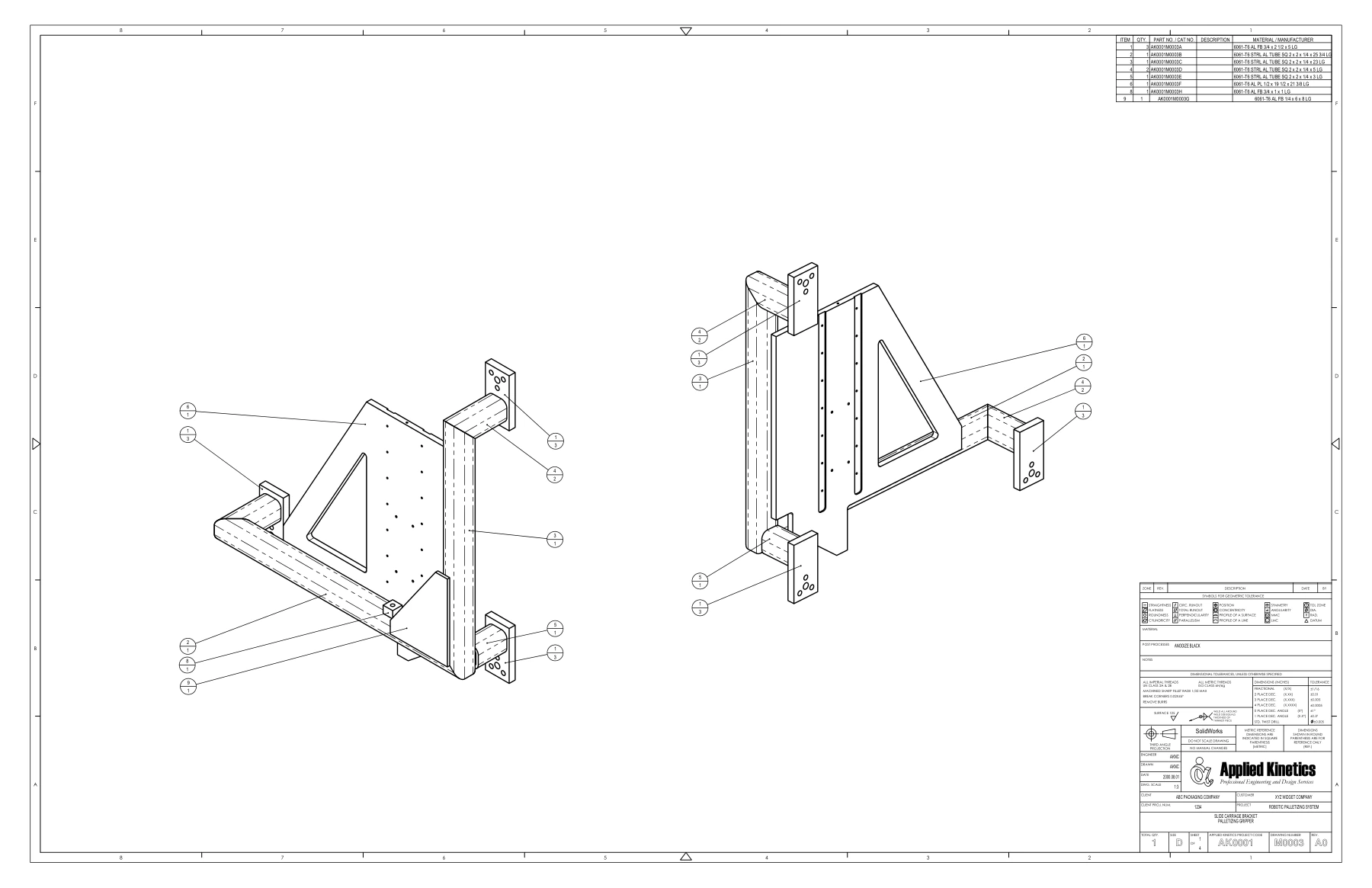
Here is a practical look at translating an authentic four-page Slide Carriage Bracket drawing from Applied Kinetics. Our team previously ran this drawing through several common translation tools, and here is how they handled key areas across the sheet.
Sheet Overview: Preserving Macro Layout and Drawing Geometry
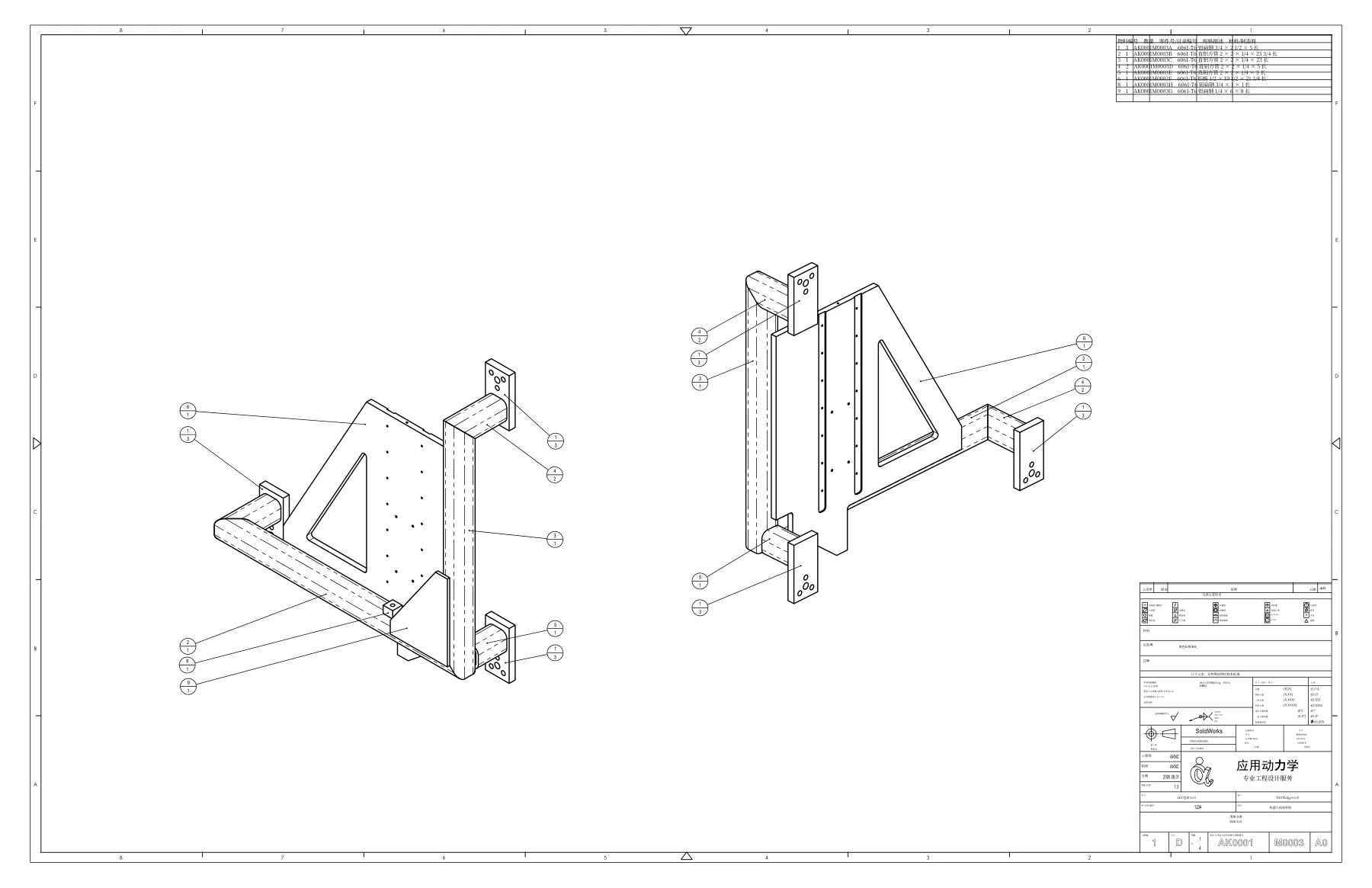
Reading an engineering drawing begins with its macro layout. Beyond the assembly views and geometric projections, a sheet contains balloon callouts, a top-right Bill of Materials (BOM), and bottom-right technical notes and title blocks. If a translation engine displaces these graphic elements, engineers can easily lose their bearings.
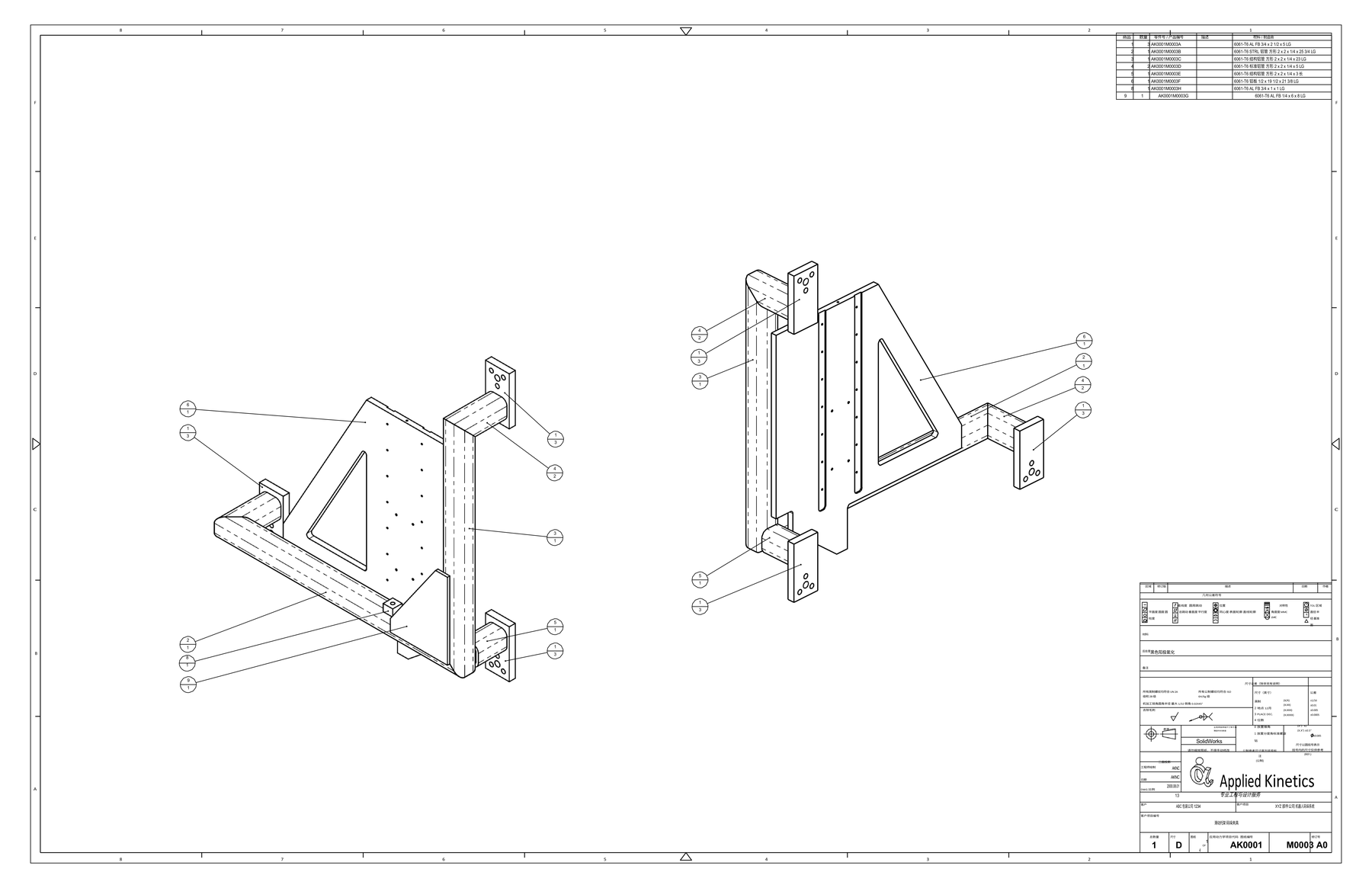
Looking at the overall page layout, each tool handles the sheet differently:
- DeepL sample: Retains the two assembly line drawings and general callout positions; the upper-right BOM is translated within its table rows, while the lower-right notes section shows visible vertical text expansion.
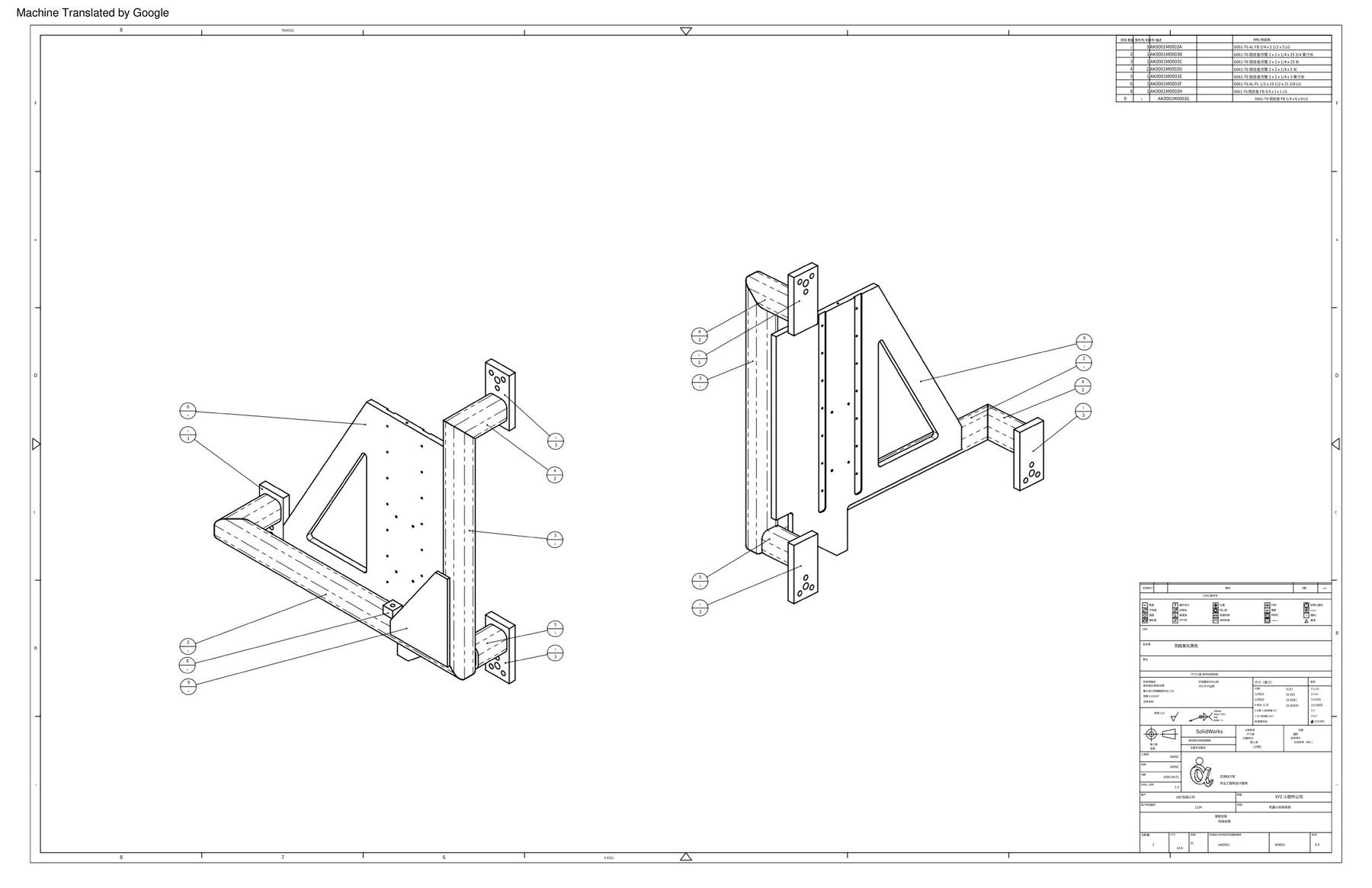
- Google sample: Includes a machine-translation header in the upper left; text inside the BOM and notes is translated, though zooming in reveals that the linework has been rasterized (smooth vector paths turn visibly blurry and jagged when magnified, resembling a compressed image rather than a sharp drawing).
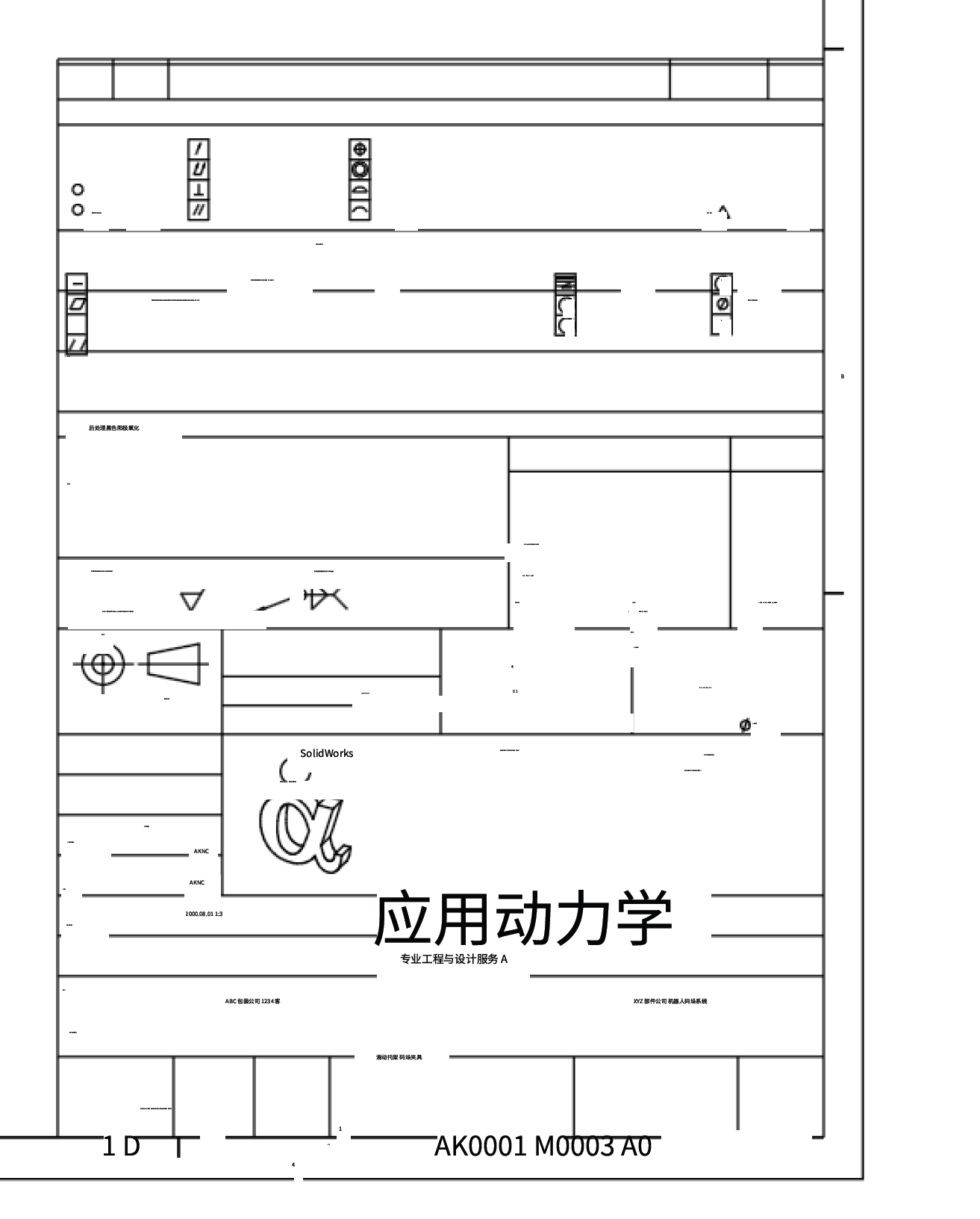
- Immersive Translate sample: This result is limited to a regional view of the lower-right notes and title block on sheet 1 (leaving unshown areas unevaluated). Within this preserved section, the notes collapse into micro-sized dashes while the company name is enlarged past its cell borders.
- Equalang translated output: Both assembly projections, balloon callouts, the BOM table, and lower-right annotations remain in their native coordinate zones with crisp vector linework and clean overall sheet balance.
Tolerance Blocks: Avoiding the "December" Trap
In North American drafting practices, drawings with imperial dimensions often include a general tolerance block above the title block based on decimal places:
2 PLACE DEC. (X.XX) ±0.013 PLACE DEC. (X.XXX) ±0.0054 PLACE DEC. (X.XXXX) ±0.0005FRACTIONAL (X/X) ±1/16
In drafting terminology, DEC. stands for Decimals. The table defines allowable tolerance by precision: two decimal places take ±0.01 inches; three decimal places take ±0.005 inches.
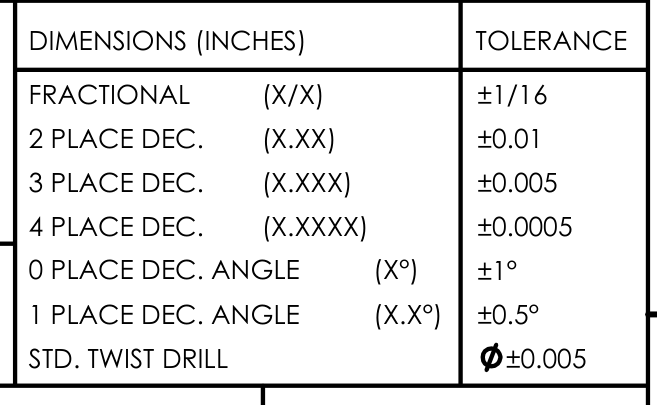
In practice, different tools handled these engineering abbreviations with noticeable contrasts:
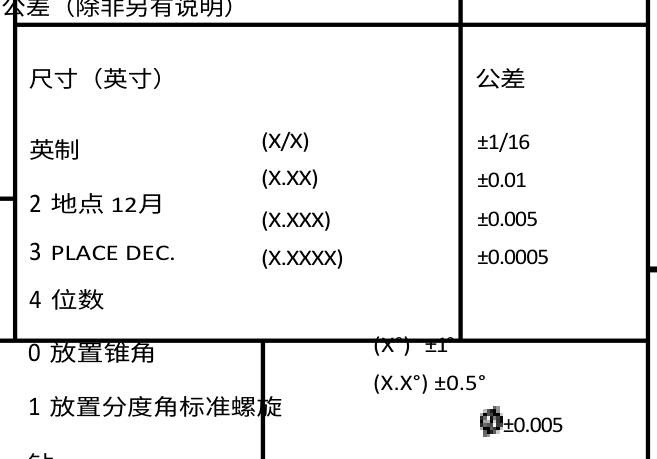
- DeepL sample:
2 PLACE DEC.was translated into Chinese as "2 地点 12月" (2 Locations December),3 PLACE DEC.remained in English, and4 PLACE DEC.appeared as "4 位数";DEC.was treated as the month of December rather than decimal places.
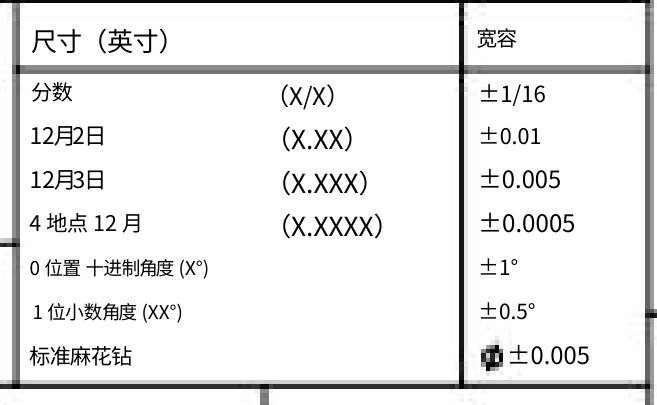
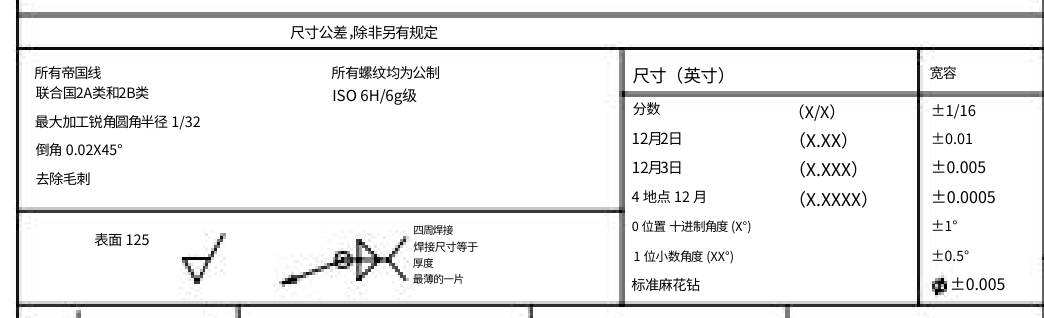
- Google sample: The table entries were translated into specific calendar dates, showing "12月2日" (Dec 2) and "12月3日" (Dec 3), with the four-place line reading "4 地点 12 月", losing engineering meaning.
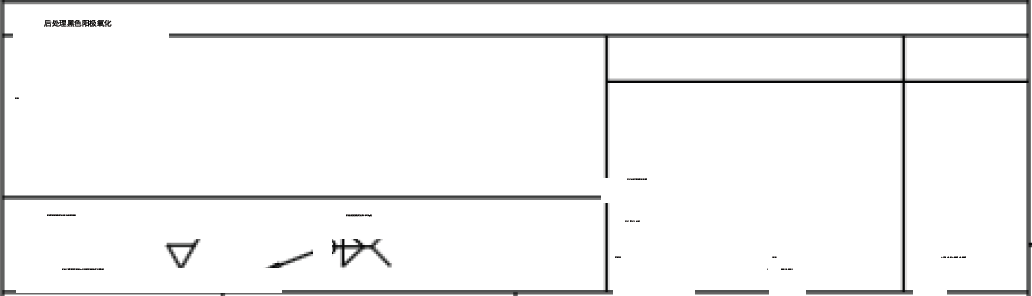
- Immersive Translate sample: While the table grid remains visible, the labels and tolerances render too small, faint, and fragmented to read reliably; whether
DEC.was translated accurately cannot be determined from this output, leaving low practical legibility.
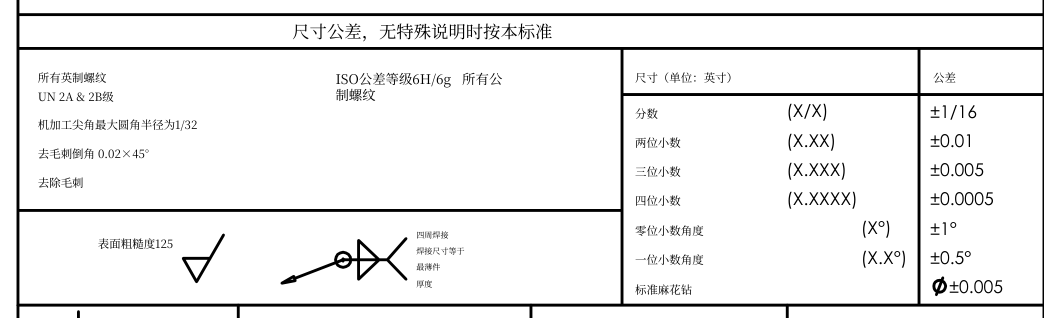
- Equalang translated output: These entries are correctly rendered in Simplified Chinese as "两位小数" (Two decimal places), "三位小数" (Three decimal places), and "四位小数" (Four decimal places). The tolerance values
±0.01,±0.005, and±0.0005remain seated in their respective table rows.
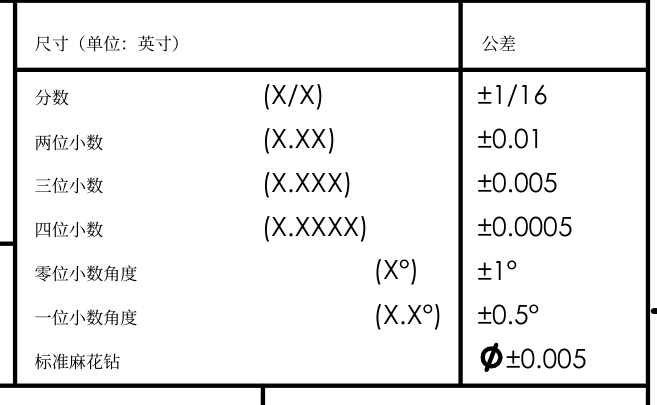
In this sample sheet, dimensions follow the original imperial callouts (DIMENSIONS (INCHES)). Tolerance values such as ±0.01 remain in their original numeric form without conversion into metric millimeters. Teams review numbers within the native measurement system.
Reading Fabrication Notes and Thread Standards
Drawing notes communicate critical machining procedures. On page 1 of this sample drawing, the notes section outlines thread classes, deburring chamfers, welding instructions, and hole-drilling callouts:
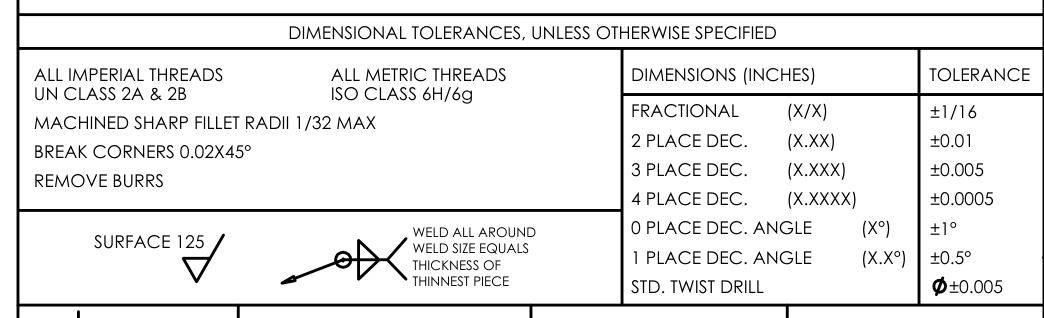
Because notes use compact fonts, text elongation can lead to boundary overflow or awkward line wraps. Comparing how the tools handle this same notes area (note that DeepL's crop is vertically taller to accommodate its expanded text):
- DeepL sample: Preserves thread designations (
UN 2A 级和 2B 级,ISO 6H/6g 级) and the deburring phrase "去除毛刺"; however, text rows spill past their original table cells, the welding note breaks across cell boundaries, andSTD. TWIST DRILLis split across lines into "标准螺旋" (standard spiral) and "钻" (drill).
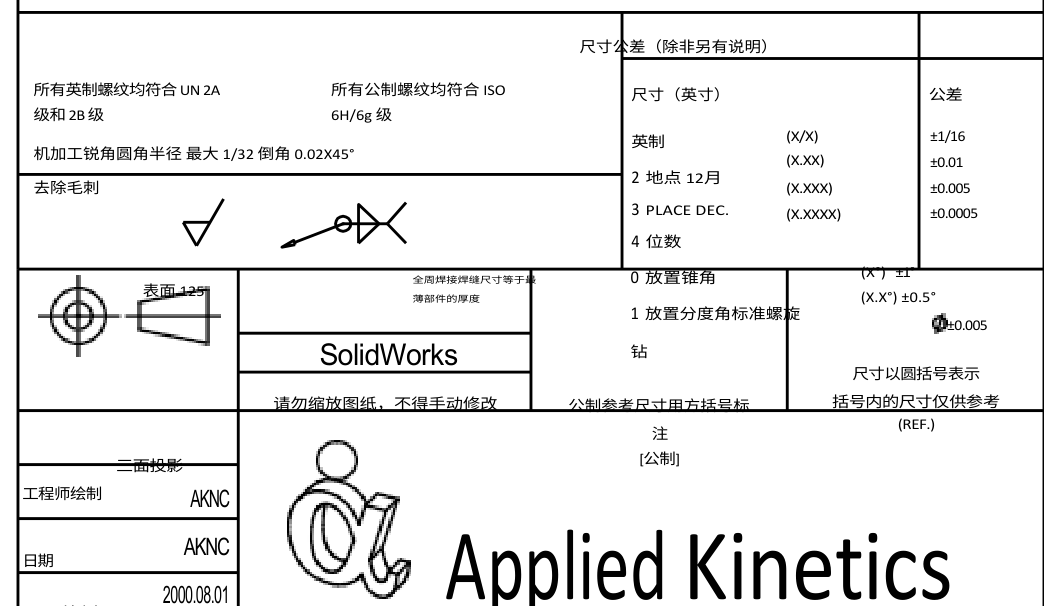
- Google sample: Renders threads as literal phrasing ("所有帝国线 / 联合国2A类和2B类" and "所有螺纹均为公制 / ISO 6H/6g级"); chamfer and deburr notes remain; the welding note is fragmented into four short lines, and the
TOLERANCEcolumn header translates to "宽容" (leniency).
- Immersive Translate sample: Notes shrink into micro-strokes and short dashes, making thread classes, deburring callouts, and welding notes difficult to read directly from the sheet.
- Equalang translated output: Thread classes map directly to "所有英制螺纹 UN 2A & 2B级" and "ISO公差等级6H/6g 所有公制螺纹"; chamfering and deburring appear as "去毛刺倒角 0.02×45°" and "去除毛刺"; hole drilling retains "标准麻花钻" alongside its diameter symbol, and the welding note fits cleanly beside its leader arrow within designated boundaries.
Title Block: Preserving Administrative Data
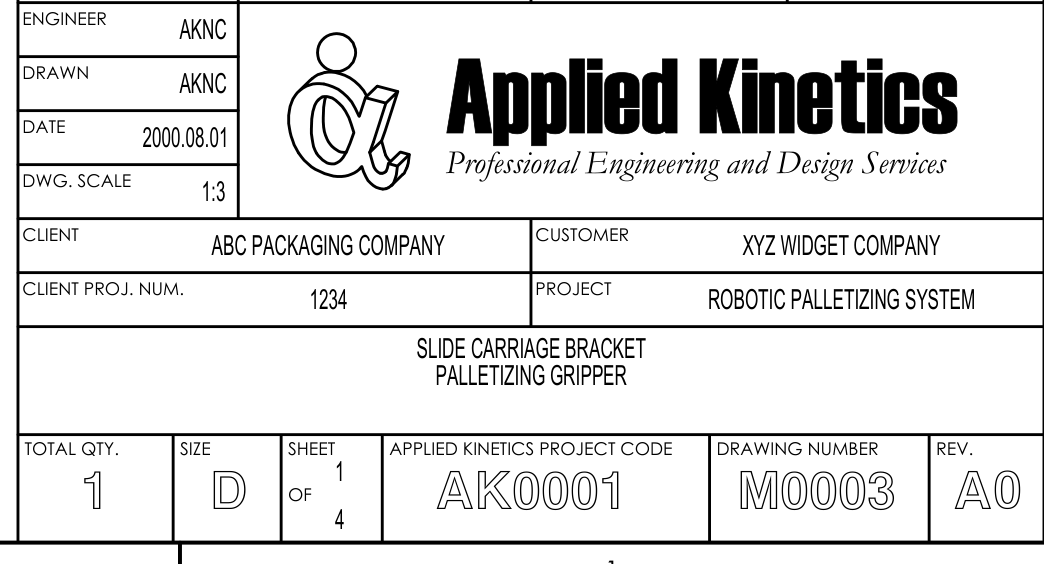
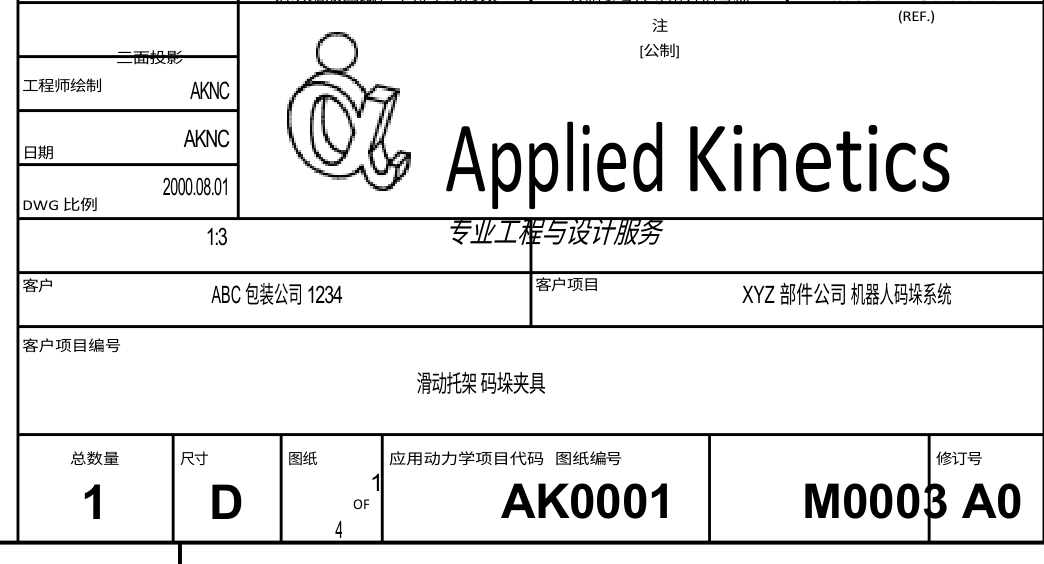
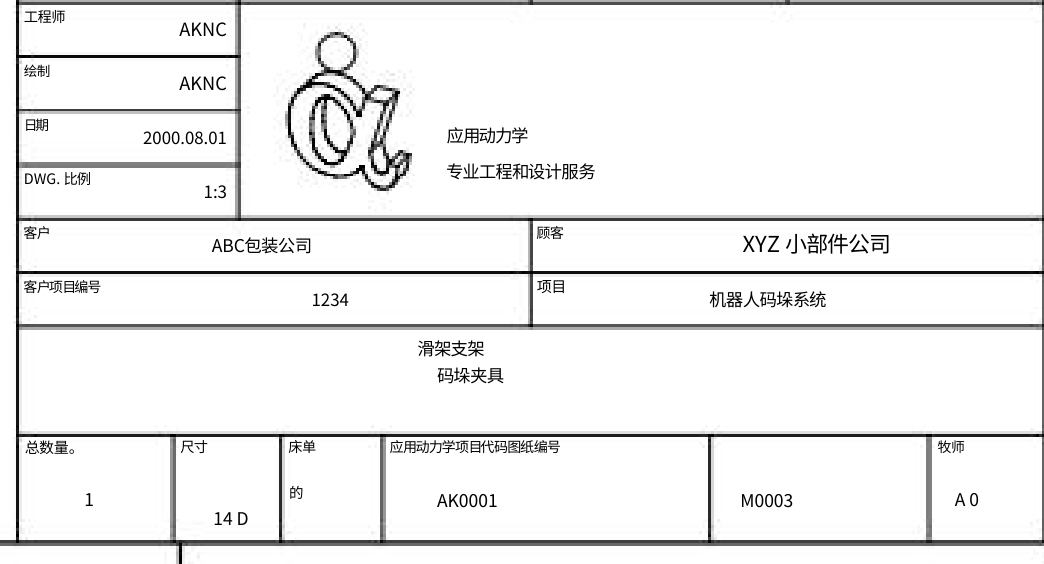
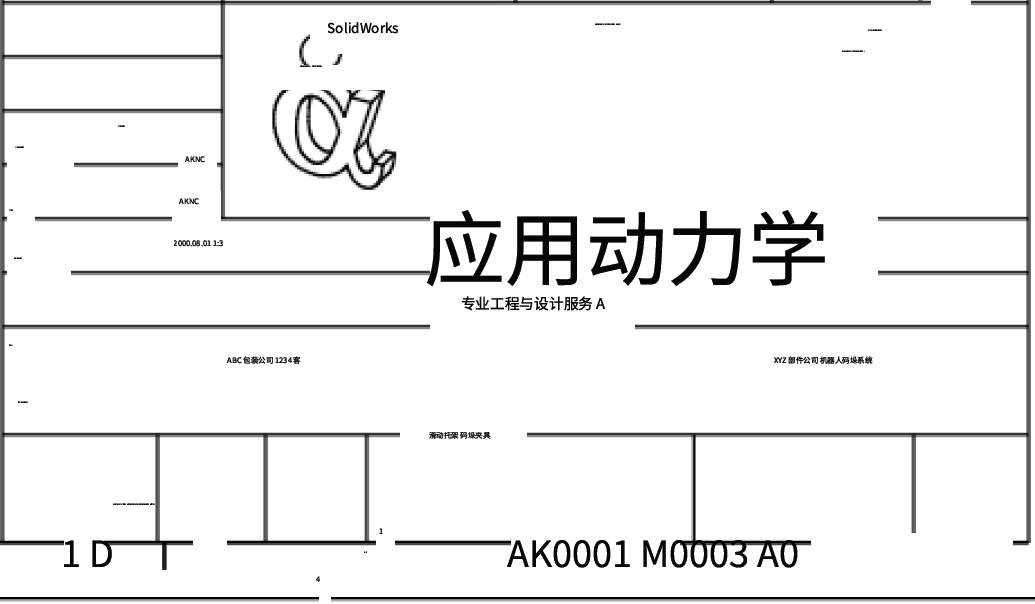
The title block in the bottom-right corner holds vital tracking metadata: part descriptions, design firm details, project codes, and drawing revisions. Comparing how each tool handles the title block and lower-right area on sheet 1:
- DeepL sample: Leaves the engineering firm name in English (
Applied Kinetics) with its subtitle translated; however, several field values bleed into adjacent cells—project number 1234 shifts up into the Client row, customer name and project title merge into a single cell, project code and drawing number labels stack together, and drawing numberM0003crosses its right border boundary.
- Google sample: Translates Applied Kinetics literally as "应用动力学" (Applied Dynamics); certain field labels suffer literal translations—rendering
SHEETas "床单" (bedsheet) andREV.as "牧师" (reverend); however, critical identifiersAK0001andM0003remain intact in their respective boxes.
- Immersive Translate sample: The company name "应用动力学" is significantly enlarged and spills over its cell boundaries, while surrounding field labels shrink into irregular micro-characters with noticeable displacement.
- Equalang translated output: Part title
SLIDE CARRIAGE BRACKETtranslates to "滑架支架", and assembly name translates to "码垛夹具"; client, customer, and project numbering hierarchy remain distinct; key values including drawing numberM0003, project codeAK0001, and revisionA0are clearly retained in their designated areas.
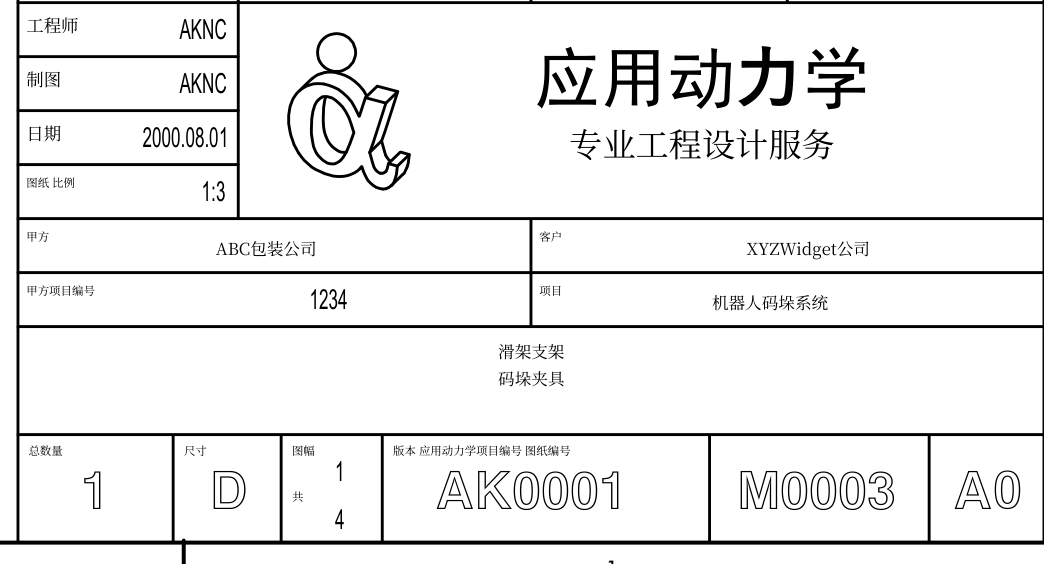
Preserving these identifiers ensures that shop-floor technicians and quality inspectors associate localized notes with the exact part revision required by the client.
How to Translate an Engineering Drawing PDF
Translating an engineering drawing PDF takes four straightforward steps:
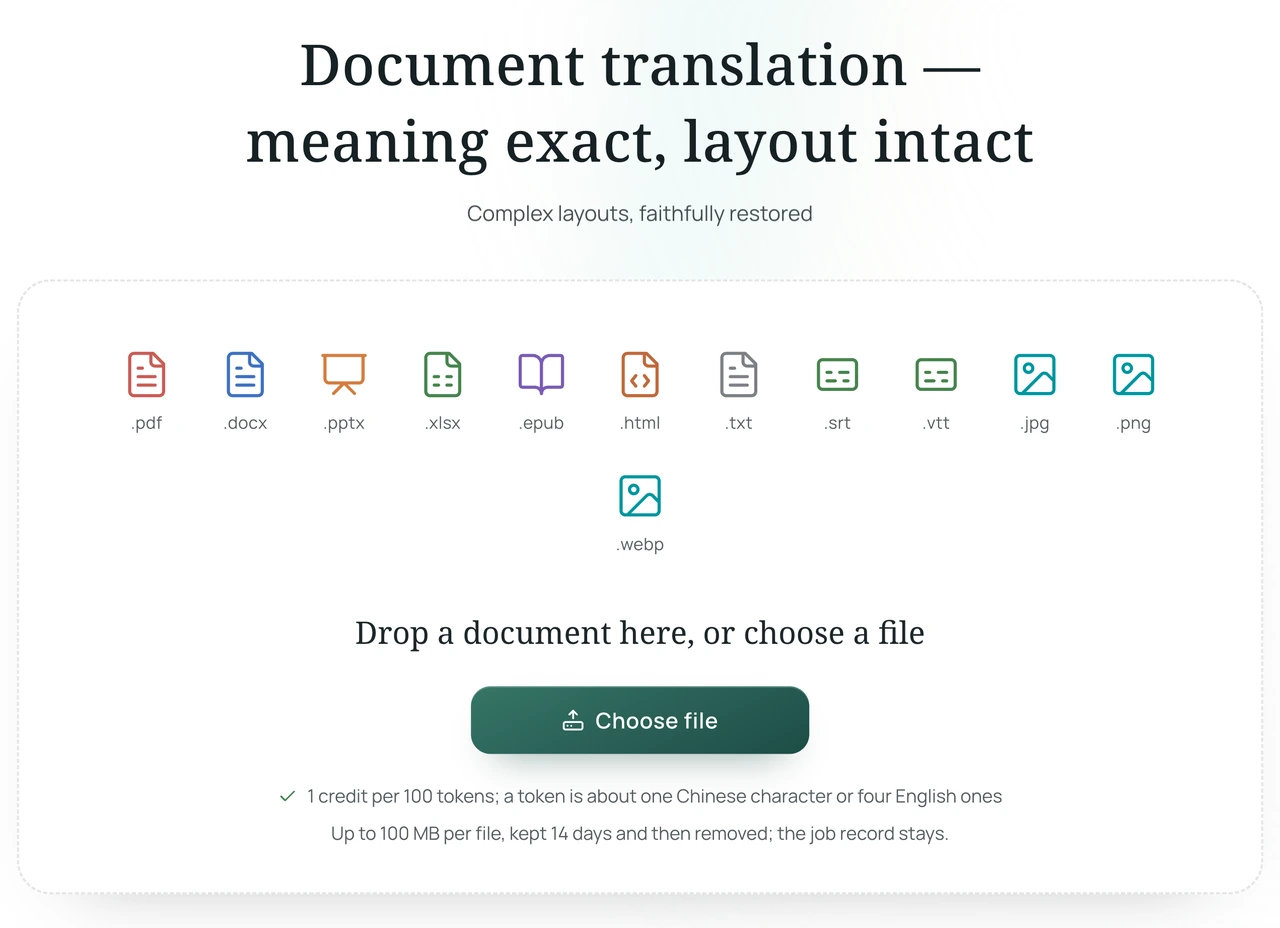
- Go to the Equalang Documents translation page and sign in;
- Upload your engineering drawing PDF;
- Select your target language (such as Simplified Chinese) and start translation;
- Download the translated PDF once processing finishes.
Reviewing the translated PDF side-by-side with the original drawing allows technicians to quickly clear up language ambiguities while verifying critical dimensions. Note that Equalang processes vector and text-layer engineering PDFs rather than native CAD binaries (such as DWG or DXF); before cutting metal or authorizing production, qualified engineers should always perform final checks against the original design drawings.