Translate and Cross-Check Academic PDFs
 Equalang
In brief
Translate foreign language academic PDFs with Equalang to grasp core findings first, then easily cross-reference the original text and charts.
Keywords: PDF translation; academic translation; translate papers; document translation; side-by-side reading
For students, doctors, and researchers dealing with a high volume of foreign language journals, constantly stopping to parse complex sentences and look up unfamiliar vocabulary can easily break your focus. A much more efficient way to review literature is to understand the core logic and findings in your primary language first, and then check the original document for exact terminology.
Using Equalang Document Translation, you can translate entire academic PDFs. To demonstrate how this reading workflow functions in practice, we've taken a Spanish educational neuroscience paper as an example to show how combining the translation with the original accelerates learning.
Set Up Side-by-Side Reading
To translate a document, log in to the website, upload your academic PDF, select English as your Target language, and click Start translation. Once the process is finished, if the 'Interleaved' option is available in your download menu, you can select it.
When opening the combined version, we suggest configuring your PDF reader to a two-page or side-by-side display mode, and setting page 1 and page 2 to pair together (often by disabling the separate cover page setting). This setup displays the original text and the English translation on the same screen, giving you a convenient side-by-side view.
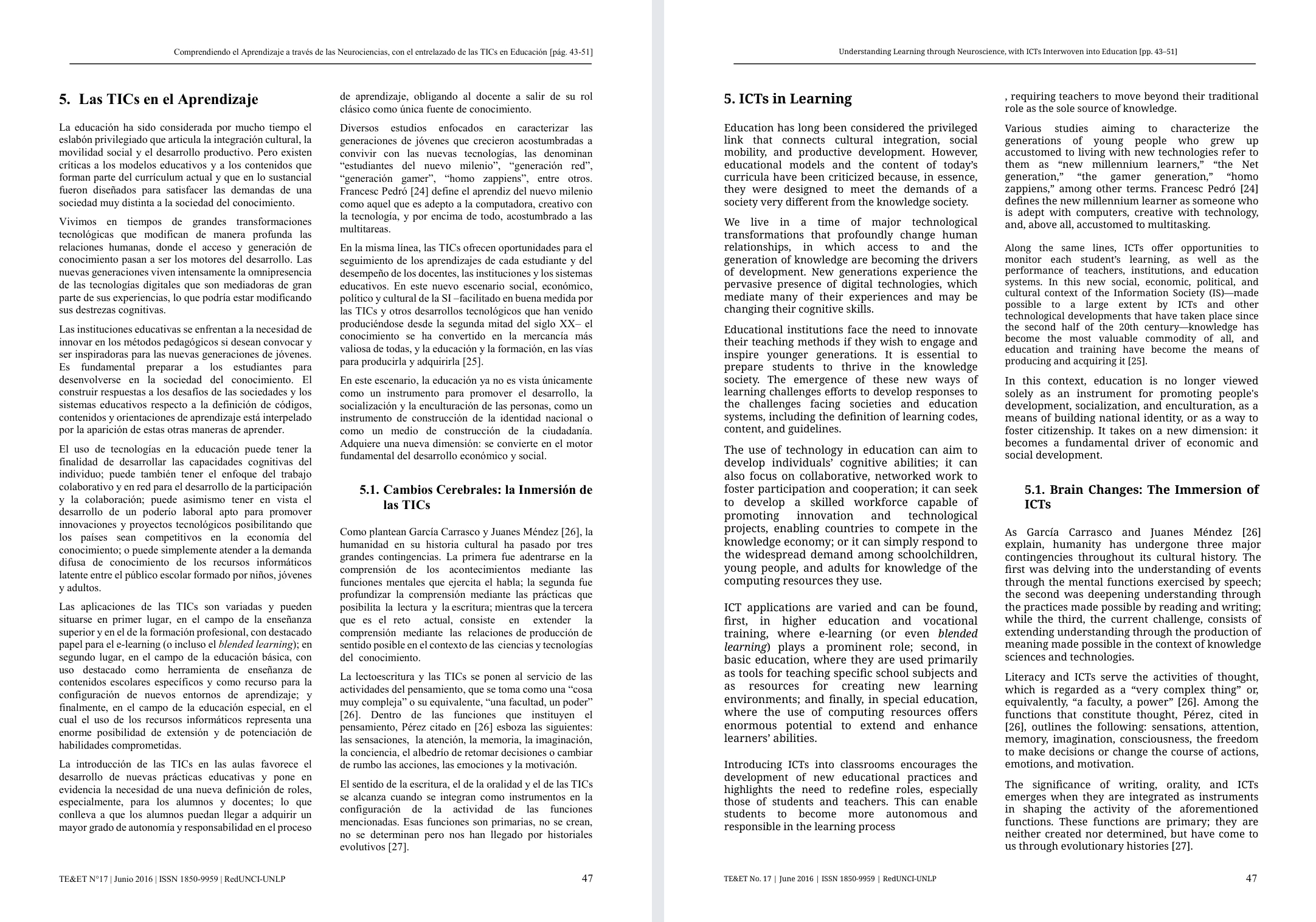
In this example, the translation maintains the original two-column layout. Reading in English allows you to quickly follow the author's argument: "We live in a time of major technological transformations that profoundly change human relationships...". You'll notice that sentences breaking across columns in the original also continue across columns in the translation. Getting familiar with these concepts upfront helps you navigate foreign sentence structures.
Locate Terminology in Context
While the translation provides a helpful overview, returning to the original Spanish document is often necessary in academic contexts. With the translated text as your foundation, pinpointing specific professional vocabulary is much easier.
For instance, after reading the translated section heading "5.2. Opportunities Emerging from Technology", you can glance at the left page to find its exact counterpart in the original Spanish text. This allows you to naturally associate key terms and properly reference the original study in your own research.
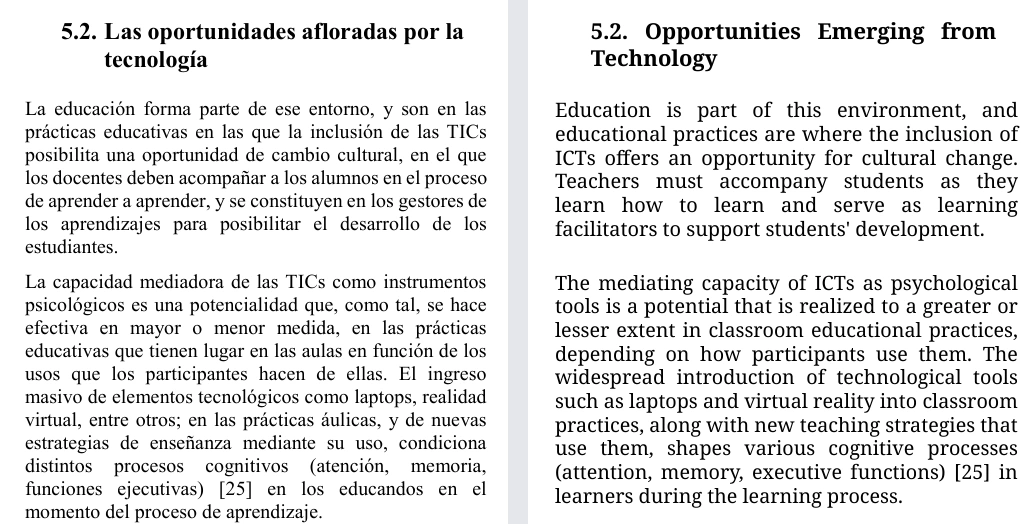
The side-by-side layout is especially helpful when dealing with academic arguments or specialized metrics. Any time you encounter an organizational name or a specific concept in the translation, you can just shift your eyes to the original page to verify the exact wording. This gives you the speed of reading in your primary language while keeping the original publication as your reference.
The next time you are faced with foreign language literature, try this workflow—let the translation outline the narrative, and let the original provide the authoritative reference.
Sources
- Equalang Document Translation
- Example source file: Original Spanish Paper Excerpt (PDF)
- Example translated file: Translated English Paper Excerpt (PDF)
- Example source: Falco M, Kuz A (2016), Comprendiendo el aprendizaje a través de las neurociencias, con el entrelazado de las TICs en educación, TE&ET 17:43–51. https://sedici.unlp.edu.ar/handle/10915/54200 (Printed pages 47–48). Licensed under CC BY 4.0. English translation generated by Equalang.